OCR for tax forms: how to extract data from W-2s, 1099s, 1040s and K-1s
For lenders, accounting firms and finance teams that key IRS forms by hand. You'll see how tax form OCR works, which forms and fields matter, where it goes wrong and how to automate it.

Key takeaways
- OCR for tax forms reads IRS forms such as the W-2, 1099, 1040 and K-1 and turns each box and line into structured data you can check and use.
- OCR alone only produces text. Usable tax data needs extraction that maps each value to its box or line, and validation that checks it.
- Standard forms are still hard: the IRS revises forms each year, line numbers and instructions look like values, and many forms are filled in by hand.
- The most useful checks are cross-form: W-2 wages against the 1040, 1099 income against Schedule C, and tax figures against pay stubs and bank deposits.
- Automation moves people from typing to reviewing flagged fields; Docsumo reports 99% field-level accuracy on 250+ document types.
On this page
- What is OCR for tax forms?
- Common IRS tax forms and the data in them
- How tax form OCR works
- Manual vs automated tax form processing
- Why tax forms are hard to OCR
- Checks to run on extracted tax data
- Where tax form OCR is used
- How to automate tax form processing with Docsumo
- The bottom line
- Frequently asked questions
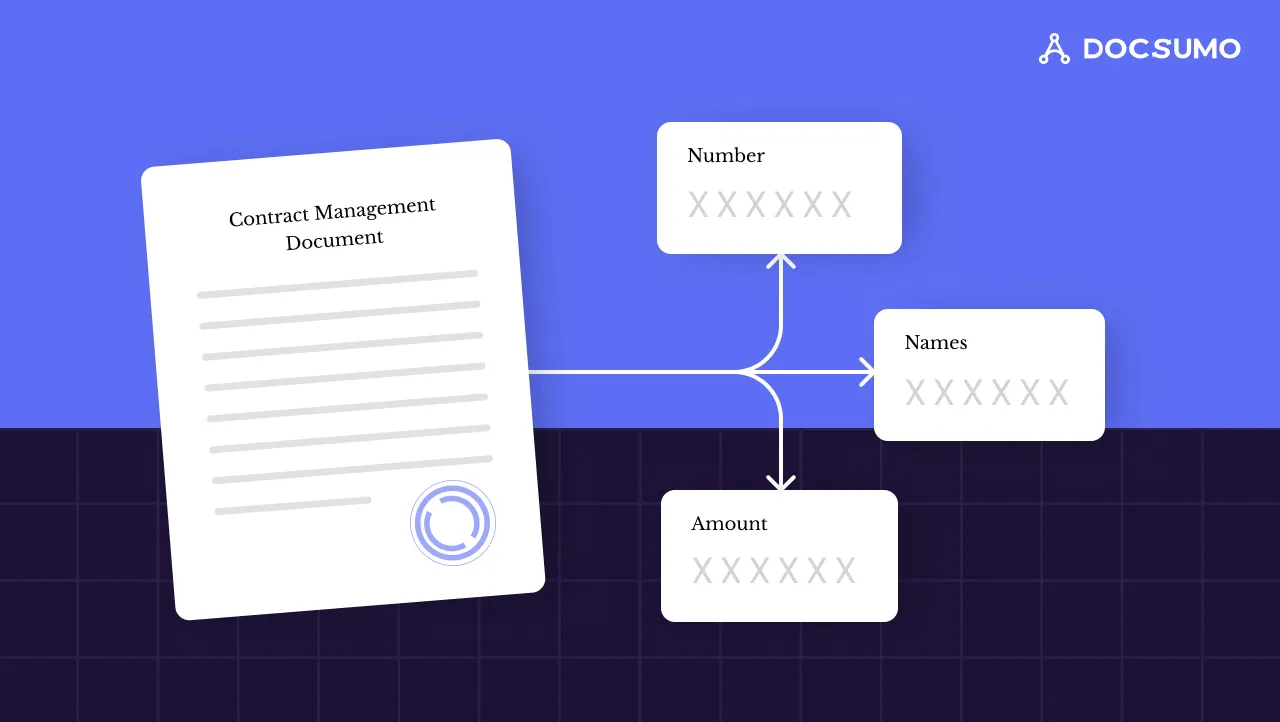
OCR for tax forms reads IRS forms such as the W-2, 1099, 1040 and Schedule K-1, whether scanned, photographed or PDF, and turns each box and line into structured data. OCR alone only produces text; tax form automation adds extraction that maps each value to its box and validation that checks it. This guide covers the forms and fields that matter, how it works, where it goes wrong and the checks to run.
What is OCR for tax forms?
Optical character recognition (OCR) turns an image of a page into machine-readable text. Tax forms are a natural fit because they're standardized and plentiful: the IRS expected about 164 million individual income tax returns in 2026, each backed by W-2s, 1099s or schedules that lenders, accountants and finance teams also read.
A text dump of a W-2 isn't useful, though. You need "wages: $84,250" from the right box, for the right tax year. That takes three layers. (For OCR beyond tax forms, see our guide to OCR document processing.)
OCR
Reads the characters on the page, printed or handwritten, after the image is straightened and cleaned. The output is text with positions.Extraction
Works out which text is a value and which box or line it belongs to, using the form's labels and layout rather than fixed coordinates. The output is named fields.Validation
Checks the fields: formats for SSNs and EINs, totals that add up, and figures that agree across forms. Anything uncertain goes to a person.
Common IRS tax forms and the data in them
Lenders, accountants and finance teams see the same handful of forms again and again:
| Form | What it is | Data usually extracted |
|---|---|---|
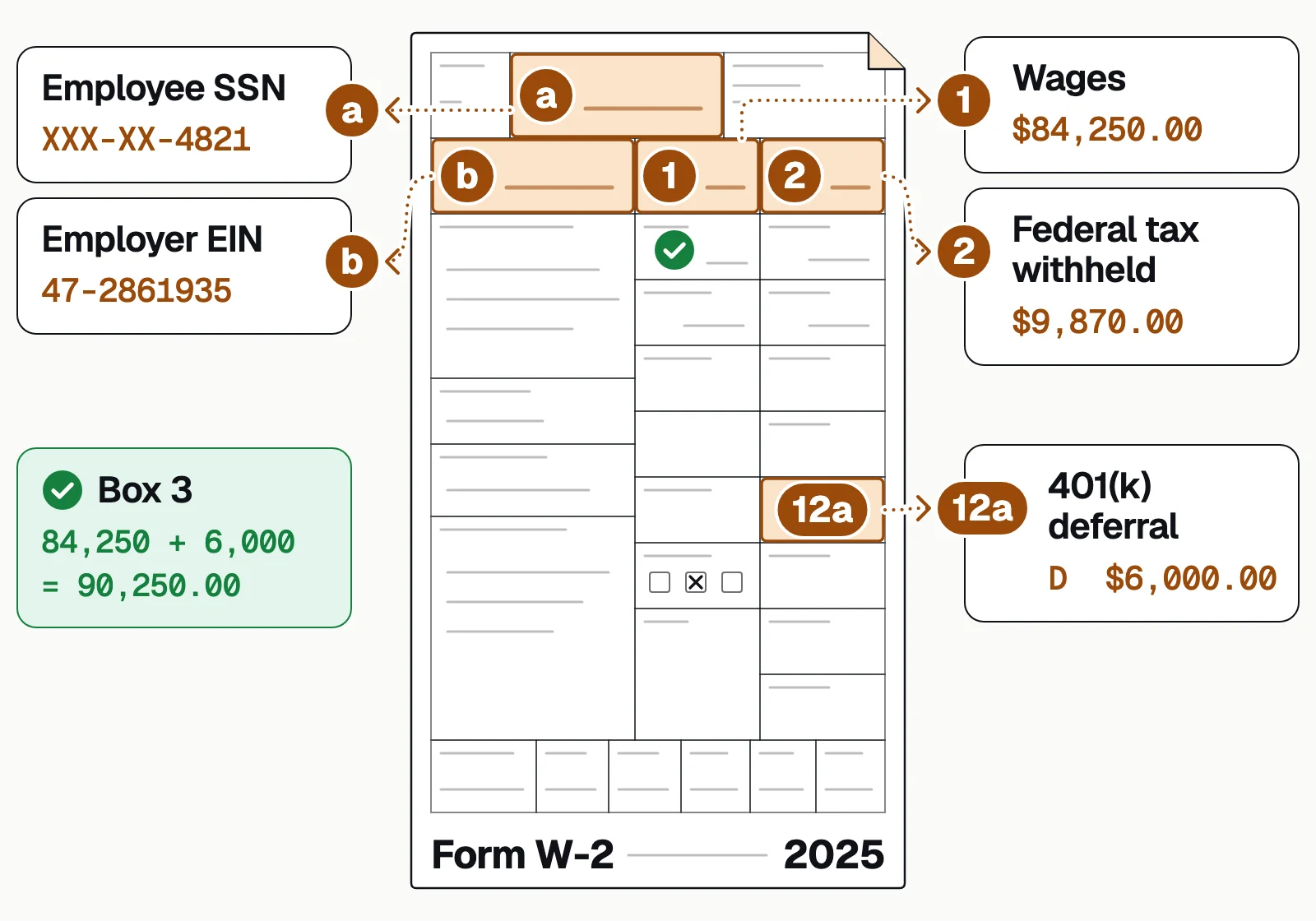
| W-2 | Wage and Tax Statement an employer gives each employee | Employer and EIN, wages, federal and state tax withheld, retirement contributions |
| 1099 (NEC, MISC, INT, DIV and others) | Information returns for income that isn't wages, such as contractor pay, interest and dividends | Payer, recipient, amount paid, tax withheld |
| W-9 | Request for a taxpayer ID, sent when a business pays a contractor or opens an account | Name, business name, tax classification, address, SSN or EIN |
| 1040 and schedules | U.S. individual income tax return | Filing status, wages, business income (Schedule C), rental income (Schedule E), adjusted gross income, tax owed or refunded |
| 1120-S and Schedule K-1 | Income tax return for an S corporation, with a K-1 for each shareholder | Ordinary business income, deductions, each shareholder's ownership percentage and share of income |
| 1120 and 1065 | Returns for C corporations and partnerships | Revenue, cost of goods sold, deductions, taxable income, partner allocations |
A W-2 goes only to employees. Independent contractors doing the same work get a 1099 instead, which is why lenders ask self-employed borrowers for 1099s and full tax returns rather than W-2s. See tax form extraction for the forms Docsumo reads out of the box.
1099 data extraction: the variants and their thresholds
Each kind of income has its own 1099, filed only above a minimum amount, so a self-employed borrower won't have a 1099 from every client. The common variants and their IRS thresholds:
- 1099-NEC: pay to independent contractors and attorney fees. $2,000 or more for payments made in 2026 (it was $600 before), and the IRS may adjust it for inflation from 2027.
- 1099-MISC: rents, prizes and awards and other income ($2,000 or more from 2026), royalties ($10 or more) and gross proceeds paid to attorneys ($600 or more).
- 1099-INT: interest, generally $10 or more.
- 1099-DIV: dividends and other distributions, $10 or more.
- 1099-R: distributions from pensions, annuities, retirement plans and IRAs, $10 or more.
Whatever the variant, a 1099 parser pulls the same core fields: payer and recipient names, addresses and TINs, the account number, the amount in each box and any federal or state tax withheld.
How tax form OCR works
A tax packet goes from mixed pages to checked data in the same few stages, whatever tool you use.
- Scanned returns
- PDF W-2s and 1099s
- Phone photos
- E-filed return PDFs
- 01Clean the image
- 02Identify each form
- 03Read and map boxes
- 04Validate the values
- Capture and cleanScans, PDFs and phone photos are straightened, cropped and cleaned so faint print and stamps don't become stray characters.
- ClassifyEach page of a mixed packet is identified by form type and tax year, and multi-page returns are kept together.
- Read and mapOCR reads the text, then extraction ties each value to its box or line: W-2 box 1 is wages, box 2 is federal income tax withheld. Models that read labels cope with a new form revision far better than fixed-position templates.
- ValidateFormat, math and cross-form checks run on every packet. Values that fail or were read with low confidence go to a reviewer.
- OutputThe checked data goes out as Excel, CSV or JSON, or into your tax, lending or accounting system through an API.
Manual vs automated tax form processing
Retyping forms is slow in tax season and error-prone all year: a wage figure keyed from the wrong box travels into every calculation after it.
Manual entry
- Staff key every box from every form, page by page
- Each tax year's form changes have to be learned by the person reading it
- Errors surface late, in an underwriting query or an IRS notice
- Tax season means overtime or temporary staff
Automated extraction
- Forms are read into named fields in minutes
- New form revisions are read from labels, not re-templated by hand
- Format, math and cross-form checks run on every packet
- People review only the fields that were flagged
Docsumo reports these results across the documents it processes:
- 99%field-level accuracy on 250+ document types
- 95%+of documents processed straight through
- <5 minper document, down from 2+ hours
Why tax forms are hard to OCR
The forms are standard, but the documents you receive aren't. These are the problems to test any tool against.
Forms change from year to year
The same figure can sit on a different line in two tax years, which breaks template-based OCR. Test any tool on each new form year.Box numbers and instructions read as values
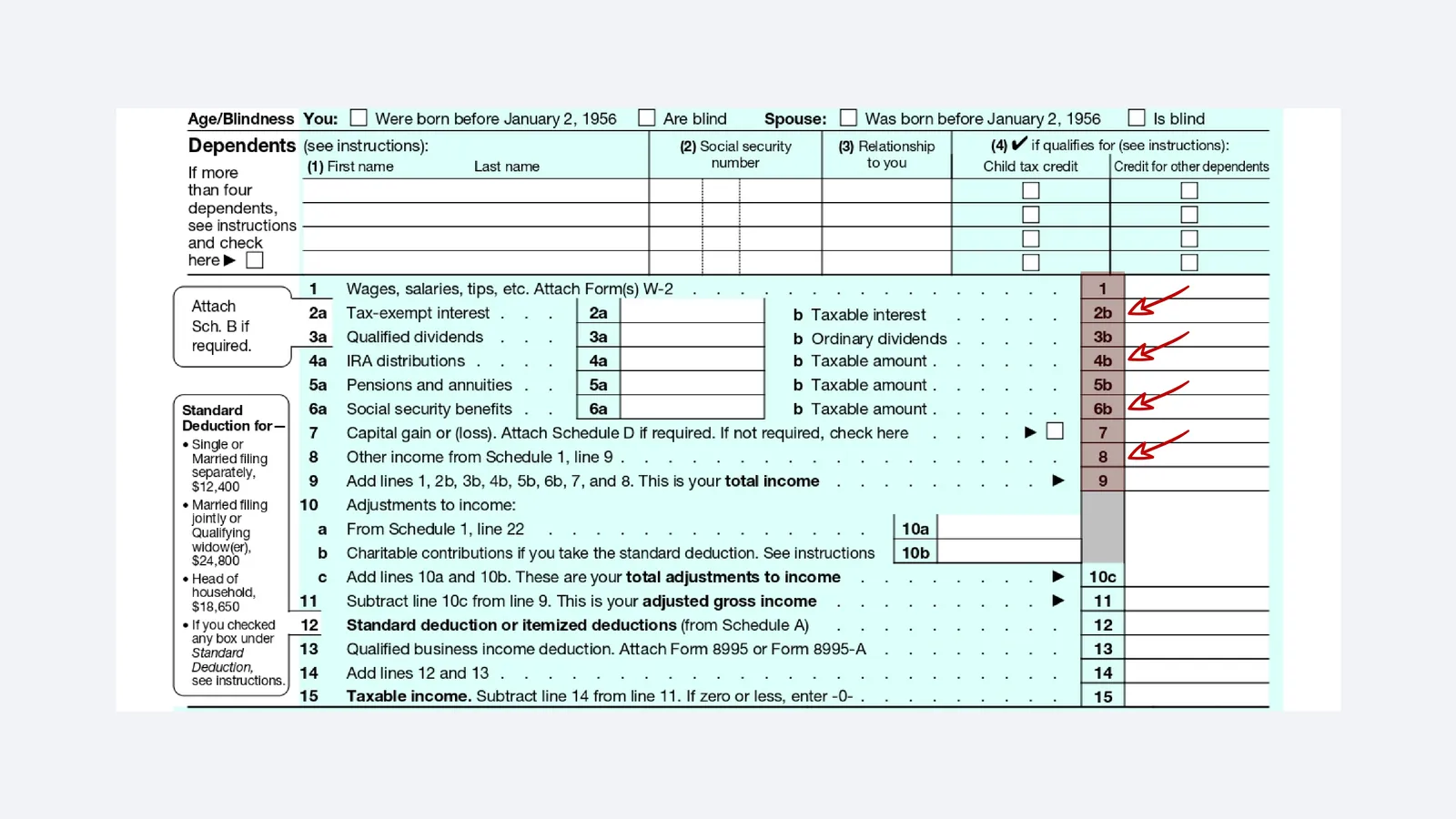
Line numbers, box labels and notes such as "Attach Form(s) W-2" sit right next to the entry boxes, and basic OCR can capture them as the value.Handwritten entries
Handwriting varies far more than print, so handwritten fields need a confidence check and review when the reading is uncertain.Scan quality
Smudges, low resolution, skew and faint carbon copies all cut accuracy. The tool should flag what it can't read rather than guess.Mixed packets
One PDF can hold a 1040, 5 schedules and a dozen W-2s and 1099s. Without page classification, data from one form ends up in another's fields.
Docsumo reads handwritten text as well as print, but for tax data a human check on low-confidence handwritten fields is still the right default.
Checks to run on extracted tax data
Extraction gives you numbers; these checks tell you whether to trust them. Most run automatically, so a person sees only the forms that fail.
- W-2 wages tie to the 1040Box 1 on all W-2s adds up to the wages line on the return (line 1a on recent Form 1040s).
- 1099 income shows up on the return1099-NEC and 1099-MISC amounts appear in Schedule C gross receipts or another schedule.
- K-1 figures match the business returnEach K-1's ordinary income agrees with the entity return and the owner's share, and the owners' percentages add up to 100%.
- Identifiers are valid and consistentSSNs and EINs have the right format and match across the packet.
- Tax years are rightEvery form is for the year you asked for, and multi-year requests have no gaps.
- Tax figures agree with other documentsFor lenders, income on the return is compared with pay stubs, bank deposits and the application.
Where tax form OCR is used
Lenders read tax forms to verify income, tax firms to prepare returns, and AP teams to collect vendor tax IDs.
Which team are you?
How to automate tax form processing with Docsumo
Docsumo reads tax forms without a template for each form. It sorts a mixed tax packet by form, extracts each box and line, and sends fields it isn't sure of to a person for review. Clean data goes to your systems through the API and webhooks, and on the Enterprise plan cross-document validation checks tax forms against each other and against pay stubs and bank statements in the same case.
Pick a form below to see what Docsumo reads from it and what it's checked against:
Individual and wage forms
Business returns
Form W-2: Wage and Tax Statement
Employers send one to each employee every January.✓ 3 passedWages one employer paid one employee in the tax year, and the taxes withheld from them.
What Docsumo reads
- Employee, box e
- Elena M. Ruiz
- Employee's SSN, box a
- XXX-XX-4127
- Employer, box c
- Front Range Dental Group PC
- Employer EIN, box b
- 84-3150792
- Wages, box 1
- 136,500.00
- Federal tax withheld, box 2
- 24,180.00
- Social security wages, box 3
- 160,000.00
- 401(k) deferrals, box 12a code D
- 23,500.00
Checked against
- Form 1040Box 1 against wages on line 1a✓ 136,500 on both
- Form 1040Box 2 against withholding on line 25a✓ 24,180 on both
- ItselfBox 3 against box 1 plus the 401(k) deferrals✓ Adds up
SSNs shown truncated. Field names and the output schema are configurable.
What it doesn't do: prepare or file returns, give tax advice, or produce Fannie Mae Form 1084 or Freddie Mac Form 91 income calculations. It extracts the income data that goes into them, for the tax, lending or accounting software you already use.
The bottom line
Tax forms look easy to automate because they're standard, but yearly revisions, box labels, handwriting and mixed packets break plain OCR. What works is OCR plus extraction by box and line, plus checks that tie the forms to each other and to the rest of the file. Test any tool on your own forms, across several tax years, before you commit.
Book a demo with a few of your own tax forms, or start a free trial: 14 days, up to 1,000 pages.
Frequently asked questions
Can OCR read IRS tax forms?
Yes. OCR reads printed and handwritten text on forms such as the 1040, W-2, 1099, W-9 and 1120-S. To get usable data, it needs extraction that maps each value to the right line or box and checks it.
Why is tax form extraction hard if the forms are standard?
The IRS revises forms, so fields move between years. Forms are also full of line numbers and instructions that basic OCR can mistake for values, and many are filled in by hand.
Which tax forms do lenders need to extract?
Mostly W-2s and 1099s for income, 1040s with schedules for individual and self-employed borrowers, and 1120-S, 1120 or 1065 returns with K-1s for business owners. See tax form extraction.
What should I look for in OCR software for tax forms?
Test it on your own forms, including scans, handwritten forms and several tax years. Look for extraction by box and line rather than plain text, validation rules, a review step for low-confidence fields, and output to your systems by API or export.
How does 1099 form OCR work?
A 1099 parser first identifies the variant (NEC, MISC, INT, DIV or R), because the same box number means different income on each. It then reads the payer, recipient, TINs and box amounts, checks the TIN formats, and sends low-confidence fields to a person for review.
Can OCR extract data from Schedule K-1s?
Yes, if the tool maps K-1 boxes rather than just reading text. The key fields are the entity, the partner or shareholder, the ownership percentage and each income box, which lenders compare with the business return and the owner's 1040.
Is it safe to run tax forms through OCR software?
Tax forms hold Social Security numbers and income, so check the vendor's security before sending any. Docsumo is SOC 2 Type 2, HIPAA and GDPR compliant; see security.
Sources
- IRS: IRS announces first day of 2026 filing season (about 164 million individual returns expected)
- IRS: About Form W-2, Wage and Tax Statement
- IRS: About Form 1099-NEC, Nonemployee Compensation
- IRS: About Form W-9, Request for Taxpayer Identification Number and Certification
- IRS: About Form 1040, U.S. Individual Income Tax Return
- IRS: About Form 1120-S, U.S. Income Tax Return for an S Corporation
- IRS: Instructions for Forms 1099-MISC and 1099-NEC ($2,000 threshold for payments after 2025)
- IRS: Am I required to file a Form 1099 or other information return?
- IRS: Instructions for Forms 1099-INT and 1099-OID
- IRS: Instructions for Form 1099-DIV
- IRS: Instructions for Forms 1099-R and 5498
First published . Last updated .