Oops! Something went wrong while submitting the form.
TL;DR
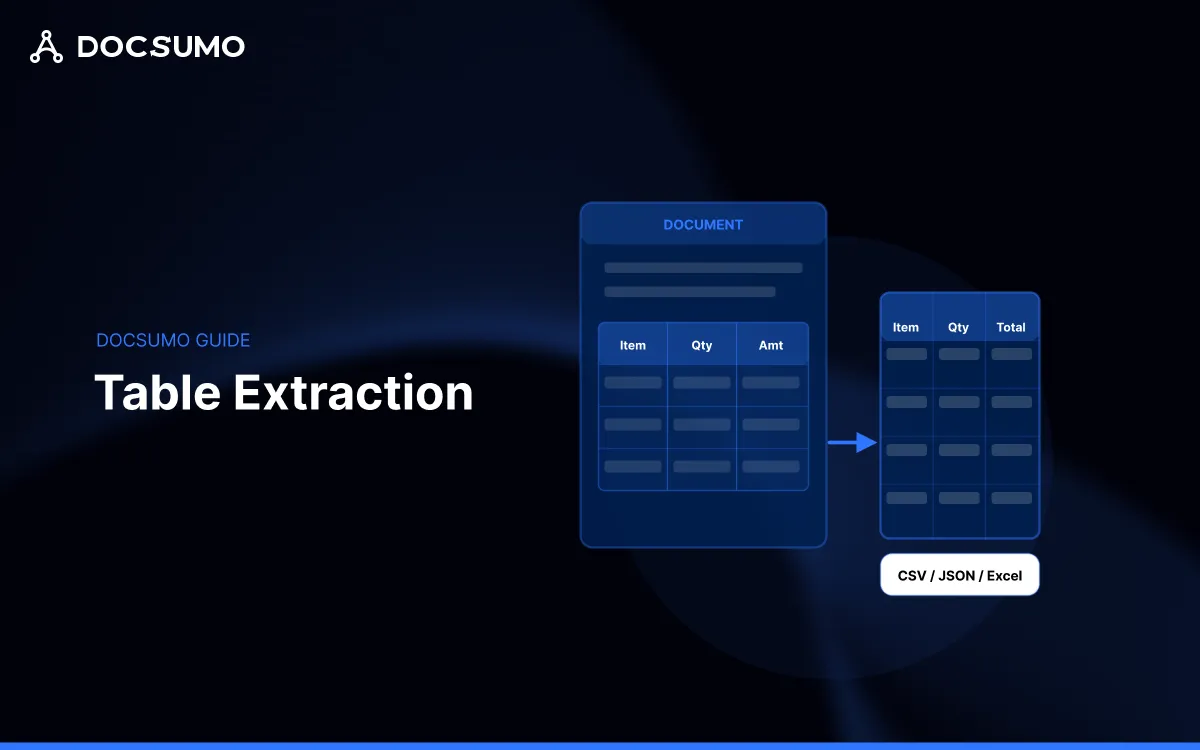
Table extraction is the process of detecting tabular structures in documents - PDFs, scanned pages, or images - and converting them into structured formats like CSV, Excel, or JSON.
The technology pairs optical character recognition (OCR) with layout analysis to identify rows, columns, headers, and cell boundaries, then maps how they relate to each other.
Tables hold the high-value data in most business documents: line items on invoices, transaction rows on bank statements, coverage details on insurance forms. Without accurate extraction, teams copy data by hand - a slow process that introduces errors before any downstream decision gets made.
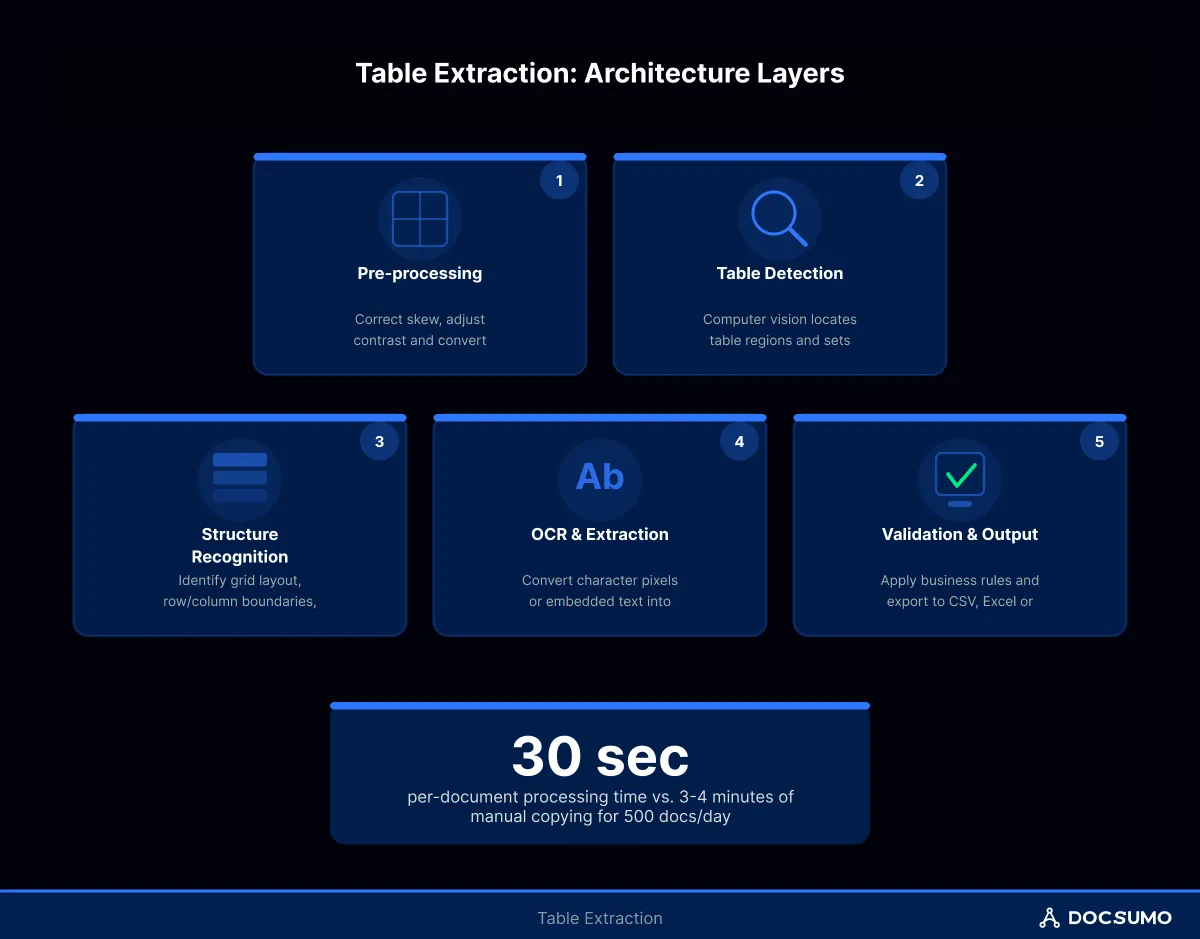
For example: a lending team processing 500 bank statements daily might spend 3-4 minutes per document manually copying transaction tables. With reliable extraction, that same workflow drops to under 30 seconds of human review per document.
What is table extraction
Table extraction automates the detection and digitization of tabular data from documents. Unlike plain text extraction, which captures characters in reading order, table extraction preserves spatial relationships between cells. The system understands that "Q1 Revenue" in row 1, column 2 connects to "$45,000" in row 2, column 2.
You might see "extraction table" in search results - this typically refers to the output structure rather than a separate concept. The core goal is pulling structured grids from unstructured sources.
Basic table extraction: Handles clean, bordered tables in native PDFs
Enterprise-grade extraction: Handles borderless tables, merged cells, multi-page continuations, and scanned documents with skew or noise
How table extraction technology works
Think of table extraction as a four-layer pipeline. Each layer transforms the input, and problems at any layer cascade downstream - like a factory assembly line where a misaligned part early on causes defects at every station after.
Pre-processing and image normalization
Raw inputs arrive in various states: rotated scans, low-resolution camera captures, PDFs with embedded fonts, or image-only files. The preprocessing layer normalizes inputs by correcting skew, adjusting contrast, upscaling resolution, and converting everything to a consistent format.
A 5-degree rotation on a scanned invoice can shift column alignments enough to break cell-to-header mapping later. Preprocessing catches this before it becomes a bigger problem.
Table detection and boundary identification
Once normalized, computer vision models scan the document to locate table regions. Modern approaches use deep learning architectures - often transformer-based - trained on datasets like PubTables-1M or DocLayNet to distinguish tables from surrounding text, images, and whitespace.
The output here is a bounding box: coordinates marking where each table starts and ends on the page.
Structure recognition and cell mapping
This layer determines whether extraction succeeds or fails. Structure recognition identifies the internal grid: row separators, column boundaries, spanning headers, and merged cells. The system builds a logical representation of the table's skeleton.
For example: a financial statement might have "Operating Expenses" spanning columns B through E as a category header, with individual line items beneath. Structure recognition captures that hierarchy - not just the text, but the parent-child relationship between header and values.
OCR and text layer extraction
Finally, OCR extracts the actual characters from each identified cell. For native PDFs with embedded text, this step reads directly from the text layer. For scanned documents, character recognition runs against the image pixels.
The extracted text then populates the structural skeleton, producing the final output: a structured object where each cell contains its value, position, confidence score, and relationship to headers.
How to extract tables from PDFs and images
The extraction method depends on input type and volume.
Native PDF extraction
Native PDFs contain embedded text layers, making extraction more reliable. Tools read cell contents directly without OCR, though structure detection still requires layout analysis. Libraries like Tabula or Camelot work well for simple, bordered tables in native PDFs.
Scanned document and image extraction
Scanned documents and camera captures require full OCR plus structure recognition. Quality varies based on scan resolution (300 DPI minimum is typical), lighting consistency, and document condition. AI-powered solutions generally outperform rule-based tools on scanned inputs.
API-based extraction at scale
For production workflows processing hundreds or thousands of documents, API-based extraction services handle the infrastructure complexity. You send documents via REST API; the service returns structured JSON or CSV.
Input Type
Recommended Approach
Typical Accuracy Range
Native PDF (bordered tables)
Open-source libraries
90-95%
Native PDF (complex layouts)
AI-powered API
92-98%
Scanned documents
AI-powered API with preprocessing
88-96%
Camera captures
AI-powered API with enhancement
85-94%
What is the best model for table extraction
There's no single "best" model - the right choice depends on document types, accuracy requirements, and deployment constraints.
Table Transformer (TATR) from Microsoft Research performs well on academic benchmarks and offers open-source flexibility. It handles detection and structure recognition but requires separate OCR integration.
Commercial APIs from cloud providers (Google Document AI, Amazon Textract, Azure Form Recognizer) bundle detection, structure recognition, and OCR into managed services. They trade customization for convenience.
Specialized IDP platforms like Docsumo combine extraction with validation, workflow routing, and system integration - addressing the full document-to-decision pipeline rather than extraction alone.
For enterprise use cases, model accuracy matters less than end-to-end workflow accuracy. A model achieving 97% cell-level accuracy still produces errors that compound across thousands of documents without downstream validation.
Where table extraction tools commonly fail
Most extraction failures trace back to predictable patterns.
Borderless tables: Without visible gridlines, detection models struggle to identify column boundaries. Financial statements and government forms frequently use whitespace-only separation.
Merged and spanning cells: Headers that span multiple columns break naive row-by-row extraction. The system captures the text but loses the hierarchical relationship.
Multi-page table continuations: Tables spanning page breaks often lose header context on subsequent pages, producing orphaned rows with no column mapping.
Nested tables: Tables within tables - common in insurance documents and technical specifications - confuse detection models trained on flat structures.
Handwritten annotations: Handwritten notes overlapping printed tables introduce noise that degrades both detection and OCR accuracy.
Tip: When evaluating extraction tools, test against your worst documents first. Edge cases reveal production readiness faster than clean samples.
Enterprise-ready table extraction checklist
Before committing to a table extraction solution for production workflows, verify the following capabilities:
Confidence scoring at cell level: Per-cell confidence enables targeted human review, not just document-level accuracy
Header-to-value relationship preservation: Structured output that maintains column semantics, not just raw grids
Multi-page table handling: Automatic continuation detection and header propagation
Validation rule support: Checking extracted totals against calculated sums, flagging outliers, enforcing format constraints
Human-in-the-loop review interface: Exception queues where reviewers correct low-confidence extractions
Audit trail and versioning: Traceability from source document to extracted output for compliance requirements
API throughput and latency SLAs: Documented performance guarantees for your volume requirements
How Docsumo implements table extraction
Docsumo's extraction pipeline addresses common failure modes through a layered architecture. The platform preprocesses incoming documents with adaptive enhancement - adjusting for skew, resolution, and contrast based on detected document characteristics rather than fixed parameters.
Structure recognition uses models trained on 20M+ enterprise documents, with specific handling for borderless layouts, spanning headers, and multi-page continuations. The system outputs cell values along with confidence scores, bounding coordinates, and header mappings that downstream validation can act on.
What distinguishes the approach is what happens after extraction. Docsumo routes low-confidence tables to review queues with field-level highlighting, applies cross-document validation (comparing invoice line items against purchase orders, for instance), and syncs validated data to downstream systems via pre-built integrations.
Here's how a typical production workflow operates:
Intake: Documents arrive via email, API upload, or folder monitoring
Classification: The system identifies document type and routes to the appropriate extraction model
Extraction: Tables are detected, structures recognized, and cells populated with OCR text
Validation: Business rules check extracted data - do line items sum to the stated total? Are dates in valid ranges?
Exception handling: Documents failing validation or below confidence thresholds route to human review queues
Correction and learning: Reviewer corrections feed back to improve future extraction accuracy
Export: Validated data syncs to ERP, CRM, or other downstream systems
When errors occur - and they will - the workflow design determines whether they're caught before or after they cause damage. A missing row in an invoice table caught at validation costs minutes to fix. The same error discovered during month-end reconciliation costs hours.
When table extraction becomes critical for operations
Table extraction shifts from optional to essential under specific conditions:
Volume exceeds manual capacity: When document volume grows faster than headcount, extraction automation becomes the only path to maintaining throughput
Error rates create downstream risk: In lending, insurance, and healthcare, extraction errors translate directly to financial loss or compliance violations
Time-to-decision is competitive: When faster processing wins deals or improves customer experience, manual extraction becomes a bottleneck
Audit requirements demand traceability: Regulated industries require documented chains from source document to system-of-record entry
Rule-based extraction works until it doesn't. The moment documents include layout variations, borderless tables, or scanned inputs, accuracy drops. AI-powered extraction - trained on millions of document examples - handles variation that would require thousands of manual rules to address.
The operational takeaway: table extraction technology has matured to the point where high accuracy is achievable on most enterprise document types. The remaining challenge isn't extraction itself but the surrounding workflow - validation, exception handling, and integration - that turns extracted data into trusted, decision-ready information.
FAQs
1. Can table extraction handle tables that span multiple pages?
Advanced extraction tools detect page-break continuations and propagate headers automatically, though accuracy varies by vendor. Testing with specific multi-page documents reveals whether a given solution handles particular layouts correctly.
2. What file formats can table extraction output?
Most tools support CSV, Excel (XLSX), and JSON output formats. JSON preserves the richest structure - including confidence scores, coordinates, and header relationships - while CSV and Excel prioritize compatibility with spreadsheet workflows.
3. How does table extraction differ from general OCR?
OCR converts image pixels to text characters. Table extraction adds structure recognition - identifying rows, columns, cells, and header relationships - to produce organized data rather than a stream of text.
By clicking “Accept”, you agree to the storing of cookies on your device to enhance site navigation, analyze site usage, and assist in our marketing efforts. View our Privacy Policy for more information.