Insurance submission intake: classify, split and check every broker submission
For underwriting and intake teams at carriers and MGAs. How a broker's emailed submission becomes checked data, the checks to run, and nine tools that do the work.

Key takeaways
- Insurance submission intake turns a broker's emailed submission into checked data before an underwriter opens it.
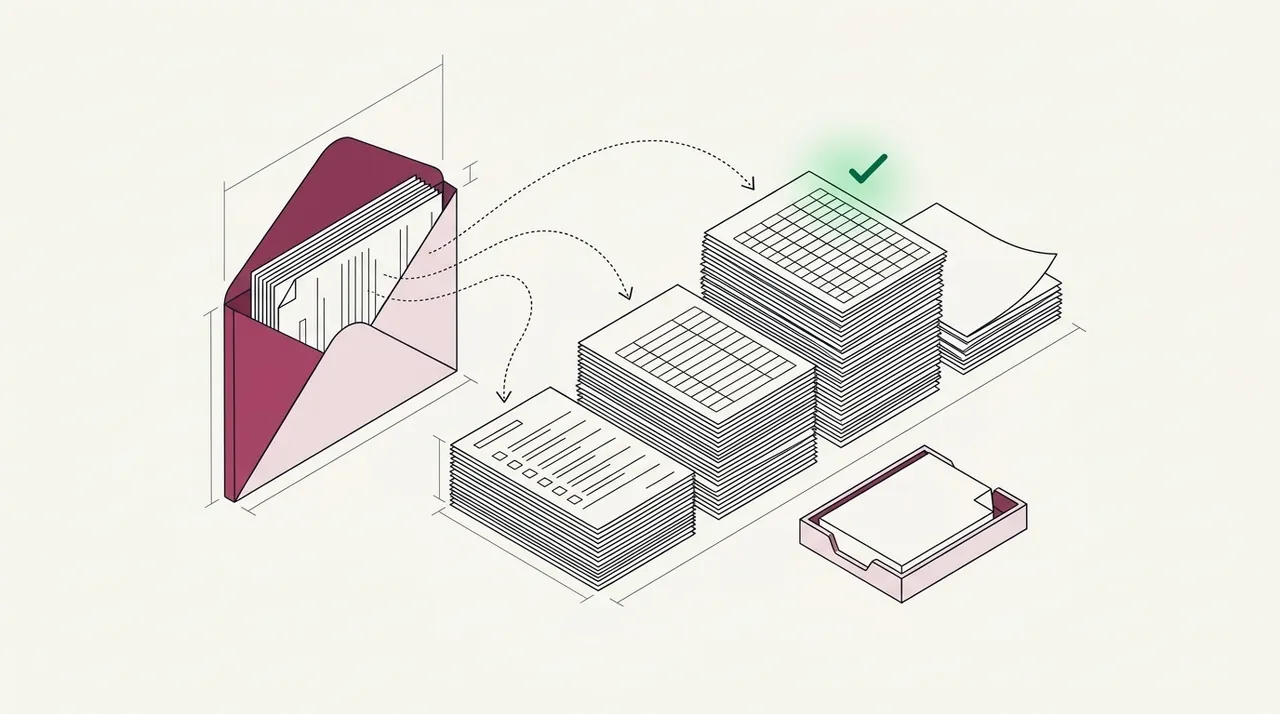
- Intake runs in four steps. Software classifies each attachment, splits mixed PDFs, extracts the fields and checks them across documents, and people see only the exceptions.
- Docsumo, Heron, Indico Data and Cytora are insurance intake platforms. Hyperscience, ABBYY Vantage and UiPath IXP are document AI platforms. Azure and Google sell cloud classifiers.
- Azure and Google publish classification prices, $3 and $5 per 1,000 pages. None of the insurance intake platforms shows a price, and Docsumo shows the terms of its free trial.
- Test any tool on last month's broker submissions, scanned ACORD forms and long loss runs included. Then count the documents filed under the wrong type and the fields a person had to fix.
On this page
- How submission intake works
- What a broker submission contains
- An intake checklist for ACORD forms, loss runs and SOVs
- 9 submission intake and classification tools
- Submission intake tools compared
- Where insurance underwriting software fits after intake
- How to test intake software on your own submissions
- If your quotes wait on intake, not on underwriters
- Frequently asked questions
Insurance submission intake is the work between a broker's email and an underwriter's first look. Intake software classifies each attachment, splits mixed PDFs and reads the fields. Then it checks the documents against each other and sends people only the exceptions. Docsumo, our product, does this job and sends the checked data to the system you already run.
Vendor details below come from each vendor's own website and documentation, checked between September 29 and October 7, 2026. Links are in the sources at the end.
What do you need from intake software?
How submission intake works#
Intake runs in four steps, and software can do each of them. The team's job shifts from typing data to resolving the exceptions.
- Broker email
- ACORD forms
- Loss runs
- SOV
- 01Classify each file
- 02Split mixed PDFs
- 03Extract the fields
- 04Check across documents
Classify and split. Insurance document classification labels each attachment by type, such as ACORD 125, loss run or statement of values (SOV). Docsumo sorts files into the document types you name, with no training set. Its AI Split takes a plain-English definition of each type and splits a combined PDF into its documents. Classification and splitting are on the Business plan. Documents it can't classify wait as Unclassified for a person to assign, and a reviewer can move any document to another type.
Extract. Each document type has its own fields. An ACORD 125 holds the applicant's details, and a loss run holds each claim's date of loss and the amounts paid and reserved. An SOV lists each building on its own row, and Docsumo extracts SOV spreadsheets too.
Check across documents. On the Enterprise plan, cross-document validation checks the documents against each other. For example, it checks the loss runs against the losses on the ACORD 125. It also checks them against your guideline for the policy years covered and the valuation date. When a loss run year is missing, Docsumo can email the broker to ask for it. A failed check goes to a person, with its reason. Everything that passes goes on to the underwriter.
What a broker submission contains#
A commercial submission usually arrives as one broker email with several attachments. The ACORD 125 comes first. It names the applicant, its locations and the lines it wants quoted. Each line then has its own section. The ACORD 126 covers general liability, the 127 business auto, the 131 umbrella and excess, and the 140 property. Workers' comp has its own application, the ACORD 130.
The loss runs come next. Each prior carrier issues one, listing the claims on its policies. Property submissions add the SOV, a spreadsheet with each building's address, values and construction. Some lines also need the carrier's own supplemental questions or the applicant's financial statements.
Commercial applications
Evidence of property insurance
ACORD 125: Commercial insurance application
Agents and brokers send it to carriers and MGAs, with the line sections.✓ 3 passedThe first section of a commercial submission: the applicant, its premises and the lines it wants quoted.
What Docsumo reads
- Applicant
- Keystone HVAC LLC
- FEIN
- ••-•••6120
- NAICS
- 238220
- Proposed term
- 2026-07-01 → 2027-07-01
- Sections attached
- GL, property, auto, umbrella
- Full-time employees
- 46
- Annual revenues
- 8,450,000
- Premises 1
- 2150 Liberty Ave, Pittsburgh, PA 15222
Checked against
- SubmissionEvery section ticked is attached✓ 4 of 4 in
- Every sectionApplicant, FEIN and proposed term✓ Same on all
- Your rulesNAICS code against the classes you write✓ Accepted
The rules each form is checked against are yours to set.
The applications in the figure come from one applicant, Keystone HVAC LLC. Its ACORD 125 passes three checks. Every section it ticks is attached, the applicant, FEIN and term match on every section, and the NAICS code is one the carrier covers. The ACORD 126 has one "yes" answer with no explanation. The ACORD 140 lists a building from 1968 but gives no roof year. The carrier's rule asks for a roof year on any building from before 1980. Neither failed check is a reason to decline. Each one is a question for the broker.
The last two forms in the figure, the ACORD 28 and 27, are evidence of insurance that lenders receive. They aren't part of a submission. For the fields on each application form, see our guides to the ACORD 125, 126, 127, 131 and 140.
An intake checklist for ACORD forms, loss runs and SOVs#
Run these checks on every submission before it reaches an underwriter. Each check either passes or becomes a question for the broker. Loss runs need the most care, so they have a guide of their own.
- Every document is thereFor every line of business ticked on the ACORD 125, its section is attached. So are the loss runs and the SOV your guidelines ask for. Ask the broker for anything missing on the first day.
- It isn't already in your systemThe named insured and FEIN don't match an account that another broker sent. If they do, your clearance rules decide which broker you quote with.
- It fits your appetiteThe applicant's NAICS code, operations and requested lines are ones you cover. If not, decline early or refer the submission.
- The forms agreeThe applicant, FEIN and proposed term are the same on the 125 and on each line section. Every premises on the 140 is a location on the 125.
- The loss runs match the applicationThe losses reported on the ACORD 125 appear on the loss runs. The runs cover the years your guideline asks for, and the valuation date is recent.
- The SOV matches the property sectionEach building on the SOV is a location on the application, and its values agree with the ACORD 140.
- Every "yes" has an explanationQuestions answered "yes" on the 125 and the line sections carry the broker's explanation.
- The dates workThe proposed effective date leaves enough time to quote.
Our take. Intake should be predictable. Every check on this list runs on every submission, and people see only the checks that failed. For example, a loss run year is missing, or a building value on the ACORD 140 doesn't match the SOV. Whoever handles that check should see it with its reason and the source line beside it. Nobody should have to open the PDF to find out why.
9 submission intake and classification tools#
Docsumo is our product, so we've put it first and said plainly what it doesn't do. The others are grouped by what they're built for. For a wider list of classifiers, see our comparison of document classification software.
Insurance intake platforms
1. Docsumo
Insurance intakeOur product- Reads
- ACORD forms, loss runs, SOV spreadsheets, supplementals and emails; any document type, handwritten text included
- Classifies
- Into the document types you name, with no training set. AI Split takes a plain-English definition of each type. Classification and splitting are on the Business plan
- Checks
- Loss runs against the losses on the ACORD 125, and against your guideline for the policy years covered and the valuation date. Other cross-document checks too, all on the Enterprise plan. It can email the broker for a missing loss run year
- Review
- Documents it can't classify wait as Unclassified for a person to assign. Fields below the confidence threshold you set go to your own team, and clicking a field highlights its source line
- Output
- API and webhooks into your workbench or policy system; loss runs from several carriers in one table, exported to CSV or Google Sheets
- Deployment
- Cloud only; SOC 2 Type 2 and ISO/IEC 27001:2022 (security)
- Pricing
- A free 14-day trial for up to 1,000 pages; Business and Enterprise plans are quoted. Case management is on the Enterprise plan
- 99%field-level accuracy across 250+ document types
- 95%+of documents processed straight through, without manual review
- 99%accuracy on insurance compliance documents at Arbor
- 3,000+hours saved a month at Arbor
2. Heron
Insurance intake- Reads
- ACORD forms, supplementals, loss runs and SOVs, as software-house exports, scans or spreadsheets
- Classifies
- Into the document types you set, and it splits combined PDFs. Anything it can't place comes back as unclassified, and it learns from your corrections
- Checks
- Appetite, on class, limits, location and loss history. Each check returns pass, review or decline, and a decline carries the reason and the evidence
- Output
- A sync into your policy admin system that a Heron engineer sets up. Submissions can also arrive by API or portal
- Security
- SOC 2 Type II
- Pricing
- Not published
3. Indico Data
Insurance intake- Reads
- Emails, PDFs, portal attachments, ACORD forms, loss runs and SOVs
- Output
- A "Ready for Guidewire" accelerator for PolicyCenter on Guidewire Cloud; REST and GraphQL APIs and webhooks
- Deployment
- Single-tenant, hosted on AWS; SOC 2 Type II
- Pricing
- Not published
4. Cytora (Applied Systems)
Insurance intake- Reads
- ACORD forms, PDFs, Excel and CSV files, emails and images
- Output
- Part of Applied's software for agencies, carriers and MGAs; other systems aren't named on its site
- Deployment
- Cloud; 140+ languages supported
- Pricing
- Not published
Document AI platforms
5. Hyperscience
Document AI platform- Reads
- ACORD forms, policy applications and medical records; pre-trained models for ACORD forms, EOBs and health insurance cards
- Classifies
- A model for semi-structured documents trains on at least 10 pages per layout, with 120 recommended. Low-confidence pages can go to a person for review
- Output
- Guidewire InsuranceSuite, Duck Creek, Applied Epic, Sapiens and Vertafore AMS360, as named on its insurance page
- Deployment
- SaaS, on-premises, private tenant or air-gapped; FedRAMP High authorized
- Pricing
- Not published; volume-based
6. ABBYY Vantage
Document AI platform- Classifies
- The Vantage Classifier sorts documents into 70+ types, including ACORD forms. A trained classifier needs 10 to 100 documents per class when the classes differ only slightly
- Review
- Documents that fit none of its types get the Unknown class
- Deployment
- ABBYY Cloud in Europe, the US or Australia, or on-premises and private cloud on Azure
- Pricing
- Not published; trial on request
7. UiPath IXP
Document AI platform- Reads
- Pre-trained models cover the ACORD 125, 126, 131, 140 and 25, along with W-2s and CMS-1500 claim forms
- Classifies
- A trained classifier needs at least five documents for each type. A generative classifier works from a name and a description for each type
- Review
- Unrecognized documents come back as Unknown, and validation by a person is built in
- Pricing
- Classification comes with the Standard and Enterprise plans, which are priced on request. Standard has a 60-day free trial
Cloud classifiers
Cloud classifiers are building blocks. Your engineers train or describe the document types, then build the review screens, checks and routing around them. AWS's Textract offers classification only for mortgage packages, in its Analyze Lending API. For other files, AWS's Bedrock Data Automation splits a combined PDF and matches each document to the closest blueprint, a document type you define.
8. Azure Document Intelligence
Cloud classifier- Classifies
- A trained model needs at least five samples per class and allows up to 1,000 classes. It splits a combined file only when you set the split mode to auto
- Review
- A confidence score for each result; no review screen is included
- Pricing
- $3 per 1,000 pages for Document Intelligence classification (East US); 500 free pages a month on the free tier
9. Google Document AI
Cloud classifier- Classifies
- From your label names and descriptions alone, with no training. Or train it on your samples, with at least 10 documents per label recommended. A catch-all type takes documents that fit no other
- Review
- Confidence scores; Google deprecated its human review feature in January 2024, so you build the review step
- Pricing
- $5 per 1,000 pages for the first million pages a month, then $3, for the classifier or the splitter
Submission intake tools compared#
Facts as published on each vendor's site and documentation. None of the insurance intake platforms shows a price.
| Tool | Reads | Learns types | Hosting | Pricing |
|---|---|---|---|---|
| Insurance intake platforms4 tools | ||||
| DocsumoOur product | Named types, no training set | Cloud | Free trial; quoted plans | |
| Heron | Your list; learns from corrections | Not described | Not published | |
| Indico Data | Not described | Single-tenant, AWS | Not published | |
| Cytora | No training, per its site | Cloud | Not published | |
| Document AI platforms3 tools | ||||
| Hyperscience | 10+ pages per layout | Cloud or on-premises | Not published | |
| ABBYY Vantage | 70+ built-in types, or trained | Cloud or on-premises | Not published | |
| UiPath IXP | 5+ documents per type, or described | Cloud or self-hosted | Classification on quoted plans | |
| Cloud classifiers2 tools | ||||
| Azure Document Intelligence | Described, or 5+ samples per class | Azure cloud | $3 per 1,000 pages | |
| Google Document AI | Described, or 10+ per label | Google Cloud | $5 per 1,000 pages | |
Where insurance underwriting software fits after intake#
Intake hands its checked data to the software underwriters work in. Search results for insurance underwriting software mostly show that software, and it comes in two kinds.
Workbenches and AI assistants help underwriters triage and decide. Sixfold scores risk and summarizes each submission, with every fact cited to its source. Send, which Duck Creek bought in July 2026, runs triage and the underwriting workflow for commercial and specialty insurers. Intellect AI pairs its Xponent workbench with Magic Submission, its own intake product. For life and annuity insurers, Sapiens UnderwritingPro handles underwriting and new business cases, and Advent bought Sapiens in December 2025.
Core policy systems hold the policy record. They rate the risk, produce the quote and issue the policy. Guidewire PolicyCenter, Duck Creek Policy and Federato are examples. Federato calls itself an AI-native core, meaning a core system built around AI from the start. Guidewire's UnderwritingCenter is in an early access program, and Duck Creek plans general release of its Agentic Underwriting Workbench in 2027.
Two other results show up when you search for insurance underwriting software, but they cover different work. Cotality's UnderwritingCenter manages home inspections for property carriers. G2's underwriting and rating category is written for insurance agencies. Its top listings are comparative raters, such as Vertafore's PL Rating.
How to test intake software on your own submissions#
A demo on the vendor's sample files proves little. Use your own submissions and follow these steps.
- Collect last month's submissionsUse real broker emails. Keep the scanned ACORD forms, the long loss runs and the messy SOV spreadsheets in the set.
- Name the job you're buying forChoose intake, triage or the core system. A demo of risk scoring won't show whether loss runs are read correctly.
- Count what a person had to fixFor each submission, note every document filed under the wrong type, every field someone corrected and every document someone had to find.
- Look at what reaches the underwriterA failed check should arrive with its reason and the page it came from, not as a full set of fields to read again.
- Trace the hand-offAsk how data reaches your workbench or policy system, whether through an API and webhooks, a named connector or a file. Ask who keeps the field mapping up to date.
If your quotes wait on intake, not on underwriters#
Pick software by the job that slows your quotes. If the core system is the problem, look at Guidewire, Duck Creek or Federato. If underwriters need help deciding, Sixfold and Send work alongside them. If submissions wait to be sorted, read and checked before anyone can decide, that's the job Docsumo does. It sends the checked data to the system you already run.
Book a demo with a few of last month's broker submissions, or start a free trial.
Frequently asked questions#
What is a submission in insurance?
A submission is the package a broker sends a carrier or MGA to ask for a quote. It usually holds an ACORD application, the line sections, loss runs and, for property, a statement of values. Submission intake is the work of sorting, reading and checking that package before an underwriter reviews it.
What is the submission process in insurance?
On the carrier's side, a broker emails a submission. The intake team checks that it's complete, that no other broker has already sent the same account, and that it fits the carrier's appetite. An underwriter then reviews the risk and sends a quote. If the insured accepts, the carrier binds coverage and issues the policy.
Which document classification systems work for insurance submissions?
Insurance intake platforms such as Docsumo, Heron, Indico Data and Cytora classify submission documents as part of intake. Document AI platforms such as Hyperscience, ABBYY Vantage and UiPath IXP classify and split documents for many industries. Azure Document Intelligence and Google Document AI sell custom classifiers that engineers build into their own intake.
Is AI replacing underwriting?
Partly. The US Bureau of Labor Statistics projects that employment of insurance underwriters will fall 4% from 2025 to 2035. It says automated underwriting software lets underwriters work through applications quickly. It also expects more underwriting decisions to be made automatically. It still projects about 6,800 openings a year. Tools such as Sapiens UnderwritingPro and Sixfold let the insurer set which decisions run automatically, and complex cases still go to an underwriter.
What is insurance underwriting software?
Insurance underwriting software helps an insurer decide which risks to take and on what terms. It covers three jobs. Intake tools read and check the submission, workbenches help underwriters triage and decide, and core systems price and issue the policy. Many carriers and MGAs use more than one of these tools.
Sources
- Heron: email submission clearance
- Heron: underwriting appetite checks
- Heron: PAS syncs
- Heron: platform
- Heron: home page
- Indico Data: underwriting
- Indico Data: home page
- Indico Data: architecture and security
- Indico Data: Guidewire Cloud integration (July 23, 2024)
- Cytora: home page
- Cytora: Digitization Center (file classification)
- Applied Systems: Applied Systems acquires Cytora (September 9, 2025)
- Hyperscience: insurance
- Hyperscience: Hypercell platform
- Hyperscience: training a classification model
- Hyperscience: semi-structured document classification
- ABBYY: Vantage
- ABBYY: Vantage Classifier skill
- ABBYY: train a classifier
- ABBYY: Vantage API introduction (US, EU and AU cloud)
- ABBYY: Vantage introduction (cloud and self-hosted)
- ABBYY: Marketplace trial request
- UiPath: IXP
- UiPath: pricing
- UiPath: train a classifier
- UiPath: out-of-the-box pre-trained ML packages
- UiPath: generative classifier
- UiPath: Classify Document activity (unknown document types)
- Microsoft: Document Intelligence custom classification model
- Microsoft: Content Understanding classifier
- Microsoft: Azure Document Intelligence, now part of Azure Content Understanding
- Microsoft: Azure Document Intelligence pricing
- Google Cloud: Document AI custom classifier
- Google Cloud: Document AI custom splitter
- Google Cloud: Document AI pricing
- Google Cloud: Document AI deprecations
- AWS: Amazon Textract features
- AWS: Bedrock Data Automation document splitting
- Sixfold: property and casualty underwriting
- Duck Creek: Duck Creek acquires Send (July 7, 2026)
- Send: home page
- Intellect AI: home page
- Intellect AI: Magic Submission
- Sapiens: UnderwritingPro
- Sapiens: leadership appointments after the closing of its acquisition by Advent (December 17, 2025)
- Guidewire: UnderwritingCenter
- Guidewire: PolicyCenter
- Duck Creek: Policy
- Duck Creek: Agentic Underwriting Workbench
- Federato: platform overview
- Cotality: UnderwritingCenter
- G2: Underwriting & Rating software
- US Bureau of Labor Statistics: Occupational Outlook Handbook, Insurance Underwriters
First published .