The best AI document classification software in 2026: 14 tools for sorting and splitting documents
For operations teams that receive mixed files, and the engineers who build their pipelines. How 14 tools split and label documents, how each one learns a new document type, and what classification costs per page.

Key takeaways
- Document classification software splits a mixed file into its documents and labels each one by type, such as bank statement or W-2. Then it sends each document to the right extraction model, queue or person.
- The 14 tools here fall into five groups. Intelligent document processing (IDP) platforms are Docsumo, ABBYY Vantage, Hyperscience, Tungsten TotalAgility and UiPath IXP. Capture and content platforms, which take in and store scanned documents, are Doxis, Grooper and ParaScript. Rossum is accounts payable (AP) software. The cloud classifiers come from Google, Microsoft and AWS. Reducto and LlamaParse are LLM document APIs that developers call from their own code.
- Tools learn a new document type from rules, from labeled samples or from a short description that a language model reads. Docsumo, Google, Microsoft, AWS, UiPath and Grooper now offer this route too, alongside Reducto and LlamaParse.
- Where prices are published, classification alone is cheap, from $1.25 per 1,000 pages in LlamaParse's fast mode to $15 for Reducto's Deep Classify. The time people spend fixing misfiled documents can cost more than the classifier.
- Score a pilot on your own mixed files. Count splits and labels per document type, and watch what each tool does with a page that fits no type.
On this page
- What document classification software does
- How tools learn your document types
- The 14 best document classification tools
- Document classification software compared
- What classification costs per page
- How to test a classifier on your own files
- Classification for lending, insurance and healthcare files
- Classify only, or classify and extract?
- Frequently asked questions
Document classification software works out what type each incoming document is, such as a bank statement or a claim form. It also splits files that hold several documents. Then each document goes to the right extraction model, queue or person. The right tool depends on who will run it. Most operations teams want one tool that sorts and reads each document. Docsumo, ABBYY Vantage and Hyperscience do both. Engineers can build on a cloud classifier from Google, Microsoft or AWS. They can also use an API such as Reducto.
We compared 14 tools. Every fact comes from the vendor's own website or documentation, checked on September 29, 2026, and the links are in the sources at the end. We didn't run our own accuracy test, so the testing section explains how to run yours.
Which team are you?
What document classification software does#
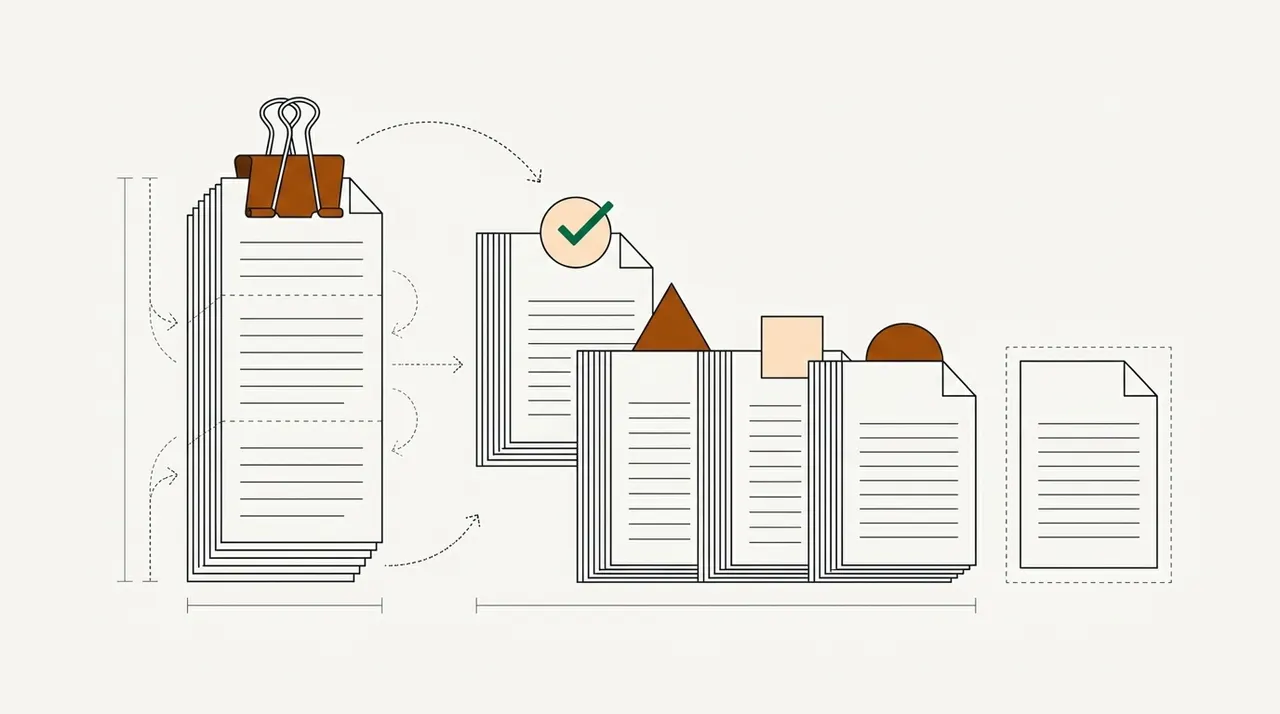
Classification is the first step in document processing. A file arrives by email, upload, scanner or API, often as one PDF holding several documents. The software finds where each document starts and ends, and decides what each one is. Then it hands each document to an extraction model for that type, a work queue, or a person when it isn't sure.
- Loan files
- Claim submissions
- Scanned mail
- Email attachments
- 01Split into documents
- 02Label each type
- 03Extract its fields
- 04Hold unsure ones for review
Splitting and labeling are separate skills, and tools differ on both. Take a loan file scanned as one 60-page PDF. It has to be cut at the right pages before anything can be labeled. If the tool cuts in the wrong place, the last page of a pay stub becomes part of the bank statement after it.
One naming note before the list. Security and records teams also use the word "classification" for labels such as public or confidential. Those labels decide who can open a file and how long it's kept. That's a different kind of software, and it isn't covered here.
How tools learn your document types#
Rules are the oldest method. A page with a form's title or a known header gets that form's label. Anything else goes to a person. Rules are cheap to run and easy to explain. But they break quietly when a layout changes or a new form arrives. So most tools now offer rules as an extra layer on top of a model.
Most platforms and the older cloud classifiers learn from labeled examples instead. Azure's custom classifier needs at least two document types, which Azure calls classes, and five samples of each. UiPath's trained classifier has the same minimum, but UiPath recommends 150 documents per type. Hyperscience wants at least 10 pages per layout, with 120 recommended. Accuracy on your own layouts is usually good, but every new type means collecting and labeling more samples, then training again.
The newest classifiers use a large language model (LLM) that reads each type's name and a short description. So adding a type can mean writing one sentence instead of labeling a folder of samples. Reducto and LlamaParse work only this way. Google's classifier runs on its Gemini AI models. It works from just your label names and descriptions, or after fine-tuning, which means extra training on your own samples. Microsoft's Content Understanding takes up to 200 described categories. AWS's Bedrock Data Automation matches documents to blueprints, which are AWS's name for document types you describe. UiPath and Grooper have added the same option to their older methods, and Tungsten has added an LLM-based classification copilot. Docsumo sorts files into the document types you name, with no training set. Its AI Split takes a plain-English definition of each type.
Description-based classifiers are quick to set up. Their weak point is look-alike document types, which they don't always label the same way. Put look-alike types in your pilot. Whatever the method, ask what the tool does when it isn't sure. Most tools give each label a confidence score, which says how sure the tool is. Ask what happens to a page when that score falls below the level you set. Reducto always returns its best match and advises adding an "other" category, and Microsoft gives the same advice for Azure. Docsumo holds documents it can't classify as Unclassified until a person assigns them. A classifier that files every page under its best guess makes mistakes nobody sees until later. A classifier that holds uncertain pages for a person makes mistakes you can count.
The 14 best document classification tools#
Docsumo is our product, so we've put it first and said plainly what it doesn't do. The others are grouped by what they're built for.
IDP platforms
1. Docsumo
IDP platformOur product- Splits
- Mixed files arriving by email, upload or API. AI Split takes a plain-English definition of each document type, for packets such as loan binders and claim packets. Auto-classification and splitting are on the Business plan
- Learns types
- Name the document types you want, and it sorts files into them with no training set. Pre-trained models cover 250+ document types
- Review
- Documents it can't classify wait as Unclassified for a person to assign, and a reviewer can move any document to another type. Fields it's unsure about go to your own reviewers, with thresholds set per field
- Output
- API and webhooks; cross-document checks, case management and automated workflows on the Enterprise plan
- Custom steps
- You can add a workflow step that calls an LLM or runs your own Python code, for checks and calculations the built-in models don't cover
- Pricing
- A free 14-day trial for up to 1,000 pages; Business and Enterprise plans are priced on request
- 99%field-level accuracy across 250+ document types
- 95%+of documents processed straight through, without manual review
- <5 minper document, down from 2+ hours
2. ABBYY Vantage
IDP platform- Splits
- Yes, by page classification, or with splitter skills for invoices, purchase orders and brokerage statements
- Learns types
- A pre-trained Vantage Classifier covers 70+ types, from ACORD and tax forms to bank statements. A trainable skill needs a few examples per type, or 10 to 100 when types differ only slightly
- Review
- Documents outside its list are labeled Unknown. A review step can send people only the documents with an unknown type, uncertain fields or rule errors
- Pricing
- Not published; trial on request
3. Hyperscience
IDP platform- Splits
- Yes, with a rule per layout, either a fixed page count or a text pattern on the first page, the last page or across pages
- Learns types
- Fixed forms are matched by layout; semi-structured documents train a model on at least 10 pages per layout, with 120 recommended
- Review
- Low-confidence pages go to a person in a classification task, or are marked No Layout Found
- Pricing
- Not published; volume-based
4. Tungsten TotalAgility
IDP platform- Splits
- Yes. Trainable Document Separation learns from correctly separated samples
- Learns types
- Sample documents per type, optionally with rules; a clustering tool groups unknown documents into candidate types
- Review
- Document review and validation steps in the workflow, and Copilot confidence scores (new in 2026.3) that let high-confidence results pass on their own
- Pricing
- Not published
5. UiPath IXP
Automation suite- Splits
- Yes, with a trainable splitter that finds where each document starts and ends in a packet and labels each part. It's an early preview release, for customers whose UiPath cloud is hosted in the US or Europe
- Learns types
- Pre-trained types, from W-2s and ACORD forms to CMS-1500s. A trained classifier needs at least 5 documents per type. A generative classifier reads a name and description for each type
- Review
- Unrecognized documents come back as Unknown, and validation by a person is built in
- Pricing
- Community is free, and Basic starts at $25 a month. Classification comes with the Standard and Enterprise plans, which are priced on request. On the Flex plan, classification uses 0.2 of UiPath's AI units a page. Standard has a 60-day trial
Capture and content platforms
6. Doxis AI.dp (formerly Klippa DocHorizon)
Capture and content- Splits
- By page ranges you set; automatic boundary detection isn't described
- Learns types
- 50+ document types are ready to use, and custom types train from a few examples
- Review
- Confidence thresholds per workflow, with documents below them held for a person
- Pricing
- Not published; priced on request, by volume and use case
7. Grooper
Capture and content- Splits
- Yes. ESP Auto Separation classifies and separates in one pass, and an LLM-based AI Separate needs no training
- Learns types
- Trained examples, rules or visual matching, while the LLM Classifier needs only each type's name and description
- Review
- Confidence scores, with low-confidence documents flagged for an operator
- Pricing
- Not published; licensed by page volume
8. ParaScript
Capture and content- Splits
- Yes, without separator pages or barcodes; version 8.0 added deep-learning separation that can split two documents on one page
- Learns types
- Examples of your documents (no count stated), with optional rules; Auto-Discovery clusters unknown documents into groups you then name
- Review
- FormXtra.AI Capture has validation workflows at the document or field level, including double-blind checks; confidence scores aren't described
- Pricing
- Not published
- Watch for
- The newest FormXtra.AI release announced on its site is version 8.4, from January 2023, so ask what has shipped since
AP software
9. Rossum
AP software- Splits
- Yes. It suggests splits in bundled files for a person to confirm, and QR-code separator pages split files at scan time
- Learns types
- A built-in document type field with six values, from tax invoice and credit note to receipt and other. A sorting extension routes each type to its own queue
- Review
- Split suggestions and uncertain fields are checked on a validation screen
- Pricing
- Starter from $18,000 a year; higher plans priced on request; 14-day trial
- Watch for
- Split suggestions cover the first 32 pages of a file by default
Cloud classifiers
10. Google Document AI
Cloud classifier- Splits
- Yes. The splitter returns page ranges and a type for each document, and you cut the file with Google's SDK
- Learns types
- Label names and descriptions with no training, a fine-tuned model, or a trained model. For training, Google recommends at least 10 documents per label
- Review
- Confidence scores, and a catch-all type for documents that fit no other. Google deprecated its human-review feature in January 2024, so you build the review step yourself
- Pricing
- $5 per 1,000 pages for the first million pages a month, then $3, for the classifier or the splitter. Google lists $0.05 an hour for hosting a custom processor
- Watch for
- The older lending and procurement splitters were discontinued on June 30, 2026, and the processor list gives English as the language
11. Azure Document Intelligence
Cloud classifier- Splits
- Yes, once you set the split mode to auto, since the v4.0 default is none
- Learns types
- A trained classifier with at least two classes and five samples of each, or up to 200 described categories in Content Understanding
- Review
- A confidence score per result; Microsoft suggests a threshold or an "other" type, and no review screen is included
- Pricing
- Custom classification $3 per 1,000 pages (East US); 500 free pages a month on the free tier
12. Amazon Textract and Bedrock Data Automation
Cloud classifier- Splits
- Yes in Analyze Lending and in Bedrock Data Automation projects; Comprehend doesn't split
- Learns types
- Analyze Lending's fixed list of mortgage document types, up to 40 described blueprints per Bedrock project, or labeled training data in Comprehend
- Review
- Confidence scores; AWS's human review service, A2I, no longer takes new customers
- Pricing
- Analyze Lending $0.07 a page for the first million pages a month (US West, Oregon); Bedrock custom output from $0.040 a page
LLM document APIs
13. Reducto
LLM document API- Splits
- Yes. Split returns the page ranges for each section you describe, and Deep Split handles harder files
- Learns types
- Categories written as plain-language criteria, with no training; Classify reads the first five pages by default
- Review
- A confidence score and reasoning per category; it always returns a best match, so Reducto advises adding an "other" category
- Pricing
- Classify $7.50 and Split $20 per 1,000 pages, with $150 in free credits; Growth and Enterprise priced on request
14. LlamaParse
LLM document API- Splits
- Yes. The Split API, in beta, finds where each document ends and labels each segment
- Learns types
- A type name plus a plain-language description, with no training
- Review
- A type, a confidence score and step-by-step reasoning for each file
- Pricing
- Classify 1 credit a page (2 in multimodal mode) and Split 4, at $1.25 per 1,000 credits; a free plan includes 10,000 credits a month
Document classification software compared#
The table shows how each tool splits files, learns a type and handles uncertain documents. It follows each vendor's own site, checked September 29, 2026.
| Tool | Splits | Learns from | Review | Pricing |
|---|---|---|---|---|
| IDP platforms5 tools | ||||
| DocsumoOur productLoan, claim and patient files | Yes | Type names you choose; 250+ pre-trained types | Unclassified pile; your reviewers | Free trial; priced on request |
| ABBYY VantageMany document types, on-premises or cloud | Yes | Pre-trained classifier (70+ types) or a few samples per type | Unknown type; manual review | Not published |
| HyperscienceLarge enterprises and government | Yes | Layouts; 10+ pages per layout | Classification tasks for people | Not published |
| Tungsten TotalAgilityCapture plus process automation | Yes | Samples and rules; LLM Copilot | Review and validation steps | Not published |
| UiPath IXPTeams on UiPath | Yes (preview) | Pre-trained types, 5+ samples or descriptions | Unknown type; built-in validation | Priced on request; 0.2 AI units a page |
| Capture and content platforms3 tools | ||||
| Doxis AI.dpDoxis content platform users | Page ranges you set | 50+ types; a handful of samples | Confidence thresholds | Not published |
| GrooperHard paper, on-premises | Yes | Samples, rules, visual or descriptions | Operator flags on low confidence | Not published |
| ParaScriptHandwriting-heavy paper | Yes | Samples plus rules | Validation workflows | Not published |
| AP software1 tool | ||||
| RossumAP teams on Coupa | Yes (suggestions) | Built-in invoice types | Validation screen | From $18,000 a year |
| Cloud classifiers3 tools | ||||
| Google Document AIEngineering teams on Google Cloud | Yes | Descriptions or 10+ samples per label | Build your own | $5 per 1,000 pages |
| Azure Document IntelligenceEngineering teams on Azure | Yes | 5+ samples per type, or descriptions | Build your own | $3 per 1,000 pages |
| Amazon Textract and BedrockEngineering teams on AWS | Yes | Mortgage types, or blueprint descriptions | Build your own | $70 per 1,000 pages (Lending) |
| LLM document APIs2 tools | ||||
| ReductoAPI-first teams | Yes | Category descriptions | Build your own | $7.50 per 1,000 pages |
| LlamaParseAI app and agent builders | Yes (beta) | Type descriptions | Build your own | $1.25 per 1,000 pages |
Side-by-side pages with Docsumo are on our compare hub, including Google Document AI, Azure Document Intelligence, Grooper and Reducto.
What classification costs per page#
Where vendors publish prices, classification alone is the cheap part. Per 1,000 pages, LlamaParse's Classify costs $1.25 in its fast mode, and Azure's custom classifier costs $3. Google's classifier or splitter costs $5 for the first million pages a month. Reducto's Classify costs $7.50, or $15 for its Deep Classify. Services that classify and extract in one step cost more, such as AWS's Analyze Lending at $0.07 a page, or $70 per 1,000 pages. Most platforms, Docsumo included, price their plans on request instead, and Rossum's Starter plan begins at $18,000 a year.
The per-page price rarely decides the budget. A misfiled or badly split document costs a person minutes to find and fix. Those minutes are worth far more than a fraction of a cent. Put your own volumes into the calculator, with the tool's price per page and the share of documents your team still touches.
Cost per document: the classifier plus review time
Per-page prices look small until you add the time people spend fixing what the tool gets wrong.
- Tool cost per month
- Review time per month
- Total per month
- Total cost per document
How it's worked out
- Tool cost = documents × pages × price per page.
- Review time = documents × the share reviewed × minutes per review ÷ 60 × hourly cost.
- Compare tools on the total per document, not the price per page: a cheaper tool that sends more documents to review can cost more.
How to test a classifier on your own files#
- Pull a real month of filesTake whole packets as they arrived, not hand-picked single documents, and keep the rare types and the pages that fit no type.
- Write the answer key firstMark where each document starts and what it is before any tool sees the files, so every vendor is scored against the same truth.
- Score splitting and labeling apartCount wrong page boundaries separately from wrong labels, because one bad cut can spoil two documents.
- Read accuracy per typeAn overall average can hide a type the tool keeps confusing with its look-alike, such as a bank statement and a printed transaction history.
- Check what happens below the thresholdSee whether uncertain documents go to a person with a reason, or get filed under the tool's best guess.
- Add one new type during the pilotCount the samples, rules or descriptions it took, and how long before the tool labeled it reliably.
Our take. Buy the classifier that admits doubt. In a pilot, a tool that files every page somewhere looks better on day one than one that sets aside the pages it can't place. But a misfiled pay stub comes back weeks later as a wrong income figure, while a page set aside costs a reviewer a few seconds. We'd rather see a short pile of exceptions, each with the reason it was held, than trust a queue that is quietly wrong.
Classification for lending, insurance and healthcare files#
Lenders work on the whole loan file, not one document at a time. One borrower upload can hold bank statements, pay stubs, W-2s, tax returns and an ID. The classifier decides which checks run on which pages. Docsumo's lending platform splits the file, reads each document and, on the Enterprise plan, checks the documents against each other. Lenders also shortlist Ocrolus. Its Classify step sorts a loan file into more than 2,000 pre-built document types before deeper capture. We compare the two in Docsumo vs Ocrolus.
Insurance submissions arrive as broker emails with an application, supplements, loss runs and a schedule of values attached. Each attachment needs its own label before anyone can read it. On the Enterprise plan, Docsumo also checks the loss runs against the losses reported on the ACORD 125. See Docsumo for insurance.
Healthcare back offices get claim forms, EOBs, referrals and records, often faxed as one long file. Docsumo for healthcare splits and reads them, and it signs a BAA with customers who process protected health information. If your volume is mostly scanned mail rather than case files, our guide to the digital mailroom covers intake and routing.
Classify only, or classify and extract?#
Pick by what happens after the label. Some documents only need to reach the right folder or person, as in a mailroom or an archive. For those, a capture tool such as Grooper or ParaScript can be enough, or the classifier on your own cloud. Other documents have data that must be read and checked before anyone decides. For those, choose a platform that classifies and extracts in one place. If it has to run on your own servers, look at ABBYY Vantage, Hyperscience or Tungsten TotalAgility. Engineers building their own pipeline can start with Reducto, LlamaParse or their cloud's classifier.
If your team processes loan, claim or healthcare files and wants only the uncertain fields in front of its reviewers, that's where Docsumo fits. For extraction tools, see our comparison of IDP software. For how classifiers work, see our guide to document classification.
Book a demo and bring one of your messiest mixed files, or start a free trial to test extraction on your own documents.
Frequently asked questions#
What is document classification software?
It's software that works out what each incoming document is, such as an invoice or a claim form. It also splits files that hold several documents. Then each document can be routed and have its data extracted. Most tools also score their confidence, so uncertain documents can go to a person.
What is the best document classification software?
It depends on who will run it. Operations teams that process loan, claim or healthcare files usually want one platform that classifies and extracts. Docsumo, ABBYY Vantage and Hyperscience are examples. Engineers building their own pipeline can start with their cloud's classifier from Google, Microsoft or AWS, or an API such as Reducto or LlamaParse.
Can LLMs be used for document classification?
Yes. Several tools now classify with a large language model that reads each type's name and description, so you don't need a labeled training set. Docsumo, Google's custom classifier, Reducto, LlamaParse and Grooper's LLM Classifier work this way. Test them on look-alike document types, and keep a confidence threshold that sends uncertain pages to a person.
Is document classification the same as data classification?
No. Data classification labels files as public, confidential and so on. Security teams use those labels to decide who can open a file and how long to keep it. Document classification, as covered here, sorts documents by type so each one can be read and routed.
How much does document classification software cost?
Most cloud and API classifiers charge per page. Per 1,000 pages, LlamaParse's Classify costs $1.25 in its fast mode and Azure's custom classifier costs $3. Google's custom classifier costs $5 for the first million pages a month, and Reducto's Classify costs $7.50. Most IDP platforms, Docsumo included, price their plans on request. Add the time your team spends fixing misfiled documents.
How accurate is AI document classification?
Vendors publish figures measured on their own documents, so they don't transfer to yours. Run a month of your own files through each tool. Then measure accuracy for each document type. An overall average can hide one type the tool keeps confusing with another.
Sources
- Docsumo: pricing
- ABBYY: document classification and splitting
- ABBYY: Vantage
- ABBYY: Vantage trial
- ABBYY: Vantage Classifier (docs)
- ABBYY: training a classification skill (docs)
- ABBYY: Assemble activity (docs)
- ABBYY: Invoice Splitter skill (docs)
- ABBYY: Purchase Order Splitter skill (docs)
- ABBYY: Brokerage Statement Splitter skill (docs)
- ABBYY: Manual Review activity (docs)
- Hyperscience: Hypercell platform
- Hyperscience: semi-structured document classification (help center)
- Hyperscience: training a classification model (help center)
- Hyperscience: automatically organize large file submissions (Auto-Splitting)
- Tungsten Automation: TotalAgility
- Tungsten Automation: TotalAgility release highlights
- Tungsten Automation: TotalAgility 2026.1 (March 5, 2026)
- Tungsten Automation: TotalAgility Features Guide 2026.2 (PDF)
- Tungsten Automation: classification in DocAI Studio (help)
- Tungsten Automation: about (formerly Kofax)
- UiPath: IXP
- UiPath: pricing
- UiPath: trainable splitter (docs)
- UiPath: classify documents automatically (docs)
- UiPath: Document Understanding migration to IXP (docs)
- UiPath: train a classifier (docs)
- UiPath: generative classifier (docs)
- UiPath: metering and charging logic (docs)
- Doxis: document classification
- Doxis: Doxis AI.dp
- Klippa: Klippa is now Doxis
- Doxis: SER Group rebrands to Doxis (January 19, 2026)
- Doxis AI.dp: split endpoint (docs)
- Grooper: document classification
- Grooper: LLM Classifier (wiki)
- Grooper: AI Separate (wiki)
- Grooper: classify methods (wiki)
- Grooper: Grooper and AI (wiki)
- Grooper: IDP vendors 2026 (deployment and licensing)
- ParaScript: document classification software
- ParaScript: FormXtra.AI
- ParaScript: FormXtra.AI SDK
- ParaScript: FormXtra.AI Capture
- ParaScript: FormXtra.AI 8.0 (February 16, 2021)
- ParaScript: FormXtra.AI 8.4 (January 30, 2023)
- ParaScript: Stakk completes acquisition of ParaScript (September 24, 2026)
- Rossum: pricing
- Rossum: Aurora
- Rossum: splitting documents (knowledge base)
- Rossum: document sorting extension (knowledge base)
- Rossum: Coupa acquires Rossum (May 12, 2026)
- Google Cloud: Document AI custom classifier
- Google Cloud: Document AI custom splitter
- Google Cloud: Document AI processor list
- Google Cloud: Document AI release notes
- Google Cloud: Document AI deprecations
- Google Cloud: Document AI pricing
- Microsoft: Document Intelligence custom classification model
- Microsoft: Document Intelligence pricing
- Microsoft: Document Intelligence in Foundry Tools
- Microsoft: Content Understanding classification
- AWS: Textract Analyze Lending (docs)
- AWS: Amazon Textract pricing
- AWS: Amazon Bedrock Data Automation
- AWS: Bedrock Data Automation document splitting (docs)
- AWS: Bedrock Data Automation projects (docs)
- AWS: Amazon Bedrock pricing
- AWS: Amazon Comprehend custom classification (docs)
- AWS: Amazon A2I human review loops (no longer open to new customers)
- Reducto: pricing
- Reducto: Classify (docs)
- Reducto: Split (docs)
- Reducto: credit usage (docs)
- LlamaIndex: LlamaParse pricing
- LlamaIndex: Classify (docs)
- LlamaIndex: Split (docs)
- LlamaIndex: newsletter, LlamaCloud renamed LlamaParse (February 24, 2026)
- Ocrolus: Classify (docs)
- Ocrolus: mortgage
First published .