OCR software for insurance companies: 12 tools for submissions, policies, claims and certificates
For operations teams at carriers, MGAs, TPAs and brokers. See which tools read the documents behind submissions, policy servicing, claims and certificates, which ones split a mixed packet, and what each one costs.

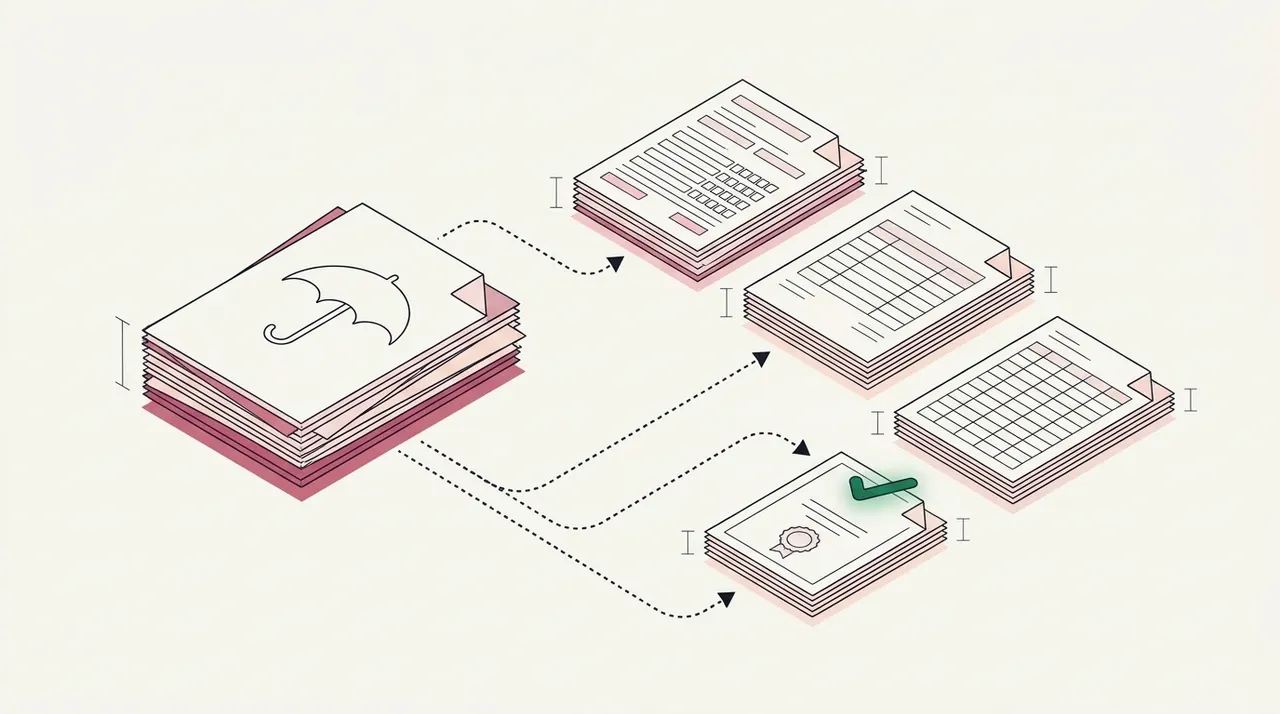
Key takeaways
- OCR software for insurance companies reads the scans, faxes and PDFs that reach a carrier, MGA, TPA or broker. The better tools also put each value in a named field and check it.
- The tools differ most on underwriting paperwork. Docsumo, Indico Data and Bevaya name ACORD forms, loss runs and statements of values together. Hyperscience's and ABBYY's insurance pages name ACORD forms, but not loss runs or statements of values.
- Splitting a mixed packet takes different setup in each tool. Docsumo, Sensible and LlamaParse can work from plain-language descriptions of each document type. Azure needs at least 5 samples per type, and Hyperscience's classification model needs at least 10 pages per layout.
- Six vendors publish prices. Bevaya starts at $4,000 per AI agent a month and Sensible at $449 a month, both billed annually. LlamaParse's paid plans start at $50 a month, and Amazon, Azure and Google charge per page.
- Test each tool with one real broker submission and one real claim packet from your own files, not a single clean form.
On this page
- What OCR software has to read at an insurer
- One broker submission, page by page
- The 12 insurance OCR tools
- OCR software for insurance compared
- How each tool splits a mixed packet
- What to run through a trial
- If you run operations for a broker or a TPA
- Which desk's packets should you test first?
- Frequently asked questions
OCR software for insurance companies reads the scans, faxes and PDFs that reach a carrier, MGA, TPA or broker. The better tools put each value in a named field and check it. They differ on three things. One is which insurance documents they list on their own websites. Another is whether they split a mixed packet into its documents. The third is whether the tool has a screen where a person checks the results, or your engineers must build one.
We compared 12 tools for the teams that receive these documents. Docsumo is our product. Every other vendor fact comes from the vendor's own website, checked on November 2, 2026. We didn't test the tools on our own files. For what OCR in insurance means and where it stops, see our guide.
What are you buying it for?
What OCR software has to read at an insurer
An insurer doesn't receive one kind of document. Each desk gets its own paperwork and needs different fields from it. A tool that reads claim forms well may never have seen a statement of values (SOV), the spreadsheet that lists each insured building.
| Desk | Documents that arrive | What the team needs back |
|---|---|---|
| New business and underwriting | ACORD 125 and its line sections, loss runs, SOVs, supplemental questions | A complete, checked submission before an underwriter opens it |
| Policy servicing | Endorsement requests, quotes, binders, issued policies, declarations pages | Each issued policy compared with what was agreed |
| Claims | Loss notices, police reports, repair estimates, medical bills | A sorted claim file, with missing documents named |
| Certificates | ACORD 25 and 28, endorsements | Limits and dates checked against the contract |
We go deeper on each desk elsewhere. See our guides to submission intake, policy checking and loss runs. This list covers the tools you could use across more than one desk.
- Broker emails
- Mail scans
- Portal uploads
- Faxes
- 01Split the packet
- 02Label each document
- 03Read the fields
- 04Check them
Every tool here reads text. They differ on how many of the other steps come ready to use. Amazon Textract, Azure Document Intelligence and Google Document AI are cloud APIs, services your software connects to directly. Your engineers build most of the checks and the review screens.
One broker submission, page by page
Say a broker emails a 15-page PDF and a spreadsheet for Cedar Ridge Storage LLC, a self-storage company. It wants property and general liability cover from November 1, 2026. OCR alone returns 15 pages of text. Your team needs six documents, each with its own fields. This is what a tool that splits and checks packets should give you.
| Where | Document | Main fields | Check |
|---|---|---|---|
| Page 1 | Broker's cover note | Account, lines requested | None needed |
| Pages 2–5 | ACORD 125 application | Named insured, effective date 11/01/2026, 2 losses reported | Passed |
| Pages 6–9 | ACORD 126 general liability | $1,000,000 each occurrence, $2,000,000 aggregate, 3 premises | Passed |
| Pages 10–12 | ACORD 140 property | 3 premises, $14,850,000 in building limits | Passed |
| Pages 13–15 | Loss run | 2 claims, $38,400 incurred, valued 09/15/2026 | Failed: covers 4 policy years, guideline asks for 5 |
| Spreadsheet | SOV | 3 locations, $14,850,000 total insured value | Passed: matches the ACORD 140 |
| Field | Extracted value | Confidence |
|---|---|---|
| Carrier | Quillmere Mutual Insurance Co. | |
| Named insured | Cedar Ridge Storage LLC | |
| Policy number | QCP-4471082 | |
| Lines | Property, general liability | |
| Valuation date | 2026-09-15 |
| Field | Extracted value | Confidence |
|---|---|---|
| Claims on the report | 2, both closed | |
| 26-01193 · date of loss | 2026-03-04 (general liability) | |
| 26-01193 · incurred | 7,150.00 (paid 7,150.00, reserve 0.00) | |
| 25-00418 · date of loss | 2025-02-08 (property) | |
| 25-00418 · incurred | 31,250.00 (paid 31,250.00, reserve 0.00) |
| Field | Extracted value | Confidence |
|---|---|---|
| 2025–26 | 1 claim · 7,150.00 | |
| 2024–25 | 1 claim · 31,250.00 | |
| 2023–24 | No claims | |
| 2022–23 | No claims | |
| Total incurred | 38,400.00 (2 claims) |
| Field | Extracted value | Confidence |
|---|---|---|
| Paid + reserve = incurred | Yes, both claims | |
| Terms add up to the total | 38,400.00 · yes | |
| Losses on the ACORD 125 | 2 reported, 2 on the run | |
| Valuation to effective date | 47 days | |
| Terms against a 5-year guideline | 4 of 5 · 2021–22 missing |
Five of the six documents pass their checks. The loss run's two claims match the two losses on the ACORD 125. The amounts for its four policy terms add up to $38,400. But the carrier's guideline asks for 5 policy years, and the run covers 4. That doesn't make the account a bad risk. The broker may simply not have sent the oldest year, so the next step is to ask.
On Docsumo, the split and the labels are on the Business plan. The checks against the application and the guideline are on the Enterprise plan. The Document Collection and Email agents can email the broker for the missing year. Your team reviews the fields that fail a check and any field Docsumo is unsure of. Run the same file through each tool you shortlist, because this is where they differ.
The 12 insurance OCR tools
Docsumo is our product, so it comes first, with a plain line on what it doesn't do. The others follow by kind. General document AI platforms come first, then insurance platforms, developer tools and cloud APIs.
1. Docsumo
Document AI platformOur product- Reads
- ACORD forms, loss runs, SOV spreadsheets, certificates of insurance, policies, loss notices, estimates and medical bills, printed or handwritten. It handles any document type
- Packets
- On the Business plan, it classifies and splits a file into the document types you list. You don't need a training set of sample documents. AI Split takes a plain-English definition of each type. One upload can be up to 500 pages
- Checks
- The Enterprise plan adds two kinds of check. Cross-document validation compares documents with each other. Master data lookup compares values with your own records. Examples include loss runs against the ACORD 125, a binder or quote against the issued policy, and a certificate against your contract
- Later documents
- With Case Routing, a document that arrives later by email goes to the open case. It's part of case management on the Enterprise plan, available on request
- Review
- Your team reviews the fields that fail a check and any field Docsumo is unsure of. Clicking a field highlights the line it came from, and each correction improves the model
- Output
- API and webhooks, or Excel. Loss runs from several carriers can also come back as one table
- Security
- SOC 2 Type 2, ISO/IEC 27001:2022, HIPAA and GDPR, with a BAA available (security)
- Pricing
- A free 14-day trial for up to 1,000 pages; Business and Enterprise plans are quoted
- 99%field-level accuracy on 250+ document types
- 95%+of documents are read and checked with no manual review. Docsumo marks these documents AI Approved. That mark is only about the document. It doesn't approve a claim or a policy
- 99%accuracy on insurance compliance documents at Arbor
Vertikal RMS uses Docsumo to verify certificates of insurance through ACORD capture, and Arbor uses it on insurance compliance documents.
2. Hyperscience
Document AI platform- Reads
- Pre-built models for ACORD forms, explanations of benefits and health insurance cards. Its insurance page doesn't name loss runs or SOVs
- Packets
- It classifies documents by type. A classification model needs at least 10 pages per layout, and Hyperscience recommends 120. Splitting rules are set per layout, by page count or a text pattern
- Review
- It shows people only the fields or characters where the model falls below the level you set
- Output
- An API. Its insurance page names Guidewire, Duck Creek and Vertafore AMS360
- Runs on
- Cloud, on-premises or air-gapped, which means cut off from outside networks. It also has FedRAMP High authorization, a US government security approval
- Pricing
- Not published. It says pricing is based on volume, and the cost per page falls as volume grows
3. ABBYY Vantage
Document AI platform- Reads
- Those ACORD forms, plus vehicle titles and auto accident reports. Its insurance page doesn't name loss runs or SOVs
- Packets
- Its classification page says it sorts 100+ document types with ready-made models and splits files that hold several documents. When types are many or look alike, its docs ask for 100 to 1,000 documents per type
- Review
- Its pages describe human review, which also trains the skills
- Runs on
- ABBYY Cloud in Europe, the USA or Australia, on-premises, or a private cloud on Microsoft Azure
- Pricing
- Not published
4. Tungsten TotalAgility
Document AI platform- Reads
- A Document Library add-on lists 3,000+ ready-made models. Its insurance categories are application forms, claims records and policy documents. The product pages we read don't list ACORD or loss run models
- Packets
- Its 2026.1 release added trainable splitting of multi-document files in DocAI Studio, and classification that uses a large language model
- Runs on
- Public or private cloud, or on-premises
- Pricing
- Not published
5. Affinda
Document AI platform- Reads
- ACORD 125, 126, 140 and 141, insurance certificates, policy schedules, endorsements and claim documents. Its blog lists proposal forms and historical loss runs among uses in underwriting, but its product pages don't name loss runs
- Packets
- It splits a pack into its documents, classifies each one and applies that type's rules
- Checks
- You write validation rules in plain language. On certificates, it flags expired policies, insufficient coverage and missing endorsements
- Review
- Documents that fail validation are held for review with the source attached
- Runs on
- Shared or single-tenant SaaS, your own private cloud (VPC), or self-hosted. On-premises, dedicated or private cloud deployment, and HIPAA support, are paid add-ons
- Pricing
- No dollar prices published. It bills by page in credits, and the trial is 2 weeks with 200 credits
6. Indico Data
Insurance platform- Reads
- ACORD applications and certificates, SOVs, exposure schedules, loss runs, emails and spreadsheets. Its claims pages add call summaries and supporting documents
- Packets
- It separates bundled PDFs, zip files and email chains into their documents, and classification agents label each one
- Review
- Confidence thresholds and workflow rules decide where a person reviews
- Output
- REST and GraphQL APIs. Its claims page names Guidewire, Duck Creek and Salesforce as ready-made options, and a 2024 post describes a Guidewire PolicyCenter accelerator
- Runs on
- Single-tenant, hosted on AWS
- Pricing
- Not published
7. Bevaya (formerly Roots Automation)
Insurance platform- Reads
- ACORD forms, supplementals, SOVs and loss runs for submissions. Endorsement requests for servicing. Expiring and renewal terms for underwriting. Demand letters, medical bills and first notices of loss for claims
- Packets
- Its submission agent splits and classifies multi-document broker packages. Its Claim Indexing agent classifies, indexes and routes claim documents
- Certificates
- Its COI agent creates ACORD 25, 27, 28 and 855 certificates from policy data. That's a different job from checking the certificates you receive
- Review
- Each value has a confidence score, and values below the level you set go to a person
- Output
- Its pages name Guidewire, Duck Creek and Salesforce
- Runs on
- SaaS only, mainly on Microsoft Azure, with customer data in US data centers
- Pricing
- From $4,000 per AI agent a month, billed annually. Discounts run from 5% for 2 agents to up to 20% for 4 or more. Each agent includes a credit allowance, and extra credits cost more
8. Sensible
Developer platform- Reads
- Those documents, plus ACORD claims forms on its claims page. A customer story covers loss runs from nine carriers and ACORD 25 certificates. Its claims page names only CMS-1500 and UB-04 as pre-built
- Packets
- Splitting and classification are on every plan. It finds each document from descriptions you write, or from text matches you set up. It doesn't support a document that starts mid-page
- Review
- Low-confidence fields go to a person
- Runs on
- AWS. BAAs are available on Enterprise plans
- Pricing
- Growth is $449 a month, billed annually, for 750 documents a month. Scale is $1,349 a month for 3,200. Each document in a package counts as one. Each plan has a 14-day free trial
9. LlamaParse
Developer platform- Reads
- Its insurance pages name ACORD forms, first notices of loss, loss runs, medical bills, certificates of insurance, endorsements and policies. The pages we read don't name SOVs
- Packets
- Classify sorts files into types you describe in plain language. Split finds where each document starts in a combined PDF, but it's in beta and may change
- Review
- Its pages describe sending uncertain fields to a human review queue
- Runs on
- SaaS. Enterprise adds a hybrid cloud option
- Pricing
- 10,000 free credits to start. 1,000 credits cost $1.25, and paid plans start at $50 a month
10. Amazon Textract
Cloud API- Packets
- Its ready-made splitting covers mortgage packages. A 2022 AWS post on insurance claims pairs Textract with a custom classifier you train in Amazon Comprehend. A separate AWS service, Bedrock Data Automation, can split PDFs if you turn that option on
- Review
- AWS's human review service, A2I, is closed to new customers
- Pricing
- AWS's pricing examples for US West (Oregon) cover the first million pages. They show $0.0015 a page for text, $0.015 for tables and $0.05 for forms. New customers get a 3-month free tier
11. Azure Document Intelligence
Cloud API- Packets
- A custom classifier needs at least 2 types and 5 samples per type. It splits a multi-document file only if your engineers turn splitting on, by setting splitMode to auto. In v4.0, splitting is off unless they do
- Review
- The pages we read don't describe a review screen, so plan for your team to build one
- Pricing
- $10 per 1,000 pages for ready-made models, $30 for custom extraction and $3 for the classifier. A free tier covers 500 pages a month, but it reads only the first two pages of each PDF
12. Google Document AI
Cloud API- Packets
- The ready-made v1.5 splitter and classifier work without training. The splitter predicts the page groups and labels, and a separate toolkit step cuts the file
- Review
- Google deprecated its human review feature in January 2024, so your team would build one
- Pricing
- To split or classify, $5 per 1,000 pages. For Form Parser or a custom extractor, $30 per 1,000. For OCR, $1.50 per 1,000 after the first 1,000 pages
We also looked at several tools we left off the list. UiPath IXP reads ACORD forms, policy declarations and broker submissions, and it suits teams already on UiPath. Its pricing page doesn't say how IXP is charged. Infrrd's classification page names ACORD forms, policy declarations, claim forms and proofs of loss, but that page gives no deployment or price details. Doxis AI.dp, the product on Klippa's site, names claim forms and ACORD forms on its insurance page, but not loss runs or certificates. Nanonets has a claims demo and a certificate page, but the pages we read don't name ACORD forms. Rossum's home page doesn't mention insurance, and its insurance page names claims and accounts receivable but no ACORD forms or loss runs. Heron and Cytora read commercial submissions, and our submission intake guide covers both.
OCR software for insurance compared
The table follows each vendor's own site, checked November 2, 2026. Documents are the insurance ones each vendor names on the pages we read.
| Tool | Documents | Splits packets | Runs on | Pricing |
|---|---|---|---|---|
| Document AI platforms5 tools | ||||
| DocsumoOur product | Yes, on the Business plan | Cloud only | Free trial; quoted plans | |
| Hyperscience | Yes, by rules per layout | Cloud, on-premises, air-gapped | Not published | |
| ABBYY Vantage | Yes | Cloud, on-premises | Not published | |
| Tungsten TotalAgility | Yes, trainable | Cloud, on-premises | Not published | |
| Affinda | Yes | SaaS, VPC, self-hosted | Not published; trial | |
| Insurance platforms2 tools | ||||
| Indico Data | Yes | Single-tenant AWS | Not published | |
| Bevaya | Yes | SaaS only | From $4,000 per AI agent a month | |
| Developer platforms2 tools | ||||
| Sensible | Yes | AWS | From $449 a month | |
| LlamaParse | Yes, in beta | SaaS; hybrid on Enterprise | From $50 a month | |
| Cloud APIs3 tools | ||||
| Amazon Textract | Mortgage packages only | AWS | From $1.50 per 1,000 pages, text only | |
| Azure Document Intelligence | Yes, after training | Azure | $10 per 1,000 pages, ready-made models | |
| Google Document AI | Yes, no training needed | Google Cloud | $5 per 1,000 pages to split | |
How each tool splits a mixed packet
Two jobs sit under this step. Splitting finds where each document starts and ends. Classification labels each document by type, such as ACORD 125 or loss run. Vendors set these up in three ways, and the setup decides how much work each new document type creates.
The first way is a plain description. Docsumo lets you name the document types you want, with no training set, and AI Split takes a plain-English definition of each one. A new type works from the first document. Sensible and LlamaParse also work from descriptions you write, and Google's ready-made splitter and classifier need no training. Indico Data says it can sort new data types without many examples.
The second way is sample documents. Azure's custom classifier needs at least 5 samples per type. ABBYY asks for 100 to 1,000 documents per type when types are many or look alike. Hyperscience's classification model needs at least 10 pages per layout and recommends 120. Its insurance page says its ready-made ACORD models need no manual training. A layout is one design of a form or report. So ask what this means for loss runs, because they differ from one carrier to the next.
The third way is rules. Hyperscience sets its splitting rules per layout, by page count or a text pattern. Sensible can match text you set up on a document's first or last page. We'd expect rules to suit fixed forms such as ACORD applications better than loss runs.
Then ask what happens to a document when a tool can't tell its type. Documents Docsumo can't classify wait as Unclassified until a person picks the type, and a reviewer can move any document to another type. Every label has a confidence score, and each correction teaches the classifier. Docsumo reports 99% classification accuracy, which is a separate figure from its field-level accuracy. Azure suggests a score threshold or an "other" class, and your engineers would act on either one. For a wider comparison, see our list of 14 document classification tools.
What to run through a trial
Run the same files through each tool you shortlist. Then count the documents filed under the wrong type and the fields a person had to fix.
- A mixed broker PDFEach form should start and end on the right page, and each document should get the right label.
- Loss runs from three carriersEach carrier lays them out its own way. Check every claim row, and check that tables running across pages come back as one table.
- An SOV spreadsheetEvery location should come back as its own row, and the values should add up to the stated total.
- A faxed loss notice with handwritingSee which fields the tool reads and which ones it sends to a person.
- An issued policy with its binderChange a limit on purpose, and see whether your check catches it.
- A certificate that falls shortUse one with a limit below your contract's requirement, and see whether it gets flagged.
- A document that arrives lateEmail a missing estimate a few days after the claim opens, and see whether it reaches the right file.
Our take. Don't shortlist by the category name a vendor uses. These tools call themselves OCR, IDP, document AI or AI agents, and all of them start by reading your documents. So judge them by what comes back from your own packets, not by the name of the category.
If you run operations for a broker or a TPA
Brokers receive the carrier's side of the paperwork. Quotes, binders and issued policies come back for each account, and someone has to compare them. On the Enterprise plan, Docsumo compares a binder or quote with the issued policy. Our policy checking guide lists what to compare. Bevaya's Policy to Policy Comparison agent also compares expiring and renewal terms.
TPAs receive claim packets for the clients they serve. On the Business plan, Docsumo splits each packet and labels each document by the types you name. Docsumo isn't a claims system, so the claim itself stays in the system you run. It sends the data there through its API and webhooks, and your adjusters keep every decision.
Which desk's packets should you test first?
Start with the desk where documents wait longest, then shortlist by who will run the tool. For submissions, compare Docsumo, Indico Data and Bevaya. For software on your own servers, look at Hyperscience, ABBYY Vantage, Tungsten TotalAgility or Affinda. For a system your engineers build and run, look at Sensible, LlamaParse or a cloud API. Docsumo fits if you want packets split and read before the data reaches your current system. Your own team then reviews the fields that fail a check and any field Docsumo is unsure of.
Book a demo and bring one broker submission and one claim packet, with the personal details masked. You can also start a free trial, for 14 days and up to 1,000 pages, and run your own checks.
Frequently asked questions
What is the best OCR software for insurance companies?
It depends on the desk and on who will run the tool. For submissions, Docsumo, Indico Data and Bevaya name ACORD forms, loss runs and statements of values. For software on your own servers, look at Hyperscience, ABBYY Vantage or Tungsten TotalAgility. Engineers can build on Sensible, LlamaParse or a cloud API.
Which document classification software works for insurance claims?
Several tools classify claim packets. Docsumo splits a packet and labels each document by the types you name, on its Business plan, with no training set. Bevaya's Claim Indexing agent classifies and routes claim documents, and Hyperscience classifies claim documents by type. Azure and Google sell classifiers that engineers build into their own intake. See our list of document classification tools.
Which document classification systems are best for scaling insurance data entry?
Look for one that doesn't need new sample documents for each document type. It should send a document to a person when it can't tell the type, not every document. Docsumo, Sensible and LlamaParse can work from descriptions of each type. Docsumo marks documents it can't classify as Unclassified and holds them until a person picks the type. Then test the tool on your own packets and count the documents it labels wrongly.
Which OCR tools read ACORD forms and loss runs?
Docsumo, Indico Data, Bevaya and LlamaParse name both on their own sites. Affinda names ACORD forms on its product pages, and loss runs only on its blog. Sensible names loss runs and ACORD claims forms, and one of its customer stories covers ACORD 25 certificates. Hyperscience and ABBYY name ACORD forms on their insurance pages, but not loss runs. The Amazon, Azure and Google product pages we read name neither, so your team would set them up.
Will OCR software work with Guidewire or Duck Creek?
Hyperscience, Bevaya and Indico Data list both systems on their own sites. Docsumo sends data through its API and webhooks. Ask each vendor which fields it maps without custom work, and who maintains the mapping when your system changes.
How much does OCR software for insurance cost?
Amazon's pricing examples show $0.0015 a page for text and $0.05 a page for forms. Azure charges $10 per 1,000 pages for ready-made models, and Google charges $5 per 1,000 pages to split or classify. Sensible starts at $449 a month and Bevaya at $4,000 per AI agent a month, both billed annually. Hyperscience, ABBYY, Tungsten, Affinda and Indico Data don't publish prices. Docsumo quotes its Business and Enterprise plans and has a free 14-day trial for up to 1,000 pages.
Sources
- Docsumo: pricing (free trial, Business and Enterprise plans)
- Docsumo: customers (Arbor, Vertikal RMS)
- Docsumo: intelligent document processing for insurance
- Docsumo support: AI Split
- Docsumo support: Custom Auto-Classifier
- Docsumo support: Case routing
- Hyperscience: insurance
- Hyperscience: insurance claims processing
- Hyperscience: Hypercell platform
- Hyperscience: training a classification model
- Hyperscience: Auto-Splitting
- ABBYY: insurance
- ABBYY: claims processing
- ABBYY: Vantage
- ABBYY: document classification and splitting
- ABBYY docs: ACORD 125 document skill (preview)
- ABBYY Marketplace: ACORD 2 skill (preview)
- ABBYY Marketplace: ACORD 25 skill (preview)
- ABBYY docs: train a classifier
- Tungsten Automation: about (formerly Kofax)
- Tungsten Automation: TotalAgility
- Tungsten Automation: insurance
- Tungsten Automation: TotalAgility Document Library add-on
- Tungsten Automation: TotalAgility 2026.1 (March 5, 2026)
- Affinda: ACORD forms
- Affinda: insurance
- Affinda: insurance certificates
- Affinda: intelligent document processing in insurance (February 19, 2026)
- Affinda: Extract platform
- Affinda: pricing
- Indico Data: home page
- Indico Data: underwriting submission intake
- Indico Data: mid-term adjustments
- Indico Data: FNOL
- Indico Data: insurance claims
- Indico Data: Guidewire Cloud integration (July 23, 2024)
- Indico Data: architecture and security
- Bevaya: home page
- Bevaya: launch of the Bevaya brand (May 28, 2026)
- Bevaya: submission intake agent
- Bevaya: policy servicing automation
- Bevaya: claims automation
- Bevaya: COI creation agent
- Bevaya: security
- Bevaya: pricing
- Sensible: insurance
- Sensible: claims forms
- Sensible: Shepherd customer story (updated June 16, 2026)
- Sensible docs: multi-document extractions
- Sensible: pricing
- Sensible: security overview
- LlamaIndex: insurance document automation (LlamaParse)
- LlamaIndex: underwriting OCR (LlamaParse)
- LlamaIndex: certificate of liability insurance OCR (LlamaParse)
- LlamaIndex docs: Classify
- LlamaIndex docs: Split (beta)
- LlamaIndex: pricing
- AWS: Amazon Textract features
- AWS: Amazon Textract FAQs
- AWS: Amazon Textract pricing (examples for US West, Oregon)
- AWS: intelligent document processing in the insurance industry, Part 1 (November 3, 2022)
- AWS: Bedrock Data Automation document splitting
- AWS: Amazon A2I is no longer open to new customers
- Microsoft Learn: Azure Document Intelligence in Foundry Tools
- Microsoft Learn: Document Intelligence custom classification model
- Microsoft: Azure Document Intelligence pricing
- Google Cloud: Document AI custom splitter
- Google Cloud: Document AI custom classifier
- Google Cloud: Document AI Workbench adds custom document splitter (July 18, 2023)
- Google Cloud: Loadsure and Document AI
- Google Cloud: Document AI pricing
- Google Cloud: Document AI deprecations
- UiPath: insurance automation
- UiPath: pricing
- Infrrd: document classification and splitting
- Doxis AI.dp (formerly Klippa): insurance
- Nanonets: home page
- Nanonets: certificate of liability insurance OCR
- Rossum: home page
- Rossum: insurance
- Heron: email submission clearance
- Cytora: home page
- Kofax TotalAgility 7.11 help: configuring trainable document separation
- Bevaya: Policy to Policy Comparison agent
- ABBYY Marketplace: ACORD 28 skill
First published .