Check processing software that captures every check and remittance
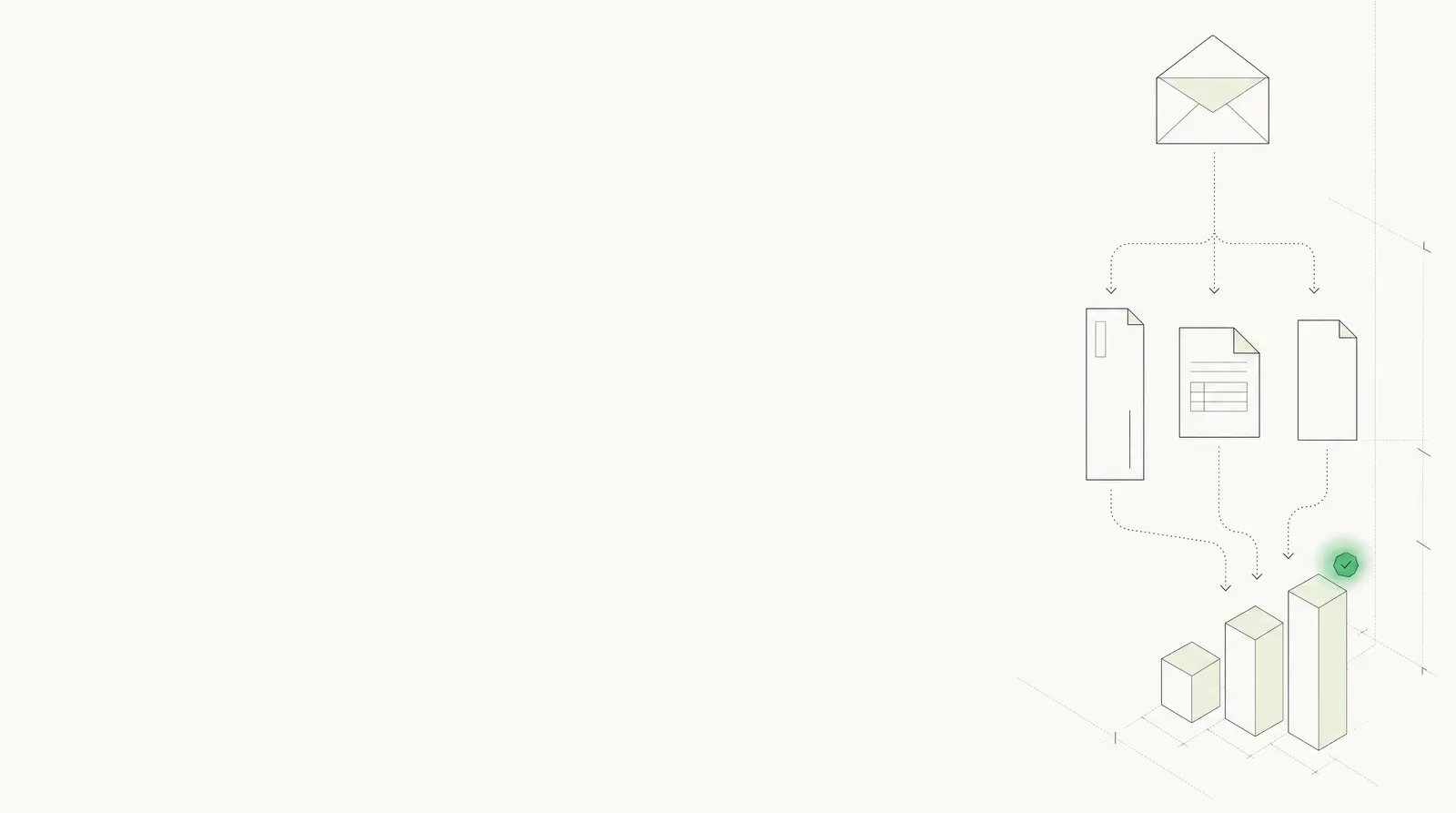
Docsumo reads each check and the remittance that came with it, matches the payment to the invoices it pays, and sends clean records to your ERP. Your AR team works only the short pays and mismatches.
- 99% field-level accuracy on 250+ document types
- 95%+ of documents processed straight through
- SOC 2 Type 2, HIPAA and GDPR
- Payer
- Harbor Street Bakery99%
- Check number
- 105799%
- Routing (MICR)
- 07192538499%
- Check amount
- $15,815.1599%
- Remittance
- 3 invoices · $15,815.1598%
- Invoice 7781
- $12,450.00 of $12,480.00Short-paid $30.00
Trusted by 10,000+ mid-sized and enterprise teams, including
- Grid Finance
- Hitachi
- PayU

The check, its MICR line and every remittance line.
Printed or handwritten, scanned or photographed. The same structure every time.
| Field | Extracted value | Confidence |
|---|---|---|
| Payer | Harbor Street Bakery LLC | |
| Pay to | Bayside Foods | |
| Check date | 2026-09-04 | |
| Amount (figures) | 15,815.15 | |
| Amount (words) | Fifteen thousand eight hundred fifteen and 15/100 | |
| Memo | Inv 7781, 7794, 7802 | |
| Bank | First Midwest Bank |
| Field | Extracted value | Confidence |
|---|---|---|
| Routing number | 071925384 | |
| Account number | 3067104821 | |
| Check number | 1057 |
| Field | Extracted value | Confidence |
|---|---|---|
| Invoice numbers | 7781 · 7794 · 7802 | |
| Invoice dates | 2026-08-03 · 08-10 · 08-17 | |
| Invoice amounts | 12,480.00 · 2,316.40 · 1,048.75 | |
| Deduction | 30.00 on 7781 · PO price | |
| Amounts paid | 12,450.00 · 2,316.40 · 1,048.75 | |
| Total paid | 15,815.15 |
Field names and the output schema are configurable.
Every payment matched to the invoices it pays.
The check is checked against its remittance, then each remittance line against your open invoices. What agrees goes through; the rest waits with the reason.
- Pay to
- Bayside Foods
- Memo
- Inv 7781, 7794, 7802
- Routing
- 071925384
- Figures
- 15,815.15
- Words
- 15,815.15
- Total 15,815.15 = 15,815.15
- Same payer
- Memo = remittance
- Invoices
- 7781, 7794, 7802
- Deductions
- 30.00
- Total paid
- 15,815.15
- Invoiced
- 12,480.00
- Deduction
- 30.00
- Paid
- 12,450.00
- 3 of 3 invoices open
- 7794, 7802 paid in full
- 7781 short by 30.00
- Open invoices
- 7781, 7794, 7802
- Open total
- 15,845.15
- Terms
- Net 30
- Open
- 12,480.00
- Paid
- 12,450.00
- Left
- 30.00
- Payer
- Check or payment number
- Payment date
- Invoice number
- Invoice date
- Invoice amount
- Discount
- Deduction and reason
- Amount paid
- Total paid
Field names and the output schema are configurable. Cross-document checks are on the Enterprise plan.
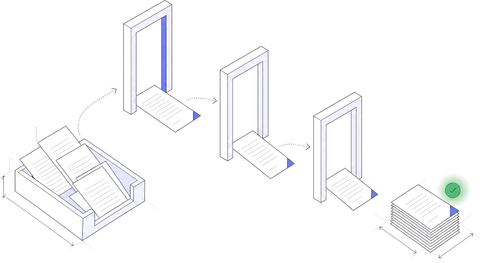
From the lockbox to your ERP, in five steps.
- 01
Collect
Lockbox image files, scanned mail, emailed remittances or API.
Collection agent - 02
Classify and split
Each envelope becomes its check, remittance and any letter.
Classification agent - 03
Extract
Check fields, the MICR line and every remittance line, each scored.
Extraction agent - 04
Verify
Check against remittance, remittance against open invoices.
Verification agent - 05
Post
Matched payments to your ERP; exceptions to your team.
Workflow agent
Every payment becomes a row. Ask a question to find the ones that need a person, then export or send the rest on.
Your bank deposits the check. Docsumo reads and matches it.
Docsumo does the reading, checking and matching. The deposit stays with your bank or lockbox, and the ledger stays in your ERP.
| Docsumo doesCapture to match | Your bank and ERPDeposit and ledger | |
|---|---|---|
| Receive checks and remittances | Lockbox files, scans, email or API | Your lockbox, scanner or mailroom |
| Sort each envelope | Check, remittance and letters, split apart | |
| Read the check | Payer, amounts in figures and words, date, MICR | |
| Read the remittance | Every invoice line, discounts and deductions | |
| Check against remittance | Totals and invoice numbers agree | |
| Match to open invoices | Against your open-invoice list | Keeps the open items |
| Exceptions | Review queue, with the reason and source line | Customer calls about short pays |
| Post the payment | Sent by API and webhook | Your ERP applies the cash |
| Deposit and clearing | Not included | Your bank, lockbox or remote deposit capture |
Paying suppliers is the other side: see accounts payable automation and invoice processing software.
What changes when checks stop waiting on people.
Built for the teams that receive the checks.
Four kinds of teams, and what they send Docsumo.
Payment processors and fintechs
Check and remittance data by API, inside the payments product you run for clients.
- Client checks
- Remittance slips
- Payment coupons
Wholesale and distribution
Customer checks that pay many invoices at once, with deductions noted on the stub.
- Customer checks
- Multi-invoice remittances
- Deduction notes
Finance and shared services
Remittances for several entities or clients, each in its own layout.
- Lockbox image files
- Emailed remittances
- Remittance advices
Banks, credit unions and lenders
Deposit and loan-servicing operations: checks read with their slips or coupons.
- Deposited checks
- Deposit slips
- Loan payment coupons
Matched payments where your team already works.
Each payment arrives as JSON in your ERP or AR system, with the controls your security review will ask about.
 SOC 2 Type 2Independently audited controls
- ISO 27001Certified security management
 HIPAAFor protected health data
 GDPRFor EU personal data
Encrypted with TLS in transit and AES-256 at rest. Your documents are not used to train shared or third-party models.
How Docsumo protects your data →// POST https://your-erp.example.com/hooks/docsumo { "meta_data": { "title": "lockbox-0904-001.tif" }, "data": { "Check": { "Check Number": { "value": "1057", "confidence": 0.99 }, "Amount": { "value": 15815.15, "confidence": 0.99 } }, "Remittance": [ { "Invoice Number": { "value": "7781", "confidence": 0.99 }, "Amount Paid": { "value": 12450.00, "confidence": 0.98 } }, // 2 more rows ] } }
Your ERP or AR system
Checks in from your lockbox, scanner or inbox; matched data out to the system that applies cash.
A test environment
Your engineers validate changes before they reach production.
Audit log and permissions
Access by role, team and document type. Every correction recorded.
What teams ask about check processing.
What is check processing software?
Check processing software captures the data on incoming checks and the remittances that come with them (payer, amount, check number, MICR line and the invoices being paid) so payments can be matched and posted without keying. Docsumo is an intelligent document processing platform: it reads checks and remittances from lockbox files, scans, email or API, checks them against each other and your open invoices, and sends your team only the exceptions. The deposit itself stays with your bank.
How does automated check processing work?
Checks and remittances arrive as lockbox image files, scans, emails or API calls. Docsumo splits each envelope into its check and remittance, extracts every field and remittance line with a confidence score, checks the check total against the remittance and each invoice against your open invoices, then sends matched payments to your ERP and exceptions to a review queue with the reason.
Does Docsumo read the remittance as well as the check?
Yes. It reads remittance stubs, separate remittance advices and emailed remittance PDFs: every invoice number, date, amount, discount, deduction and amount paid. A remittance table that runs across pages is joined into one table.
Does Docsumo deposit checks or replace our lockbox?
No. Docsumo isn't a check scanner, a lockbox or a remote deposit capture system, and your bank still deposits and clears the check. Docsumo reads the images and remittances those systems produce and sends the matched data to your ERP.
Can it read handwritten checks?
Yes. Docsumo reads handwritten as well as printed text, including handwritten amounts, payees and memos. Every field has a confidence score, and values below the threshold you set go to a person, who sees the source line highlighted.
What happens when a payment doesn't match?
The payment is held with the reason: a short pay or deduction, an invoice that is already paid or not on your open list, a check total that disagrees with the remittance, or no remittance at all. Your team resolves it in the review queue, and each correction is recorded in the audit log.
Which systems does it work with?
Any ERP or AR system that takes data by API, webhook or file import. Docsumo sends every field and remittance line as JSON with its confidence score, and a test environment lets your engineers validate the setup before production.
Is it secure enough for payment data?
Docsumo is SOC 2 Type 2 audited, ISO/IEC 27001:2022 certified, and HIPAA and GDPR compliant. Your documents and extracted data are not used to train shared or third-party models. Access is set by role, team and document type, and every review and correction is recorded in an audit log.
Can we test it on our own checks?
Yes. Book a demo and bring a day's lockbox file or a stack of scanned checks and stubs, and we'll run it live. Or start a free trial with 1,000 pages over 14 days, including API and webhook access.
Bring a day's lockbox file to the demo.
Checks, stubs and the odd handwritten one. We run it live and show what matches, what's short and why.