
Intelligent document processing for insurance
Every submission, certificate and claim file, checked as a whole. ACORD forms, loss runs and schedules are read and compared with the application, each other and your guidelines. Only exceptions reach your team.
- 99% field-level accuracy on 250+ document types
- 95%+ of documents processed straight through
- SOC 2 Type 2, HIPAA and GDPR
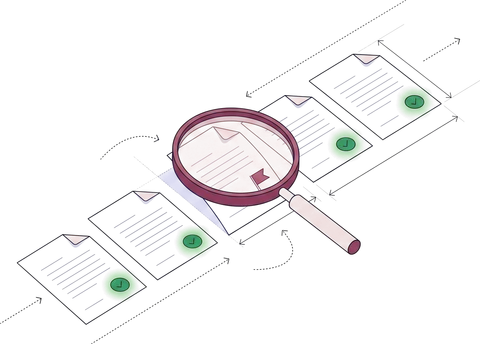
A commercial property and general liability submission for Cedar Ridge Storage LLC with five documents: the ACORD 125 application, the ACORD 126 and ACORD 140 sections, a statement of values and the prior carrier's loss runs. The three premises and $14,850,000.00 in building values agree across the application, both sections and the statement of values, and the named insured matches on all five documents. The loss runs cover four policy years where the guideline asks for five, so the submission is ready for underwriting with one exception.
Trusted by 10,000+ mid-sized and enterprise teams, including
- Grid Finance
- Hitachi
- PayU
Every insurance team, the same job.
Each team sends different documents. The job is the same: read them, check them against your rules and the rest of the file, and send people only what needs a decision.
- Certificates
Compliance and risk →
Vendor and tenant certificates checked against your requirements, with expiring coverage flagged.
- ACORD 25 and 28
- Endorsements
- W-9s
- Submissions
Carriers and MGAs →
Applications, schedules and loss runs checked before an underwriter opens the file.
- ACORD 125, 126, 140
- Statements of values
- Loss runs
- Applications
Brokers and agencies →
ACORD applications and carrier documents read into your systems, not rekeyed.
- ACORD 125 and 130
- Quotes and binders
- Declarations pages
- Claim files
Claims and TPAs →
Loss notices, estimates and adjuster reports read and matched to the policy.
- Loss notices
- Repair estimates
- Adjuster reports
- By API
Risk platforms →
Software that verifies coverage for its own customers reads ACORD forms through the API.
- ACORD 25
- ACORD 27 and 28
- Endorsements

From inbox to the right team, in five steps.
- 01
Collect
Email, upload or API, from brokers, vendors or claimants.
Collection agent - 02
Classify and split
One submission email becomes the forms, schedules and loss runs inside it.
Classification agent - 03
Extract
Every field, limit and table row, each with a confidence score.
Extraction agent - 04
Verify
Against the application, the other documents and your guidelines.
Verification agent - 05
Route
Clean files to your systems; exceptions to the right team's queue.
Workflow agent
One submission. Every document checked against the others.
Pick a document to see what Docsumo reads from it and what it's checked against.
Ready for underwriting · 1 exception
ACORD 125
Commercial insurance application · property and general liability✓ 4 passedWhat Docsumo reads
- Named insured
- Cedar Ridge Storage LLC
- FEIN
- ••-•••2291
- Proposed effective date
- 2026-11-01
- Losses, last 5 years
- 2 reported
- Mailing address
- 410 Quarry Rd, Columbus, OH 43215
Checked against
- ACORD 126, 140Named insured, FEIN and effective dateFlags a section from another insured or term✓ Same on all 3
- ACORD 140, SOVPremises on the applicationFlags a location missing from a section or the schedule✓ 3 of 3
- Loss runsLosses reported against the carrier's loss runsFlags a loss left off the application✓ 2 of 2 losses
- Your guidelinesRequired sections for the lines of businessFlags a missing section or document, at intake✓ All sections in
Field names, rules and the output schema are configurable.
An exception is a question for the underwriter, not a declination: the broker may simply not have sent the oldest year. Cross-document checks are on the Enterprise plan, and you choose which ones apply to each line of business. Certificates get the same treatment against your requirements: see certificate of insurance tracking.
Your team reviews exceptions, not PDFs.
Files that pass every check move on. The rest arrive with the reason, the source line and the values that disagree.
Review queue 3 of 11 files
✓ 8 passed every check and moved on
- Your guideline
- 5 policy years
- Loss runs received
- 4 policy years, 2022–2026
Every other check passed. The broker may simply not have sent the oldest year.
- 2025–26 · 1 claim7,150.00
- 2024–25 · 1 claim31,250.00
- 2023–24 · no claims0.00
- 2022–23 · no claims0.00
- 2021–22Not in file
- Exceptions onlyFiles that pass every check don't wait for a person.
- The source, highlightedClick a field to see the line it came from.
- Thresholds you setConfidence thresholds per field decide what goes to review.
- On the recordEvery correction and approval is logged, and corrections improve the model.
What changes when documents stop waiting on people.
Certificates and ACORD forms, in production.
- Insurance compliance99%accuracy on insurance compliance documents, and 3,000+ work hours saved every month
“We love Docsumo for its ease of integration and the flexibility it provides with API and webhook callbacks.”
 Howard Leiner, CTORead the Arbor story →
 - Vertikal RMSCOI verificationACORDforms captured automatically for COI verification, replacing a legacy OCR tool
“The OCR tool we used before had several issues accurately capturing data for edge cases, such as inclusions and exclusions across the ACORD forms. Docsumo helped us solve this complexity and share the desired output without breaking a sweat.”
Robert Rodriguez, COORead the Vertikal RMS story →
Clean data in your core systems, audited end to end.
Checked data goes to the system your team works in, with the controls your security review will ask about.
 SOC 2 Type 2Independently audited controls
- ISO 27001Certified security management
 HIPAAFor protected health data
 GDPRFor EU personal data
Encrypted with TLS in transit and AES-256 at rest. Your documents are not used to train shared or third-party models.
How Docsumo protects your data →REST API and webhooks
Submissions, certificates and claims in by email, upload or API; every field back as JSON with its confidence score.
Your core systems
Checked data posted to your policy, claims or compliance system, in the structure it expects.
A test environment
Your engineers validate changes before they reach production.
Audit log and permissions
Access by role, team and document type; every review and approval recorded.
What insurance teams ask about intelligent document processing.
What is intelligent document processing for insurance?
Intelligent document processing (IDP) for insurance, also called insurance document automation, is software that collects, classifies and extracts data from insurance documents such as ACORD forms, certificates of insurance, loss runs, statements of values and claim documents, then checks it against the application, the rest of the file and your guidelines. Docsumo is an intelligent document processing (IDP) platform that does this for carriers, MGAs, brokers, claims teams and compliance teams, so people review only the exceptions.
Which insurance documents can Docsumo process?
Commercial applications and sections (ACORD 125, 126, 127, 130 and 140), certificates and evidence of insurance (ACORD 25, 27 and 28), endorsements, statements of values, loss runs, quotes, binders, policies and declarations pages, and claim documents such as loss notices, repair estimates and adjuster reports. Pre-trained models cover 250+ document types, and Docsumo isn't limited to them: documents specific to your book are read too.
Can Docsumo automate loss run processing?
Yes. Loss runs from different carriers are read into one structure: policy years, claims, dates of loss, paid, reserved and incurred amounts, and open or closed status. Tables that run across pages are joined into one table. Each loss run can then be checked against the losses reported on the application and against the number of years your guidelines require.
How does it handle ACORD forms and certificates of insurance?
Every ACORD form is read field by field, with limits, checkboxes and tables kept in their sections. For certificates, coverage limits and dates are checked against each vendor's or tenant's requirements, the named insured is matched to the vendor or tenant, and expiring certificates are flagged. Docsumo's ACORD form processing and certificate of insurance tracking pages cover both in detail.
Does Docsumo replace underwriters or claims adjusters?
No. Docsumo does the reading, the matching and the arithmetic, and decisions stay with your team. It's software, not an outsourced review service: your own staff review the exceptions in a queue you control, so the work stays in-house and you pay for software rather than a managed data-entry team.
Can Docsumo connect to our policy, claims or agency system?
Yes. Documents come in by email, upload or REST API, and checked data goes back to your policy administration, claims or agency management system, or a data warehouse, as JSON by webhook, with a confidence score on every field. A separate test environment lets your engineers validate the integration before it reaches production.
Is it secure enough for policyholder data?
Docsumo is SOC 2 Type 2 audited, ISO/IEC 27001:2022 certified, and HIPAA and GDPR compliant, and a BAA and DPA are available. Your documents and extracted data are not used to train shared or third-party models. Access is set by role, team and document type, and every review, correction and approval is recorded in an audit log.
How long does it take to get started?
You can start the same day with a free trial: 1,000 pages for 14 days, using pre-trained models for common insurance documents. Cross-document validation and case management, which check a whole submission or claim file, are on the Enterprise plan. For a production rollout, book a demo and bring a real submission or a batch of certificates; we run it live and map out the checks and integration your team needs.
Bring a real submission to the demo.
ACORD forms, a schedule and loss runs, or a batch of certificates, scanned or digital. We run it live and show every field, every check and every exception.