
Driver qualification file software that checks every document in the file
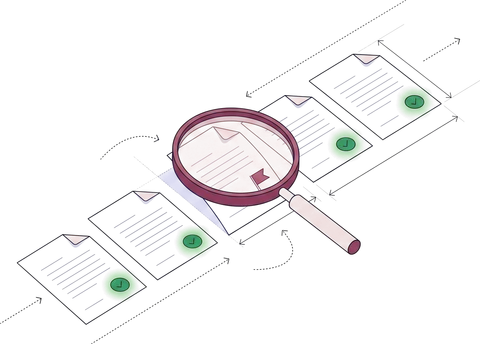
Applications, MVRs, road tests and medical certification are read as they arrive and checked against the rest of the driver's file and your checklist. Your safety team sees only the files that fail.
- 99% field-level accuracy on 250+ document types
- 95%+ of documents processed straight through
- SOC 2 Type 2 and ISO 27001
The driver qualification file for Andre J. Whitfield, a Class A CDL holder from Texas, checked at his annual review on September 15, 2026. His name and license number match on the application, the motor vehicle record, the road test certificate, the medical record and the review note. His Texas MVR was pulled on September 14, 2026, within 12 months; his road test was in a tractor and a 53-foot van semitrailer, which his Class A license covers; and K. Alvarez signed the annual review on September 15, 2026. His CDL is valid until March 31, 2030, but his medical certification ends on October 9, 2026, 24 days later, inside the 30-day window, so the file is complete with one exception.
Trusted by 10,000+ mid-sized and enterprise teams, including
- Grid Finance
- Hitachi
- PayU
Who uses it
Carriers and fleets
Every driver's file checked at hire, at each annual review and when a new record arrives.
3PLs with their own fleets
Dedicated and contract fleets held to one checklist, site by site.
Driver staffing and leasing
Files for every placed driver, checked before the first dispatch.
Safety and compliance teams
Only the files that fail a rule, with the record and the rule behind it.
Trucking carrier Lee Trans uses Docsumo to read driver licenses and medical cards.

From hiring packet to checked file, in five steps.
- 01
Collect
Applications, licenses, MVRs and medical records by email, upload or API.
Collection agent - 02
Classify and split
A scanned hiring packet becomes the application, license, road test and card inside it.
Classification agent - 03
Extract
Names, license numbers, classes and dates, each with a confidence score.
Extraction agent - 04
Check
Against the rest of the driver's file and your checklist.
Verification agent - 05
Route
Complete files to your safety or HR system; exceptions to your team.
Workflow agent

Every record a driver qualification file needs, read and checked.
Pick a record to see what Docsumo reads from it and what it's checked against.
In the qualification file
Kept beside it
Employment application
§ 391.21 Signed 09/12/2025✓ 3 passedThe driver's own record: licenses, violations, accidents and employers for the last 3 years.
What Docsumo reads
- Driver
- Andre J. Whitfield
- License
- TX ••••6618 · Class A
- Licensing states, 3 years
- Texas only
- Employers, 3 years
- 2, both DOT-regulated
- Violations, 3 years
- None listed
- Signed
- 09/12/2025
Checked against
- CDLSame name and license number✓ Match
- MVRsAn MVR from every state listed✓ Texas
- EmployersA response from every employer listed✓ 2 of 2
Field names, rules and the output schema are configurable.
What the file must hold is set by 49 CFR 391.51. You choose the rules, the expiry window and the checklist; checks across records are on the Enterprise plan. For when each record comes due, see the driver qualification file guide.
Your safety team reviews exceptions, not files.
Files that pass every rule move on. The rest arrive with the rule that failed, the source line and the values compared.
Review queue 3 of 12 driver files
✓ 9 passed every check and moved on
- Your rule
- Flag 30 days before expiry
- Checked
- 09/15/2026
- Medical ends
- 10/09/2026 · 24 days
Every other rule passed. Examiners no longer give CDL holders a paper certificate, so the new date comes from an updated MVR after his exam.
- DriverAndre J. Whitfield
- LicenseTX ••••6618 · Class A
- Medical statusCertified
- Valid until10/09/2026
- Exceptions onlyFiles that pass every rule don't wait for a person.
- The source, highlightedClick a field to see the line it came from.
- Thresholds you setConfidence thresholds per field decide what goes to review.
- On the recordEvery correction and approval is logged, and corrections improve the model.
What DQ file management covers, and the part Docsumo does.
Docsumo reads and checks. Ordering records, reminders and the file of record stay with the system you keep driver files in.
| Docsumo doesRead, check, flag | Your DQ file system keepsOrders and records | |
|---|---|---|
| Collect | Email, upload or API; hiring packets split into their records | |
| Read | Names, license numbers, classes, dates and results | |
| Check | Against the rest of the file and your checklist | |
| Flag | Mismatches, missing records and dates inside your window | |
| Review | Exceptions, with the rule and the source line | |
| Order records | Stays with your team | MVR orders and Clearinghouse queries |
| Keep and remind | Fields and dates sent by API and webhooks | The file of record, renewal reminders and audit reports |
It's software, not a DQ file service: your own safety team reviews the exceptions, so driver files stay in-house.
What changes when driver files stop waiting on people.
Checked driver files in your system, audited end to end.
Every field and date goes to the system where you keep driver files.
 SOC 2 Type 2Independently audited controls
- ISO 27001Certified security management
 HIPAAFor protected health data
 GDPRFor EU personal data
Encrypted with TLS in transit and AES-256 at rest. Your documents are not used to train shared or third-party models.
How Docsumo protects your data →// POST https://your-system.example.com/hooks/docsumo { "meta_data": { "title": "whitfield-mvr-tx-2026-09-14.pdf" }, "data": { "Driver": { "Name": { "value": "Andre J. Whitfield", "confidence": 0.99 }, "License Class": { "value": "A", "confidence": 0.99 } }, "Medical Certification": { "Status": { "value": "Certified", "confidence": 0.98 }, "Valid Until": { "value": "10/09/2026", "confidence": 0.99 } }, // license status, violations and dates } }
Your DQ file or HR system
Records in by email, upload or API; fields and dates out by webhook.
Sensitive data redacted
Social Security numbers and other personal data found and redacted.
Audit log and permissions
Access by role and team; every review and approval recorded.
What safety teams ask about driver qualification file software.
What is driver qualification file software?
Driver qualification file software helps a motor carrier build and keep the file that 49 CFR 391.51 requires for every driver: the employment application, motor vehicle records, the road test certificate or a CDL accepted in its place, medical certification and the annual review note. Some tools also order MVRs and send renewal reminders. Docsumo is an intelligent document processing (IDP) platform that does the reading and the checking: it reads every record in a driver's file, checks names, license numbers, classes and dates against the rest of the file and your checklist, and sends your safety team only the files that fail. Our driver qualification file guide covers what the file must hold and when each record comes due.
Which driver file documents can Docsumo read?
Every record a driver qualification file holds: employment applications, motor vehicle records (including CDLIS records), road test certificates, commercial driver's licenses, medical examiner's certificates, annual review notes and medical variance documents, plus the previous employers' responses kept in the driver investigation history file and downloaded Clearinghouse query records. They can arrive as PDFs, scans or phone photos. Trucking carrier Lee Trans uses Docsumo to read driver licenses and medical cards. Docsumo has pre-trained models for 250+ document types and isn't limited to them, so your own application form and each state's MVR layout are covered.
What does Docsumo check in a driver's file?
The rules you configure. Common ones: the same name and license number on every record; road test equipment covered by the CDL class; the latest MVR dated within 12 months; the CDL and medical certification checked against an expiry window you set; and every record your checklist requires, such as an MVR from each state on the application and a response from each previous employer. Checks across records are on the Enterprise plan. A file that passes moves on; one that fails goes to your safety team with the record and the rule.
How does it handle medical certification now that CDL holders don't get a medical card?
Since June 23, 2025, medical examiners don't give CDL or CLP holders a paper medical examiner's certificate. The result goes to FMCSA and on to the driver's state, so for CDL holders the record in the file is the CDLIS motor vehicle record, which shows medical certification status. Docsumo reads that status and its end date from the MVR. For drivers without a CDL, it reads the medical examiner's certificate (Form MCSA-5876). Paper cards that CDL holders received before the change can still be read and matched to the MVR until they expire.
Does Docsumo replace our DQ file management system?
No. Docsumo doesn't order MVRs, run Drug and Alcohol Clearinghouse queries or send renewal reminders. It reads and checks the records those steps produce, and hands the fields, dates and results to the system that keeps your files, by API or webhook. It's software, not a DQ file service: your own safety team reviews the exceptions, so driver files stay in-house.
How does the data reach our safety or HR system?
Records come in by email, upload or REST API, and each one goes back as JSON by webhook, with every field and its confidence score. The expiration dates it reads can drive the renewal reminders in your own system. A separate test environment lets your engineers validate the integration before it reaches production.
Is it secure enough for driver data?
Applications carry Social Security numbers and dates of birth, so access matters. Docsumo is SOC 2 Type 2 audited, ISO/IEC 27001:2022 certified and GDPR compliant. Documents are encrypted with TLS in transit and AES-256 at rest, and they are not used to train shared or third-party models. Docsumo can find sensitive data such as Social Security numbers and redact it, access is set by role and team, and every review and approval is recorded in an audit log.
How long does it take to get started?
You can start the same day with a free trial: 1,000 pages over 14 days. Checks across records and case management, which review a whole file, are on the Enterprise plan. For a rollout, book a demo and bring a few driver files; we run them against your checklist live.
Bring a few driver files to the demo.
Applications, MVRs, road tests and medical cards, scanned or photographed. We run them against your checklist live and show every field, every rule and every exception.