Accounting automation: which steps software runs, and where document AI fits
For controllers, AP and AR leads, and accounting firms that process clients' documents. See which steps run on data already in your systems, which wait on a document, and where to start.

Key takeaways
- Accounting automation means software runs the repeated steps of accounting work, and people handle what fails a check.
- Many steps run on data already in your systems, such as bank feeds and recurring entries. The steps that still need typing start with a document.
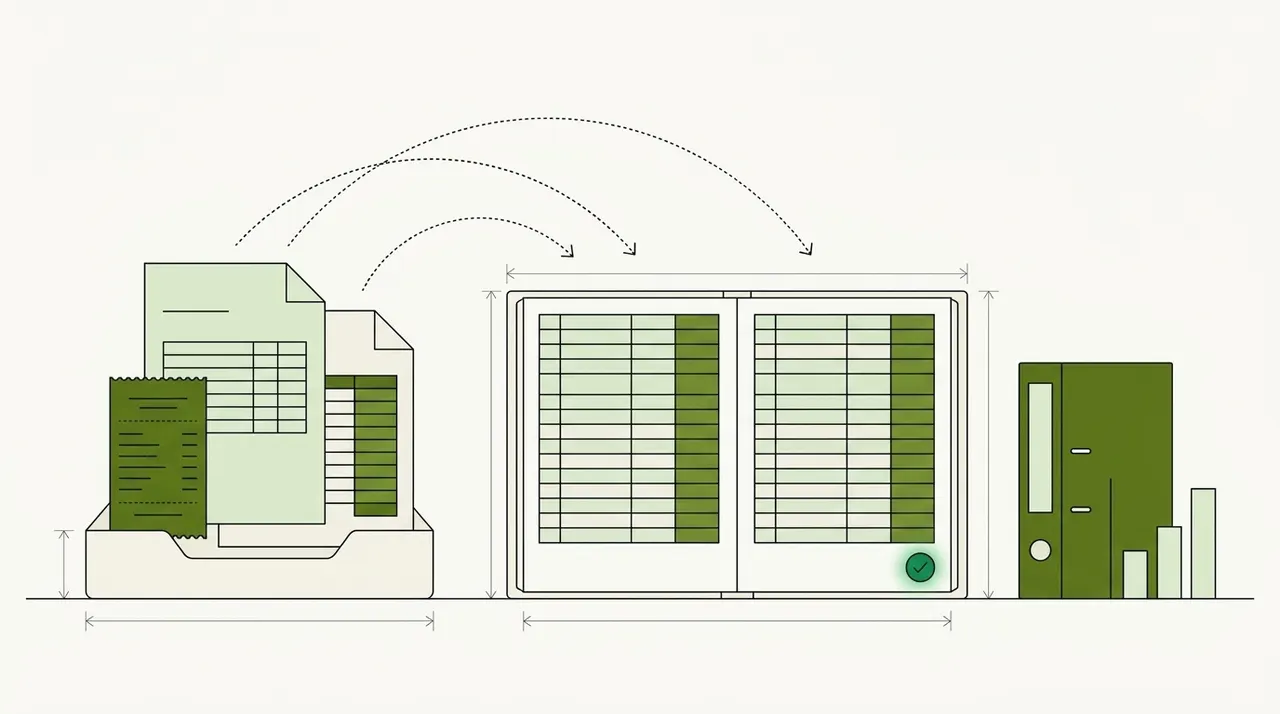
- Document AI reads documents such as invoices and statements, runs the checks you set and sends the data to your accounting system.
- Docsumo covers the document steps. The close, consolidation, planning (FP&A) and payments stay in your other systems, and so does the ledger.
- Start with one document type, the one that arrives most often and whose data you post to your books. Add the next once it runs with few exceptions.
On this page
- The accounting cycle, and the software behind each step
- Why documents slow the cycle down
- What document AI does with each accounting document
- For accounting firms, every client's documents look different
- What Docsumo covers, and what it leaves to other tools
- Find the document behind most of your postings
- Frequently asked questions
Accounting automation means software does the repeated steps of accounting work, and people handle what fails a check. Many steps already run on data inside your systems, such as bank feeds and recurring journal entries. The steps that still need typing usually start with a document, like a supplier invoice or a client's bank statement. Document AI covers those steps. It reads each document, checks it and sends the data to your accounting system.
Below, each step of the accounting cycle is matched to the kind of software that runs it. Docsumo is one of those tools, so this page also says which steps it leaves to others.
The accounting cycle, and the software behind each step
The same steps repeat every month, for an in-house team and for a firm that keeps the books for clients. Accounting automation software isn't one product. Each step has its own kind of tool.
- Collect the documentsSupplier invoices, receipts and statements arrive by email or by mail. An accounting firm also has to chase each client for theirs.
- Get the data inBank and card feeds bring transactions into your accounting system on their own. Anything that arrives as a PDF, a scan or a photo has to be read first.
- Code each lineEach transaction or invoice line gets a general ledger (GL) account, and often a cost center. Bank rules in your accounting system code the transactions that repeat.
- Match and approveAccounts payable (AP) matches invoices to purchase orders (POs) and receipts. Then the budget owner approves them, in AP software or your ERP.
- Pay and collectPayment runs, customer invoices and collections run in your ERP, in AP payment software or in accounts receivable (AR) tools.
- ReconcileBank, card and supplier balances are compared with the ledger. Matching rules clear the lines that agree, and people work the rest.
- Close the monthAccruals and adjusting entries are posted, and a controller signs off on the close checklist. An ERP or close management software runs this step.
- ReportConsolidation and financial statements come from your ERP or a consolidation tool.
Documents enter at steps 1 and 2. A bank feed delivers data your accounting system can already read. A supplier invoice delivers a PDF. Someone has to open it, key the vendor, the dates, the lines and the total, and check them. Only then can steps 3 and 4 run. Step 6 needs documents too, such as a supplier's statement, or a client's bank statement when the bank has no feed.
A feed doesn't replace the documents. The feed shows that money left the account. The invoice or receipt shows what the money paid for. The IRS tells businesses to keep supporting documents, such as invoices, receipts and paid bills. Those documents support the entries in the books (IRS Publication 583).
Why documents slow the cycle down
A feed sends the same fields in the same format every day. Documents don't. Each supplier lays out its invoice its own way, and each bank prints its statements in its own layout. Templates and rules break when a layout changes, so those documents go to a person. Robotic process automation (RPA) bots hit the same problem, as RPA in finance and accounting explains.
Accounts payable shows what this manual work costs. Ardent Partners' State of ePayables 2025, a sponsored analyst report, puts the average cost to process one invoice at $9.84. Processing one invoice takes 8.2 days on average. Also, 18.4% of invoices have an exception that a person must handle. Our guide to the accounts payable process covers each step an invoice goes through.
Finance teams already use AI in accounts payable. In Gartner's 2025 survey of 183 CFOs and senior finance leaders, 37% of those using AI used it for accounts payable process automation. Only knowledge management was more common, at 49%. Knowledge management means using AI to organize and find information.
Typing adds errors of its own. Every field keyed by hand can go wrong, and a wrong amount or vendor can reach a payment or a report before anyone notices. The calculator prices only the errors someone finds and fixes. In the first box, enter how many fields your team types in from documents in a month. An invoice with 10 header fields and 5 lines of 4 fields each is 30 fields.
What fixing keying errors costs you
Put in your own volume. The error-rate and wage defaults come from published research; change them to match your team.
- Errors keyed per month
- Hours spent fixing them per month
- Cost of fixing them per month
- Cost of fixing them per year
How it's worked out
- Errors are fields keyed times the share keyed wrong. Hours are errors times the minutes to fix one.
- Cost is hours times the hourly cost. Add benefits and overhead to the wage for a fuller figure.
- It counts only errors someone finds and fixes. Errors that reach payments, reports or decisions cost far more, which is the point of the 1-10-100 rule.
Source: Barchard & Pace, Preventing human error: the impact of data entry methods on data accuracy and statistical results, Computers in Human Behavior (2011); US Bureau of Labor Statistics: OEWS profile, Data Entry Keyers (43-9021), May 2025
Set the minutes to how long it takes your team to find and fix one error. Replace the hourly cost with what your own staff cost, including benefits. The result leaves out the hours spent typing in the first place.
What document AI does with each accounting document
Document AI reads a document and turns it into data a system can use. Optical character recognition (OCR) reads the characters. Then the software puts them into fields, such as the vendor name or an invoice line. It checks what it read, and anything it isn't sure of goes to a person.
The checks differ by document, and you choose them. The table shows what Docsumo reads and checks on common accounting documents. Where the table names a plan, the check is on that plan.
| Document | What gets read | Checks you can set | Where the data goes |
|---|---|---|---|
| Supplier invoice | Vendor, invoice number, dates, each line, tax and total | Lines add up to the total. Not a copy of an invoice already received. Matches the PO and receipt (Enterprise plan) | Approval by your rules (Business plan), then your ERP |
| Receipt | Merchant, date, tax and total | Subtotal and tax add up to the total | Expense records or the client's books |
| Bank statement | Account, period, balances and every transaction, across pages | Each transaction agrees with the running balance | Your accounting system, ready to reconcile |
| Vendor statement | Each invoice, credit and payment the supplier lists, and the balance | Each line matched to your AP ledger | A list of differences to clear |
| Check and remittance | Payer, amount, check number and each invoice paid | The check agrees with its remittance (Enterprise plan) | Cash application in your ERP or AR system |
| Tax forms (W-2, 1099, 1040, K-1) | Each box and line, with mixed packets sorted by form | Figures agree across the packet, such as W-2 wages and the 1040 (Enterprise plan) | Workpapers for the return |
A document that passes its checks moves on with no manual review. One that fails goes to a person. For receipts and supplier statements, see receipt OCR and vendor statement reconciliation. Invoice coding covers how each invoice line gets its GL code.
For accounting firms, every client's documents look different
An accounting firm handles the same documents as an in-house team, for many businesses at once. One client sends phone photos of receipts. Another forwards supplier bills by email. A third client's bank has no feed, so that client's statements arrive as PDFs each month. In tax season, the W-2s, 1099s and K-1s may come in as one scanned packet.
Every new client brings new layouts. A tool that needs a template for each layout makes the firm build one for each client. Docsumo works differently. OCR reads the characters, and large language models (LLMs) put them into fields. So Docsumo isn't limited to the document types it has pre-built models for. For a mixed tax packet, Docsumo sorts the pages by form and reads each box and line. Sorting a packet by form uses auto-classification and splitting, which are on the Business plan. For client statements, bank statement automation for bookkeeping lists the checks to run before import.
Your own staff review what Docsumo flags, because Docsumo supplies the software, not a review team. Docsumo is SOC 2 Type 2 audited and ISO 27001 certified, with single sign-on and role-based access. The security page has the details.
Valtatech, a Melbourne source-to-pay provider, uses Docsumo to read the supplier invoices it handles for clients. Its case study reports 99%+ of invoices processed touchless, at 65%+ lower data processing costs.
What Docsumo covers, and what it leaves to other tools
Docsumo covers the document steps. Documents come in by email to a Docsumo inbox, by upload or through the API. It reads invoices, receipts, bank statements and vendor statements. It also reads checks with their remittances, tax forms and any other document type. It reads handwritten text, and it joins tables that run across pages.
Each field gets a confidence score, which shows how sure Docsumo is of the value. A field below the threshold you set goes to a reviewer, who clicks it to see the line it came from. A workflow step can suggest GL codes for invoice lines, and you can add your own checks as steps.
On the Business plan, Docsumo routes invoices for approval by the rules you set. On the Enterprise plan, it matches invoices to POs and receipts and checks documents against each other. Checked data goes to your ERP or accounting system through the API and webhooks, or downloads to Excel.
- 99%field-level accuracy on 250+ document types
- 95%+of documents processed straight through, without manual review
The rest of the work runs on data that's already in your systems. Five jobs stay with other software.
The month-end close
Accruals, adjusting entries and the sign-off stay in your ERP or close management software.Consolidation
Combining entities and removing intercompany balances needs your ERP or a consolidation tool.Budgets and forecasts
Financial planning and analysis (FP&A) runs in planning software.Payments
Docsumo doesn't pay vendors. Payment runs go out from your ERP, your AP payment software or your bank.Bank feeds
Docsumo doesn't connect to bank accounts the way a feed does. It reads the statements you or your clients send.
Docsumo isn't accounting software either. Your ERP or accounting system keeps the ledger.
Our take. Don't try to automate all eight steps at once. Start with the one document type that arrives most often and whose data you post to your books. For many in-house teams that's the supplier invoice, and for a bookkeeping firm it may be client bank statements. Add the next document once the first one runs with few exceptions.
Find the document behind most of your postings
Count last month's documents by type. Mark the types whose data you post to your books or pay from, and pick the one with the highest count. Test a tool on a month of those files, including the messy ones. Then count the fields a person had to fix.
Book a demo with a month of that document, or start a free trial.
Frequently asked questions
What is accounting automation?
Accounting automation is software doing the repeated steps of accounting work, such as importing transactions, matching invoices and preparing reconciliations. People review what fails a check and make the judgment calls. Document AI handles the steps that start on a document.
What's the difference between accounting automation and finance automation?
Accounting automation covers recording and checking transactions, from the first invoice to the financial statements. Finance automation is the wider term. It also covers treasury and planning work, such as budgets and forecasts.
Which accounting tasks can be automated?
Most routine steps can be. That includes transaction imports, invoice capture and matching, approval routing, payment runs, recurring journal entries and reconciliation matching. People keep the judgment work, such as unusual entries and the sign-off on the close.
What is the best accounting automation tool?
It depends on the step. An ERP or accounting system runs the ledger, close software runs the month-end checklist, and AP software runs payments. For the steps that start on a document, a document AI tool such as Docsumo reads and checks the files. Our accounting data entry software comparison covers five options.
Does document AI replace accounting software?
No. Document AI gets the data off documents and checks it, and your accounting system still keeps the ledger. Docsumo sends checked data to your ERP or accounting system through the API and webhooks. It doesn't run the close, consolidate entities or pay vendors.
Sources
- Gartner: Gartner Survey Shows Finance AI Adoption Remains Steady in 2025 (press release, Nov 18, 2025; 2025 AI in Finance Survey of 183 CFOs and senior finance leaders)
- Ardent Partners: State of ePayables 2025, AP benchmarks and best-in-class performance (sponsored analyst report, Jan 2026)
- IRS Publication 583 (Rev. December 2024): Starting a Business and Keeping Records, supporting documents
- Barchard & Pace: Preventing human error, the impact of data entry methods on data accuracy and statistical results. Computers in Human Behavior 27(5), 2011
- US Bureau of Labor Statistics: OEWS profile, Data Entry Keyers (43-9021), May 2025
First published .