Receipt OCR: how to extract data from receipts accurately
For finance, expense and AP teams handling receipts at volume: which fields to extract, how receipt OCR works step by step, the checks that keep bad data out of your books, and how to pick a tool.

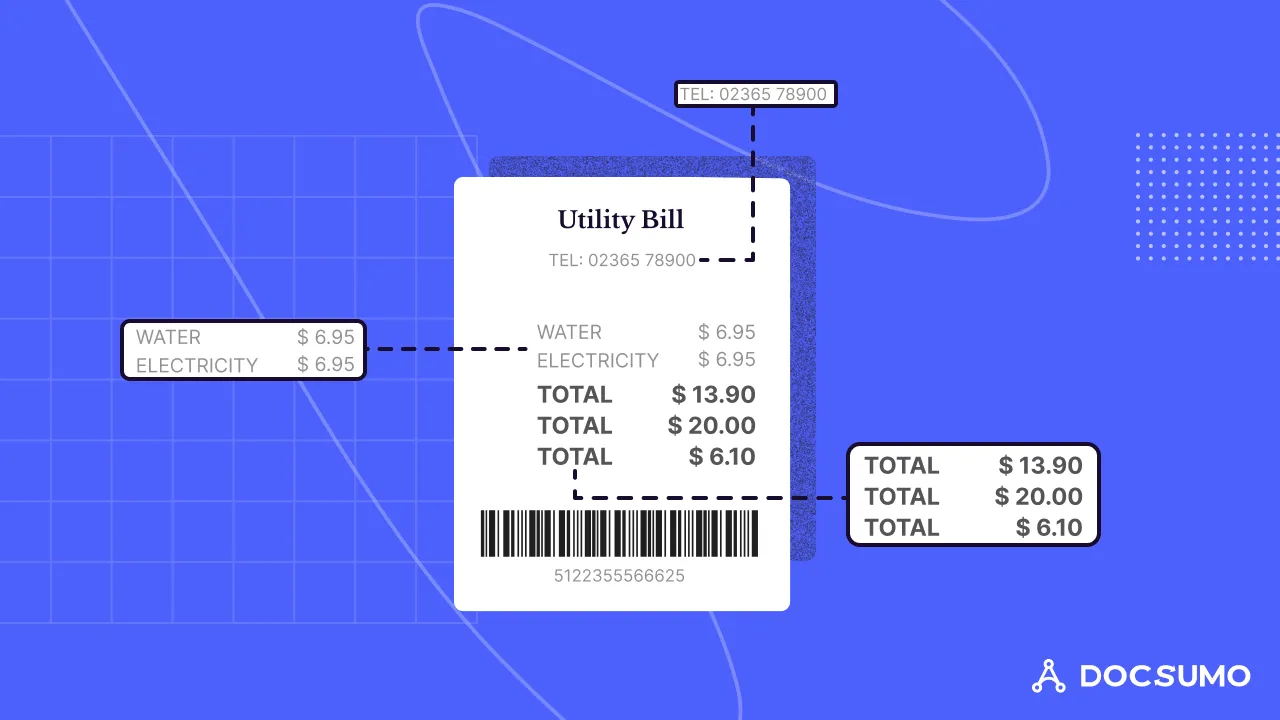
Key takeaways
- Receipt OCR turns a photo, scan or PDF of a receipt into structured data: merchant, date, line items, tax, tip, total and payment method.
- Receipts are harder than invoices: thermal paper fades, photos are skewed, layouts vary by merchant and many show several totals.
- Plain OCR only gives you text. AI-based extraction works out which number is the total, which is tax and which lines are items, and flags low-confidence values.
- Add checks after extraction: line items add up to the subtotal, tax rates are plausible, the date falls in the claim period and the same receipt hasn't been submitted twice.
- For US tax purposes, the IRS expects a receipt for every lodging expense and for any other business travel expense of $75 or more (Publication 463).
On this page
Receipt OCR is the use of optical character recognition, usually combined with AI, to read a photo, scan or PDF of a receipt and turn it into structured data: merchant, date, line items, tax, tip, total and payment method. Finance and expense teams use it to stop typing receipts into expense reports and accounting systems, and to check claims automatically. Accuracy depends on image quality and on whether the tool understands receipts or only reads their text.
This guide covers the fields worth extracting, how receipt OCR works step by step, the problems that trip it up, the checks to run after extraction, and how to choose a tool.
What data does receipt OCR extract?#
| Field | Why it matters |
|---|---|
| Merchant name, address, phone | Identifies the vendor and supports categorization |
| Transaction date and time | Places the expense in the right period and policy window |
| Line items (description, quantity, price) | Needed for itemized policies, split costs and non-reimbursable items |
| Subtotal, tax, tip, total | The amounts posted to the ledger and checked against the card charge |
| Currency | Required for foreign receipts and conversion |
| Payment method and last 4 digits | Matches the receipt to a corporate card transaction |
| Receipt or transaction number | Helps detect duplicates |
How receipt OCR works#
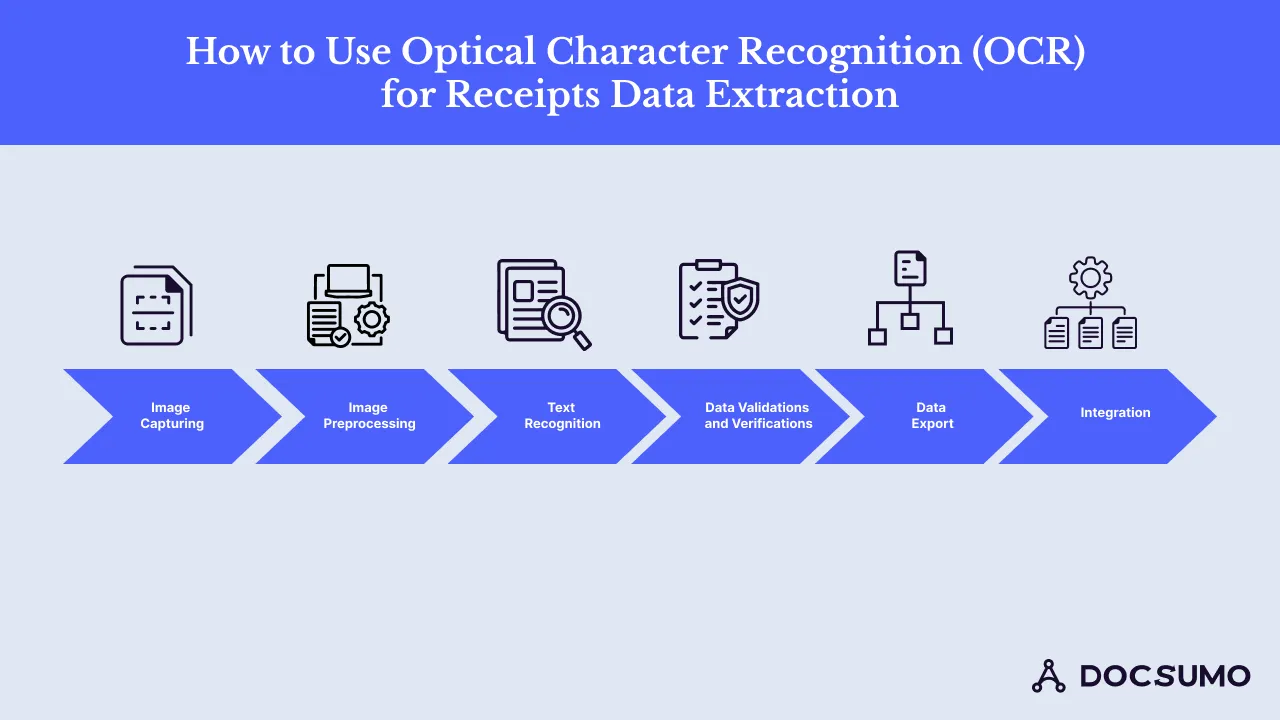
1. Capture
Receipts arrive as phone photos, scans, email receipts and PDFs from travel and ride-hailing apps. Capture them where the spend happens: a mobile app, an email forwarding address or a card program that asks for a photo at purchase.
2. Preprocessing
The image is cleaned up before reading: the receipt is detected and cropped from the background, straightened, and adjusted for contrast so faded print stands out. This step matters more for receipts than for most documents because of thermal paper and photos taken on a table.
3. Text recognition
OCR detects lines of text and converts characters to machine-readable text, keeping each word's position on the image.
4. Field extraction
This is where plain OCR stops and AI takes over. The model works out which text is the merchant, which number is the total (receipts often print "total" three times: before tax, after tax and after tip) and which rows are line items. Each field gets a confidence score.
5. Validation
Extracted values are checked by rules (see below). Low-confidence or failing fields go to a person.
6. Export and integration
Validated data is exported as JSON, CSV or Excel, or pushed to an expense tool, accounting system or ERP through an API or integration, with the image attached as evidence.
What makes receipts hard to read#
- Thermal paper fades. Many receipts are printed on thermal paper, which fades over time, so capture them early.
- Photos, not scans. Shadows, curls, glare and angles distort text. Good preprocessing and a model trained on photos help most.
- No standard layout. Every point-of-sale system prints differently; line items may wrap onto two lines, and abbreviations are common.
- Several totals. Subtotal, total, amount tendered, change and a handwritten tip all look like "the total".
- Long receipts. Grocery and hardware receipts can run to dozens of lines, often photographed in two parts.
- Languages and currencies. Foreign receipts add other scripts, decimal commas and currency symbols.
- Handwriting. Tips and notes are often handwritten.
Checks to run after extraction#
Extraction gets the data out. Checks keep bad data out of your books:
- Math: line items add up to the subtotal; subtotal plus tax and tip equals the total.
- Tax: the tax amount is plausible for the location.
- Date: the date falls within the claim period and isn't in the future.
- Duplicates: the same merchant, date and amount hasn't been claimed before, including by another employee.
- Card match: the total matches a corporate card transaction.
- Policy: the category, amount and items fit your expense policy, such as meal limits or alcohol rules.
- Evidence: a receipt is attached where required. For US tax records, IRS Publication 463 asks for a receipt for every lodging expense and for other travel expenses of $75 or more.
Docsumo runs rules like these after extraction and sends only failures to a reviewer, who sees each flagged value highlighted on the image. See how this works in Docsumo's document AI.
How to choose a receipt OCR tool#
- Test on your own receipts. Include faded, crumpled, foreign and long receipts. Measure accuracy per field, not per receipt.
- Check line-item support. Many tools return only merchant, date and total.
- Look at the review screen. Reviewers should see low-confidence fields on the image and fix them quickly.
- Check validation and duplicate detection. They matter as much as extraction.
- Confirm integration with your expense tool, accounting system or ERP, or an API and webhooks for your own flow.
- Check security. Receipts can show card digits and personal data. Look for SOC 2 Type 2 compliance.
- Consider the whole document set. If you also process invoices, statements or bills, one platform for all of them is simpler to run.
Docsumo reads receipts along with invoices, bank statements and 250+ other document types with 99% field-level accuracy, and reports 95%+ straight-through processing. Try it free for 14 days on up to 1,000 pages; see pricing.
Where receipt OCR fits#
- Expense management: employees snap a receipt; the claim fills itself in and is checked against policy. See expense management automation.
- Accounts payable: receipts for small purchases and petty cash are matched and posted alongside invoices as part of AP automation.
- Bookkeeping and audit: every transaction has its evidence attached and searchable.
- Loyalty and rebate programs: receipts are read to verify purchases.
For a deeper look at the capture side, read automated receipt data capture.
The bottom line#
Receipt OCR saves the most time when it goes beyond reading text: extracting the right total, tax and line items, checking them against the card charge and your policy, and sending only the exceptions to a person. Capture receipts early, test tools on your worst receipts, and put checks after extraction.
Frequently asked questions#
What is receipt OCR?
Receipt OCR is optical character recognition applied to receipts. It reads the text on a receipt image and, when combined with AI extraction, returns fields such as merchant, date, items, tax and total as structured data.
How accurate is receipt OCR?
It depends on image quality and the tool. Clear, flat receipts read well; faded thermal paper, crumpled receipts and long restaurant receipts are harder. Measure field-level accuracy on your own receipts before choosing a tool.
Can OCR read handwritten tips or notes on receipts?
Modern AI models can read many handwritten amounts, such as tips, but accuracy is lower than for printed text. Flag handwritten fields for review.
Are scanned receipts acceptable for business records?
Many businesses keep scanned or photographed receipts instead of paper. The IRS requires adequate records that show the amount, date, place and business purpose, so make sure the image is legible and stored with those details. Check with your tax adviser for your situation.
What's the difference between receipt OCR and invoice OCR?
Invoices are usually PDFs with an invoice number, due date and payment terms, and feed accounts payable. Receipts prove a payment already made, are often photos, and feed expense reports. See invoice extraction.