How to Automate Bookkeeping with Bank Statement Verification?
Automating bank statement bookkeeping verification with software solutions transforms traditional practices, reducing manual errors and enhancing productivity. Read the blog to learn more about bank statement bookkeeping verification and how to automate it.

On this page
- What is Bank Statement Verification?
- Cutting-edge software for Bank Statement Verification
- Unveiling the wizardry: the technology driving AI's marvels
- Why Bank Reconciliation matters: unpacking the risks of manual errors and inefficiencies
- Can you automate Bank Reconciliation?
- How can automation help with Payment Verification?
- A step-by-step guide to automating processes
- Pathways to success: best practices for achieving optimal results
The technology landscape is operating at a speed of innovation faster than anything we have experienced before; no business is an exception. In financial management, Bank Statement Verification emerges as a critical element undergoing a remarkable transformation.
This process plays a pivotal role in simplifying bookkeeping for individuals and businesses alike, ensuring accuracy and efficiency in financial records.
What is Bank Statement Verification?#
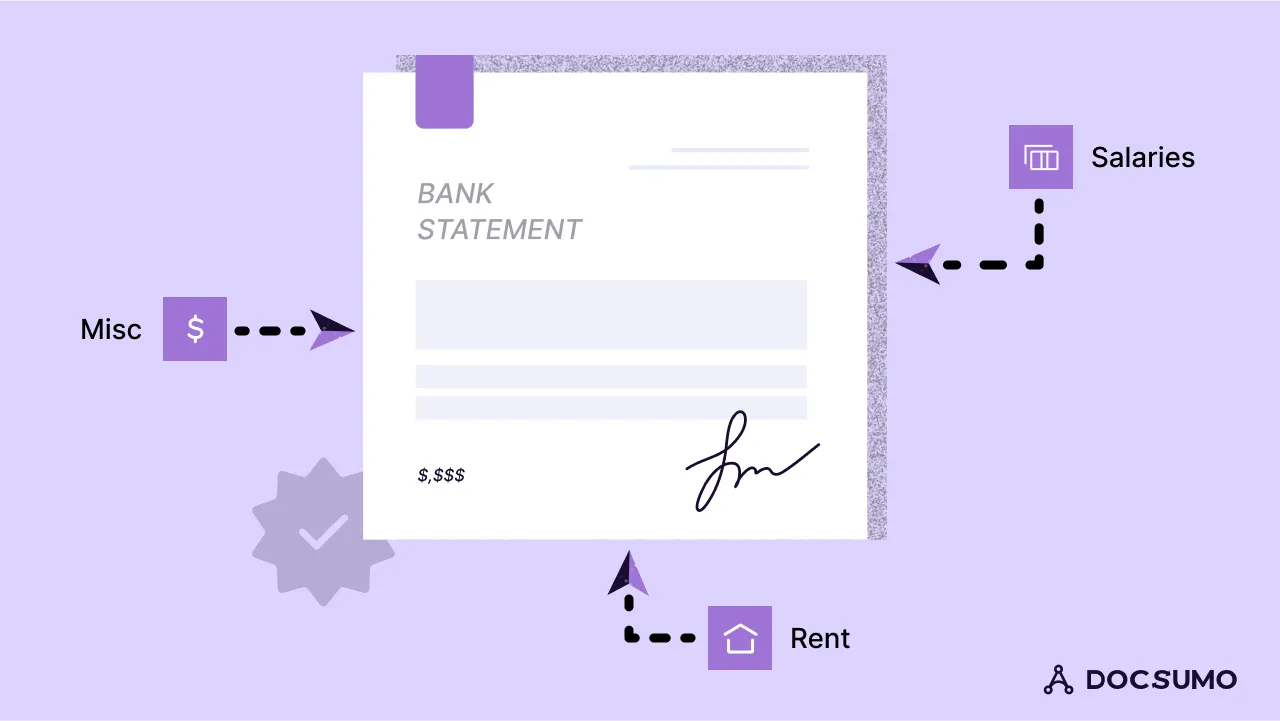
Bank Statement Verification refers to systematically cross-referencing and reconciling financial records with the corresponding bank statements. The primary purpose is to ensure that the transactions recorded in an organization's books align accurately with the transactions processed by the bank. This verification process is critical in maintaining financial integrity, detecting discrepancies, and preventing errors.
Traditionally, the process of bank statement verification involves manual reconciliation, a time-consuming process that often leads to human errors. Picture piles of paper, meticulous calculations with a calculator, and the inherent risk of overlooking details. However, with the advent of technology, automated solutions have revolutionized this process. Automated software, equipped with advanced algorithms, now streamlines the verification process, reducing the likelihood of errors and significantly improving efficiency.
Cutting-edge software for Bank Statement Verification#
Various software options are available for bank statement verification, each offering unique features to cater to diverse needs. Popular choices include platforms like Docsumo, QuickBooks, Xero, and Wave These software solutions streamline the process by electronically accessing bank statements and analyzing the data. Users benefit from a user-friendly interface that facilitates the categorization of transactions, reconciliation of balances, and the generation of comprehensive financial reports.
A typical bank reconciliation software encompasses key features to enhance efficiency:
- Automated data import: The software automates the import of banking data directly from the bank or indirectly from alternative sources like XML or CSV files. This feature simplifies the data input process and ensures accuracy.
- Systematic transaction matching: The software systematizes the matching of transactions between the bank statement and accounting records. Configurable rules govern this process, facilitating accurate and consistent matching.
- Bank Reconciliation Statement generation: One of the crucial features is the ability to generate bank reconciliation statements. These statements serve as a diagnostic tool, detecting and highlighting discrepancies or unmatched transactions between the bank statement and the accounting records. This ensures that any discrepancies are promptly identified and addressed.
Unveiling the wizardry: the technology driving AI's marvels#
This innovative application of AI streamlines the traditionally labor-intensive process, offering a host of benefits to businesses and individuals alike.
AI's prowess in understanding and categorizing transactions is pivotal. By decoding intricate financial language and discerning patterns, AI algorithms bring precision to bookkeeping that was once unimaginable. This reduces the likelihood of human errors and expedites the categorization process, saving valuable time.
Continuous learning is another facet where AI shines. As algorithms evolve, they adapt to changes in financial behavior and become increasingly adept at recognizing anomalies. This adaptability ensures that bookkeeping processes remain up-to-date and resilient despite evolving financial landscapes.
Moreover, AI empowers decision-making in bookkeeping. By analyzing historical data and identifying trends, AI provides insightful recommendations, transforming bookkeeping from a routine task into a strategic tool for informed financial decisions.
Why Bank Reconciliation matters: unpacking the risks of manual errors and inefficiencies#
Bank reconciliation is a critical component in financial management, playing a pivotal role in ensuring the accuracy and integrity of an organization's financial health and reporting. Let’s evaluate its importance to an organization:
1. Accurate financial reporting: Bank reconciliation is essential in producing reliable and accurate financial reports. By aligning an entity's internal records with its bank statements, discrepancies can be identified and rectified. This accuracy is crucial for stakeholders, including investors, creditors, and management, who rely on precise financial information to make informed decisions.
2. Prevention of fraud and financial mismanagement: Reconciliation is a robust control mechanism helping to find discrepancies that might indicate fraudulent activities or financial mismanagement. Timely identification of irregularities enables organizations to take corrective measures promptly, safeguarding their financial integrity.
3. Timely decision-making: Accurate bank reconciliation ensures that financial data is up-to-date and reflective of the current financial standing of the organization. This timely information is crucial for decision-making, allowing management to respond promptly to financial challenges or capitalize on emerging opportunities.
4. Risks of manual errors and inefficiencies: Manual bank reconciliation processes are prone to human errors, which can lead to discrepancies in financial records. Misplaced decimal points, data entry mistakes, or oversight of transactions are common pitfalls. Such errors not only compromise the accuracy of financial reporting but also consume valuable time in identifying and rectifying mistakes.
5. Resource optimization: Manual reconciliation is a time-consuming process that requires considerable manpower. Automating this process not only reduces the risk of errors but also optimizes resources by freeing up personnel to focus on more strategic and value-added tasks. This efficiency contributes to overall operational effectiveness.
6. Compliance and audit preparedness: Accurate bank reconciliation provides a clear trail of financial transactions, facilitating a smooth audit process. Compliance with financial regulations is crucial to avoid penalties and maintain the trust of stakeholders.
Can you automate Bank Reconciliation?#
Automating bank reconciliation through dedicated accounting software, such asDocsumo, QuickBooks and Sage Accounting, presents a transformative solution for businesses. This automation reduces manual errors associated with traditional reconciliations, ensuring seamless connectivity and reconciliation of all balance sheet accounts, including newly-added ones. This not only minimizes financial risks but also leads to substantial time and cost savings.
Account reconciliation software acts as a guardian, sending timely alerts for rework and exception management, thereby fortifying regulatory compliance. Despite these advantages, businesses need to carefully select software, as some may still demand manual intervention. Additionally, some may involve multiple passwords, increasing manual work. Choosing specialized reconciliation software, especially for larger companies, enhances automatic matching, ensuring superior accuracy and efficiency in the bank reconciliation process.
How can automation help with Payment Verification?#
Automation extends its benefits beyond reconciliation to payment verification, simplifying the matching of payments to invoices and purchase orders.
Automation streamlines the often intricate process of matching payments to invoices. By leveraging sophisticated algorithms, it identifies patterns and connections, reducing the reliance on manual data entry. The result is a significant reduction in human error and an efficient, error-free verification process.
A step-by-step guide to automating processes#
a. Setting up an automated system
Setting up an automated bank statement verification system can significantly streamline your financial processes. Here is a step-by-step guide to help you implement the software effectively:
1. Choose the right software: Begin by selecting a bank statement verification software that aligns with your accounting needs and is compatible with your existing software. Look for features such as seamless integration and user-friendly interfaces.
2. Software installation: Follow the software provider's instructions for installation. Ensure that the system is properly configured to work with your accounting software. Most reputable solutions offer easy installation processes and user support.
3. Connect bank accounts: After installation, set up your bank accounts within the software. Connect each account securely to enable direct imports of bank statements. Confirm that the connection is established and functioning correctly to ensure real-time data updates.
4. Import bank statements: Utilize the software's import feature to bring in your bank statements. This step ensures that your system stays current with the latest financial data. Schedule regular imports to maintain up-to-date and accurate records.
5. Set up rules and data mapping: Customize the software by establishing rules and data mappings. This involves defining parameters for transaction categorization and matching. Create rules that automatically classify transactions based on predefined criteria, reducing the need for manual intervention.
6. Verify transactions: Let the software automatically match transactions between your accounting records and the imported bank statements. Review and verify the matched transactions. For any unmatched entries, employ manual verification processes to ensure accuracy.
7. Reconcile discrepancies: Address any discrepancies promptly. If the software identifies missing or incorrect transactions, follow the reconciliation process provided by the system. Investigate and rectify discrepancies to maintain the integrity of your financial records.
8. Regular maintenance and updates: Establish a routine for system maintenance and updates. Regularly check for software updates and implement them to benefit from the latest features and security patches. Ensure that all connections with bank accounts remain active and troubleshoot any issues promptly.
By following these steps, you can successfully set up an automated bank statement verification system. This not only enhances the accuracy and efficiency of your financial processes but also provides a reliable foundation for decision-making and financial planning.
b. Setting up a robust software that is easy to integrate with existing software
The following factors must be kept in mind before selecting Bookkeeping software for seamless integration:
Software compatibility options
Consider accounting solutions such as QuickBooks, Xero, or FreshBooks that offer integration with bank statement verification tools. Ensure the selected software supports automated reconciliation features and can seamlessly connect with the chosen verification system.
Setup processes
Upon software selection, follow the specific integration guidelines provided by both the accounting software and bank statement verification tool. This may involve authorizing connections, configuring mapping rules, and enabling synchronization for automated data imports.
Implementing a robust system
Ensure successful implementation and ongoing maintenance with user training sessions. Educate your team on the integrated system's functionalities, emphasizing the importance of accurate reconciliation. Prioritize data security by regularly updating software and implementing robust backup procedures to safeguard financial information.
User training and data security
Invest in comprehensive training for users to maximize the benefits of the integrated system. Emphasize data security protocols to protect sensitive financial information. Regularly update user knowledge on system enhancements and security measures.
Backup procedures
Establish and maintain robust backup procedures for both accounting and verification systems. Regularly back up financial data to prevent loss in the event of system failures or unforeseen issues. Ensure that backup processes are automated and routinely tested for reliability.
By prioritizing user training, data security, and backup procedures, businesses can implement a reliable and efficient integrated system. This approach ensures the seamless collaboration of accounting software with bank statement verification tools, promoting accuracy and efficiency in financial reconciliation processes.
Pathways to success: best practices for achieving optimal results#
a. Ensuring precision for seamless use
The initial setup of accounting software and bank statement verification demands diligent observation. Categorization rules, pivotal for automated reconciliation, must be rigorously verified and fine-tuned. Precise data entry and rule calibration not only ensure the integrity of financial records but also lay the foundation for dependable decision-making. A small error in setup can have cascading effects, underscoring the paramount importance of a meticulous approach to guaranteeing accuracy from the outset.
b. Proactive oversight: safeguarding financial integrity through automated reconciliation monitoring
Regular monitoring of automated reconciliations is key to financial integrity. Users must actively review exceptions flagged by the system, as they often hint at potential discrepancies. Proactive engagement ensures swift identification and resolution of any irregularities, preventing minor issues from escalating. Treat reconciliation as an ongoing dialogue between your software and financial data, with vigilant oversight to maintain accuracy. By consistently reviewing exceptions, users contribute significantly to the robustness of the automated system, fostering a financial environment built on trust and precision.
c. Cultivating continuous improvement in automated reconciliation systems
Embrace a culture of continuous improvement in your automation system. Learning from exceptions is a catalyst for refinement. Each discrepancy unveils an opportunity to enhance categorization rules and strengthen the reconciliation process. Feedback loops, born from these insights, fuel iterative improvements. By actively seeking ways to fine-tune the system based on real-world data, you create a dynamic, adaptive financial infrastructure. This commitment to continuous improvement not only boosts accuracy but also fortifies your organization against evolving challenges, fostering a resilient and efficient automated reconciliation ecosystem.
In conclusion, the integration of bank statement verification with automated bookkeeping unfolds as a pivotal stride toward financial excellence. The journey explored the intricate facets of this transformation, revealing its profound impact on efficiency, accuracy, and control in managing financial records. Automation, a beacon in this evolution, not only expedites processes but also significantly diminishes the risks associated with manual errors and inefficiencies. The benefits are multifaceted — from precise transaction categorization to seamless reconciliation, and timely decision-making. This paradigm shift empowers businesses and individuals alike to navigate the complex terrain of financial management with confidence.
The amplified efficiency achieved through automated systems is a game-changer, freeing up valuable resources for strategic endeavours. The heightened accuracy ensures reliable financial reporting, a cornerstone for stakeholders making informed decisions. The granular control afforded by automation safeguards against discrepancies, fraudulent activities, and financial mismanagement. As we delve into this era of technological empowerment, the call to action is clear – explore and implement suitable automation solutions tailored to your unique bookkeeping needs.
By embracing the transformative power of automation, businesses not only future-proof their financial processes but also position themselves at the forefront of innovation. The road to financial excellence beckons, and the keys to unlocking its full potential lie in the seamless integration of bank statement verification with automated bookkeeping systems.
First published .