Invoice coding: how AP assigns GL codes to each invoice, and how to automate it
For AP teams that code supplier invoices to GL accounts, cost centers and projects. See one invoice coded line by line, and the rules to write down before you automate.

Key takeaways
- Invoice coding gives each line of a supplier invoice a general ledger (GL) account. Many teams also add a cost center, a project or a tax code.
- A PO invoice can take its codes from the purchase order. A non-PO invoice needs a person, or a rule, to choose each account.
- The costly coding errors look right. A laptop gets recorded as this month's expense instead of an asset. Or a cost goes to the requester's cost center instead of the budget owner's.
- Count the invoice lines that last quarter's reclass entries moved to the right account. Those are the coding errors your team found, so your real error rate is at least that high.
- To automate invoice coding, take codes from the PO first, then from your written rules, then from a suggestion step. A person sees only the lines that fail a check.
On this page
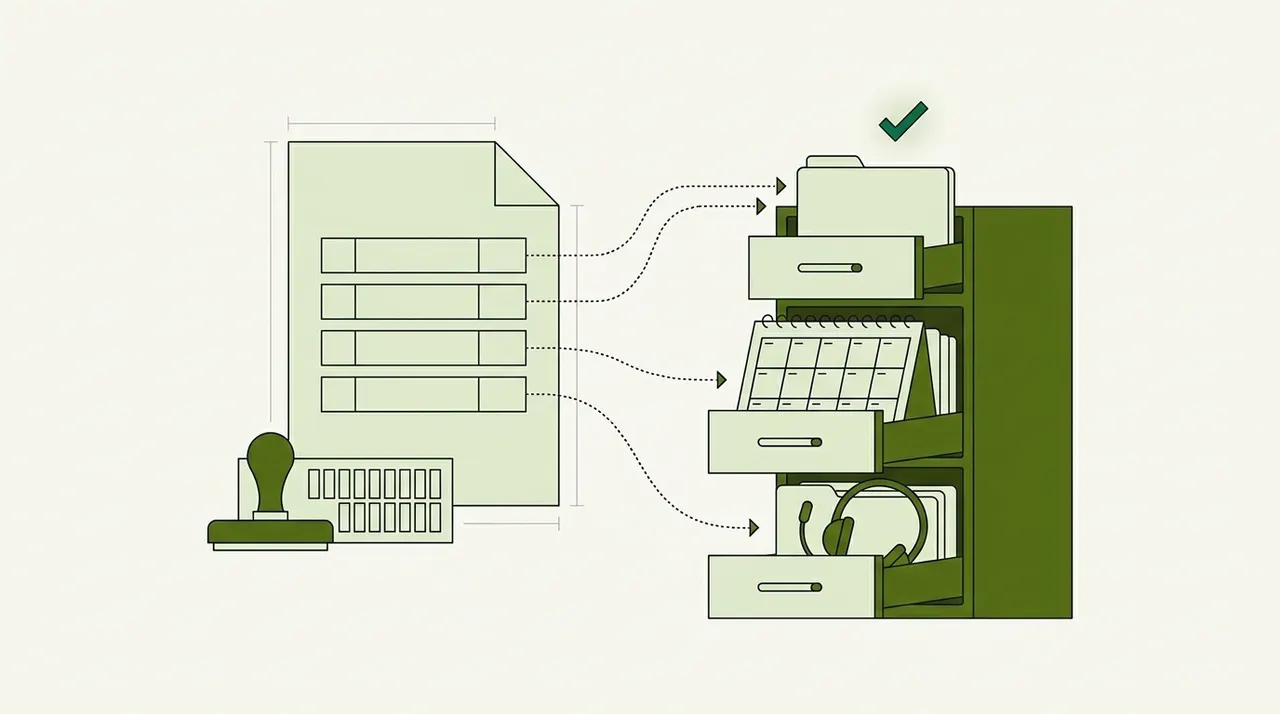
Invoice coding is the step where accounts payable gives each invoice line a general ledger (GL) account. Many teams also add a cost center, a project or a tax code. The codes decide which account records the cost and whose budget it counts against. To automate invoice coding, write your coding rules down first. Then let the software apply them, and send a person only the lines that no rule covers.
This post is about the coding AP does on the bills it receives. Coding the invoices your company sends to customers is a different job.
What a coded invoice line carries#
The GL account says what the money was spent on, such as software or travel. It comes from your chart of accounts, which lists every account the company records money in. The other codes say which part of the business spent it. That might be a cost center, a project or a location.
Many ERPs join the codes into one string, such as 6430-410 for IT services in the IT department. Each line of an invoice is coded on its own, so one invoice can need several strings. Take an invoice from an IT reseller with four lines.
| Invoice line | Amount | GL account | Why this account |
|---|---|---|---|
| 12 laptops | $16,200 | 1610 Computer equipment | At $1,350 each, above the company's $1,000 per-item threshold, so the laptops are an asset |
| Setup to get the laptops ready for use | $1,800 | 1610 Computer equipment | Part of what it costs to get the laptops ready for use, so it's added to their cost |
| Software licenses, 12 months | $5,400 | 1350 Prepaid expenses | Billed upfront for a year, so the cost is expensed one month at a time |
| Help desk support, 1 month | $900 | 6430 IT services | A service for this month only, so it's this month's expense |
All four lines belong to cost center 410, the IT department. Only the help desk line is this month's expense in full. Suppose a coder puts all $24,300 in IT services. This month's report then shows the laptops, their setup and a full year of licenses as this month's spending.
The setup goes to the asset account because it's part of the cost of getting the laptops ready to use. US accounting rules (ASC 360-10-30-1) and IRS rules both treat it that way. Each company sets its own threshold, though. With a $5,000 threshold, the same laptops would be expensed.
How AP codes an invoice by hand#
A PO invoice is the easy case. The person who raised the purchase order already chose the account and cost center for each line. AP matches the invoice to the order, and to the goods receipt if there is one. Then the codes come across from the PO. Lines the PO doesn't have, such as freight or sales tax, still need someone to code them. 2-way and 3-way matching explains how the match works.
Non-PO invoices take judgment. Rent, utilities and legal fees often arrive with no purchase order. The coder reads each line, checks how the vendor was coded last time and picks an account from the chart of accounts. If one charge covers several departments, the coder divides it between their cost centers. The parts have to add up to the amount of that charge.
Then the invoice goes to the budget owner for approval. That approval is also the check on the coding, because the budget owner knows whether the cost belongs to their team. Invoice approval software covers how that routing works. Invoice validation lists the other checks to run before an invoice posts. Teams that still work on paper write the codes on the invoice itself. A coding stamp prints a block of boxes for the GL account, the department code and the amount, and the approver signs it.
Where manual coding goes wrong#
If a typo turns an account number into one that doesn't exist, the invoice can't post. An ERP can also reject an account or cost center that finance has closed, so that invoice stops at posting too. A wrong account that's still open posts with no warning. It looks correct until someone reads the report.
These are the wrong codes that still post. Equipment above the capitalization threshold gets expensed instead of recorded as an asset. Setup or delivery charges for that equipment get expensed instead of added to its cost. A year billed upfront gets expensed in one month instead of going to prepaid. A cost goes to the requester's cost center instead of the budget owner's.
Wrong choices are harder to spot, but your ledger already shows the ones someone fixed. Look at last quarter's reclass entries. A reclass is a journal entry that moves an amount from the wrong account to the right one.
Count the invoice lines that a reclass moved to the right account, and divide by all the lines your team coded. That's the share of lines your team coded wrong and someone later fixed. Your real rate is at least that high, because a miscode that nobody catches never gets a reclass. It shows up in a budget report instead, where one department looks over budget and another looks under.
Typing the codes adds errors of its own. In a controlled study, one group typed each value once, with no second check. That group got about 1 in 100 values wrong (Barchard and Pace, 2011). Every code someone types on an invoice line can go wrong the same way.
The calculator shows what finding and fixing those typing errors costs. Its boxes use data-entry words. In the first box, put the codes your team types in a month, which is the invoice lines times the codes on each line. Set the minutes to how long it takes to find and fix one mistyped code. Then replace the hourly cost with what your AP staff cost you. US bookkeeping, accounting and auditing clerks, including AP clerks, earned $25.75 an hour on average in May 2025, before benefits.
What mistyped codes cost you
Put in your own volume. The error-rate and wage defaults come from published research; change them to match your team.
- Errors keyed per month
- Hours spent fixing them per month
- Cost of fixing them per month
- Cost of fixing them per year
How it's worked out
- Errors are fields keyed times the share keyed wrong. Hours are errors times the minutes to fix one.
- Cost is hours times the hourly cost. Add benefits and overhead to the wage for a fuller figure.
- It counts only errors someone finds and fixes. Errors that reach payments, reports or decisions cost far more, which is the point of the 1-10-100 rule.
Source: Barchard & Pace, Preventing human error: the impact of data entry methods on data accuracy and statistical results, Computers in Human Behavior (2011); US Bureau of Labor Statistics: OEWS profile, Data Entry Keyers (43-9021), May 2025
The calculator leaves out wrong choices, such as an expense that should have been an asset. Your reclass count shows the ones someone found.
How automated invoice coding works#
- Supplier email
- Uploaded PDFs
- Scanned paper
- 01Read every line
- 02Take codes from the PO
- 03Apply your coding rules
- 04Suggest codes for the rest
- 05Check and approve
Automation fills in the codes in a fixed order. First, a PO invoice takes its codes from the matched order lines. Next, your written rules cover what they can, such as a default account for each regular vendor. Then the software suggests codes for the lines that no rule covers. Last, the software checks every line, and a person sees only the lines that fail.
Many AP tools describe their coding as learning from your past invoices. Past invoices help most with a vendor you've paid every month for years. They help less with a vendor you've never paid, and they hold nothing about an account that finance opened last week. A tool that learns from past coding can also repeat an old mistake that nobody corrected, because that invoice looks like any other.
Our take. Finance owns the chart of accounts, and coding should use the accounts that are open today. A new account or cost center should be usable the day finance opens it, without waiting for months of past invoices. We'd write the coding rules once, have the software apply them, and change the rules when the business changes.
Rules to settle before you automate#
Your most experienced coder already knows most of these rules. Write them down, so the workflow and every new hire use the same ones.
- Which accounts and cost centers are openRules and suggestions should use only open ones. Otherwise the invoice stops when it posts.
- A default for each regular vendorThe phone company always goes to telecom. List the vendors whose invoices need more than one account.
- Your capitalization threshold, per itemItems that each cost more than it go to a fixed asset account. Test each item, not the invoice line, so 12 laptops are 12 items.
- When to use prepaidName the costs billed in advance, such as annual software and insurance. They go to prepaid and are expensed month by month.
- How to divide shared costsSay whether a shared cost is split by invoice line, by headcount or by a fixed percentage for each team. The parts must add up to the amount being split.
- Which pairs aren't allowedSome accounts should never post with some cost centers. List the pairs finance wants to block.
- Who confirms the codingThe budget owner who approves the invoice should see the codes, not only the amount.
How to test invoice coding software#
Test any tool on a month your team has already coded. Pick a recent month that includes your hardest vendors to code and invoices with several lines. Give the tool your current chart of accounts and your written rules, not a demo list of accounts.
Then compare its codes with what your team posted, line by line. Count the lines where they differ, and check who was right each time. Some of those lines will show the tool was right and the original coding was wrong. Count those as your team's coding errors, not the tool's.
Halfway through, add a new cost center to the list you gave the tool, with a rule that uses it. See how soon the tool codes lines to it. Then follow one line that no rule covers. Check who it goes to, and what that person sees when it arrives.
Where Docsumo fits#
Docsumo reads the invoice and gets its data ready to code. Invoices come in by email to a Docsumo inbox, by upload or through the API. Docsumo reads the header fields and every line item, and it joins line-item tables that run onto a second page. It reads handwritten text too, such as a cost center written on a paper invoice. Invoice data extraction lists the fields.
Docsumo gives each field it reads a confidence score, which shows how sure it is of the value. A field that scores below the threshold you set for it goes to a reviewer. The reviewer clicks the field to see the line on the invoice it came from.
In Docsumo, a workflow step that calls a large language model (LLM) can suggest GL codes. It's a step you set up in the workflow, and you can add your own checks as more steps. A step can use an LLM or run your own Python code. For example, a check can flag an invoice whose coded lines don't add up to its total.
On the Business plan, Docsumo routes invoices for approval by the rules you set. A rule can use any field, such as the amount, the cost center or the vendor. For example, a rule on the cost center field can send an invoice to the person who owns that budget. Approvers get an email, and an invoice not approved within the time you set is escalated. The audit log records each approval decision.
On the Enterprise plan, Docsumo matches invoice lines to the PO (2-way matching), or to the PO and the goods receipt (3-way matching). The Enterprise plan also adds master data lookup, which checks invoice fields against your own records, such as the vendor master. Checked data goes to your ERP or accounting system through the API and webhooks. Your ERP keeps the master copy of your chart of accounts, and Docsumo doesn't pay vendors. The accounts payable automation page shows the full workflow, and invoice processing software covers how Docsumo reads invoices.
Start with the vendors you code the same way every month#
Pull last quarter's invoices and sort them by vendor. Mark the vendors whose invoices always get the same codes, and write a default for each. Automate those vendors first, and count how many lines a person still had to change. Then write rules for the vendors whose invoices go to more than one account.
Book a demo with a batch of last month's supplier invoices, or start a free trial.
Frequently asked questions#
What is invoice coding?
Invoice coding is the step where accounts payable gives each invoice line a general ledger account, plus any cost center, project or tax code. The codes decide which account records the cost and whose budget it counts against.
How do I code invoices in accounts payable?
First match the invoice to its purchase order, if it has one, because the PO lines already carry codes. For a non-PO invoice, choose a GL account for each line from your chart of accounts and add the cost center. Then send the invoice to the budget owner to approve.
What is a GL code?
A GL code is the number of an account in your general ledger, such as 6430 for IT services. Many companies add codes for the department, location or project and join them into one string, such as 6430-410.
What is an invoice coding stamp?
It's a stamp that prints a block of boxes on a paper invoice. AP fills in the GL account number, the department code and the amount, and the approver signs. Docsumo reads handwritten text, so it can read the codes written in those boxes on a scanned invoice.
Can software code invoices automatically?
Yes, in steps. PO invoices take their codes from the matched order, and your rules cover the regular vendors. A suggestion step proposes codes for the rest, and a person checks the lines that fail. In Docsumo, a workflow step that calls an LLM can suggest GL codes.
Sources
- PwC Viewpoint: Initial measurement of property, plant and equipment, quoting ASC 360-10-30-1
- 26 CFR 1.263(a)-2: Amounts paid for the acquisition or production of tangible property, paragraph (d)(1) and Example 11 (installation before the asset is placed in service)
- 26 CFR 1.263(a)-1(f): De minimis safe harbor, limit per invoice or per item as substantiated by the invoice
- Microsoft Learn: Fix financial dimension errors in Dynamics 365 Finance (updated Sept 2, 2026)
- Barchard & Pace: Preventing human error, the impact of data entry methods on data accuracy and statistical results. Computers in Human Behavior 27(5), 2011
- Barchard, Stephens & Ochoa: Data checking. Interactive Measurement Group newsletter, University of Nevada, Las Vegas, June 2017
- US Bureau of Labor Statistics: OEWS, Bookkeeping, Accounting, and Auditing Clerks (43-3031), May 2025
- O*NET OnLine: Bookkeeping, Accounting, and Auditing Clerks (43-3031.00), sample job titles
- US Bureau of Labor Statistics: OEWS profile, Data Entry Keyers (43-9021), May 2025
- HighRadius: Invoice coding in accounts payable (vendor page, updated July 30, 2026)
- Rillion: What is invoice coding? (vendor page)
- IntelliChief: GL coding of invoices (vendor page)
- EnterMyInvoice: Digital accounts payable coding stamp (vendor page)
First published .