Insurance process automation: what to automate at each stage, from submission to claim
For operations leads at carriers, MGAs and agencies. See which documents slow each stage of an insurance file, which kind of tool automates which part, and where to start.

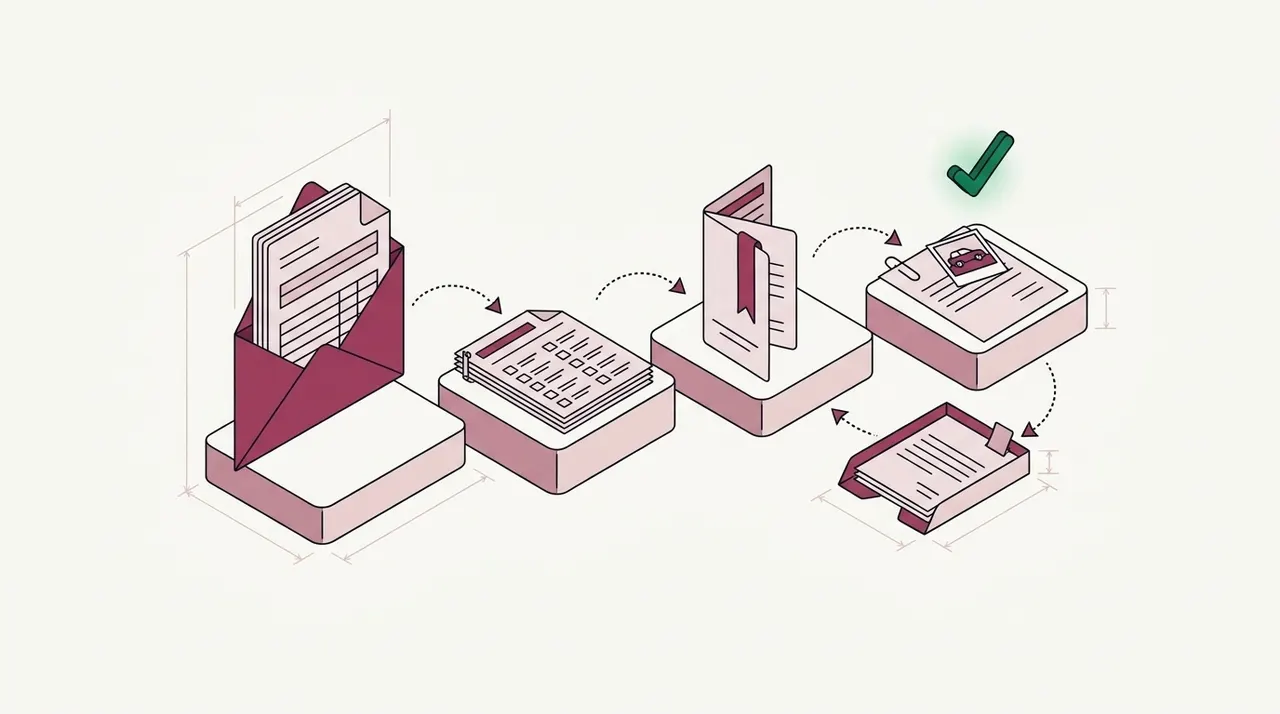
Key takeaways
- Insurance process automation takes manual work out of each stage of an insurance file, from the broker's submission to the closed claim.
- At most stages, the slow part is a document that a person has to read and key in. Examples are an ACORD application, a loss run and a loss notice.
- Four kinds of software share the work. Core systems keep the policy and claim records, and workflow tools route tasks. Robotic process automation (RPA) bots copy data between systems, and document AI reads and checks the documents.
- Checks between documents find what one page can't show. A loss may be missing from the application, or the issued policy may differ from its binder.
- Start with the stage where files wait longest. Measure it before and after, and keep underwriting and claim decisions with your own people.
On this page
- What insurance process automation covers
- Which tools automate which part
- How the document step works
- Make the automation fit your process
- Which stage to automate first
- How to measure insurance process automation
- What stays with your people
- List your stages and checks before you buy
- Frequently asked questions
Insurance process automation uses software to move an insurance file through its stages with less manual work. The stages run from a broker's submission to the policy and, later, to any claim. At most stages, the slow part is a document that a person has to read and key in. Automation reads those documents and checks them against your rules. People see only the files that fail a check.
Each stage below links to our full guide on its documents and checks.
What insurance process automation covers
An insurance file goes through much the same stages at a carrier, a managing general agent (MGA) or an agency. A broker sends a submission, and an underwriter reviews it. Then the policy is quoted and bound, and the carrier issues it. During the policy term, the insured asks for changes, and later the policy comes up for renewal. A claim starts when someone reports a loss.
Each stage has its own documents, and many arrive as email attachments from brokers, carriers or claimants. The table shows what arrives at each stage and what your team checks there.
| Stage | What arrives | What your team checks | Our guide |
|---|---|---|---|
| Submission intake | A broker email with the ACORD 125 application, its sections, a statement of values (SOV) and loss runs | Every document your guidelines ask for is in the file, sorted by type | Submission intake |
| Underwriting review | The ACORD 140 property section, the SOV and the loss runs | Values on the ACORD 140 match the SOV. Losses on the application match the loss runs, and the loss runs cover the years you require | SOV extraction and loss runs |
| Quote, bind and issue | The quote, the binder and the issued policy with its declarations page | The issued policy matches the binder and quote on the named insured, limits, deductibles and forms | Policy checking |
| Endorsements and renewals | Change requests, endorsements and renewal policies | An endorsement makes only the change the insured asked for. A renewal matches the expiring policy, apart from agreed changes | Policy checking at renewal |
| First notice of loss | Loss notices, often on ACORD forms, with photos and police reports | The policy number, insured and date of loss match the policy. Missing documents are requested | FNOL automation |
| Claim handling | Repair estimates, adjuster reports, medical bills and invoices | Amounts and dates agree across the claim file, and nothing the adjuster needs is missing | Claims automation |
Endorsements can change coverage as well. IRMI, the International Risk Management Institute, publishes an insurance glossary. It defines an endorsement as a policy form that changes or adds to the provisions in other forms. So each endorsement needs a check against the change the insured asked for, just like a new policy.
Certificates of insurance are a separate job for the companies that receive them, such as property managers. They check each certificate against their contract requirements, as our page on certificate of insurance tracking shows.
Which tools automate which part
Insurance automation runs on four kinds of software. Each does a different job, and most teams use more than one.
Core systems
Policy administration systems quote and issue policies. Claims systems set reserves and pay claims. Both need clean, structured data.Workflow tools
Workflow and business process management (BPM) tools send each task to the right person or queue. They track deadlines and show where a file is waiting. Insurance workflow automation usually means this kind of tool.RPA bots
Robotic process automation (RPA) bots copy data between screens and systems, for example into a system that has no API. They follow fixed steps, so a new screen or document layout can stop them.Document AI
Document AI reads the documents that come in from outside, even when each sender uses a different layout. It checks what it reads and sends the exceptions to a person. Docsumo works at this step.
Most manual work is the reading these tools leave to people. A bot can paste data into a core system, but it can't read a loss run in a layout it hasn't seen before. A workflow tool can send a submission to an underwriter, but someone still has to read it and record what it holds. Document AI does that reading. It turns the documents into checked data that the other tools can use.
Some vendors call the mix of these tools "intelligent automation" or "intelligent process automation". Our guide to RPA vs AI for document processing explains how RPA and AI work together. RPA in claims processing shows where bots stop on a claim. For named products, see our list of insurance document automation and claims tools.
How the document step works
- Broker emails
- Uploads
- API
- 01Sort and split the file
- 02Read every field
- 03Check across the file
- 04Send exceptions to a person
Take a commercial property submission from a broker. The email holds the ACORD 125 application and its general liability and property sections. It also holds a statement of values and the prior carrier's loss runs. Some of these arrive merged into one PDF. The software sorts each attachment by type, then splits the merged PDF into its documents.
Next, it reads the fields, such as the named insured, the value of each building and each claim on the loss runs. A loss run table that spans several pages is joined into one table.
Then come the checks. The losses reported on the ACORD 125 should match the claims on the loss runs. The loss runs should also cover the years your guideline asks for. Say the guideline asks for five years and the broker sent four. The file waits only for that missing year, and the software emails the broker to ask for it. When the underwriter opens the file, the other checks have already run.
Docsumo does this document step, from ACORD forms and loss runs to policies and claim documents. Our page on intelligent document processing for insurance shows it on a sample submission. Files come in by email, upload or the API, and Docsumo has an inbox for emails. On the Business plan, it sorts files into the document types you name and splits merged PDFs.
On the Enterprise plan, cross-document validation checks the loss runs against the application and against your guideline. It also compares a binder or quote with the issued policy. When the guideline check finds a missing loss run year, Docsumo's Document Collection and Email agents email the broker to ask for it. Checked data goes to your systems through the API and webhooks. Docsumo isn't a policy or claims system, so it doesn't rate risks or pay claims.
Make the automation fit your process
No two insurance teams handle a file in exactly the same way. A carrier that writes contractors asks for different documents than an MGA that writes restaurants. One underwriting guideline asks for five years of loss runs, and another asks for three. Claims teams split work by line of business, and agencies check policies at different points.
Start with your document types. In Docsumo, you name the document types you want, such as loss run or contractors supplement, with no training set. That means no sample files to label first. Docsumo then sorts each incoming file into those types, a step called document classification. AI Split takes a plain-English definition of each type and splits a merged PDF. Documents it can't classify wait as Unclassified for a person to assign.
Then add your checks. Your guidelines set them, for example how many years of loss runs each line of business needs and how recent the valuation date must be. A check that's specific to your team is a step you set up in the workflow. A step can call a large language model (LLM) or run your own Python code.
Then set the review. On the Enterprise plan, case management keeps each submission or claim together in one case. For each field, you set how sure the software must be before a value passes without review. That level is the field's confidence threshold.
Our take. Choose automation that runs your process as it is. Don't pick a tool that makes your team adopt the tool's own process. The checks should come from your underwriting guidelines, and the stages from the way your team already works. If a tool can only run its own fixed steps, your people end up doing the rest by hand, outside the tool.
Which stage to automate first
Start with the stage where files wait longest for someone to read them. Pick the backlog below that looks most like yours.
Where do your files wait longest?
How to measure insurance process automation
Measure each stage before you automate it, so you can see what changed. Two measures are enough to start. The first is how long a file waits for a person, such as the time from a broker's email to an underwriter's first look. The second is how many documents a person touches. A document counts as touched if anyone opens it to fix, check or key a value.
The share of documents nobody touches is your straight-through processing (STP) rate. Measure it for each stage on its own, because intake and claims have different documents and checks. The calculator works on the second measure. For one stage, enter a month's documents, the documents a person touched and the minutes each touched document took. It returns your STP rate and the hours of hands-on work.
Straight-through rate at one stage
Straight-through processing (STP) is the share of documents no person touches. Count a document as touched if anyone opened it to fix, check or key a value.
- Straight-through rate
- Hours of hands-on work per month
- Hours per year
How it's worked out
- STP rate = (documents processed − documents touched) ÷ documents processed.
- Hours are touched documents times minutes each. Raising the rate by cutting touches is where the hours come back.
Docsumo's published figure is 95%+ straight-through processing. Your own rate depends on your documents and the thresholds you set, so measure it on your files. Our guide to straight-through processing explains the measure in more detail.
What stays with your people
Automation does the reading and the comparing. People still decide whether to quote a risk and whether to pay a claim. They also handle the exceptions, such as a loss the broker left off the application.
Regulators look at decisions that AI supports, too. In December 2023, the National Association of Insurance Commissioners (NAIC) adopted a model bulletin on insurers' use of AI systems. State insurance departments can issue it to the insurers they license. It reminds insurers that insurance laws and regulations still apply when AI makes or supports a decision or action.
When insurers decide how to control their AI systems, the bulletin asks them to consider how much people take part in the final decision. It also covers AI systems that insurers buy from third-party vendors. A regulator may ask to see the insurer's contracts with those vendors, and the insurer's validation and audit records.
In Docsumo, fields below the confidence threshold you set go to a person for review. When a reviewer clicks a field, Docsumo highlights the line the value came from, and each correction improves the model. Audit logging is on the Business plan. Docsumo supplies the software, not a review team, so your own staff make the decisions. It's SOC 2 Type 2 audited and ISO/IEC 27001:2022 certified, and your documents aren't used to train shared or third-party models. The security page has the details.
List your stages and checks before you buy
Write down each stage your files pass through, the documents that arrive there and the checks your team runs. That list shows which kind of tool each stage needs, and which stage to test first. Then test a tool on that stage, with your own files and your own checks.
Book a demo with a few real files from the stage you picked, or start a free trial.
Frequently asked questions
What is insurance process automation?
Insurance process automation uses software to handle the steps of an insurance file with less manual work. It covers every stage of the file, from a broker's submission through the policy to any claim. Much of the work it removes is reading documents, checking them and keying their data into core systems.
What is insurance workflow automation?
Insurance workflow automation routes each task in an insurance file to the next person or system, so nobody has to pass it on by hand. It sends a submission to the right underwriter, or a claim to the right adjuster. The routing works best when the documents in the file have already been read and checked.
Do insurance companies use AI to process claims?
Many do. The National Association of Insurance Commissioners (NAIC) surveyed auto insurers, and 193 of them responded. Of those, 135, or 70%, said they use AI or machine learning in claims, and 20 more had claims models under construction. Most used the models to give adjusters information, and none used them to deny claims automatically. The NAIC published that report in December 2022. Property and casualty (P&C) insurers reported using AI in claims for accident image analysis and to estimate what claims will finally settle for.
What is the best software for processing insurance claims?
It depends on which part of the claim you want to automate. A claims system keeps the claim record, sets reserves and pays the claim. Document AI reads the loss notices and repair estimates that come with the claim, and sends checked data to that system. Our comparison of insurance document automation and claims tools covers the document side.
Do you need to replace your core system to automate insurance processes?
No. Most automation works alongside the systems you already run. Document AI software, such as Docsumo, reads and checks the documents first. Docsumo then sends the checked data to your system through its API and webhooks, and your core system stays as it is.
Sources
- NAIC: Artificial intelligence (insurance topic page, updated April 3, 2026), with the AI/ML survey results and the December 2023 model bulletin
- NAIC staff report: Private Passenger Auto Artificial Intelligence/Machine Learning Survey Results (December 8, 2022)
- NAIC Model Bulletin: Use of Artificial Intelligence Systems by Insurers (adopted December 2023)
- IRMI glossary: Endorsement
- ACORD 125 Commercial Insurance Application (2011/09 edition, via Atlas)
- ACORD 140 Property Section (2016/03 edition, via BTIS)
First published .