DeepSeek-OCR: how it works, what it needs, and its limits on business documents
This post is for AI and automation teams deciding whether to use DeepSeek's open OCR model on their own documents. It shows what the model returns, what you need to run it and how to test it first.

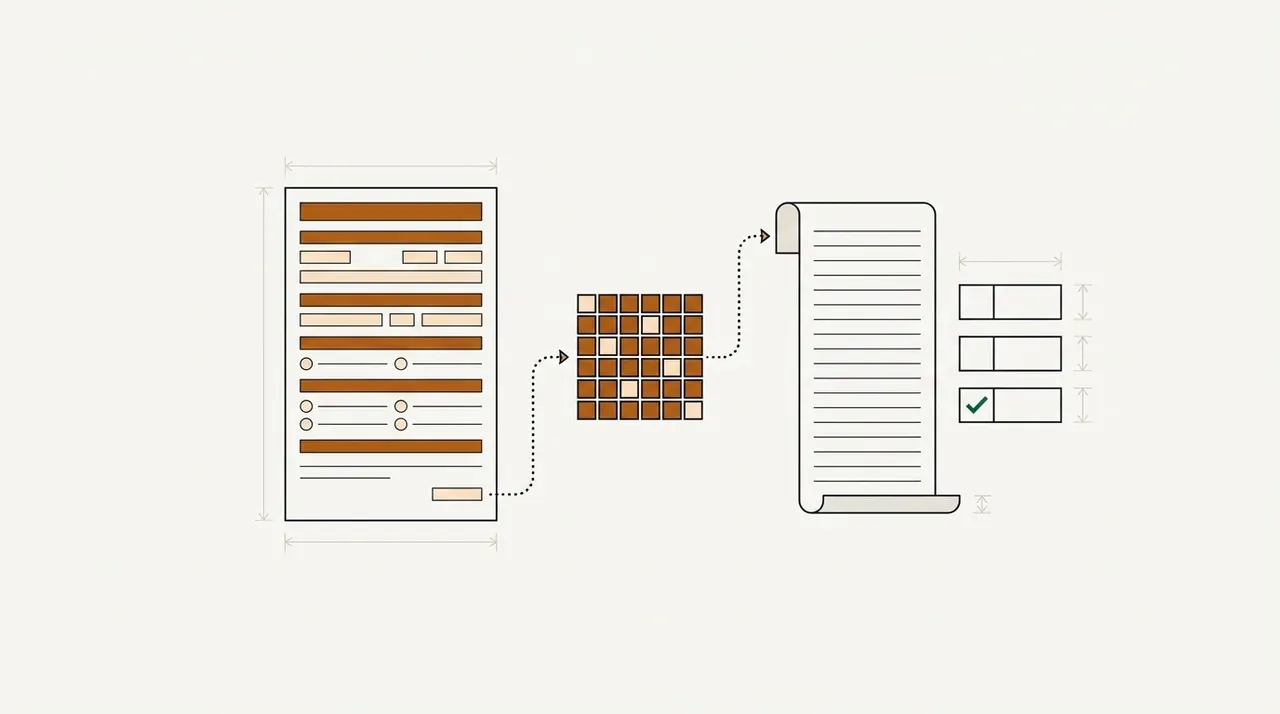
Key takeaways
- DeepSeek-OCR is an open-source model that turns a page image into text or Markdown. DeepSeek released it on October 20, 2025, under the MIT license.
- Its main idea is optical compression. The model reads a picture of the page with far fewer tokens than the page's text would need. DeepSeek reports 97% precision as long as a page has fewer than 10 text tokens for each vision token.
- DeepSeek-OCR 2 came out on January 27, 2026, under Apache 2.0. Before it writes the text, it reorders the page's tokens to follow the layout, instead of reading them top left to bottom right. On the OmniDocBench v1.5 benchmark, DeepSeek reports a score of 91.09, up from 87.36 for the first model.
- The model returns page text, not named fields. Your team still has to build the named fields, the checks between forms, a review step and the delivery into your systems.
- Judge it on pages your team has already keyed, and count the values a person had to fix.
On this page
- What DeepSeek-OCR is
- How optical compression works
- DeepSeek-OCR 2: what changed in January 2026
- What the benchmarks say
- What an ACORD submission needs beyond the text
- What running DeepSeek-OCR takes
- Where it falls short on business documents
- How to test DeepSeek-OCR on your own documents
- When a platform beats running the model yourself
- Start with a packet your team has already keyed
- Frequently asked questions
DeepSeek-OCR is an open-source model from DeepSeek that reads an image of a page and writes out its text. DeepSeek released it on October 20, 2025, under the MIT license. DeepSeek-OCR 2 followed on January 27, 2026. The main idea is to read a page with far fewer tokens than its text would take. For a team that processes insurance forms or tax returns, DeepSeek-OCR returns the page's text. It doesn't return named fields, and it runs no checks.
The facts about the model below come from DeepSeek's own papers and pages, Ollama's model page and two public leaderboards. A leaderboard scores many models on the same test pages. We read all of these sources on September 29, 2026.
What DeepSeek-OCR is#
DeepSeek built DeepSeek-OCR to test an idea for its language models. Language models read text as tokens, which are pieces of words. DeepSeek's idea is that a model can read a picture of a page with fewer tokens than the page's text would need. That matters because language models get slower and costlier as their input grows. DeepSeek also runs the model in production. It reads images and documents for DeepSeek's language models and turns PDFs into training data.
Older OCR engines such as Tesseract work in stages. They find the lines of text, then recognize the characters in each line. DeepSeek-OCR is a single model. It looks at the whole page image and writes out the text, one token at a time.
DeepSeek lists a set of prompts, the written instructions you give the model. Some ask it to convert a page to Markdown, which is plain text with simple marks for headings and tables. Others ask it to parse a chart or find a phrase on the page. DeepSeek trained it without a chat stage, so it isn't a chatbot. For some tasks, the model needs DeepSeek's prompt wording to work.
How optical compression works#
DeepSeek-OCR turns the page image into vision tokens instead of word tokens. The first part of the model, the encoder, cuts a 1024×1024-pixel image into 4,096 small patches. A compressor then turns those 4,096 patches into 256 tokens, 16 times fewer. The decoder, a mixture-of-experts model with 3 billion parameters, turns those 256 tokens back into text. Only about 570 million of its parameters are active at a time.
The first model reads images at four fixed resolutions, from 512×512 pixels with 64 tokens to 1280×1280 with 400 tokens. For very large pages, a tiled setting called Gundam cuts the page into 640×640 tiles. It spends 100 tokens on each tile, plus 256 on a view of the whole page.
The compression ratio is the number of text tokens on a page divided by the vision tokens used to read it. DeepSeek measured this ratio on 100 English pages from the Fox benchmark, each with 600 to 1,300 text tokens. Below a ratio of 10 to 1, DeepSeek reports about 97% precision. At 19.7 to 1, when the longest pages were read with only 64 vision tokens, precision fell to 59.1%.
So the right setting depends on how much text a page holds. In DeepSeek's tests, slides read well with 64 tokens, and books and reports with 100. Newspapers hold 4,000 to 5,000 text tokens a page, and they needed the tiled settings. Your ACORD applications, bank statements and tax returns each hold their own number of text tokens a page. Only a test on your own pages shows how many.
DeepSeek-OCR 2: what changed in January 2026#
DeepSeek-OCR 2 keeps the decoder and changes the encoder. Like most vision encoders, the first model's encoder passed the page's tokens on in a fixed order, from top left to bottom right. The new encoder is built on Qwen2-0.5B, a small language model. It reorders the tokens to follow the page's layout before it passes them to the decoder. DeepSeek designed the new encoder for complex layouts, such as forms and tables. On OmniDocBench v1.5, the reading-order error fell from 0.085 to 0.057.
| Detail | DeepSeek-OCR | DeepSeek-OCR 2 |
|---|---|---|
| Released | October 20, 2025 | January 27, 2026 |
| License | MIT | Apache 2.0 |
| Size | 3.3 billion parameters | 3.4 billion parameters |
| Tokens per page | 64, 100, 256 or 400; tiled, 100 per tile plus 256 | 256 to 1,120; up to 6 tiles of 144, plus 256 |
| Encoder | SAM-base and CLIP-large, about 380 million parameters | SAM-base and a Qwen2-0.5B encoder that reorders tokens |
| OmniDocBench v1.5, in the DeepSeek-OCR 2 paper | 87.36, with 9 tiles | 91.09 |
| Repetition rate on user images, in DeepSeek's logs | 6.25% | 4.17% |
For PDFs, DeepSeek says the second model runs at about the same speed as the first.
What the benchmarks say#
DeepSeek's own results are strong for the number of tokens used. In the first paper, the tiled setting beat MinerU2.0 on OmniDocBench with fewer than 800 tokens a page. MinerU2.0 used nearly 7,000. With 100 tokens, DeepSeek-OCR beat GOT-OCR2.0, which uses 256.
The same paper shows a risk for business teams. It scores each type of document by edit distance, which measures how much of the output would have to change to match the correct text. Lower is better. In the Large setting, the 1280×1280 size with 400 tokens, financial reports scored 0.022. The tiled setting, built for very large pages such as newspapers, scored 0.289 on the same reports. The best setting changed with the type of document.
Other groups run two public leaderboards, and both put DeepSeek's models in the middle of the list. Both groups also have their own model on their leaderboard. OpenDataLab runs OmniDocBench and makes MinerU, another document-reading model. On September 29, 2026, its version 1.6 leaderboard listed 35 entries. DeepSeek-OCR 2 scored 90.25 there, and 19 entries scored higher. The five highest scores came from models of 1.2 billion parameters or fewer. Our guide to the best OCR models compares them. Version 1.6 added 296 harder pages and a new way to match output to the correct text. So its scores can't be compared directly with DeepSeek's v1.5 figure.
Ai2 runs olmOCR-Bench and makes the olmOCR model. There, the first DeepSeek-OCR scores 75.7 overall. On old scanned letters and typewritten pages it scores 33.3, its lowest category.
Each leaderboard scores page text, tables, formulas and reading order. None checks whether each value went into the right field, or whether it matches the same value on another form. A document team needs that test. It can only run the test on its own files.
What an ACORD submission needs beyond the text#
Here is a commercial submission, as a carrier's underwriting team receives it. Keystone HVAC LLC wants quotes for general liability, property, auto and umbrella coverage. So its ACORD 125 comes with a separate section for each line of business. The ACORD 126 covers general liability, and the ACORD 140 covers property. DeepSeek-OCR would turn every page into Markdown. The underwriter needs more than that. They need each limit and value as a named field, and a rule that flags what's missing.
The figure below shows how Docsumo, a document platform, returns these forms. Each value comes back as a named field, and your team sets the rules each form is checked against. Each tab shows what Docsumo reads from one form, and the result of each rule.
Commercial applications
Evidence of property insurance
ACORD 125: Commercial insurance application
Agents and brokers send it to carriers and MGAs, with the line sections.✓ 3 passedThe first section of a commercial submission: the applicant, its premises and the lines it wants quoted.
What Docsumo reads
- Applicant
- Keystone HVAC LLC
- FEIN
- ••-•••6120
- NAICS
- 238220
- Proposed term
- 2026-07-01 → 2027-07-01
- Sections attached
- GL, property, auto, umbrella
- Full-time employees
- 46
- Annual revenues
- 8,450,000
- Premises 1
- 2150 Liberty Ave, Pittsburgh, PA 15222
Checked against
- SubmissionEvery section ticked is attached✓ 4 of 4 in
- Every sectionApplicant, FEIN and proposed term✓ Same on all
- Your rulesNAICS code against the classes you write✓ Accepted
The rules each form is checked against are yours to set.
On the ACORD 140, the building at 2150 Liberty Ave has a replacement-cost value of 1,850,000. It was built in 1968 from joisted masonry and has no sprinklers. The underwriter's rule asks for a roof year on buildings from before 1980, and the form doesn't give one. On the ACORD 126, one yes answer has no explanation. A model gives you both pages as text. Your team would build the fields and the rules that catch these two gaps, and then maintain them.
Docsumo checks one form against another, such as the 126 against the 125, with cross-document validation. That feature is on the Enterprise plan. A rule like the roof-year check is a step you set up in the workflow. The ACORD forms page shows more ACORD forms.
What running DeepSeek-OCR takes#
The model is free to download, but you run it on your own hardware. DeepSeek's setup looks like this.
- A GPUDeepSeek's own setup is for NVIDIA GPUs, tested with CUDA 11.8, PyTorch 2.6.0 and Python 3.12.9. DeepSeek measured speed on one A100 GPU with 40 GB of memory. On that GPU, the model processed PDFs at about 2,500 tokens a second.
- A way to serve itUse Hugging Face Transformers, vLLM or Ollama. The vLLM project has supported the first model since October 23, 2025. Its current code lists DeepSeek-OCR 2 as well. Ollama's library has only the first model. That build is a 6.7 GB download with an 8K context window, and it needs Ollama 0.13.0 or later.
- A setting for each document typeWith the first model, pick the page size or the tiled setting for each type of document. In DeepSeek's tests, the best setting changed from one type to the next.
- The documented promptFor documents, the prompt asks the model to convert the page to Markdown. Keep it exactly as DeepSeek wrote it.
- Code for your fieldsParse the Markdown into the fields and tables your systems expect. Then add the checks and a review step yourself.
The model files, or weights, cost nothing, and both licenses allow commercial use. DeepSeek's own API doesn't list the OCR model. On September 29, 2026, its price list showed two general models, deepseek-flash and deepseek-v4-pro. The flash model accepts images, but it isn't DeepSeek-OCR. So you pay for GPUs, or for a third-party host that runs the weights for you.
Where it falls short on business documents#
DeepSeek's papers and the model pages point to most of the weak spots.
It can repeat itself
DeepSeek's production logs show a repetition rate of 4.17% on user images for DeepSeek-OCR 2, down from 6.25% for the first model. DeepSeek's vLLM example code turns on a filter that stops the model from repeating the same group of words.It's sensitive to the prompt
The model has no chat training. Ollama warns that a missing punctuation mark or new line in the prompt can give an improper output.Dense pages lose precision
Precision drops once a page holds more than about 10 text tokens per vision token. DeepSeek-OCR 2 still scores worst on newspapers, the most text-heavy pages in DeepSeek's tests.Old scans score lowest
On olmOCR-Bench, old scans were the first model's weakest category, at 33.3. Old scans are the hardest category for most models on that leaderboard, so include your own scans in any test.No confidence score
DeepSeek's GitHub pages and model pages don't describe one. You'd need your own way to decide which values a person should check.
How to test DeepSeek-OCR on your own documents#
A leaderboard score shows how the model reads other people's pages. A pilot on your own pages shows what it would cost your team.
- Pages with known answersUse a few hundred pages your team has already keyed, so every value has a correct answer to compare against.
- The hard pages tooInclude the scans, the forms with small boxes and the tables that run across pages. Use about the same share of each as your team receives.
- Each setting on each document typeWith the first model, run the fixed sizes and the tiled setting on every document type, and keep the best one per type.
- Fields, not charactersScore each named field as right or wrong after your parsing code runs. A page can have a small edit distance even when one wrong digit changes a coverage limit.
- Repeats and cut-off pagesCount the outputs that repeat text or stop early, because nothing flags them for you.
- Cost per pageRecord GPU time per page for each setting, and add the time people spend on corrections.
Our take. DeepSeek has no correct answers to compare its output with in live use. So it tracks its model by how often the output repeats. Your team does have correct answers. They are the values your team keys in and corrects every day. Count how many fields a person had to fix on your own pages. Base the decision on that count, not on a leaderboard's overall score.
When a platform beats running the model yourself#
Running a model and running a document process are different jobs. The model reads pages. The process has to turn those pages into checked fields and deliver them, every working day.
A model on your own GPUs
- Markdown for each page
- Parsing code and checks you write for each form
- A review screen you build
- GPUs and model versions you keep current
A document platform
- Named fields and tables for each document type
- Checks between documents, as rules you set
- Low-confidence fields sent to a person, with the source line highlighted
- Data delivered through an API and webhooks
Docsumo is that kind of platform, with nothing to host. It covers 250+ document types. LLMs structure its OCR output into fields, so it isn't limited to those types. It handles any document type. You set a confidence threshold for each field, and a field that scores below it goes to a person. When the reviewer clicks a field, Docsumo highlights the line it came from. The reviewer's corrections improve Docsumo's model. Tables that run across pages are joined into one, with the headers mapped. Cross-document validation is on the Enterprise plan, and the Business plan adds a test environment and audit logging.
For the security review, Docsumo is SOC 2 Type 2 audited and ISO/IEC 27001:2022 certified. It doesn't use customer documents to train shared or third-party models, and the details are on the security page. Docsumo is cloud only. If your documents can't leave your own servers, self-hosting a model such as DeepSeek-OCR is one way to meet that rule. Your team then builds the rest of the process around it. If you'd rather call a hosted service than run a model, our OCR API guide compares eight options.
Start with a packet your team has already keyed#
DeepSeek-OCR reads pages with very few tokens, and the weights are free. Whether it suits your document intake depends on the work your team does after the model returns the text. Pick one submission or packet your team has already keyed. Run it through the model plus your own parsing code, and through a platform. Then count the fields each one got wrong. Docsumo's free trial covers 14 days and up to 1,000 pages, with the API and webhooks.
Book a demo with a few of your own ACORD forms or claim files, or start a free trial.
Frequently asked questions#
Can DeepSeek do OCR?
Yes. DeepSeek released DeepSeek-OCR on October 20, 2025, and DeepSeek-OCR 2 on January 27, 2026. Both are open models that turn page images into text or Markdown. DeepSeek also uses the model to read images and documents for its own language models.
Is DeepSeek-OCR free?
The model files, called weights, are free to download. DeepSeek-OCR uses the MIT license, and DeepSeek-OCR 2 uses Apache 2.0. You pay for the GPU that runs the model, or for a host that runs it for you. DeepSeek's own API price list showed no OCR model on September 29, 2026.
What hardware does DeepSeek-OCR need?
DeepSeek's setup steps for both models are for NVIDIA GPUs, and DeepSeek tested both with CUDA 11.8. DeepSeek says one A100 GPU with 40 GB of memory can read more than 200,000 pages a day and turn them into training data. DeepSeek publishes no minimum GPU memory. Ollama, a tool for running models on your own machine, offers a 6.7 GB build of the first model.
Which LLM is best for OCR?
It depends on your pages. On the OmniDocBench leaderboard on September 29, 2026, the five highest scores came from OCR models of 1.2 billion parameters or fewer. One of them, PaddleOCR-VL-1.6, scored 96.34, above general models such as Gemini 3 Pro at 92.91 and GPT-5.2 at 86.59. DeepSeek-OCR 2 scored 90.25. For a general LLM on PDFs, see PDF extraction with GPT-4.
What is the difference between DeepSeek-OCR and DeepSeek-OCR 2?
DeepSeek-OCR 2 changes the encoder, the part that turns the page image into tokens. It keeps the decoder, the part that writes the text. A small language model inside the new encoder reorders the tokens to follow the page's layout before the decoder reads them. DeepSeek-OCR 2 uses 256 to 1,120 tokens a page. DeepSeek reports a score of 91.09 on OmniDocBench v1.5, against 87.36 for the first model.
Sources
- DeepSeek-AI: DeepSeek-OCR repository (GitHub)
- DeepSeek-AI: DeepSeek-OCR model card (Hugging Face)
- Wei, Sun and Li: DeepSeek-OCR: Contexts Optical Compression (arXiv 2510.18234)
- DeepSeek-AI: DeepSeek-OCR 2 repository (GitHub)
- DeepSeek-AI: DeepSeek-OCR 2 model card (Hugging Face)
- Wei, Sun and Li: DeepSeek-OCR 2: Visual Causal Flow (arXiv 2601.20552)
- Ollama: deepseek-ocr
- vLLM: supported model registry (GitHub)
- DeepSeek API Docs: Models & Pricing
- OpenDataLab: OmniDocBench leaderboard (v1.6)
- Ai2: olmOCR-Bench results
First published .