Structured vs unstructured vs semi-structured data: differences and examples
For data, operations and IT teams: a clear comparison of the three data types, with examples, storage and analysis options, and what it takes to turn documents like invoices and bank statements into structured data.

Key takeaways
- Structured data follows a fixed schema of rows, columns and data types, such as a database table or a spreadsheet with defined columns.
- Semi-structured data carries its own labels, like keys or tags, but no fixed schema. JSON, XML, email headers and many business documents fall here.
- Unstructured data has no predefined model: free text, contracts, images, audio and video.
- Structured data goes in relational databases and is queried with SQL; semi-structured data suits document and NoSQL stores; unstructured data usually lives in file storage and data lakes.
- Business documents such as invoices and bank statements look semi-structured to a person but reach you as PDFs and scans, so they need OCR and AI extraction before they're usable.
On this page
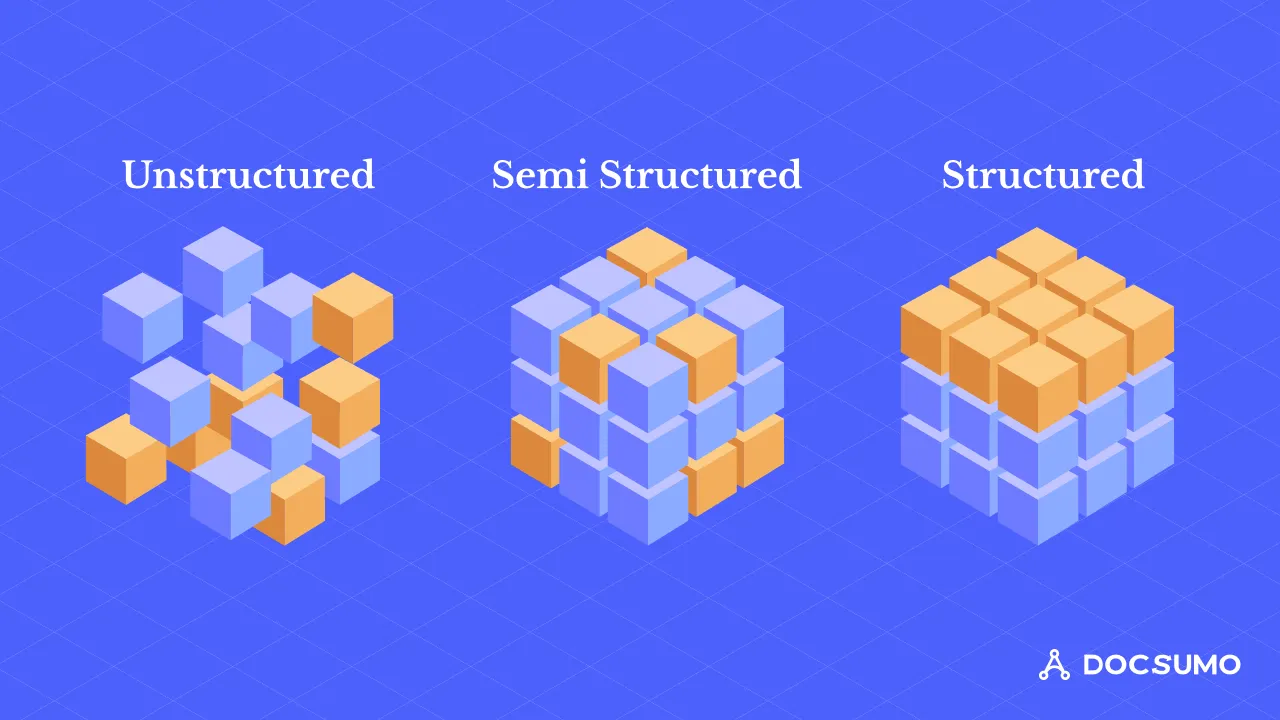
Structured data follows a fixed schema, such as the rows and columns of a database table, so software can query it directly. Semi-structured data carries its own labels, like the keys in a JSON file or the tags in XML, but doesn't follow a fixed schema. Unstructured data, such as free text, contracts, images and audio, has no predefined model at all and has to be processed before it can be analyzed.
This guide compares the three types side by side, gives examples of each, explains how they're stored and analyzed, and covers how business documents fit in.
Structured vs semi-structured vs unstructured data at a glance#
| Aspect | Structured | Semi-structured | Unstructured |
|---|---|---|---|
| Format | Fixed schema: defined fields and types | Self-describing labels (keys, tags), flexible schema | No predefined model |
| Examples | Database tables, spreadsheets, ledger entries | JSON, XML, email, logs, HTML, invoices and statements | Contracts, letters, notes, images, audio, video |
| Storage | Relational databases, data warehouses | Document and NoSQL databases, files, data lakes | File and object storage, data lakes |
| How it's queried | SQL | Query languages for JSON/XML, parsing | Search, NLP, computer vision, language models |
| Ease of analysis | Easiest | Moderate | Hardest |
| Schema changes | Need a migration | Easy to add fields | Not applicable |
What is structured data?#
Structured data fits a predefined model: every record has the same fields, and every field has a type. A loan table might have loan_id (integer), borrower_name (text), amount (decimal) and funded_date (date). Because the shape is known, you can sort, filter, join and total it with SQL in seconds.
Examples: customer records in a CRM, transactions in a core banking system, inventory in an ERP, rows in a spreadsheet with consistent columns.
Strengths: fast queries, easy reporting, strong consistency.
Limits: changing the schema takes planning, and much real-world information doesn't fit neatly into columns.
What is semi-structured data?#
Semi-structured data has structure, but the structure travels with the data rather than living in a fixed schema. In JSON, each value has a key, but two records can have different keys:
{"invoice_no": "INV-20418", "vendor": "Harbor Street Supply", "total": 4812.30}
{"invoice_no": "INV-20419", "vendor": "Bayside Foods", "total": 912.00, "po_number": "PO-7731"}
Examples: JSON and XML, email (structured headers, free-text body), log files, HTML pages, API responses.
Business documents such as invoices, bank statements, pay stubs and tax forms are also usually described as semi-structured: every invoice has a vendor, number, date, line items and total, but each vendor lays them out differently.
Strengths: flexible, easy to exchange between systems, handles records with optional fields.
Limits: queries are more complex, and data quality varies because the schema isn't enforced.
What is unstructured data?#
Unstructured data has no predefined model. The information is there, but software can't query it until something identifies what's in it.
Examples: contracts and letters, clinical notes, support tickets, call recordings, photos and scanned documents.
Strengths: holds rich detail and context that structured fields miss.
Limits: needs processing, such as OCR, natural language processing or computer vision, before it can be searched or analyzed, and results need checking.
Where business documents fit#
Most documents that drive business decisions, such as bank statements, invoices, ACORD forms and tax forms, contain semi-structured content. But they reach you as PDFs, scans, photos and email attachments, so as files they're effectively unstructured. To use them:
- OCR turns scanned pages into text with positions.
- Classification identifies the document type.
- Extraction finds named fields and tables, whatever the layout.
- Validation checks the values, such as whether the opening balance plus transactions equals the closing balance.
- Export delivers structured records to your database or system.
That's what intelligent document processing does. Docsumo, for example, reports 99% field-level accuracy on 250+ document types and delivers the results through an API and webhooks.
Using all three together#
Most analysis combines the three types. A lender, for example, might join:
- Structured: application data and credit bureau fields in the loan origination system.
- Semi-structured: transactions extracted from bank statements, delivered as JSON.
- Unstructured: the borrower's explanation letter or the underwriter's notes.
The trick is to convert as much as possible into structured form early, keep a link back to the source document, and store each type where it's easiest to use: a warehouse for structured data, a lake or document store for the rest.
Challenges and how to handle them#
- Volume and variety. Unstructured and semi-structured data grow fastest. Use scalable storage and process documents as they arrive, not in backlogs.
- Quality. Semi-structured data has no enforced schema. Validate required fields and types on the way in.
- Integration. Different formats need mapping to a common model. Define a target schema and map each source to it. See what is schema mapping.
- Security. Documents carry personal and financial data. Control access and choose tools with SOC 2 Type 2, HIPAA and GDPR coverage.
The bottom line#
Structured data is ready to query, semi-structured data needs parsing, and unstructured data needs processing to find what's in it. Business documents sit in between: semi-structured content in unstructured files. Turning them into structured data is the step that makes the rest of your analysis possible. For more, see our guides to structured data and unstructured data, or book a demo to see it on your documents.
Frequently asked questions#
What is the difference between structured and unstructured data?
Structured data is organized in a fixed format, such as rows and columns with defined data types, so it can be queried directly. Unstructured data has no predefined format, like the text of a contract or a scanned image, and needs processing before it can be analyzed.
What are examples of semi-structured data?
JSON and XML files, email (structured headers plus free-text body), log files, and HTML pages. Invoices, bank statements and forms are often called semi-structured because they contain the same kinds of fields in varying positions.
Is a PDF structured or unstructured data?
A PDF is a container. A digital PDF invoice holds semi-structured content, while a scanned PDF is just an image. Either way, the data needs to be extracted before a system can use it. See data extraction from PDF.
How do you convert unstructured data into structured data?
Use OCR to turn images into text, then extraction models, rules or language models to identify fields and tables, and validation to check the result. For business documents, intelligent document processing combines these steps.
Sources
First published . Last updated .