7 Key Intelligent Document Processing Challenges and Their Solutions
Learn about the top 7 intelligent document processing challenges businesses encounter, from complex formats to language barriers. This blog unveils solutions to conquer these obstacles and unlock your business's full potential with IDP.


On this page
Organizations increasingly use Intelligent Document Processing (IDP) in the ever-evolving business environment to improve efficiency and streamline operations. However, they still face intelligent document processing challenges while implementing the system.
Intelligent document processing integration with legacy systems requires careful preparation and strategic decision-making. Organizations can use custom APIs, middleware solutions, or a phased integration strategy to reduce interruptions. There is a need for a bridge. A bridge between intelligent document processing and conventional systems provides a seamless flow of information and functionalities.
This article discusses businesses' main challenges when implementing intelligent document processing and suggests solutions to guarantee seamless integration. It also covers the benefits and opportunities that IDP processing offers.
Understanding Intelligent Document Processing (IDP)#

Intelligent Document Processing (IDP) tackles the challenge of extracting information from documents. Earlier, document processing manually converted information from paper to a usable format.
IDP seeks explicitly to automate this process. It can automatically handle some document variations, like image quality or layout. The best part is if it can't handle something, it alerts the user.
Many businesses rely on paper documents or manual analysis of digital documents. The process needs to be faster and more efficient. IDP uses techniques like Artificial Intelligence (AI), Machine Learning (ML), and Natural Language Processing (NLP) to automate data extraction and analysis, which reduces the need for manual work. It saves businesses time and money.
Currently, IDP solutions work best with structured documents like invoices. Processing complex documents like social media posts is still challenging due to the complexities of human language.
7 Key intelligent document processing challenges#
Businesses with large numbers of critical paper documents benefit significantly from IDP. These documents can come from any location and differ in quality (data or image). However, estimating IDP costs can be difficult because of several challenges, including unclear project goals, uncertain data access, rapidly advancing technology, and specialized expertise requirements.
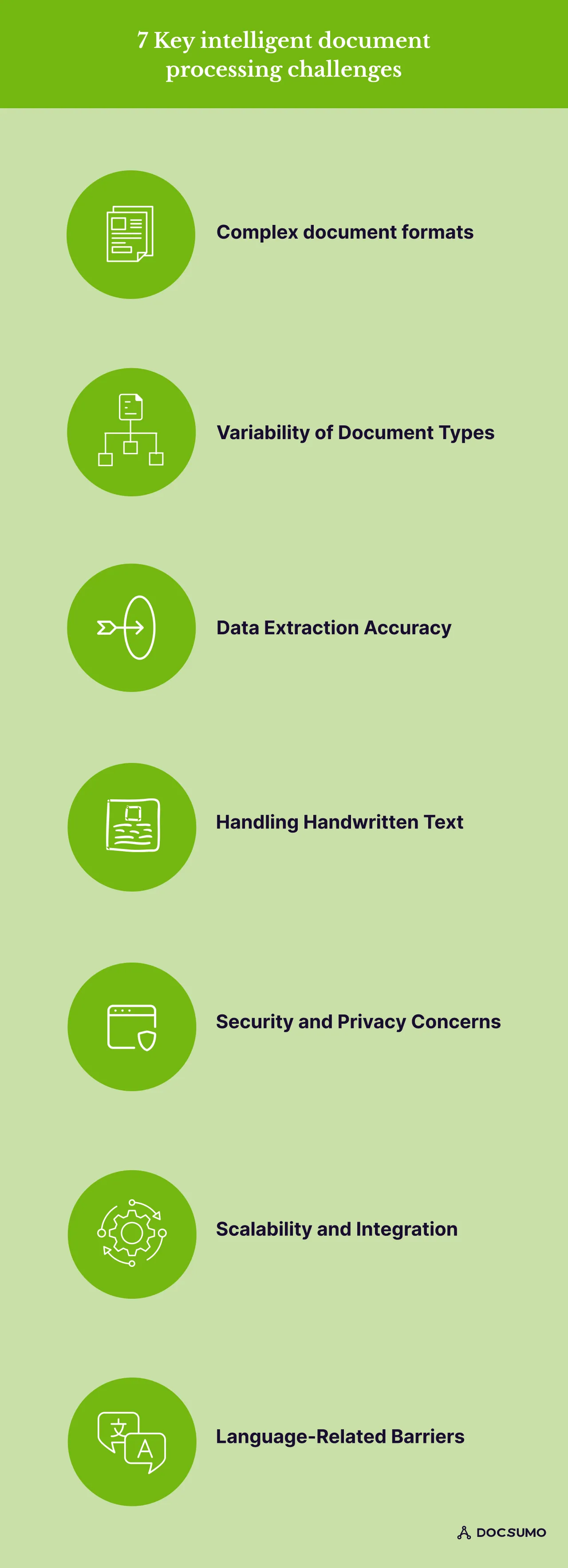
Here are the seven key intelligent document processing challenges and solutions available for them.
1. Complex document formats
Challenge
Businesses relying largely on documentation often need to improve the quality of their documents. Various Intelligent document processing use cases require effective handling of multiple and complex document formats. Accurate information extraction is difficult when dealing with PDFs, photos, and scanned documents.
Technology must smoothly adapt to these formats to guarantee error-free data extraction. IDP systems cannot accurately extract information from handwritten and poorly scanned papers. IDP needs help processing documents with non-standard layouts, tables, or images.
Solution
Adding Natural Language Processing (NLP) algorithms improves contextual information understanding and data extraction accuracy. Removing the format barrier can improve IDP efficiency in its dynamic use cases. Standardizing file types, naming conventions, and document structure is advisable. Training IDP on diverse document formats and utilizing pre-built templates for specific document types solve this issue.
A use case: Jones, a real estate liability solution provider, was struggling to process insurance compliance documents for thousands of properties manually. Reducing processing time and errors, Docsumo's AI-powered technology automates data extraction from unstructured leasing contracts and insurance certificates.
2. Variability of document types
Challenge
Intelligent document processing systems face difficulties because of the diversity of document types they handle. Invoices, contracts, emails, and forms are examples of semi-structured or structured data often used in cases.
Application forms and identity documents are two examples of the many documents that businesses deal with. Each document has its layout, format, and structure. This diversity makes developing a universal intelligent document processing solution more difficult.
Solution
When trained on diverse datasets, AI models can effectively identify and categorize various document formats, types, and complexity. Implement document classification within IDP to automate the categorization of incoming documents.
IDP greatly increases the efficiency of document processing processes. Choose IDP solutions that facilitate all processing stages, including BI and analytics, classification, and extraction.
A use case: The 3PL warehouse company Biagi Bros. encountered difficulties processing several bills of lading papers in varying formats. Manually extracting data for barcodes and order details was slow and prone to errors. Docsumo's AI-powered solution automatically extracted data from these unstructured documents regardless of the layout.
3. Data extraction accuracy
Challenge
Ensuring high accuracy in data extraction is a key challenge in IDP. Accuracy degrades when corporate documents deviate from templates, or user requirements surpass basic term extractions. It can also happen with low-quality scans. Inaccurately extracting essential data can influence decision-making, which in turn can impact customer interactions and corporate processes.
Solution
Machine learning models can cope with this problem by continuously learning and adapting. Algorithms for NLP are excellent in document data extraction.
Using a variety of datasets to train these models can significantly increase extraction accuracy, lower error rates, and help with better decision-making. To address this challenge, machine learning algorithms and strong data validation processesto identify patterns and rectify errors are helpful.
A use case: Utility bills with varying layouts and formats were a big issue for Westland Real Estate'sdata entry team. Manually extracting data led to errors and a slow process. Docsumo's AI solved this by accurately extracting data from all bill formats, even unstructured text, reducing errors and simplifying the process.
4. Language-related barriers
Challenge
IDP faces limitations when dealing with documents other than the trained language. Businesses with diverse customer bases get language barriers from IDP. Complicated and inconsistently structured documents pose an obstacle to reliable information processing.
Solution
NLP faces challenges in handling many languages via intelligent document processing systems (IDP systems). IDP systems should incorporate multilingual support, implement language translation tools, and use modifiable templates for precise data extraction from various documents.
5. Handling handwritten text
Challenge
Poor image quality is a common problem with handwritten or scanned documents, as they contain numerous writing styles. This complicates the process of accurately extracting information via document processing systems. Inconsistent formatting and handwriting variations also create complications.
Solution
Businesses should improve data quality to address this challenge. They should use advanced optical character recognition (OCR) technology to translate and transform various document formats into machine-readable text accurately.
Optical Character Recognition (OCR) software is trained explicitly for handwriting recognition. Establishing strong data validation processes is essential. Organizations can ensure accurate and dependable information processing using document systems.
A use case: Inconsistent layouts and running text in debt settlement letters were a nightmare for National Debt Relief. Docsumo's AI resolved the chaos! Its OCR handles any layout, even translating payment details concealed within running text. This automation reduced processing time and errors.
6. Security and privacy concerns
Challenge
Security and privacy concerns become increasingly important as businesses use digital document processing more. Digitally storing sensitive data raises the possibility of unwanted access. Access to automated documents should be restricted depending on the nature of the document or the positions held within the business.
Solution
Strong access rights management is necessary for automated systems, including IDP capabilities. IDP solutions provide advanced encryption, access controls, and compliance certifications to protect sensitive data. Blockchain technology invariably tracks document access and changes, ensuring transparency and data integrity.
7. Scalability and integration
Challenge
Scalability is essential for IDP systems since businesses handle a lot of documents. It is difficult to integrate IDP with current systems seamlessly. Scalable IDP solutions are essential for long-term success as they can expand with the business's growth.
Solution
IDP scalable solutions can cope with increasing document amounts and changes to meet changing business needs. Cost factors must be taken into account, though. Businesses need a flexible and economical method for increasing client base. Scalability is available on demand with cloud-based IDP solutions.
Choose IDP solutions that offer integration options and APIs to ensure smooth integration into existing processes. IDP Workflow automation gives the entire value chain more power by scaling and simplifying document processing operations.
How to select the right Intelligent Document Processing provider?#
Choosing the right Intelligent Document Processing (IDP) solution
- Flexibility: Can the IDP manage your existing vendor formats and workflows? Don't let solutions compel major changes.
- Document Formats: Does it handle all your handwritten and digital document types for optimal flexibility?
- Reconciliation Strength: Look for anomaly alerts and automatic data validation against internal systems.
- Full Automation: Use systems that do not require manual data entry for optimal efficiency.
- Technology Stack: Determine the data extraction accuracy using the IDP's technology. It is best to use a "hybrid approach" with several engines.
- Scalability: Select an IDP that can grow with your company to automate more tasks in the future.
Selecting the right Intelligent Document Processing vendor
- Industry Expertise: Is the vendor experienced in your specific industry?
- Scalability: Can their solution grow to meet the demands of your company?
- Customer Support: Do they provide adequate options for assistance to ensure a successful implementation?
Bottom Line: Maximize Intelligent Document Processing Benefits with Docsumo#
Intelligent Document Processing is not just a tool but a transformative solution for businesses looking to optimize document management. Despite the challenges it presents, technological advancements like OCR, NLP, and machine learning are transforming the field.
Organizations can maximize the full potential of IDP by tackling these challenges head-on. It can show a new era of document processing with high accuracy, efficiency, and productivity. As we discussed the challenges, it's time to think of a solution. This is where Docsumo helps eliminate manual processing through automation.
Docsumo seamlessly integrates with document workflows and helps businesses in:
- Processing invoices, bank statements, and income/identity verification documents.
- Extracting data from IRS Forms, non-standard lease agreements, and sales comps.
- Handling bills of lading, shipping labels, and receipts.
Docsumo's key advantage lies in its trained APIs. It features pre-trained models for various document types, such as bank statements and invoices. It eliminates the need for extensive model training, saving time and resources.
First published . Last updated .