Data Extraction from Health Insurance Claim Forms: A Complete Guide
Unlock the power of data with our guide on advanced extraction techniques from health insurance claim forms, enhancing efficiency and insights.

On this page
- What are Health Insurance Claim Forms?
- Key data points extracted from Health Insurance Claim Forms
- Understanding the Significance of Efficient Data Extraction in Healthcare
- Common Challenges in Health Insurance Claim Form Data Extraction
- Preparing Health Insurance Claim Forms for Efficient Data Extraction
- Step-by-step guide to data extraction from Health Insurance Claim Forms
- Best Practices for Managing Extracted Data from Health Insurance Claim Forms
- Conclusion: Enhancing Healthcare Operations through Advanced Data Extraction
Health insurance claim forms are the lifeblood of accurate billing and reimbursement, yet extracting valuable data from them can be complex. These forms contain a wealth of information, including patient details, medical history, treatment specifics, and associated costs.
However, the often complex layout and mix of standardized and free-text data present challenges for traditional data extraction methods.
This guide will discuss how to extract data from health insurance claim forms.
What are Health Insurance Claim Forms?#
Health insurance claim forms are standard documents used by healthcare providers. They contain the necessary patient and treatment information and help request payment from health insurance companies.
These forms contain details such as:
- Patient's Personal Information: Name, address, date of birth, gender, insurance policy number
- Medical History: Previous illnesses, current conditions, family history
- Treatment Received: Procedures performed, medications prescribed, lab tests conducted
- Costs Incurred: Total bill amount, co-pays, deductibles
- Insured’s Information: Name, relation with patient, policy number
The most used health insurance claim forms in the US are:
- CMS-1500 form for outpatient services
- UB-04 (CMS-1450) form for inpatient services
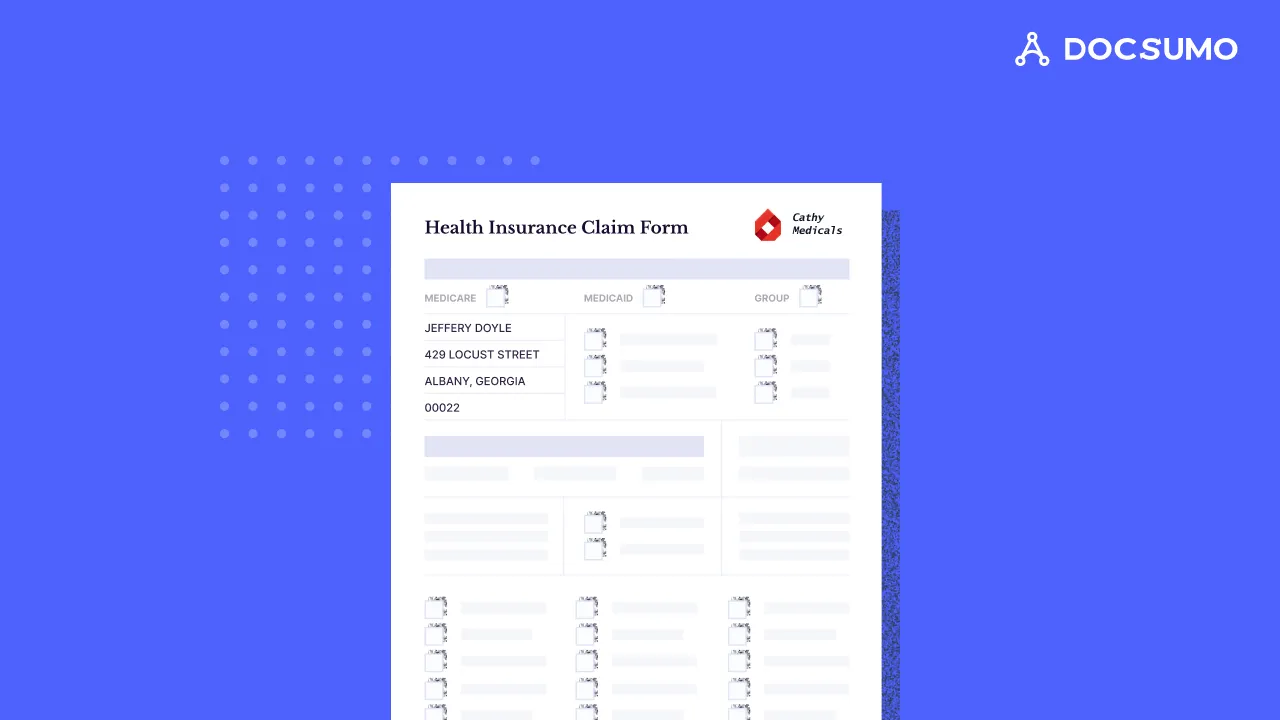
Health insurance claim forms are vital for billing and claims processing systems. They provide clear communication regarding medical services' type, scope, and cost. Healthcare providers use them to get reimbursed accurately and promptly. For insurance companies, the data helps in fraud detection, claim processing, and reimbursements.
Health insurance claim forms include the following key sections:
- Patient identification and demographic details
- Diagnoses via ICD (International Classification of Diseases) codes
- CPT (Current Procedural Terminology) codes for the medical services rendered
- Treatment and medication information
- Costs of services provided
The data extracted helps bill the insurance company for the treatment, ensure proper reimbursement for healthcare service providers, identify fraudulent activities, and prevent errors leading to claim denials. The data also impacts decisions related to patient care management and cost control.
Key data points extracted from Health Insurance Claim Forms#
The data from health insurance claim forms helps speed up the reimbursement process. It is also helpful for insurance companies in assessing and managing claims.
The essential data points extracted from health insurance claim forms are:
a. Patient information
Some demographic details help prevent errors and expedite claims processing. Errors in patient information can delay reimbursement. Patient demographics can reveal significant trends and insights for population health management.
It includes:
- Patient name
- Address
- Date of birth
- Gender
- Insurance policy number
b. Provider information
Provider details help insurance companies verify the qualifications of the healthcare professional. They can also cross-check that the treatment was done in an authorized facility and verify the provider's area of specialization. This helps in fraud prevention and quality assurance in healthcare.
It includes:
- Provider name
- Qualifications
- Specialization
- Treatment facility
c. Service information
Industry-recognized codes are standards for categorizing treatments and services. They ensure effective communication between providers and insurance companies.
Correct codes help with accurate billing, efficient claims processing, and effective healthcare analytics. Insurance companies can use them to check the appropriateness of the care provided, calculate reimbursements, and conduct health services research.
It includes:
- ICD codes for details of diagnoses
- CPT codes for medical services
d. Financial information
Billing details are crucial for healthcare providers and insurance companies. The data ensures that healthcare providers are reimbursed correctly for their services, and insurance companies can use it to verify coverage and expedite reimbursement.
Accurate financial information helps prevent billing errors and claim denials and facilitates smoother cash flow between all parties involved.
It includes:
- Total bill amount
- Co-pays
- Deductibles
- Payment requested
Understanding the Significance of Efficient Data Extraction in Healthcare#
Efficient data extraction from claim forms is necessary for transforming healthcare service delivery. Swift and accurate data extraction makes the billing processes smoother. It helps enhance patient care by reducing the time taken for reimbursement. Patients receive the best care without unnecessary delays.
For insurance companies, precise data extraction aids in quickly processing claims. Correct data helps minimize errors and prevent fraud. Faster payouts help boost trust between patients, healthcare providers, and insurers.
Enhanced data extraction processes make data readily available for analyzing trends. These insights help improve patient care outcomes through informed decisions.
a. Accuracy in billing and reimbursement
Data extracted from health insurance claim forms includes
- Patient information
- Service details
- Financial figures
It helps ensure billing accuracy to minimize claim rejections and denials. Speeding up the reimbursement process helps improve patient care. For insurance companies, precise data helps validate claims quickly. They can ensure that payouts align with the services rendered. Maintaining high accuracy in billing builds trust between patients, healthcare providers, and insurers.
b. Compliance and Audit-Readiness
Data from insurance claim forms ensures compliance with industry laws. Accurate documentation facilitates audit readiness for compliance with
- HIPPA: Health Insurance Portability and Accountability Act
- GLBA: Gramm-Leach-Bliley Act
Healthcare practices can prevent legal issues by protecting patient information.
c. Operational Efficiency
Effective data extraction from claim forms improves process efficiency. This supports faster billing cycles, reduces administrative burdens, and minimizes errors. By automating administrative tasks, healthcare providers can focus more on patient care.
For insurance companies, data from healthcare claim forms helps eliminate bottlenecks. Operational efficiency helps make the healthcare system more responsive.
d. Data Analytics and Decision-Making:
Data from claim forms offers invaluable insights. These enable healthcare providers to understand patient needs and tailor services better accordingly. Analytics can highlight trends in healthcare services for insurance companies. It aids in managing policy offerings and fraud detection.
Common Challenges in Health Insurance Claim Form Data Extraction#
The process of extracting data from health insurance claim forms is daunting. Several challenges can hinder efficiently extracting accurate data. Some key challenges include:
- Variability in Forms: Data from claim forms varies across insurers and healthcare facilities. The varying data fields and terminology can complicate the extraction process.
- Quality of Scanned Documents: The physical condition of claim forms impacts data accuracy. Sometimes, forms contain incomplete, inaccurate, or illegible information. Handwritten entries are a significant challenge for automated extraction systems. Sometimes, more details are needed to ensure a timely reimbursement process.
- Complex Coding Systems: Claim forms use coding systems like ICD and CPT codes. The coding systems ease uniform data representation. But, mistakes in coding can result in claim denials or incorrect billing.
- Data Privacy and Security: Safeguarding patient information is mandatory throughout the process. It ensures compliance with laws like HIPAA and GLBA, eliminating penalties. Maintaining robust security measures with manual processes and legacy systems takes time and effort. The data is vulnerable to breaches and unauthorized access.
Preparing Health Insurance Claim Forms for Efficient Data Extraction#
Successful data extraction processes require well-organized documents and claim form pre-processing. Optimizing documents before extraction increases accuracy, efficiency, and error reduction.
The following steps can help in effectively preparing health insurance claim forms:
a. Document Digitization
Digitizing claim forms is the first step toward efficient data extraction. Scanning paper documents into electronic formats facilitates easy storage and retrieval. It minimizes the risk of physical damage or loss.
b. Data Quality Assurance
Ensuring the quality of the data captured is critical for accurate and efficient extraction. Data validation before extraction, provided with predefined entry options, can reduce human error.
c. Standardization of Formats
Standardizing the data to be extracted minimizes errors during the extraction process. Healthcare providers and insurers must agree upon a consistent format for data entry. It will ensure the extraction of accurate and useful data.
d. Selection of Extraction Tools
Advanced OCR technology can accurately extract data from handwritten and printed text. At the same time, AI-powered tools can extract data based on context. Picking the right tool for your needs reduces errors and speeds up the process.
Step-by-step guide to data extraction from Health Insurance Claim Forms#
Health insurance claim forms are complex documents. They need careful handling to extract accurate data. The process involves identifying and retrieving specific information from the claim form. Manual methods and legacy software are time-consuming and prone to errors.
The following step-by-step guide can help ensure efficient and precise extraction:
Step 1: Choosing the right data extraction tool
A high-quality data extraction tool eliminates manual errors, decreases processing time, and supports faster reimbursement cycles. You must pick a tool designed for the healthcare industry. It must follow regulations and be capable of handling large volumes of forms.
Here, we will consider Docsumo as an example of a data extraction tool. It is an advanced solution for document processing that uses OCR and AI.
Step 2: Get access to the platform
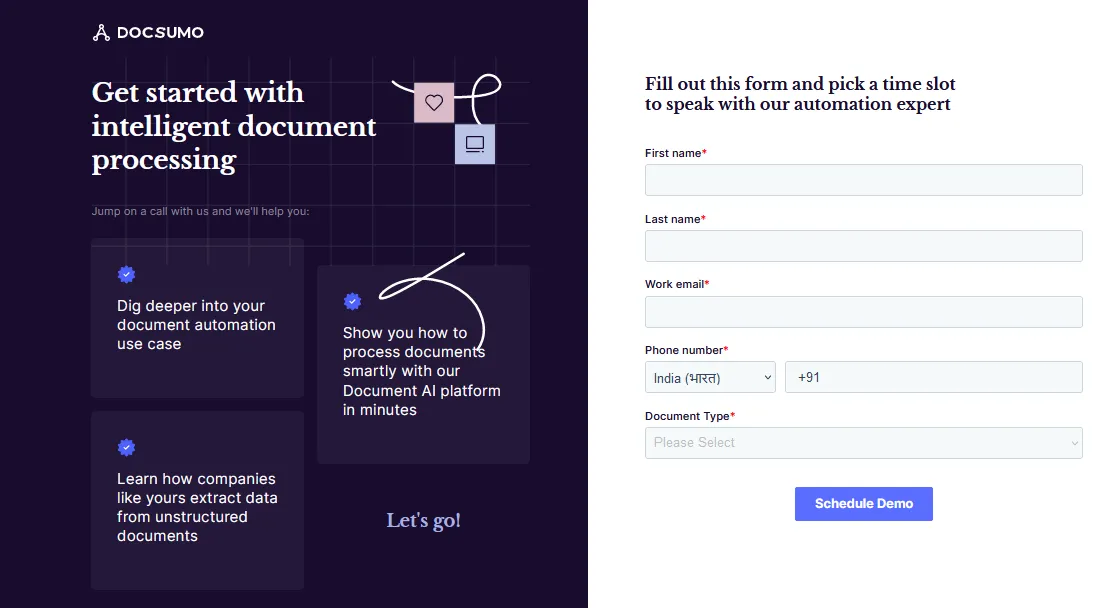
On the Docsumo website, navigate to the ‘Request Trial Account’ button. The sign-up form will open. To initiate a demo request, provide your name, email ID, contact number, and document type.
Step 3: Upload and Organise Documents
Once you access your trial account, you can start uploading your claim forms. Docsumo allows you to upload documents in bulk in various formats, such as PDF, JPG, and TIF.
On the left panel, you can upload files individually or in a batch based on your workflow. Docsumo allows you to organize your documents and quickly access them. You can sort them into folders or categorize them using labels.
Step 4: Selection of Data to Extract from the Uploaded Documents
Select the data fields you want to extract from the claim forms. Docsumo offers a pre-defined set of data fields that you can use to initiate extraction.
Step 5: Customizing Extraction Settings
You can customize extraction settings and set up custom rules for your requirements. The platform also allows you to train the AI model to extract claim forms in the future.
Step 6: Reviewing Exporting Extracted Data
You can review and fix the outputs to ensure the accuracy of the claim form information. This will also train your tool for future use. You can export the extracted data from your claim forms in formats like CSV or Excel. Docsumo also supports seamless data transfer through integration with other software systems.
Step 7: Automating Data Extraction for Large Document Sets
Advanced OCR and AI technology automate the document extraction process, which is helpful as you scale and the volume of health claim forms grows. Docsumo can extract data from large volumes of claim forms at scale. It takes a fraction of the time required by manual methods, significantly reducing errors and improving efficiency.
Step 8: Integration to Workflow
Use the extracted data in your claim processing and healthcare services workflow. Integrating the data through APIs with software systems like EHR, RCM, or HIS ensures hassle-free data transfer and helps automate billing and claim processing.
Best Practices for Managing Extracted Data from Health Insurance Claim Forms#
The data extracted from health insurance claim forms is sensitive patient information. You must ensure secure handling of the information.
Here are some best practices to follow while managing extracted data:
- Data Validation: Cross-check the extracted data against predefined rules or patterns. This helps identify and correct errors or inconsistencies, maintain data integrity, and prevent errors from propagating through downstream processes.
- Secure Storage and Access: The information extracted is prone to security threats. To prevent data breaches, you must ensure compliance with HIPAA and GLBA. Advanced and robust measures ensure the safety of electronically protected health information (ePHI). Set up secure access controls to limit data access to authorized personnel only. Use encrypted and secure communication channels for data transmission.
- Regular Audits and Updates: Maintain the security of the data extraction processes. Systematic audits and reviews allow you to identify potential vulnerabilities. Patching software, upgrading systems, and revising security policies helps address new threats.
- Integration with Healthcare Systems: Share and update patient information across platforms. It improves the efficiency of healthcare services and enables better patient care. Integrate the data extracted with healthcare systems to speed up claim processing. It also maintains data integrity and ensures compliance with healthcare standards and regulations.
Conclusion: Enhancing Healthcare Operations through Advanced Data Extraction#
A data extraction tool improves healthcare operations. It reduces manual errors, increases efficiency, and accelerates reimbursement cycles. AI-powered tools address the challenges related to processing health insurance claim forms.
Docsumo is a modern tool AI-OCR-driven tool that transforms healthcare document processing. It helps insurance professionals and healthcare providers manage claim forms with 99% field-level accuracy. Learn more about document automation for healthcare. Docsumo accelerates processing times for large volumes of documents by automating data extraction. It ensures faster reimbursements and improves the overall efficiency of claim processing.
Try Docsumo to automate the processing of health insurance claim forms.
First published .