ACORD 101 Data Extraction: An Essential Guide
Elevate your expertise with advanced Acord 101 data extraction strategies, designed to optimize efficiency and streamline professional workflows.

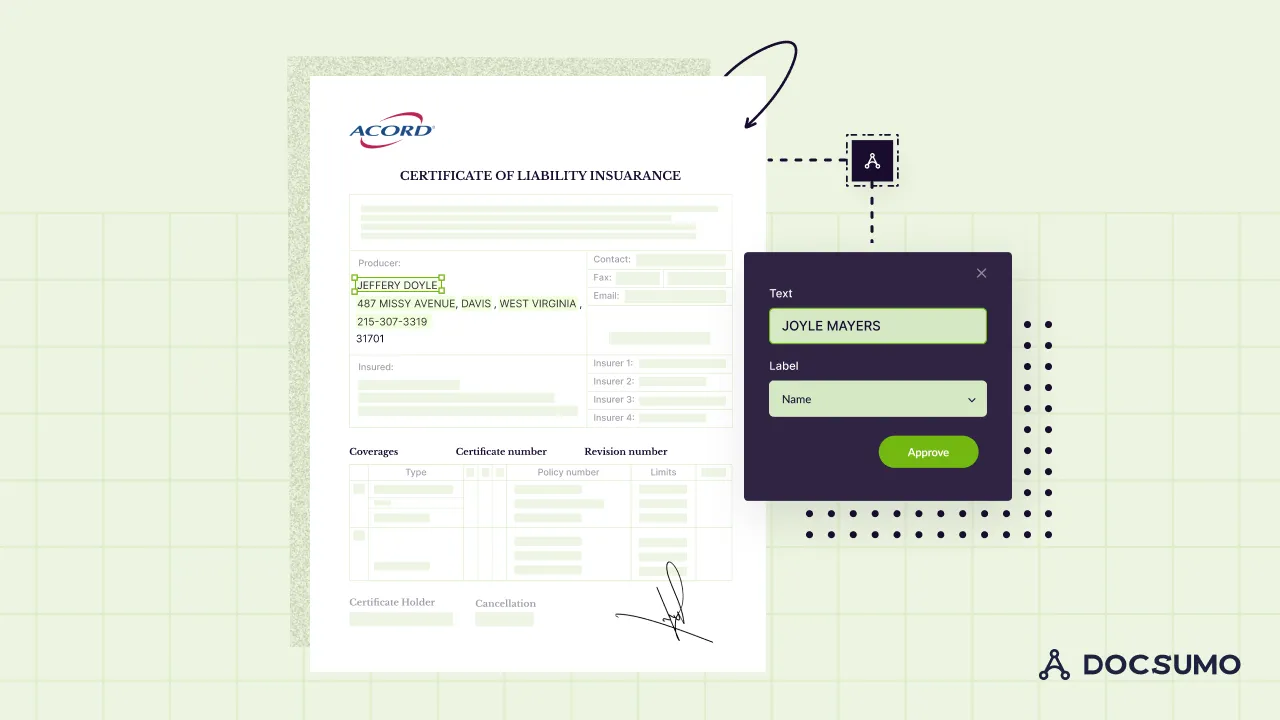
On this page
- What are Acord 101 forms?
- What information or data points are typically extracted from Acord 101 forms?
- Understanding the importance of data extraction from Acord Forms 101
- Common challenges in data extraction from Acord 101 forms
- Preparing Acord forms 101 for data extraction
- Step-by-step guide to data extraction from Acord 101 forms
- Best practices for managing extracted data from Acord Forms 101
- Conclusion: Enhancing insurance operational efficiency with Acord Forms 101 data extraction
Document management with clarity and precision is crucial in the insurance industry. Acord 101 forms are used to bridge the gap between basic data collection and the complex needs of insurance documentation. Extracting such data inaccurately will lead to significant operational and compliance issues.
These challenges can compromise efficiency and client satisfaction. In this guide, we'll cover the importance, technologies, and challenges of Acord 101 data extraction. You'll also get simple steps for effective data extraction and strategies for managing data, which will help you streamline your processes. Let’s begin.
What are Acord 101 forms?#
Acord 101 forms, known as the "Additional Remarks Schedule," serve a unique purpose in the insurance sector. They are supplementary forms designed to capture information that standard Acord forms don't cover. This flexibility makes them indispensable in the insurance industry, which can be significantly streamlined by integrating solutions like Docsumo for insurance.
These forms are beneficial because they can be attached to various insurance policies. Whether it's life, auto, property, or health insurance, Acord 101 forms ensure all critical details are included. They provide a structured way for agents, brokers, and insurers to share complex or unique information.
Insurance professionals, such as agents, brokers, and policyholders, use Acord 101 forms. They are essential tools for ensuring all necessary data is recorded, understood, and processed correctly, making them a critical component in managing insurance documentation effectively.
To enhance the processing of these forms, you can leverage Docsumo OCR and Data Extraction for Acord forms Processing.
What information or data points are typically extracted from Acord 101 forms?#
Acord 101 forms are filled with vital information essential in the insurance process. Here are the key data points commonly extracted from Acord 101 data extraction:
- Insurer details: This section includes the insurance provider's name, address, and contact information. It's essential to identify the company underwriting the policy and for any necessary communication.
- Policyholder information: This section contains policyholder information, including the policyholder's name, address, and contact details. Understanding who is insured and establishing the point of contact is crucial.
- Coverage types: It covers liability, property, and auto. Understanding the coverage types helps assess the scope and extent of protection offered.
- Coverage limits: These are the maximum amounts the insurer will pay under a policy coverage. Knowing the coverage limits is vital for both insurers and the insured. They need to understand the extent of financial protection in case of a claim.
- Policy numbers: This is a unique identifier for the insurance policy. It references and manages the policy across various systems and communications.
- Policy effective dates: These dates show when the coverage starts and ends. They are critical for determining the projected period.
- Additional remarks: This section notes any extra information not covered by standard fields. It can include special conditions, additional insured parties, or specific exclusions.
Understanding the importance of data extraction from Acord Forms 101#
Data extraction from Acord Forms 101 has many benefits and is essential. Here's some of them:
- Enhances underwriting accuracy: Proper data extraction ensures that all relevant details are accurately captured and assessed. This leads to more precise underwriting, reducing the risk of errors and misjudgments.
- Facilitates compliance and reporting: Accurate data extraction helps maintain records that comply with legal and regulatory standards. It simplifies the reporting process. It also ensures that all the necessary information is ready and documented correctly.
- Improves operational efficiency: When you pull data efficiently, everything from setting up policies to handling claims gets faster. It enhances the overall productivity.
- Supports customized insurance solutions: Efficient data extraction allows for a better analysis of the insured's needs and risks. Intelligent document processing in insurance is becoming increasingly crucial in this context. It supports the development of tailored insurance solutions that better meet client requirements.
Common challenges in data extraction from Acord 101 forms#
Extracting data can be complex, but understanding these challenges can improve Acord 101 data extraction efficiency and accuracy. Here are some common hurdles:
- Content variation: Acord 101 forms can vary significantly from one document to another, not just in the type of information provided but also in its presentation. This variability can make standardizing the data extraction process difficult and lead to consistency and errors.
- Handwritten notes: These forms often include handwritten notes or annotations, which can be challenging to interpret with standard data extraction tools. This can result in missing or incorrect data, complicating the extraction process.
- Integration with existing systems: Seamlessly integrating extracted data from Acord 101 forms into existing systems can be a technical challenge. Compatibility issues may arise, requiring additional resources or modifications to ensure smooth data flow and utilization.
- Maintaining data accuracy: Ensuring the accuracy of extracted data is paramount, yet it remains a significant challenge. Errors during extraction can lead to incorrect assessments, policy errors, and compliance issues.
Preparing Acord forms 101 for data extraction#
Here are some widely used techniques to ensure these forms are ready for processing:
- Standardize data collection: Implementing a standardized format for data collection can significantly streamline the extraction process. This involves setting clear guidelines on how information should be entered into the forms, such as using block letters for handwritten sections and avoiding unnecessary markings.
- Invest in OCR technology: Optical Character Recognition (OCR) technology is a game-changer for extracting data from Acord forms 101. Advanced OCR solutions can help convert different types of handwritten and typed text into machine-readable formats, facilitating more manageable and more accurate data extraction.
- Pre-processing checks: Properdocument preprocessing can significantly impact the success of your data extraction efforts. Before extracting data, pre-processing checks improve the quality of the data. This includes verifying that all pages are correctly aligned.
- Template creation: Developing templates based on common layouts of Acord Forms 101 can speed up the data extraction process. By creating templates, you can guide the OCR technology to focus on specific areas of the form, improving accuracy and reducing the time needed for data extraction.
Step-by-step guide to data extraction from Acord 101 forms#
Here's a clear, step-by-step guide to efficiently extracting data from Acord 101 forms using Docsumo:
Step 1: Get started with Docsumo
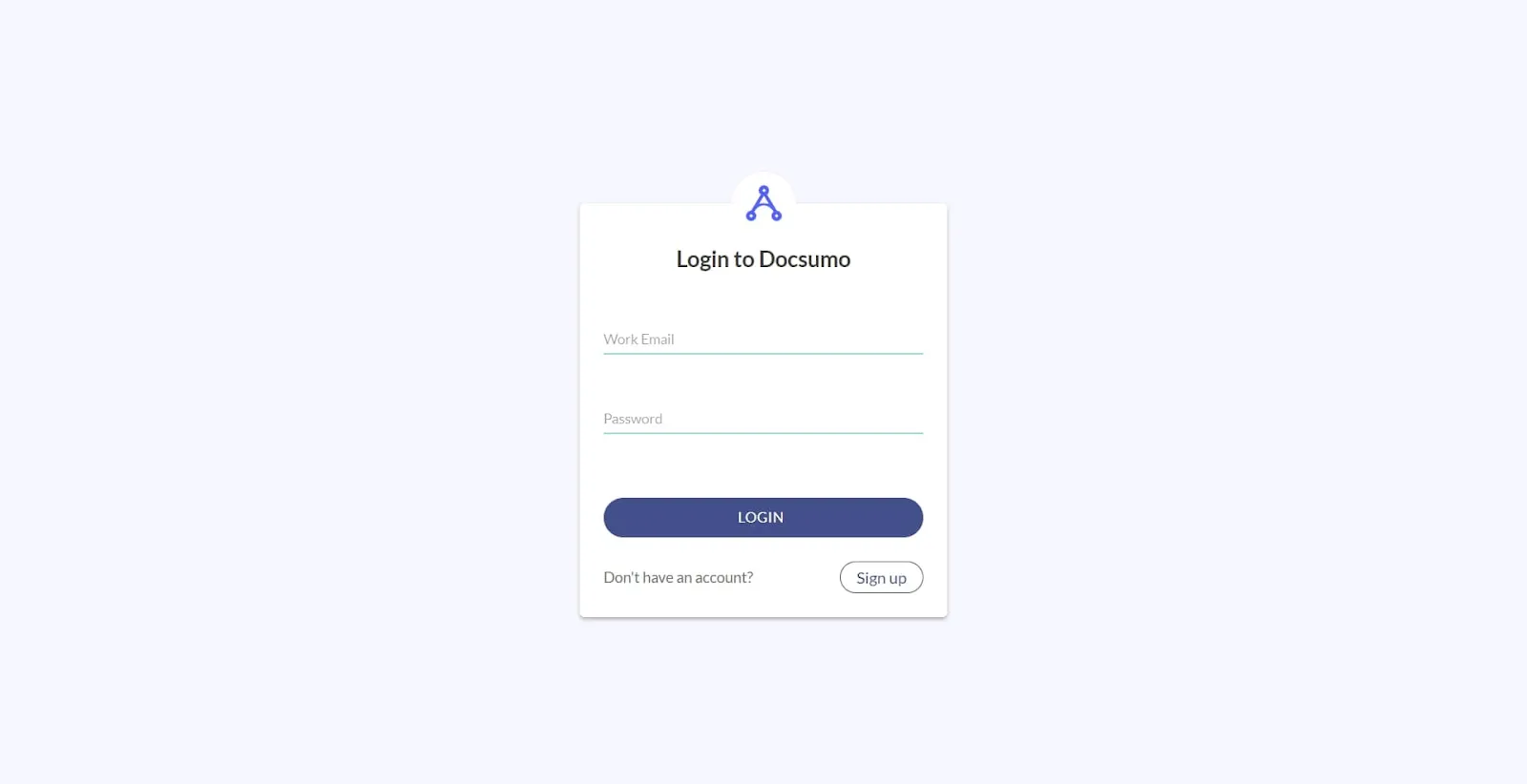
First, create an account on the Docsumo platform. This will give you access to various document processing features essential for handling Acord forms effectively. Visit the Docsumo website and click “Start free 14-day trial” to get started.
Step 2: Upload your documents
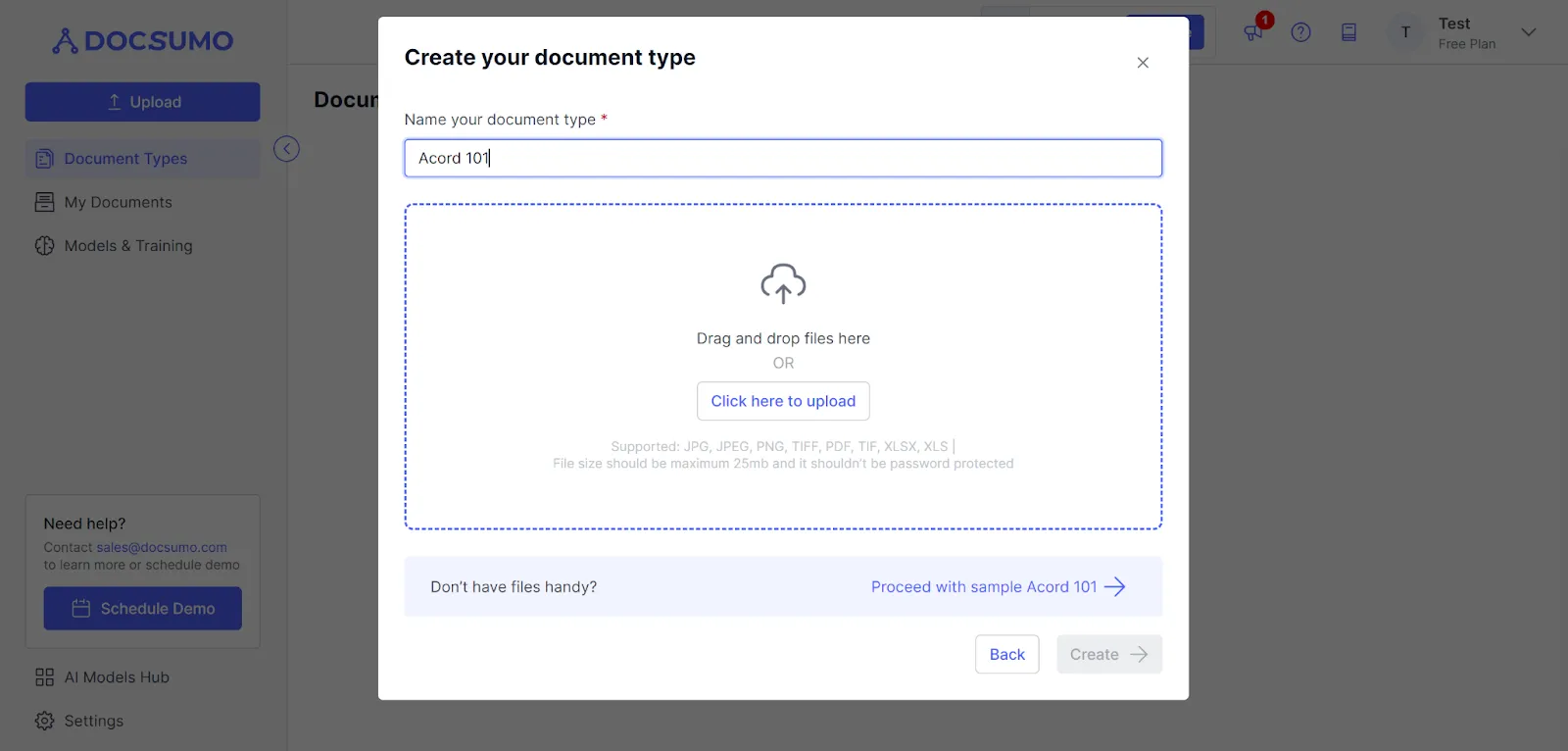
After setting up your account, it's time to upload your Acord 101 forms into the Docsumo system. This is as easy as a click or a drag-and-drop action from your computer or email. Docsumo is compatible with both image files and PDFs.
Step 3: Let Docsumo process your document
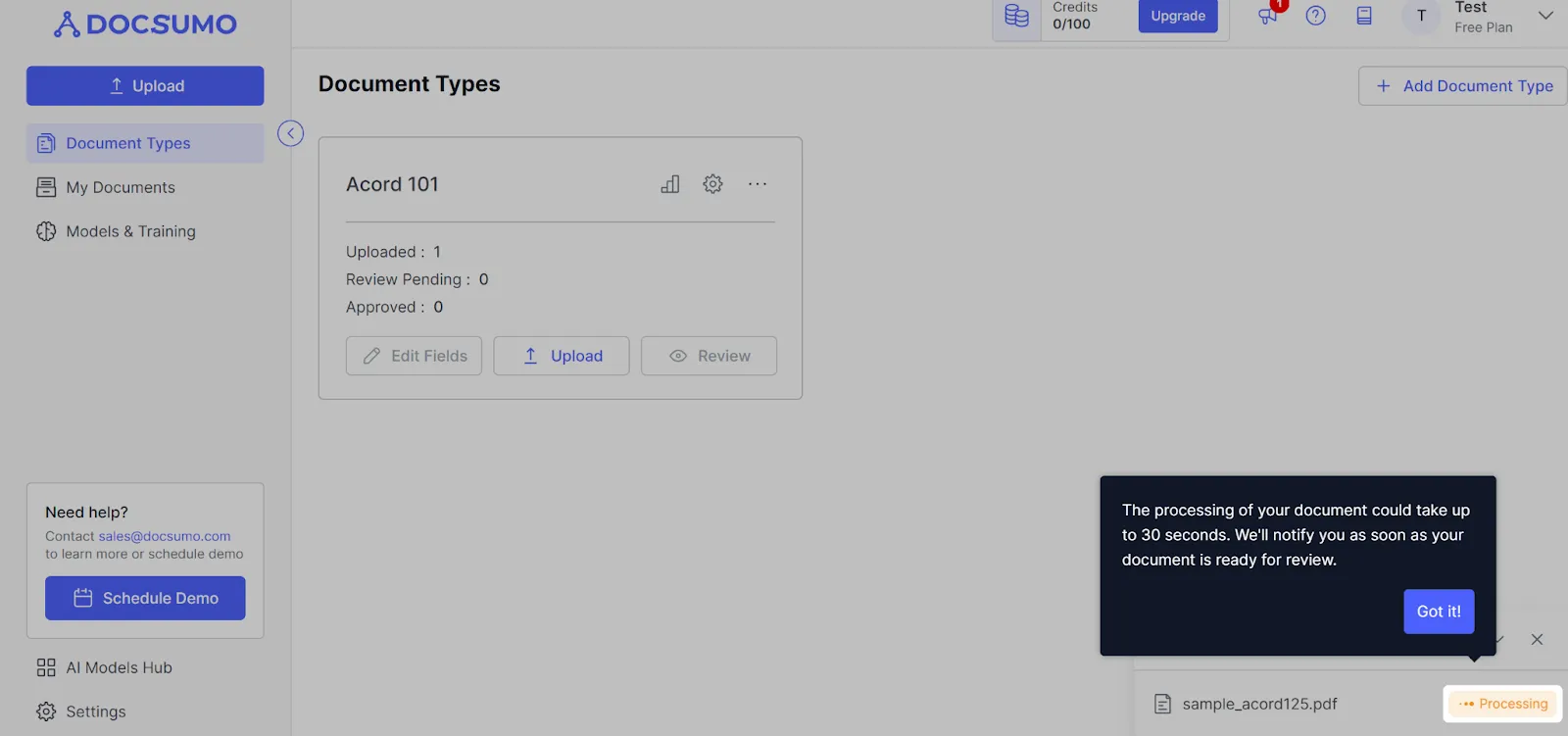
Once your forms are uploaded, Docsumo employs advanced technology, including neural networks, to analyze and offer editing options. You can utilize OCR to extract or manually input data as needed automatically.
Step 4: Assign and extract data types
Docsumo enhances accuracy by assigning appropriate data types using sophisticated techniques like Deep Learning. After you confirm the fields are right, Docsumo will extract the information. It will also highlight any differences for your review.
Step 5: Confirm and save
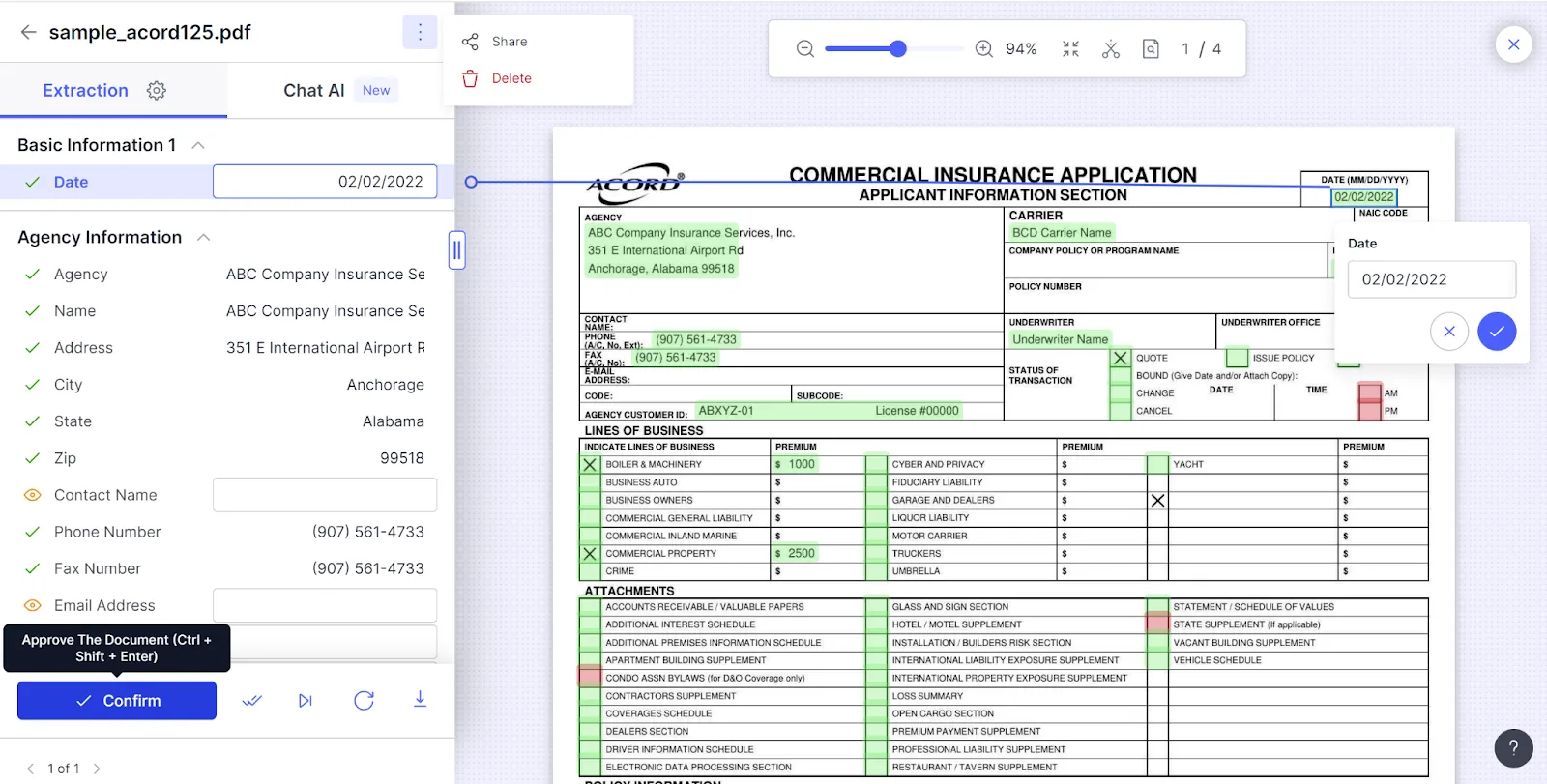
Review Docsumo's suggestions carefully. Make any needed adjustments. Then, hit ‘Confirm’ to finalize the data extraction. This ensures the information you extract is precise and ready for application.
Step 6: Download your data
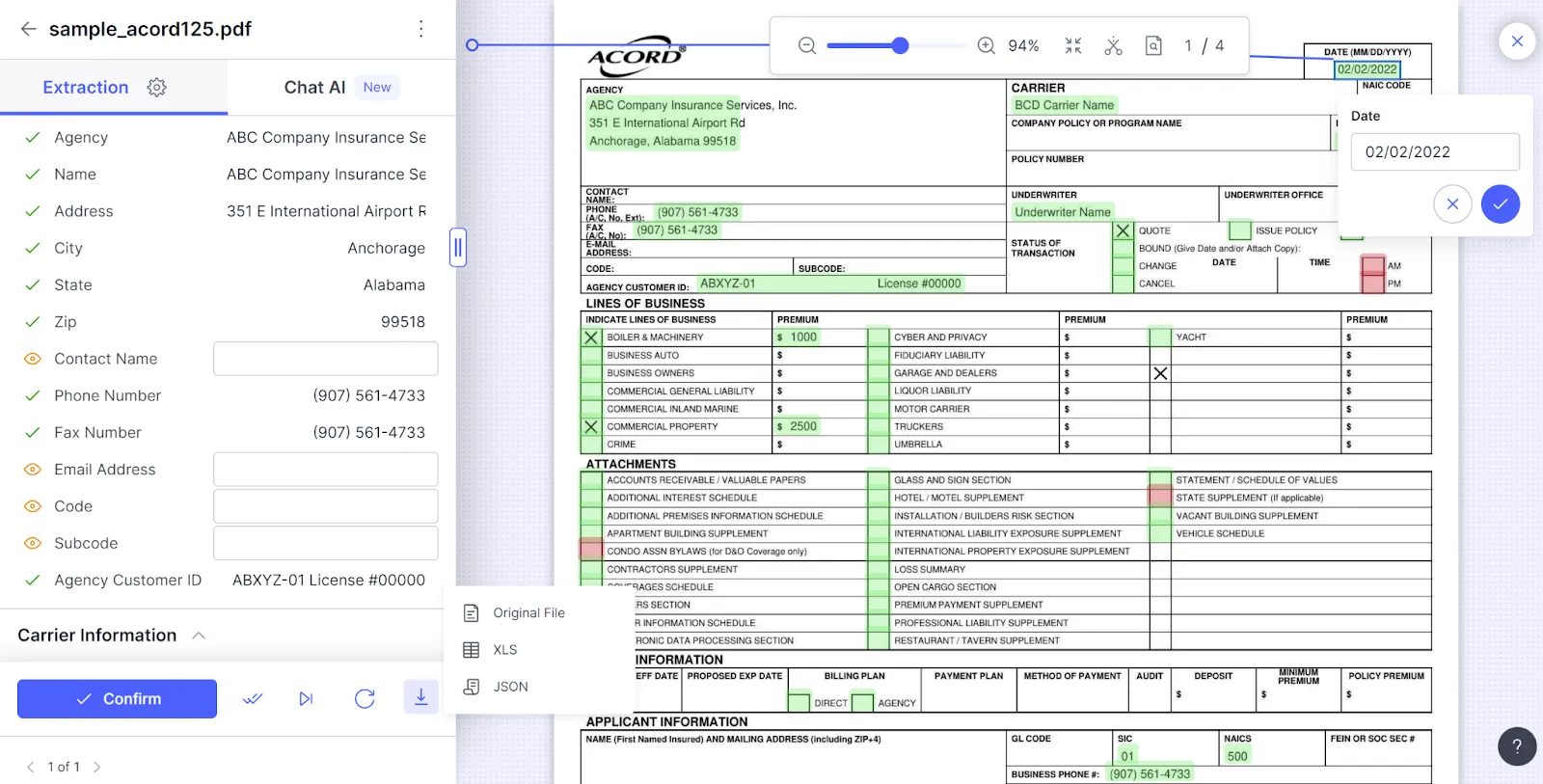
Now, depending on your needs, you can download the extracted data in formats like CSV, Excel, or JSON. Choose Excel for a straightforward analysis or JSON for integration with other systems or databases.
Step 7: Handle multiple documents with ease
Docsumo allows the processing of numerous documents following the same format. This especially helps insurance agencies as they manage many Acord forms. It makes the process easier and more efficient.
Best practices for managing extracted data from Acord Forms 101#
After Acord 101 data extraction, managing this information correctly is crucial for maintaining its integrity and utility. Here are some best practices to consider:
- Data validation: Once data is extracted, it must be validated for accuracy and completeness. Document analysis techniques are invaluable here. They will help spot and correct errors to ensure your data reflects the true information.
- Secure storage: Protecting the extracted data is paramount. Ensure that it is stored in secure, encrypted databases or systems that comply with industry standards and regulations to prevent unauthorized access or breaches.
- Regular audits: Regular audits of stored data help maintain its accuracy and relevance over time. This can involve checking for old information. It ensures that rules are followed and that data storage is still secure.
- Integration: Integrating the extracted data with other systems or databases can enhance its value and usability. Make sure the process joins well. Also, check that data formats work on all platforms.
- Accessibility: Data must be kept secure, but it's also important to ensure that authorized staff can easily access and use it. To facilitate efficient data usage, implement user-friendly interfaces and clear access protocols.
Conclusion: Enhancing insurance operational efficiency with Acord Forms 101 data extraction#
Accurately removing data from Acord Forms 101 helps ensure that insurance details are spot-on. It also keeps the data safe and fits it into other systems to ensure the right people can access it. Leveraging advanced technologies and methodologies can transform how you handle Acord Forms 101.
It will lead to more informed decision-making, better risk management, and enhanced customer satisfaction. Why not make things easier and more accurate with smart data handling? Docsumo is built just for this, making data extraction simple and smart. Try Docsumo for Acord forms 101 extraction today.
First published .