Driver's license OCR: fields, the PDF417 barcode and how to automate license capture
For onboarding, KYC and loan operations teams: what a US driver's license holds, how OCR and a barcode reader capture it, the checks to run on every license, and the tools that automate the work.

Key takeaways
- Driver's license OCR reads the printed fields on a license, such as name, date of birth, address, license number, class and dates, and returns them as structured data.
- US licenses carry the same core fields in a PDF417 barcode on the back, written to the AAMVA card design standard with three-letter element IDs such as DAQ for the license number and DBB for the date of birth.
- The front and the barcode don't always use the same format: the barcode writes US dates as MMDDCCYY, sex as 1, 2 or 9 and height in inches, so normalize before you compare.
- Checks on expiration, front against barcode, and license against the application catch misreads and mismatches. They don't prove a card is genuine.
- Automated capture sends licenses that pass every check to the KYC system or loan origination system (LOS) through an API and routes only the flagged fields to a person.
On this page
- What is driver's license OCR?
- Fields you can extract from a driver's license
- What's in the barcode on a driver's license?
- How to extract data from a driver's license with OCR
- Checks to run on every driver's license
- Driver's license OCR APIs, SDKs and tools
- How to automate driver's license capture
- The bottom line
- Frequently asked questions
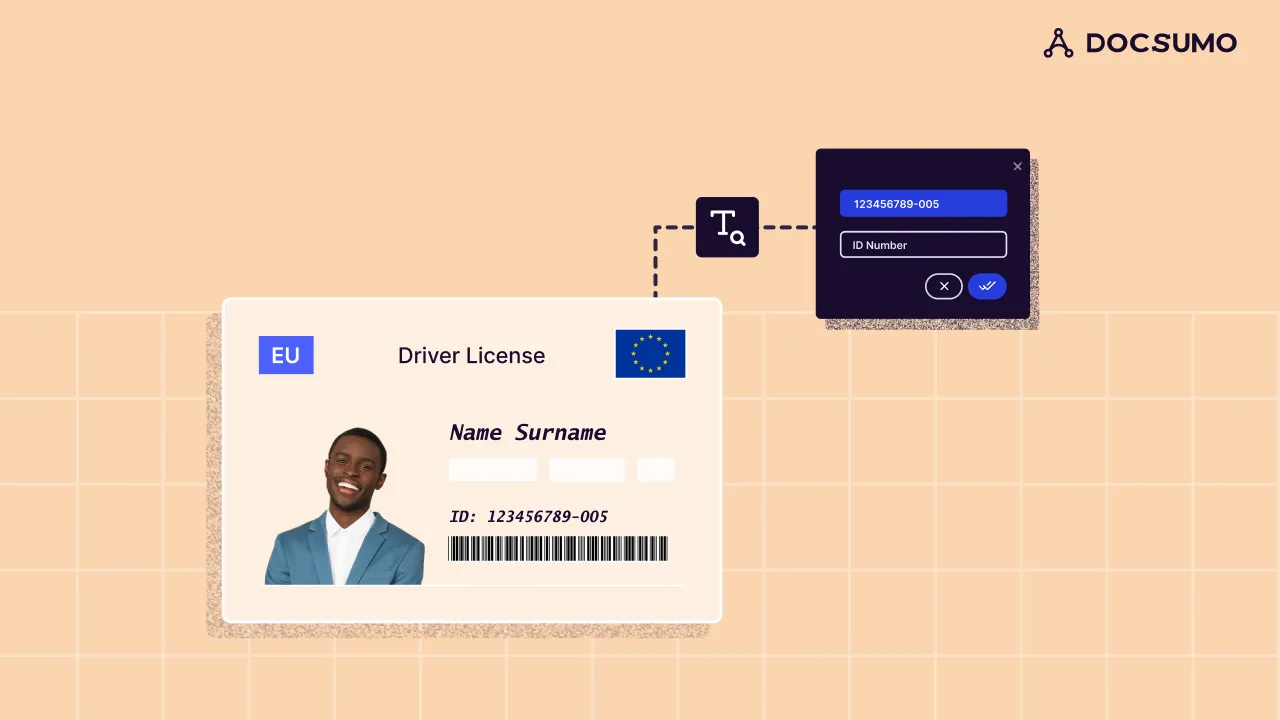
Driver's license OCR reads the printed front of a driver's license and turns it into structured data: name, date of birth, address, license number, class, and the issue and expiration dates. On US licenses it's paired with a decoder for the PDF417 barcode on the back, which stores the same core fields under AAMVA element IDs, so the two copies can be checked against each other. Banks, lenders, insurers and trucking fleets use it to fill onboarding, KYC, loan and driver records without retyping the card.
This guide covers the fields, the barcode, how extraction works, the checks to run and the tools.
What is driver's license OCR?#
OCR turns the characters in an image into text. Driver's license OCR adds the part that makes the text useful: it knows which string is the license number and which date is the date of birth, and returns each one as a named field. It's also called driving license OCR, or sold as a driver's license data extractor or parser.
A US license carries its data twice. The front is printed for people. The back has a PDF417 barcode for machines, which a barcode reader decodes, not OCR. Holograms and microprint are security features, not data to extract.
Fields you can extract from a driver's license#
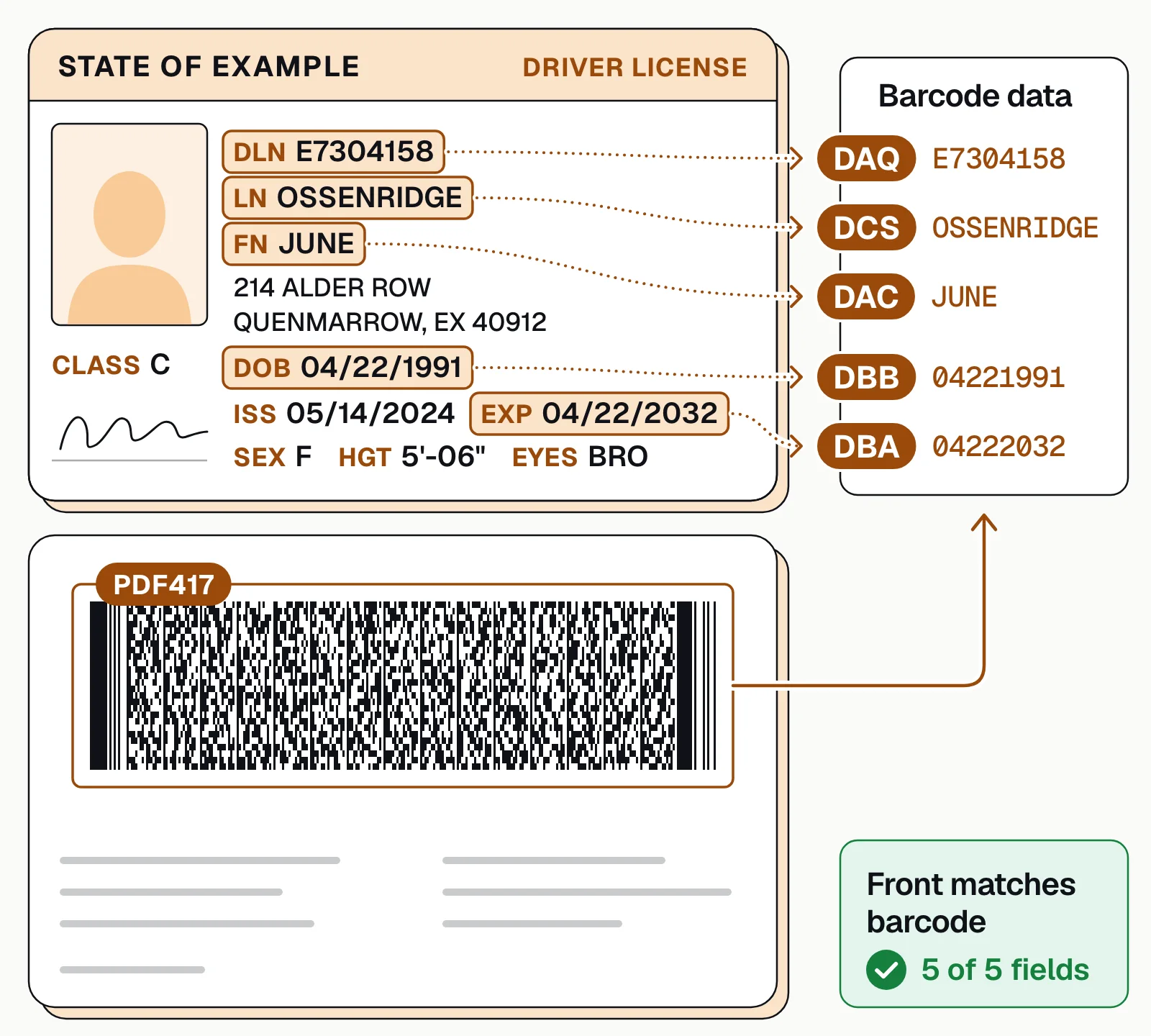
The AAMVA DL/ID Card Design Standard, the North American standard for license design, sets the fields a license must show. It numbers them on the card (4d for the license number, 3 for the date of birth) and gives each a three-letter element ID in the barcode.
Name
Family name (field 1) and given names (2). Barcode: DCS, DAC and DAD, plus flags that show whether a name was cut short.Date of birth
Field 3, written MM/DD/CCYY on US cards. Barcode: DBB.Address
Field 8: street, city, state and ZIP code. Barcode: DAG, DAI, DAJ and DAK.License number and issuing state
Field 4d, an ID each state assigns in its own format, and the state named across the top. Barcode: DAQ, with the issuer identified in the header.Issue and expiration dates
Fields 4a and 4b. Barcode: DBD and DBA.Class, endorsements and restrictions
Fields 9, 9a and 12, in the state's own codes, explained on the card. Barcode: DCA, DCD and DCB.Physical description
Sex (15), height (16) and eye color (18). Barcode: DBC, DAU and DAY.Document discriminator
Field 5, a number that tells this card apart from others issued to the same person. Barcode: DCF.
These fields also cover what a bank's Customer Identification Program (CIP) must record about an ID it relies on: document type, ID number, place of issuance, and issue and expiration dates.
What's in the barcode on a driver's license?#
The barcode on the back is a PDF417, a two-dimensional barcode that every AAMVA-compliant and REAL ID-compliant card must carry. Its standard fields aren't encrypted, so any PDF417 reader can decode them: a header that starts with "@" and "ANSI" and identifies the issuer by a six-digit number, then one field after another, each opening with its element ID.
The barcode repeats the front, but not always in the same form, so normalize before you compare:
| Field | On the front | In the barcode |
|---|---|---|
| License number | DLN E7304158 | DAQE7304158 |
| Date of birth | DOB 04/22/1991 | DBB04221991 |
| Sex | SEX F | DBC2 |
| Height | HGT 5'-06" | DAU066 in |
| Long names | Shortened to fit the card | DDE, DDF and DDG flag a truncated name |
Canadian cards write barcode dates year first (CCYYMMDD). A mandatory field with no value reads "NONE", or "unavl" when the issuer doesn't have the data.
How to extract data from a driver's license with OCR#
Whatever tool you use, license capture runs through the same stages, from upload to your KYC or loan system.
- Front photo
- Back photo
- Application data
- 01Identify state and version
- 02Read the front
- 03Decode the barcode
- 04Cross-check
- 05Review exceptions
- Capture both sidesFlat, in focus and without flash: glare on the laminate can wash out a field or the barcode. Phone photos work when the whole card is in frame.
- Identify the state and versionLayouts differ by state, and older designs stay valid after a redesign: AAMVA's standard cites estimates of well over 200 valid designs. The barcode header names the issuer and the standard version.
- Read the frontOCR reads the text, and extraction maps each value to its field by the label or reference number beside it.
- Decode the barcodeA PDF417 reader turns the back into text, and a parser splits it into fields on the element IDs.
- Cross-checkNormalize formats, then compare the front with the barcode and both with the application.
- Review and deliverUnreadable or mismatched fields go to a person with the image beside them; clean records go to your KYC system or loan origination system (LOS) through an API.
Checks to run on every driver's license#
These are data checks: they catch misreads and mismatches between the license and what the applicant told you. Proving the card is genuine takes an identity verification tool, and confirming the state holds the same data takes a check such as AAMVA's DLDV service.
- Not expiredThe expiration date is after the day you rely on it. The CIP rule names an unexpired government-issued photo ID, such as a driver's license, as a document banks may use.
- Front matches barcodeLicense number, name, date of birth and expiration agree once formats are normalized. A mismatch usually means a misread, so re-read the field or send it for review.
- Matches the applicationName and date of birth agree with the application and the rest of the file. A different address may only mean the person moved after the license was issued, so ask rather than decline.
- License number fits the stateEach state sets its own format, so check the length and pattern for the issuing state.
- Nothing missingBoth sides arrived, the barcode decoded and every field your records need was read.
Here's the front-against-barcode check on one license:
| Field | Extracted value | Confidence |
|---|---|---|
| License number | D4827-19305-66 | |
| Class | D | |
| Issue date | 2021-07-15 | |
| Expiration date | 2029-07-22 |
| Field | Extracted value | Confidence |
|---|---|---|
| Last name | RENNICK | |
| First and middle | JONAH T | |
| Address | 418 Alder Row, Fairhaven, LM 55017 | |
| Date of birth | 1991-07-22 | |
| Sex | M | |
| Height | 5'10" (70 in) |
| Field | Extracted value | Confidence |
|---|---|---|
| DAQ license number | Matches the front | |
| DCS / DAC name | Matches the front | |
| DBB date of birth | Matches the front | |
| DBA expiration | Matches the front | |
| Front matches barcode | Yes |
Driver's license OCR APIs, SDKs and tools#
Three kinds of tools read driver's licenses, through an API, an SDK or both. Which fits depends on whether you need the whole file read, the license alone, or proof that the person matches the ID.
Document AI platforms
Docsumo, our product, reads the license with the rest of the file, such as the application, pay stubs and bank statements, and on the Enterprise plan checks them against each other. Output goes through an API and webhooks. It doesn't match selfies or test a card's security features.Cloud OCR APIs
Amazon Textract (AnalyzeID), Google Document AI (US driver license parser) and Azure Document Intelligence (ID document model) return the fields as JSON, with published pricing. You build the checks and workflow around them.Identity verification platforms
Jumio, Socure and Stripe Identity check the ID document and match a selfie to its photo while a customer signs up, and return a verification result.
For a vendor-by-vendor comparison of the identity tools, see the best KYC document verification software.
How to automate driver's license capture#
A license rarely arrives alone. Docsumo reads the front with a pre-trained driver's license model, and a step in the workflow decodes the PDF417 barcode on the back with a barcode library, so the two can be compared. It handles any other document type, so it reads the license with the rest of the loan file or onboarding packet. On the Enterprise plan, cross-document validation checks the license against the other documents: the same name and date of birth everywhere, and the address against the application.
Fields below the confidence threshold you set go to your reviewers, who click a field to see its source line on the image; their corrections improve the model. Results reach your KYC system or LOS through the API and webhooks. For motor carriers, driver qualification file processing flags an expiring CDL against a window you set when the record is read.
- 99%field-level accuracy across 250+ document types
- 95%+of documents processed straight through, without manual review
The bottom line#
A US driver's license carries its data twice: printed on the front and encoded in the PDF417 barcode on the back. Read both, normalize the formats, check them against each other and the application, and send only the mismatches to a person. When you also need proof that the card is genuine, add identity verification.
Book a demo with a sample onboarding or loan file, or start a free trial.
Frequently asked questions#
What is driver's license OCR?
Driver's license OCR is software that reads the printed fields on a driver's license, such as name, date of birth, address, license number and expiration date, and returns them as structured data. On US licenses it's paired with a decoder for the PDF417 barcode on the back, so the two copies of the data can be compared.
Can OCR read the barcode on a driver's license?
Not on its own: OCR reads printed characters, while the PDF417 barcode on the back of a US license needs a barcode reader. A parser then splits the decoded text into fields by their three-letter AAMVA element IDs, such as DAQ for the license number. Use both: the barcode is a second copy of the data to check the front against.
What happens when your driver's license is scanned?
The scanner decodes the PDF417 barcode on the back, which holds your name, date of birth, address, license number, license dates and physical description. The AAMVA standard requires that data to be unencrypted, so any compatible reader can decode it. The scan reads only what's on the card: checking the data against state records is a separate step.
What's the difference between driver's license OCR and driver's license verification?
OCR reads the data off the card. Verification checks it: AAMVA's Driver's License Data Verification (DLDV) service, open to organizations AAMVA approves, compares the data with the records of participating issuing states and returns a match flag for each field, while identity verification platforms test the card's security features and match a selfie to its photo. See how the pieces fit in automated KYC verification.
How do you keep driver's license data secure?
Treat license images and fields as sensitive personal data: encrypt them in transit and at rest, limit who can see them, keep them only as long as you need them, and redact what a reviewer doesn't need to see. Ask any vendor for its SOC 2 Type 2 report and ISO 27001 certificate. Docsumo is SOC 2 Type 2 audited and ISO/IEC 27001:2022 certified, can find and redact sensitive data, and doesn't use customer documents to train shared or third-party models; see security.
Should you outsource driver's license processing?
Outsourcing moves the keying, and copies of your customers' IDs, to another company. Software keeps the work in-house: it reads the license, and your own staff review only the fields it flags. Docsumo works this way: it supplies the software, not a managed review team.
Sources
- AAMVA: 2025 DL/ID Card Design Standard (June 2025)
- 6 CFR 37.19: Machine readable technology on REAL ID licenses (Cornell LII)
- 31 CFR 1020.220: Customer identification program requirements for banks (Cornell LII)
- AAMVA: Driver's License Data Verification (DLDV) Service
- AWS: Amazon Textract features (AnalyzeID)
- Google Cloud: Document AI pricing (US driver license parser)
- Microsoft: Azure Document Intelligence overview (ID document model)
- Jumio: Identity verification
- Socure: Predictive Document Verification
- Stripe: Stripe Identity
First published . Last updated .