Text annotation: types, process and tools for training NLP models
For data science, ML and operations teams building or buying language models: what text annotation is, the annotation types that matter, how to run a project with consistent labels, and how document AI uses it.

Key takeaways
- Text annotation is adding labels to text, such as entities, sentiment, intent or relationships, so a machine learning model can learn to do the same thing on new text.
- The main types are named entity recognition, part-of-speech tagging, sentiment, intent, text classification and relation extraction.
- A project runs in four steps: select and prepare the data, define the labels in written guidelines, annotate, and check quality.
- Consistency matters more than volume: measure inter-annotator agreement (for example Cohen's kappa) and fix the guidelines where annotators disagree.
- Today, models often pre-label text and people correct it, which cuts annotation time. Document AI platforms use the same loop: reviewer corrections become new training data.
On this page
Text annotation is the process of adding labels to text so a machine learning model can learn from it. Annotators mark things like names, dates, amounts, sentiment or intent in examples, and the model learns to find the same things in text it hasn't seen. It's how language models are trained to extract data, route emails, detect complaints and read documents.
This guide covers the main types of text annotation, how an annotation project works, how to keep labels consistent, the tools available, and how document AI platforms use annotation.
What is text annotation?#
In a supervised machine learning project, a model learns from labeled examples. Text annotation creates those examples. A sentence like:
Harbor Street Supply invoiced $4,812.30 on September 12, 2026.
might be annotated as:
Harbor Street Supply→ ORGANIZATION$4,812.30→ AMOUNTSeptember 12, 2026→ DATE
With enough consistent examples, a model learns to label new invoices, emails or contracts the same way.
Types of text annotation#
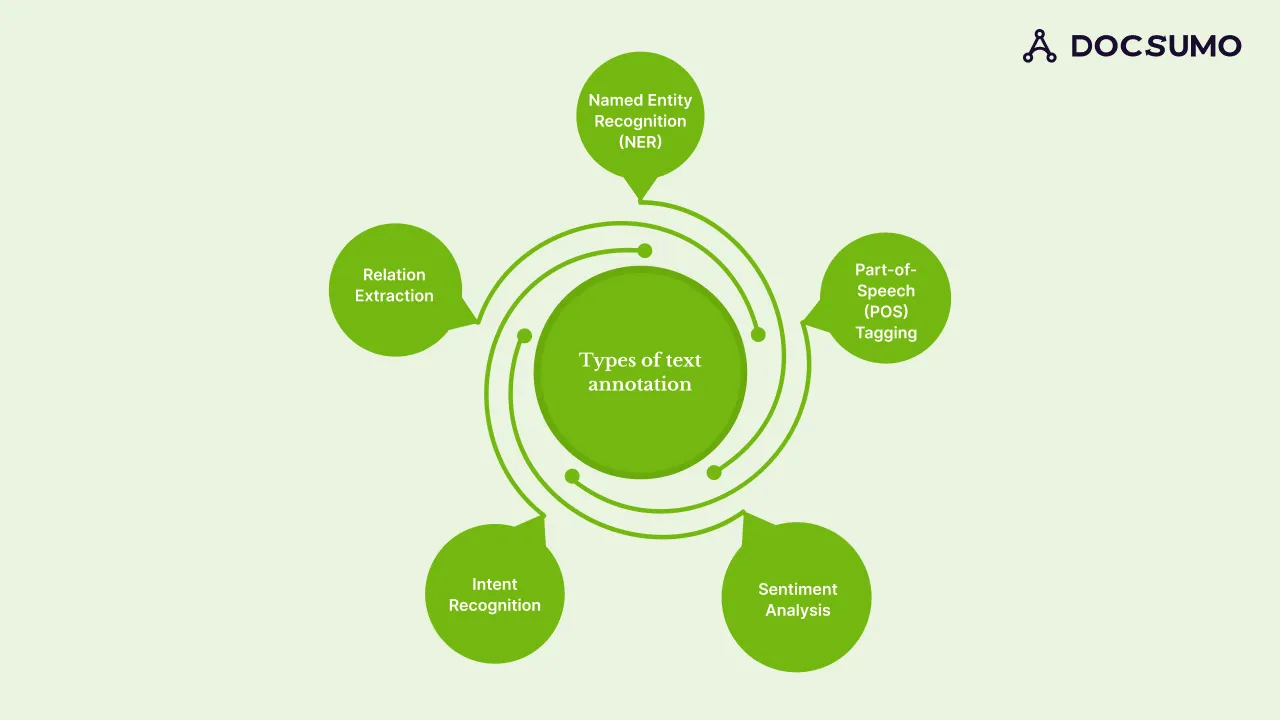
| Type | What gets labeled | Example use |
|---|---|---|
| Named entity recognition (NER) | Names of people, organizations, places, dates, amounts, IDs | Pulling the vendor, invoice number and total from an invoice |
| Text classification | The whole document or passage gets a category | Sorting incoming emails into claims, billing and support |
| Sentiment | Positive, negative or neutral tone | Tracking customer feedback on a product |
| Intent | What the writer wants: request, complaint, cancellation | Routing chatbot and support messages |
| Part-of-speech tagging | Grammatical role of each word | Improving parsing and entity accuracy |
| Relation extraction | How two entities connect | "Jane Doe works at XYZ Inc." gives works_at(Jane Doe, XYZ Inc.) |
For documents, annotation also includes layout: drawing boxes around fields and table cells so a model learns where values sit on a page, not just what the words are. See document annotation for that side.
How text annotation works#
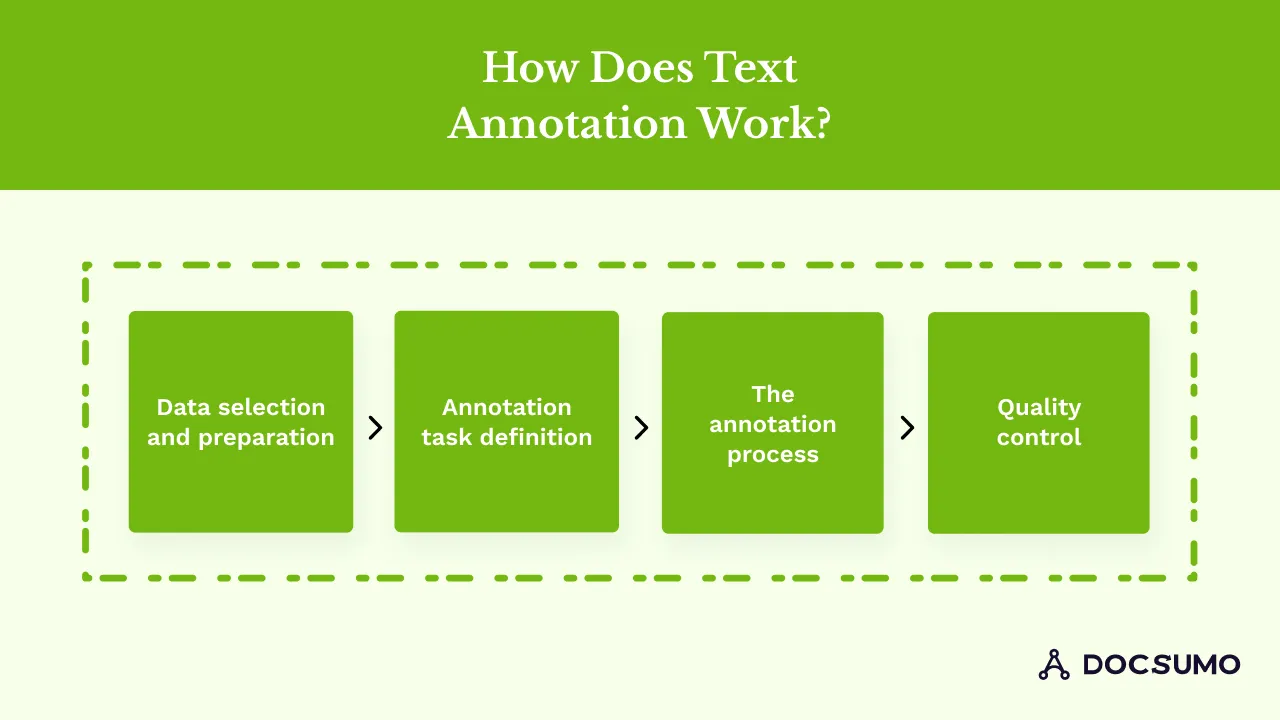
1. Select and prepare the data
Pick text that represents what the model will see in production, including the messy cases. Clean it up (remove duplicates, fix encoding) and remove or mask personal data you don't need.
2. Define the task and write guidelines
Decide the label set and write guidelines with a definition and examples for each label, plus rules for edge cases: does "Apple" in "Apple Street" count as an organization? Guidelines are the single biggest driver of quality.
3. Annotate
Annotators apply labels in an annotation tool. Increasingly, a model pre-labels the text and annotators accept or correct it, which is faster than labeling from scratch.
4. Check quality
Have a sample labeled by two or more people and compare. Review disagreements, update the guidelines, and re-label where needed.
Annotation approaches#
- Manual annotation. People label every example. Most precise, slowest and most expensive.
- Model-assisted annotation. A model or large language model pre-labels and people correct. The common default today.
- Active learning. The model picks the examples it's least sure about for people to label, so each label teaches it the most.
- Crowdsourcing. Simple, well-defined tasks go to a large pool of annotators. Needs strong guidelines and agreement checks.
Keeping annotation quality high#
- Written guidelines with examples and edge cases.
- Inter-annotator agreement. Measure how often annotators agree, beyond chance, with Cohen's kappa for two annotators or Fleiss' kappa for more. Low agreement points to unclear labels.
- Gold-standard checks. Mix in pre-labeled examples to spot annotators who drift.
- Adjudication. A senior reviewer settles disagreements and feeds decisions back into the guidelines.
- Privacy. Mask personal data in training text, especially for financial and health records.
Challenges of text annotation#
- Ambiguity. "I saw the man with the camera" has two readings. Guidelines need to say which to pick, or allow both.
- Scale and cost. Thousands of examples take a lot of hours, which is why pre-labeling and active learning matter.
- Drift. Language and document formats change, so annotated data needs refreshing.
- Domain knowledge. Labeling loan documents or medical notes needs annotators who understand them.
Where text annotation is used#
- Financial services and lending: training models to read bank statements, pay stubs and loan documents, and to spot suspicious transactions.
- Accounts payable: labeling invoice fields and line items so models can extract them. See AP automation.
- Insurance: classifying claims correspondence and extracting policy details.
- Customer service: intent and sentiment labels for routing and chatbots.
- Healthcare: entity labels on clinical notes, with patient data de-identified.
- Legal: clause and entity labels for contract review.
How document AI uses annotation#
Document AI platforms put annotation to work in two places:
- Pre-trained models are built from large annotated sets of a document type, so you can process common documents without labeling anything.
- Custom models and corrections. For your own document types, you label a set of samples to train a model. After go-live, every correction a reviewer makes in the review screen is, in effect, a new annotation.
Docsumo, for example, offers pre-trained models for bank statements, pay stubs, tax forms, ACORD forms and invoices, lets you train a model on your own documents, and reports 99% field-level accuracy on 250+ document types. For the broader topic, read our guide to data labeling.
The bottom line#
Text annotation turns raw text into training data. Clear guidelines, agreement checks and model-assisted labeling matter more than sheer volume. If your goal is extracting data from common business documents, you may not need to annotate at all: start with pre-trained models and annotate only what's unique to you. Book a demo to see how that works on your documents.
Frequently asked questions#
What is text annotation in machine learning?
It's the process of labeling text data, such as marking names, dates and amounts, or tagging a sentence as a complaint, so a supervised model can learn from the examples and apply the labels to new text.
What is the difference between text annotation and data labeling?
Data labeling is the general term for adding labels to any training data, including images, audio and video. Text annotation is data labeling applied to text. See our guide to data labeling.
What tools are used for text annotation?
Common options include open-source tools such as Label Studio and doccano, commercial tools such as Prodigy, and managed labeling services from cloud providers. Many teams now use a large language model to pre-label text before human review.
How do you measure text annotation quality?
Have two or more annotators label the same sample and measure inter-annotator agreement with a statistic such as Cohen's kappa (two annotators) or Fleiss' kappa (more than two). Low agreement usually means the guidelines are unclear.
Do I need to annotate data to extract data from documents?
Not for common documents. Platforms with pre-trained models for bank statements, invoices or tax forms work without annotation. For custom document types, you label a set of samples to train a model. See Docsumo Document AI.