Document annotation: what it is, types and best practices
For teams training or tuning document AI models: what document annotation is, the kinds of labels you need, how to write guidelines and measure label quality, and how much annotation modern platforms still require.

Key takeaways
- Document annotation is labeling documents (their type, the location and value of each field, tables and line items) so a machine learning model can learn to extract that data.
- The main label types are document class, key-value fields, tables and line items, entities in free text, and page regions such as signatures or stamps.
- Consistency beats volume. A clear schema and written guidelines matter more than labeling thousands of pages.
- Measure label quality with agreement between annotators and spot checks, and fix the guidelines when people disagree.
- Modern document AI needs far less annotation than before: pre-trained models and LLMs cover common documents, and reviewer corrections become new labels.
On this page
Document annotation is the process of labeling documents so a machine learning model can learn to read them: marking what type each document is, where each field sits on the page and what its correct value is, and how tables and line items are structured. The labeled documents become training and test data for document AI, which then extracts the same information from new documents on its own.
This guide covers the types of document annotation, how an annotation project runs, a sample labeling schema, best practices and quality checks, and how much annotation modern platforms still need.
What is document annotation?#
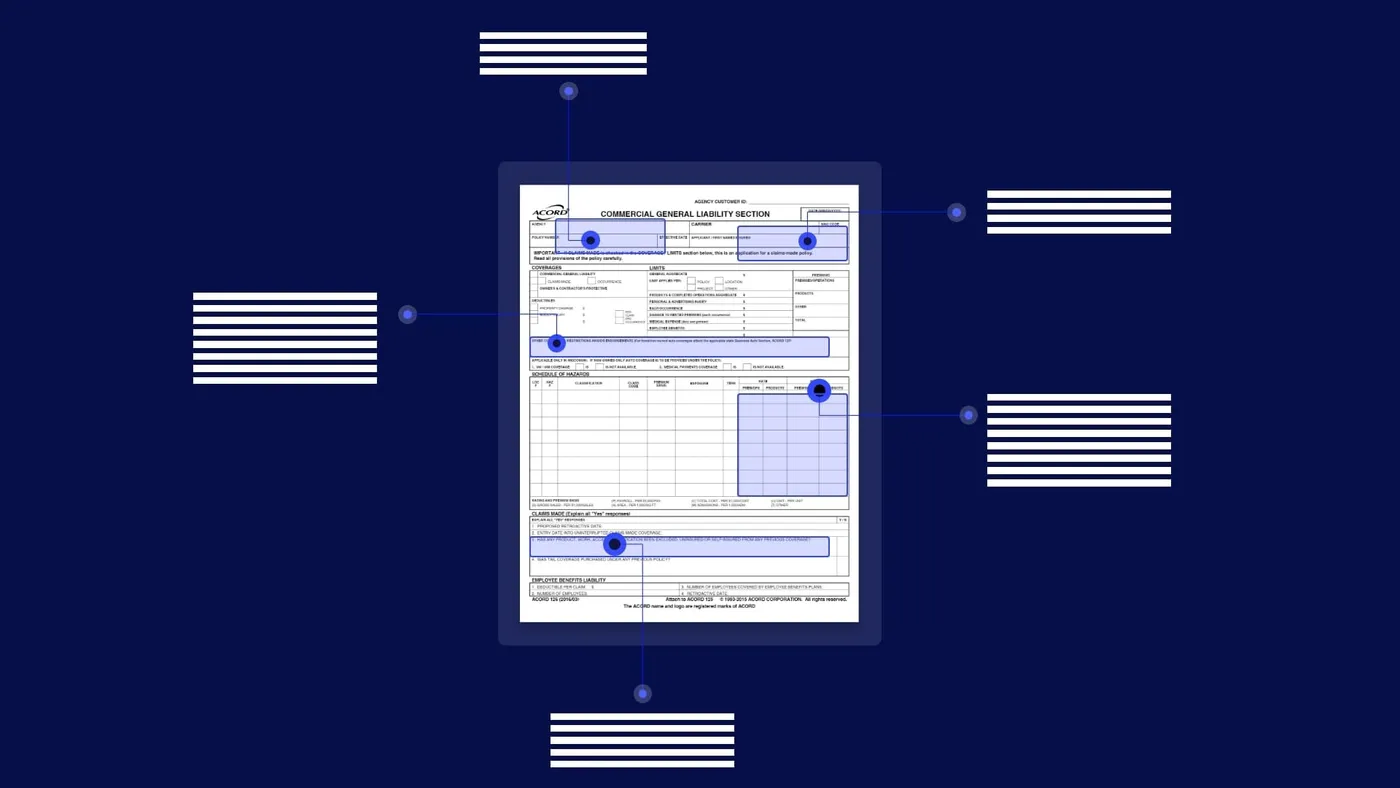
Annotation turns a document into a worked example. For an invoice, an annotator labels the document class (invoice), draws a box around the invoice number and records its value (INV-20431), marks the vendor name, dates, subtotal, tax and total, and marks each line item row with its description, quantity, unit price and amount.
A model trained on enough examples like this learns to find the same fields on invoices it has never seen, including new layouts. The same labels, kept aside as a test set, also tell you how accurate the model is.
Types of document annotation#
Most projects use several of these label types at once. An invoice needs a class, key-value fields and a line-item table; a lease adds entities in free text.
Document classification
The type of each document or page, such as bank statement, pay stub, W-2 or ACORD 25.Key-value fields
A field's location and value, such as policy number, account number or closing balance.Tables and line items
Table boundaries, rows, columns and cells, such as invoice line items, bank transactions or rent roll units.Entities in free text
Names, dates, amounts and terms inside paragraphs, such as the parties and renewal date in a lease.Page regions
Areas such as signatures, stamps, logos and checkboxes: signed or not, ticked or not.Relations
Links between labels, such as which policy row belongs to which insurer on an ACORD 25.
How an annotation project works#
An annotation project runs in a loop: agree what to label, label a varied sample, check the labels, then train and test a model. Reviewer corrections in production feed back into the next round.
- Invoices
- Bank statements
- Insurance forms
- Contracts
- 01Define the schema
- 02Label varied samples
- 03Check agreement
- 04Train and test
A sample annotation schema
Before labeling anything, write down the fields, their types and their rules. A schema for invoices might start like this:
{
  "document_type": "invoice",
  "fields": [
    {"name": "invoice_number", "type": "string", "required": true},
    {"name": "invoice_date", "type": "date", "format": "YYYY-MM-DD", "required": true},
    {"name": "vendor_name", "type": "string", "required": true},
    {"name": "total_amount", "type": "number", "required": true,
     "rule": "Label the final amount due, excluding the currency symbol"}
  ],
  "tables": [
    {"name": "line_items", "columns": ["description", "quantity", "unit_price", "amount"]}
  ]
}
The rule notes are where consistency comes from: they settle the edge cases before two annotators handle them differently.
Best practices for document annotation#
Consistency beats volume. A consistently applied rule is better than a "correct" rule applied half the time, so most of the work is in the setup.
- Define the schema firstAgree on fields, data types, formats and which fields are required before labeling starts. Changing the schema halfway means relabeling.
- Write annotation guidelinesCover the edge cases: multi-line addresses, totals shown twice, amounts in words and figures, missing fields, handwritten corrections. Include screenshots of right and wrong labels.
- Pick varied samplesCover every major layout, source and scan quality you'll see in production, not just clean examples.
- Keep a test set asideNever train on the documents you use to measure accuracy.
- Measure agreementHave two people label the same sample and compare. Where they disagree, fix the guideline, not just the label.
- Close the loopIn production, reviewer corrections are the best new annotations. Feed them back into training.
Checks to run on every annotation batch#
Label quality drifts as annotators get faster. These checks catch most problems before they reach the model.
- Annotators agreeA shared sample labeled by two people matches; disagreements lead to a guideline fix.
- The guideline was followedWhen in doubt, the annotator followed the written rule and flagged the document rather than improvising.
- Tables are completeRow and column boundaries are right and no row is missing, since a missed row breaks totals.
- A spot check passedSomeone reviewed a sample of the batch against the source pages.
- The data is protectedDocuments with personal or financial information stay in access-controlled tools and follow your retention rules. See Docsumo's security page.
How much annotation do you still need?#
Much less than a few years ago. Pre-trained models for common documents, such as invoices, bank statements, pay stubs and tax forms, need no annotation to start. Layout-aware and language models learn from fewer examples, because they already understand text and page structure, and LLM-based extraction can read a new document type from a description of the fields.
Annotation-first
- Every document type starts with a labeling project
- Hundreds of varied samples before the first result
- A separate project each time a layout changes
- Labels and production run as two workflows
Pre-trained models plus review
- Common documents work from day one
- Custom models start from a few dozen varied samples
- New layouts are usually read without new labels
- Reviewer corrections become labels as part of daily work
Human-in-the-loop review turns everyday corrections into labels, so the model improves without a separate annotation project. See human-in-the-loop review. Custom annotation still pays off for documents specific to your business, unusual layouts, and fields where accuracy is critical.
Docsumo covers 250+ document types with pre-trained models, and custom models can be trained for documents specific to your organization. Its reviewers see each extracted value next to its location on the page, which keeps labels and corrections consistent. See the platform or pricing, and read more about data labeling and text annotation.
- 99%field-level accuracy across 250+ document types
- 95%+of documents processed straight through, without manual review
The bottom line#
Document annotation teaches models what matters on a page. Start with a clear schema and written guidelines, label varied samples consistently, measure agreement, and let production corrections do the rest.
Book a demo with a few of your own documents, or start a free trial.
Frequently asked questions#
What is document annotation?
It's the process of labeling documents so AI can learn from them. An annotator marks what type of document it is and where each field (such as invoice number or total) appears, along with its correct value.
What is the difference between annotation and data extraction?
Annotation creates the labeled examples a model learns from. Extraction is what the trained model then does on new documents. Reviewer corrections during extraction can be fed back as new annotations.
How many documents do I need to annotate?
It depends on layout variety. For a custom model, a few dozen varied samples per document type is a common starting point; many more if layouts vary widely. Pre-trained models for common documents need none.
What tools are used for document annotation?
Open-source tools such as Label Studio support drawing boxes on page images and transcribing text. Document AI platforms, including Docsumo, include labeling screens for training custom models.
Why is annotation consistency important?
A model learns whatever the labels teach it. If one annotator includes the currency symbol in the total and another doesn't, the model learns both and gets less accurate. Guidelines and agreement checks prevent this.
Sources
- Label Studio: OCR labeling template
- Huang et al.: LayoutLMv3, Pre-training for Document AI with Unified Text and Image Masking, arXiv:2204.08387
First published . Last updated .