OCR for contract management: how OCR simplifies contract data extraction
Learn how Optical Character Recognition (OCR) technology simplifies contract management data extraction. Learn about the benefits, process, and real-world applications of OCR in streamlining contract workflows and improving efficiency.

On this page
- What is OCR in Contract Management?
- Why is Effective Contract Management Integral to Business Operations?
- An Overview of Contract Management Workflow
- Challenges of the Traditional Contract Management Processes
- The Role of OCR in Contract Management
- Benefits of Contract Management OCR Software
- Challenges of Using OCR in Contract Management
- Use cases of Contract Management OCR
- How to Extract Data From Contracts Using OCR
- Using Docsumo for contract data extraction
Managing contracts is a critical yet complex task for businesses. Contracts often contain dense, unstructured information that must be meticulously reviewed, extracted, and analyzed.
Relying on manual processes for these tasks is not only time-consuming but also prone to errors, which can lead to missed deadlines, non-compliance, and strained business relationships.
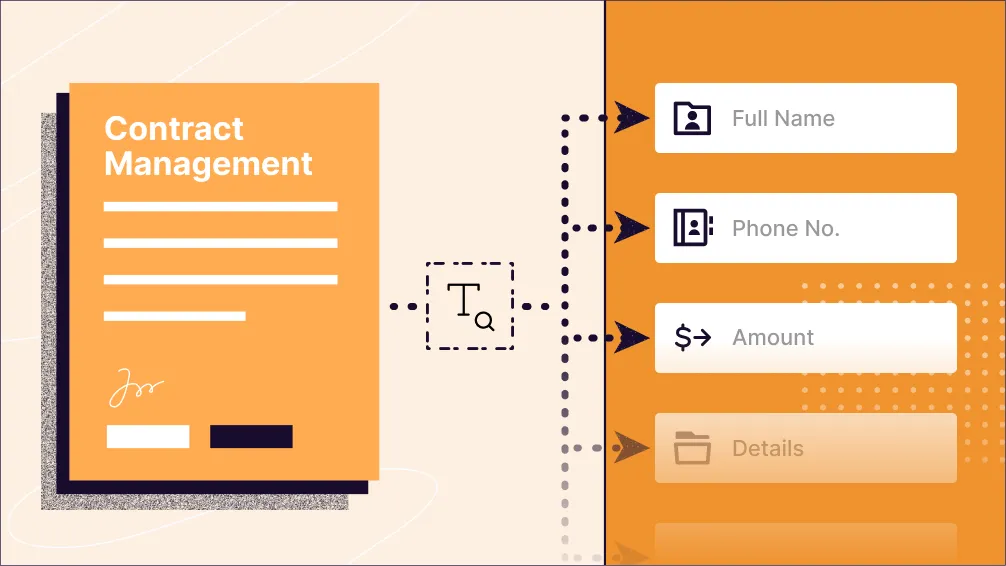
This is where Optical Character Recognition (OCR) technology comes in as a transformative solution. OCR automates the extraction of data from contract documents, converting unstructured information into structured, actionable insights.
Whether it’s pulling key details like parties involved, payment terms, or renewal dates, OCR eliminates the need for manual data entry and accelerates contract processing.
For businesses where compliance with regulations like GDPR, HIPAA, and state-specific laws is paramount, OCR not only enhances efficiency but also strengthens data accuracy and security.
Do you know- In the summer of 2021, retail giant Amazon’s financial records revealed that officials in Luxembourg issued €746 million ($877 million) for breaches of the GDPR.
As contracts become increasingly complex in the digital age, leveraging OCR can help organizations manage large volumes of documents with precision, save significant operational time, and improve decision-making.
In this blog, we’ll analyze the key aspects of OCR for contract management, uncovering its transformative impact. Discover how OCR is reshaping contract workflows and empowering businesses to work more efficiently and effectively. Let’s get started with the basics.
What is OCR in Contract Management?#
OCR in Contract Management stands for Optical Character Recognition. It is a renowned technology that facilitates the conversion of scanned or digital contracts into usable-text searchable formats.
This technology resulted in a successful transformation in contract management, leading to increased efficiency and accuracy in contract management processes.
It captures data from contracts in image form (whether paper-based or digital) and distinguishes the characters (letters, digits, and symbols) that comprise words, sentences, tables, headings, and more. After character recognition, OCR software converts these scanned or digital contract documents into a machine-readable format.
Understanding the meaning of OCR in contract management sets the foundation for this blog. Now, let’s explore why effective contract management is a critical component of successful business operations.
Why is Effective Contract Management Integral to Business Operations?#
Contracts and agreements govern a significant portion of business activities. Contract management is integral to businesses for the following reasons.
1. Minimizes Risks and Liabilities
Contracts serve as legally binding agreements that outline the rights, responsibilities, and obligations of involved parties. By managing contracts effectively, businesses can ensure compliance with applicable laws and regulations, reducing the risk of legal disputes, penalties, and financial liabilities.
Similarly, securing the right insurance through BizInsure can safeguard businesses against unforeseen risks, further enhancing the stability and compliance of their operations.
2. Increased operational efficiency
Effective contract management optimizes processes and ensures the efficient creation, review, approval, and execution of contracts. It enables organizations to streamline their operations, minimizing delays, bottlenecks, and errors in contract administration.
3. Improved Financial Performance
Contract management is crucial for businesses, as contracts often include financial aspects like pricing, payment schedules, and penalties. Effective contract management enables companies to optimize their financial outcomes by ensuring precise invoicing, on-time payments, and adherence to contractual obligations. Doing so helps reduce revenue leakage, minimize financial risks, and increase profitability.
4. Successful Negotiations
By establishing transparent processes and documentation, businesses can facilitate smoother negotiations, better collaboration, and consensus-building. Consolidating contracts and agreements brings immediate benefits and strengthens your negotiating position for future endeavors.
5. Mitigating Vendor and Supplier Risks
Effective contract management monitors vendor performance, tracks service-level agreements, and oversees contract renewals or terminations. Doing so mitigates risks related to vendor non-compliance, subpar quality, or disruptions in the supply chain.
For example, a tech firm relying on third-party IT services uses contract management software to monitor SLA compliance, ensuring a reliable service infrastructure and minimizing downtime.
Additionally, a company booking print-on-demand conference swag leverages a document management system to control timely delivery, payment compliance, and quality control, guaranteeing promotional items meet company standards.
With a clear understanding of why effective contract management is essential, let’s take a closer look at the workflow involved and how it supports seamless business operations.
An Overview of Contract Management Workflow#
The contract workflow encompasses taking a legal document from its initial creation to the final stage of signature and execution. It has the following stages:
1. Contract Creation
This stage involves identifying the parties involved, clearly defining the scope and terms of an agreement, and incorporating any necessary legal and regulatory requirements.
For example, in the case of a loan agreement, the financial institution's legal team prepares the loan agreement document. The document includes sections on loan disbursement, interest calculations, default provisions, collateral details, and any other specific provisions relevant to the loan.
2. Review, Negotiation, and Redlining
Once the initial draft is ready, the contract goes through a review and negotiation phase. Internal teams review it for accuracy, completeness, and compliance.
3. Final Approval
After the review and negotiation stage, the contract moves to the approval phase. Authorized individuals and legal stakeholders review and provide their approval or signatures to finalize the contract. This step ensures that all parties are legally bound by the terms and conditions outlined in the agreement.
4. Contract Monitoring and Obligation Management
Monitoring the contract throughout its lifecycle is crucial to ensure adherence to terms and obligations. It involves tracking and managing key dates, milestones, deliverables, and performance metrics to ensure that both parties fulfill their responsibilities.
5. Reporting and Auditing
Throughout the contract management process, data and insights from contracts are analyzed to identify trends, risks, and opportunities. Contract analytics and reporting provide valuable information for decision-making, contract optimization, and strategic planning.
Regular audits are conducted to ensure contract compliance and adherence to regulatory requirements.
6. Amendments, Renewals, and Termination
In the concluding stage of the contract workflow, attention is given to the disposition of the contract at the end of its lifecycle. Favorable contracts eligible for renewal can be renewed, while others may be renegotiated based on changing circumstances. Agreements that have reached their natural expiration may be allowed to expire.
After exploring the contract management workflow, it’s important to address the limitations of traditional approaches. Let’s unfold these challenges businesses face in the next section.
Challenges of the Traditional Contract Management Processes#
Traditional contract management comes with several challenges. Let’s explore the most significant ones.
1. Manual Errors and Inconsistencies
Due to its reliance on manual document creation, review, and storage, traditional document management is error-prone and time-consuming. It results in inefficiencies, delays, and increased potential for errors.
Paper-based processes can make contract management cumbersome, prone to loss or misplacement of documents, and challenging to search and retrieve information.
2. Data Silos and Lack of Collaboration
Reviews, approvals, and signatures happen across numerous spreadsheets, drives, and folders. Contract-related information is scattered across various departments or individuals, making it challenging to maintain a holistic view of contract obligations, performance, and risks. It results in missed deadlines, non-compliance, and difficulty tracking contract status and progress.
Moreover, traditional methods like email attachments or physical copies can lead to version conflicts, loss of visibility, and difficulty tracking changes or maintaining a centralized record of activities.
These factors also lead to delays in contract turnaround time. Users may face challenges in locating the appropriate template, redlines exchanged with suppliers can become lost within email threads, or bottlenecks may arise during the approval process within the legal department.
3. Compliance and Regulatory Challenges
Compliance with changing legal and regulatory requirements is a significant challenge in traditional contract management. Ensuring that contracts align with evolving laws and regulations requires continuous monitoring and updating.
Manual processes struggle to keep pace with changing compliance requirements, resulting in increased risks and potential legal implications.
4. Security and Confidentiality
Contract documents encompass sensitive and confidential information that necessitates safeguarding against unauthorized access or disclosure. Ensuring document security, restricting access solely to authorized personnel, and upholding robust data privacy measures can be intricate and susceptible to human error.
Contract managers may also miss errors and inaccuracies that could indicate possible fraudulent activity.
5. Lack of Audit Trails
The traditional approach to contract management often lacks comprehensive audit trails or logs that track activities related to contract documents. This poses difficulties in determining who accessed, modified, or shared contract documents, impeding the effectiveness of security monitoring and compliance auditing.
6. Renewal and Expiration
Manually monitoring contract expiration dates and managing renewal or amendment clauses is tedious and susceptible to errors. The high volume of contracts, various renewal timelines, and complex notification requirements make it challenging to track and manage contract renewals and amendments effectively.
Additionally, handling multiple versions of contract documents and accurately tracking changes becomes crucial during the renewal or amendment process. Without robust document management and version control mechanisms, organizations may encounter challenges such as version conflicts, errors, and difficulties in identifying the most recent contract terms.
Traditional contract management faces a lot of challenges. And, these challenges can be taken care of with the help of OCR. Let’s see the role of OCR in contract management.
The Role of OCR in Contract Management#
OCR technology has become a game-changer in contract management by automating and streamlining various stages of the process. From capturing essential data to verifying its accuracy, OCR simplifies and accelerates contract workflows.
Here are the key roles OCR plays in contract management:
- Efficient Data Capture: Automates the processing of contracts by capturing and digitizing data from structured documents like invoices, purchase orders, and receipts.
- Data Extraction and Verification: Extracts relevant information from contracts and cross-checks it for accuracy, reducing manual errors.
- Simplified Data Entry: Eliminates manual data entry tasks, streamlining operations and saving time.
- Enhanced Processing Capabilities: Integrates with machine learning technologies to improve document processing accuracy and speed.
- Simplified Contract Lifecycle Management: Simplifies critical steps like contract comparison, renewal tracking, and searchability.
- Improved Document Accessibility: Converts physical or scanned contracts into machine-readable formats, enabling better storage, retrieval, and management.
After understanding how OCR enhances contract management processes, let’s get into the specific benefits OCR software offers and how it can revolutionize contract workflows for businesses.
Benefits of Contract Management OCR Software#
OCR software brings several benefits to contract management processes:
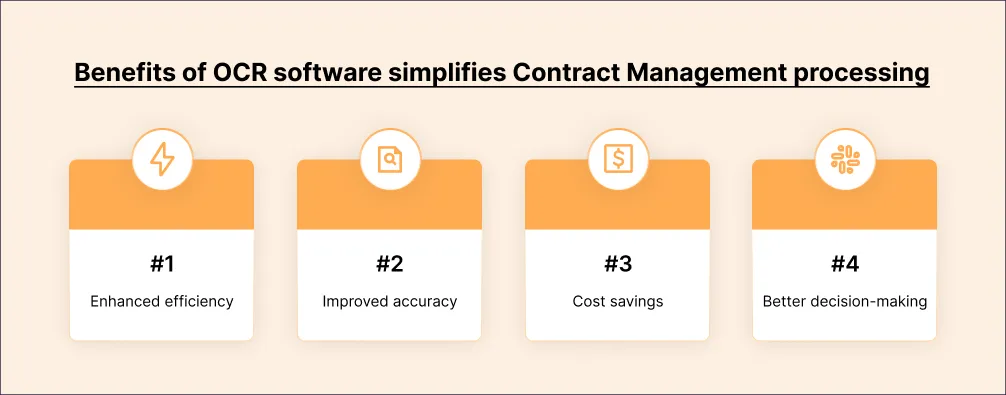
Enhanced Efficiency: OCR enables faster contract processing, reducing cycle times and allowing organizations to handle a larger volume of contracts with ease.
Improved Accuracy: By eliminating manual data entry, OCR minimizes the chances of data entry errors and discrepancies, ensuring the accuracy of contract information.
Cost Savings: Manual data entry can be time-consuming and costly. OCR reduces labor costs associated with contract processing, freeing up resources for other valuable tasks.
Better Decision-Making: OCR provides real-time insights and analytics derived from processed contracts, facilitating better decision-making based on accurate and organized contract data.Even further, OCR technology works in real-time and preserves the integrity of data, preventing manual contract data entry errors. Automating contract management helps enter data in specific formats that are easier to analyze for insights, which can be valuable for organizations in making better business decisions.While the benefits of using OCR software for contract management are substantial, it’s also important to consider the potential challenges. Let’s explore some of the hurdles businesses may face when implementing OCR in contract management.
Challenges of Using OCR in Contract Management#
While OCR brings significant advantages, it also presents certain challenges:
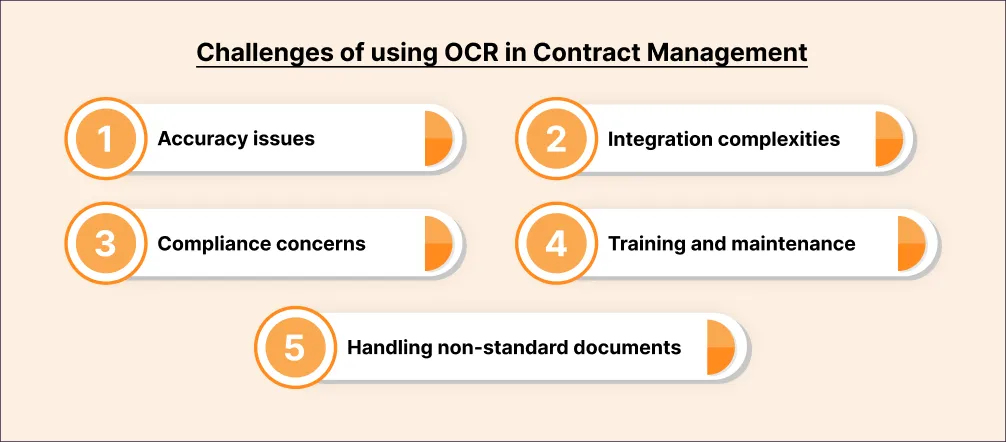
- Accuracy Issues: OCR may face challenges when interpreting handwritten or poorly scanned documents, affecting data extraction accuracy.
- Integration Complexities: Integrating OCR software with existing accounting systems or workflows can be complex and may require technical expertise.
- Compliance Concerns: Organizations must ensure compliance with regulatory requirements regarding data privacy and security when using OCR for contract management.
- Handling Non-Standard Documents: OCR software may struggle to process non-standard or atypical contracts with unconventional layouts or multiple languages.
- Training and Maintenance: Training contract management staff on using OCR software effectively and interpreting results accurately can be time-intensive.
To overcome these challenges, organizations must work closely with OCR software vendors, who can provide support and expertise like Docsumo in using the appropriate OCR tools for specific document types.
Regular software maintenance and upgrades can also help manage issues with better accuracy and compliance.
Despite its challenges, OCR has proven to be highly effective across various contract management scenarios. Let’s explore some practical use cases that demonstrate its value in streamlining contract workflows.
Use cases of Contract Management OCR#
OCR can be applied to various use cases in contract management and document processing, including but not limited to:
Contract Comparison: One key application of OCR in contract management is the ability to compare two documents swiftly and accurately. OCR can identify even the smallest differences between contracts, such as adding or removing a single word or phrase. This feature is invaluable for organizations seeking to track contract changes over time or during negotiations, ensuring transparency in contract management.
Contract Renewal: Contract OCR technology can be crucial in identifying terms and requirements within contracts due for renewal or re-negotiation. By automating flagging expiring clauses or terms, OCR simplifies contract renewal procedures, ensuring organizations proactively address key contract obligations well in advance.
Search Contracts: OCR enables organizations to conduct quick text-based searches within a vast repository of contracts, making it easy to locate specific clauses, terms, or information. This functionality streamlines the contract retrieval and reference process, allowing users to access critical contract data efficiently and without needing to manually review each document.
Classify Contracts: Through OCR, organizations can classify contracts based on their type, such as non-disclosure agreements (NDAs), employment contracts, service agreements, or intellectual property agreements. This classification capability aids in organizing and managing contracts effectively, allowing for easier retrieval and tracking of different contract categories.
Edit Contracts: OCR technology facilitates efficient contract editing by extracting text, enabling users to make necessary changes or updates, and exporting the corrected version seamlessly. This feature saves time and effort by automating the editing process and ensuring the precision of contract modifications.
Data Validation: OCR can monitor contracts to validate data against organizational policies and requirements, flagging any clauses or terms that may violate compliance standards. By automating this validation process, organizations can ensure that their contracts align with internal policies and minimize the risk of inadvertently breaching regulatory requirements.
Risk Management: Contract OCR technology enhances risk management practices by identifying potential financial, legal, or intellectual property breach risks within contracts. By highlighting specific compliance and regulatory clauses, OCR helps organizations proactively manage risks and ensure contractual compliance, thereby safeguarding against costly legal implications and reputational damage.To summarize, integrating OCR technology into contract management allows organizations to strengthen and handle contracts, reduce time spent, and enhance overall efficiency. By skillfully utilizing Contract OCR technology, businesses can strengthen contract procedures, mitigate risks, and optimize contract management practices for enhanced productivity and compliance.Now that we’ve explored the use cases of OCR in contract management, let’s move on to understanding the step-by-step process of how OCR can be used to extract data efficiently from contracts.
How to Extract Data From Contracts Using OCR#
Here is a step-by-step guide on using OCR software to extract data from contract documents:
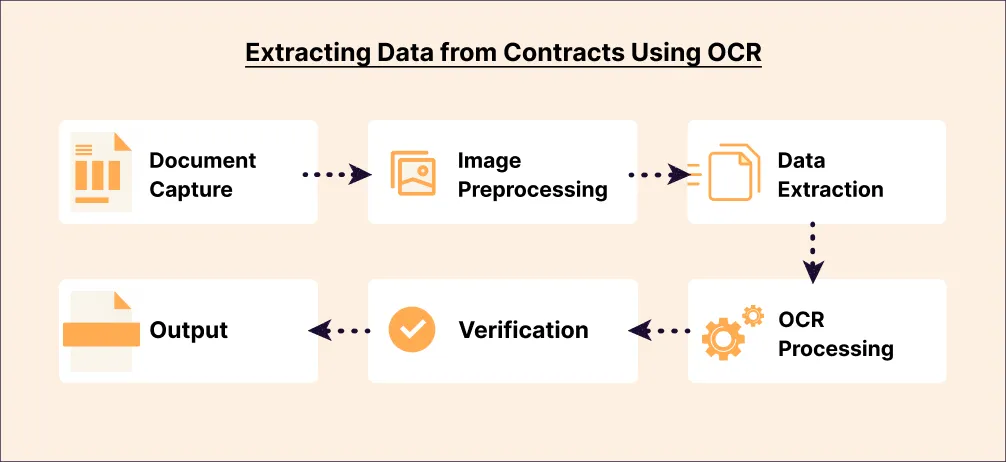
1. Document Capture
Scanning or uploading the contracts into the OCR software is the first step. OCR software can manage various formats and extract data from scanned documents, images, and PDFs, making integration into organizational workflows smooth and secure.
2. Image Preprocessing
The next step is to preprocess the scanned images to ensure better OCR recognition. This includes cleaning the images of any noise, such as smudges, dust, or marks, that could impair OCR recognition. Enhancing the images through adjusting contrast, brightness, or sharpness can also improve OCR accuracy.
3. OCR Processing
OCR processing involves converting scanned images into editable text, making it possible to search for or modify information within the contract. OCR software utilizes complex algorithms to recognize and convert different fonts, styles, and languages with the utmost accuracy.
4. Data Extraction
The OCR software solution can identify key data fields like contract parties, start and end dates, and payment terms and then extract the relevant data fields from the output. This approach automatically extracts this information to save time in manual data entry.
5. Data Validation and Verification
After the data is extracted, it is essential to validate it for accuracy and against the original contract. This process guarantees accurate and comprehensive data. It is recommended that some quality checks be performed, such as comparing the extracted data with the actual data in the contracts or applying programmed validations, to ensure that the extracted information meets business rules and standards. This step helps significantly improve output accuracy.
6. Output
The final step is to export the extracted data into a usable format, such as a spreadsheet, database, or third-party system, for further analysis or processing.
Data extraction using Contract OCR technology provides an efficient, reliable process for extracting data from large volumes of contracts. It is an indispensable tool for organizations seeking to automate time-consuming manual data entry tasks.
OCR software offers a highly efficient option for data extraction from contract documents. OCR technology converts the contract document into searchable and editable text, making it possible for organizations to search for or modify information within the contract quickly. OCR allows users to quickly get specific details about a contract, such as information about contract parties, start and end dates, and payment terms.
Using Docsumo for contract data extraction#
Docsumo is document AI software you can use to automate contract data extraction. It offers an intuitive interface, advanced data extraction capabilities, and seamless integration options.
You and your team can easily handle, check, and interpret OCR software output in a more manageable format through spreadsheets or integrated systems.
Docsumo stands out with its auto-validation feature of extracted data while also reducing the chances of human error. We use artificial intelligence and machine learning to automatically validate data captured from contracts and flag any errors or discrepancies.
Data validation guarantees the accuracy and error-free extraction of information. Docsumo's OCR technology is highly efficient in handling multiple language contracts and non-standard layouts.
With its excellent OCR capabilities, Docsumo’s OCR software can be easily integrated into existing workflows, enhancing the efficiency of AP processing efforts.
Book a demo to discover how Docsumo can boost the contract management process.
First published . Last updated .