Docsumo vs Mistral OCR vs LandingAI: an OCR benchmark on 120 documents
A side-by-side test of three OCR systems on the same 120 documents, with the method, the scores and the pages where each one went wrong. Run in 2025 on the versions available then.

Key takeaways
- In this benchmark of 120 documents, three reviewers preferred Docsumo's text output on 116 of 120, LandingAI's on 4 and Mistral OCR's on none.
- When GPT-4o pulled key-value pairs from each system's output, it got 84.8% right from Docsumo's output, 78.6% from LandingAI's and 63.6% from Mistral OCR's.
- Mistral OCR was the fastest, at under 2 seconds a page, but returned some tables as images. LandingAI took about a minute a page and sometimes described content instead of extracting it.
- The results describe the versions tested in 2025. Mistral now ships OCR 4.1 and LandingAI released ADE Gen2 in September 2026, so re-test before relying on them.
On this page
Docsumo's OCR benchmark tested Docsumo, Mistral OCR and LandingAI's Agentic Document Extraction on the same 120 documents. Reviewers preferred Docsumo's text output on 116 of the 120, and GPT-4o pulled key-value pairs most accurately from Docsumo's output: 84.8%, against 78.6% for LandingAI and 63.6% for Mistral OCR.
We published the test in April 2025, a few weeks after Mistral and LandingAI launched these tools, and every output is public on Hugging Face. Below: how we ran it, the results, and the pages where each system went wrong.
How we ran the benchmark#
Mistral OCR and LandingAI return a page's text and layout. Docsumo, our product, is a document processing platform that also classifies documents, extracts named fields, sends low-confidence fields to a person and delivers the data through an API and webhooks. It runs in the cloud only, while current versions of Mistral OCR and LandingAI's ADE can also be self-hosted. To compare like with like, we tested only the first step, reading the page, and then measured how well that text supported field extraction.
- Pick the documents120 samples across invoices, forms, bank statements and passports, including old scans like the examples below.
- Run all three systemsEach document went through Docsumo, Mistral OCR and LandingAI's Agentic Document Extraction.
- Rate the textThree reviewers independently compared the outputs for layout, accuracy and completeness, and picked the best one.
- Extract the fieldsGPT-4o pulled key-value pairs from each system's output with the same prompt, and we scored them against ground-truth values.
- Time each pageWe recorded how long each system took per page.
Results#
| System | Preferred | Field accuracy | Latency |
|---|---|---|---|
| DocsumoOur product | 116 of 120 | 84.8% | Under 10 seconds a page |
| LandingAI ADE (2025) | 4 of 120 | 78.6% | About 1 minute a page, sometimes 2+ |
| Mistral OCR (March 2025) | 0 of 120 | 63.6% | Under 2 seconds a page |
"Preferred" is the number of documents where reviewers picked that system's text as the best of the three. "Field accuracy" is the share of key-value pairs GPT-4o got right from that system's text. Mistral OCR was the fastest, but its text gave GPT-4o the fewest correct fields. LandingAI was more accurate but slow, and it sometimes timed out. The ranking was the same on both tests: weak OCR output carried straight through to extraction.
Where Mistral OCR fell short (2025 version)#
Tables returned as images. Whole sections came back as image placeholders such as . On the check below, the full voucher table was treated as an image and none of its data was extracted.
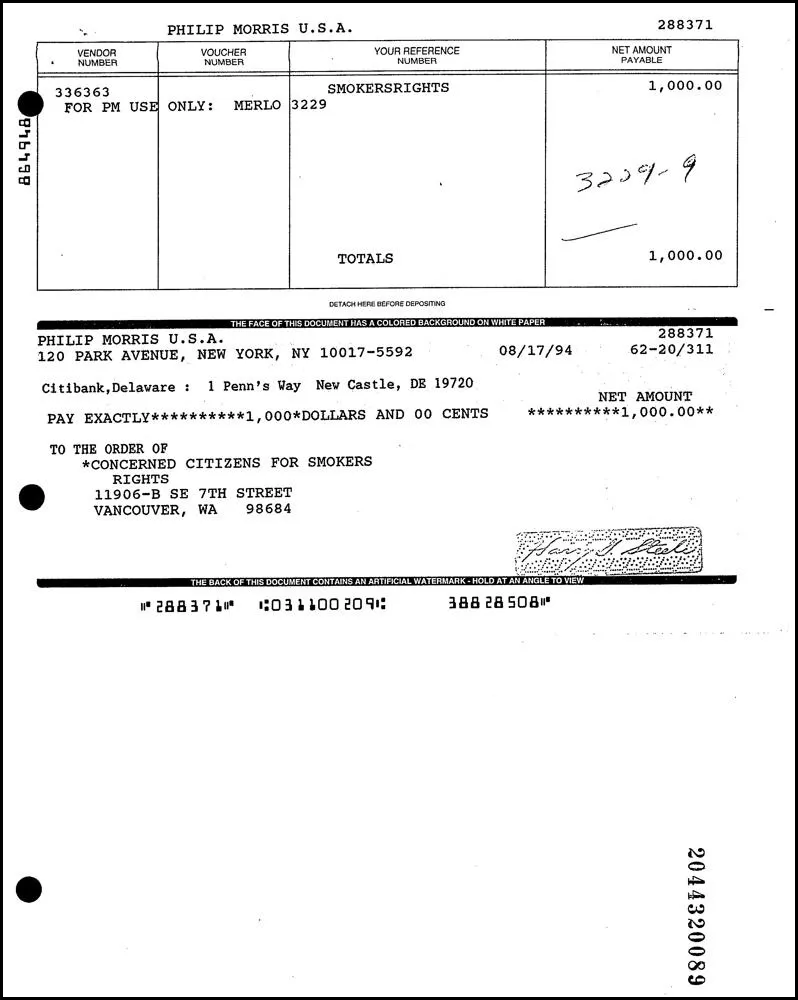
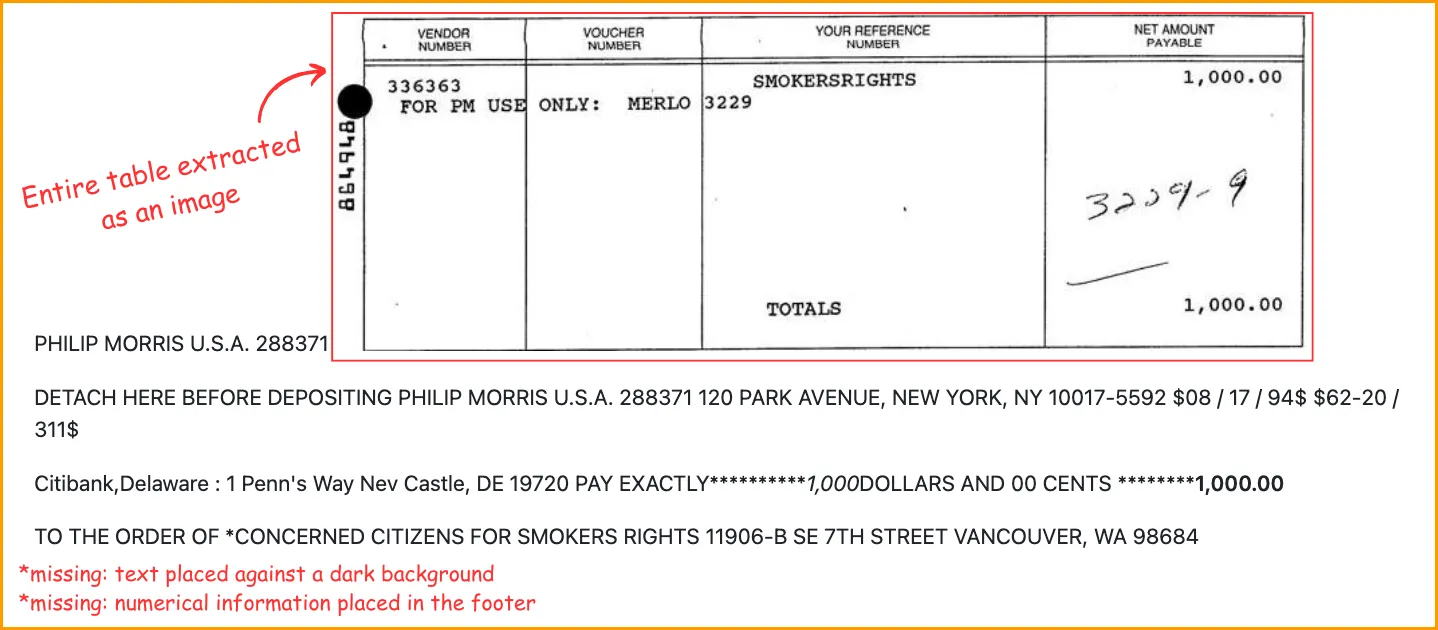
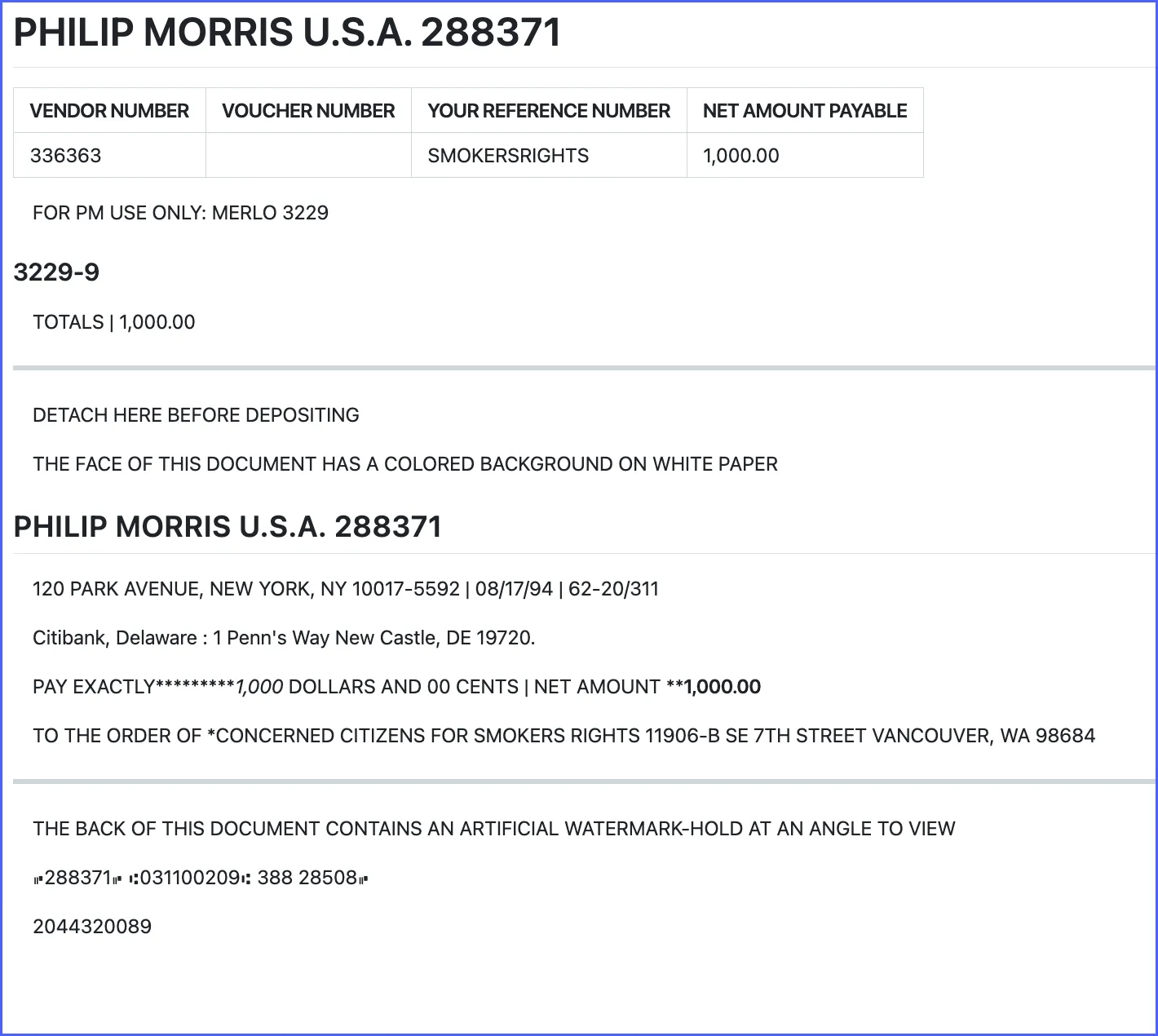
Misread fields on poor scans. On unclear or low-resolution pages it often produced text that wasn't on the page and misread key fields. On this voucher it got the date wrong, pulled "ASAP" out as a separate field and flattened the account table into plain text.
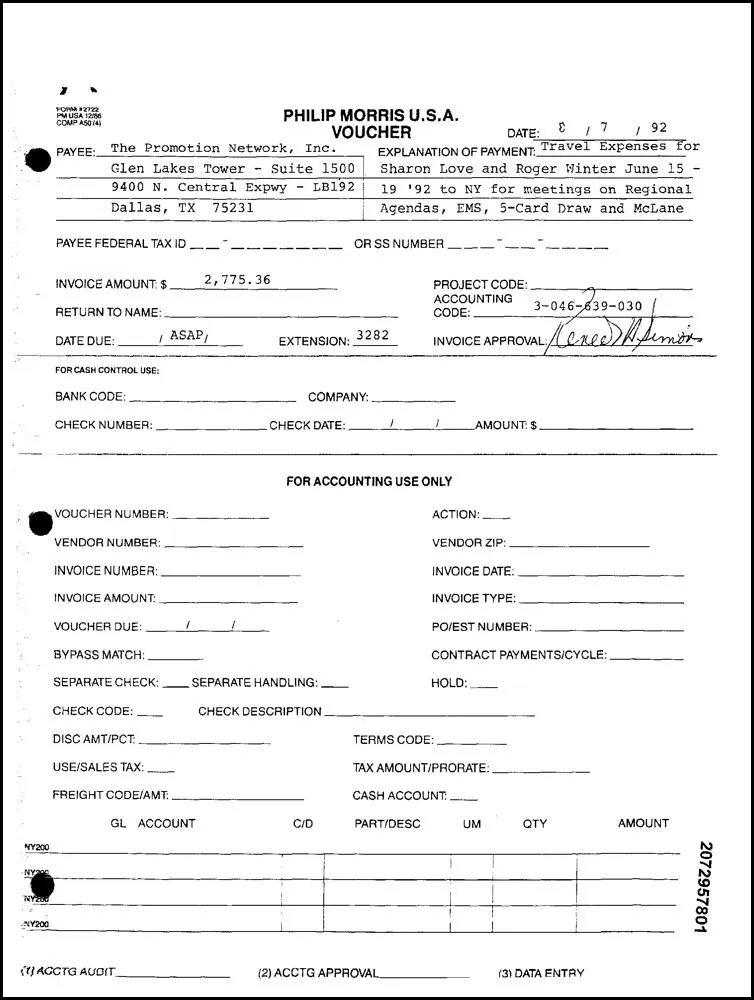
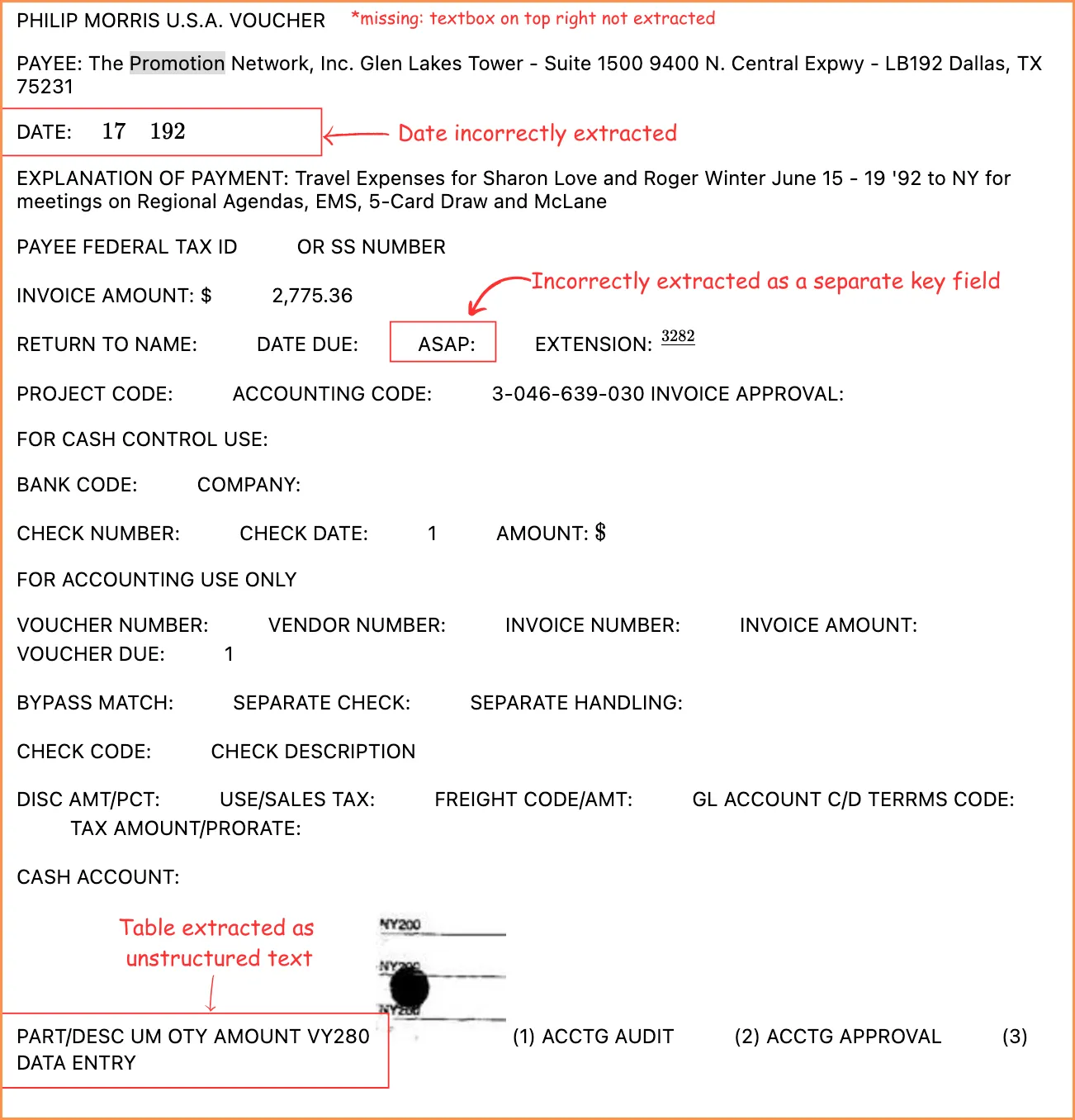
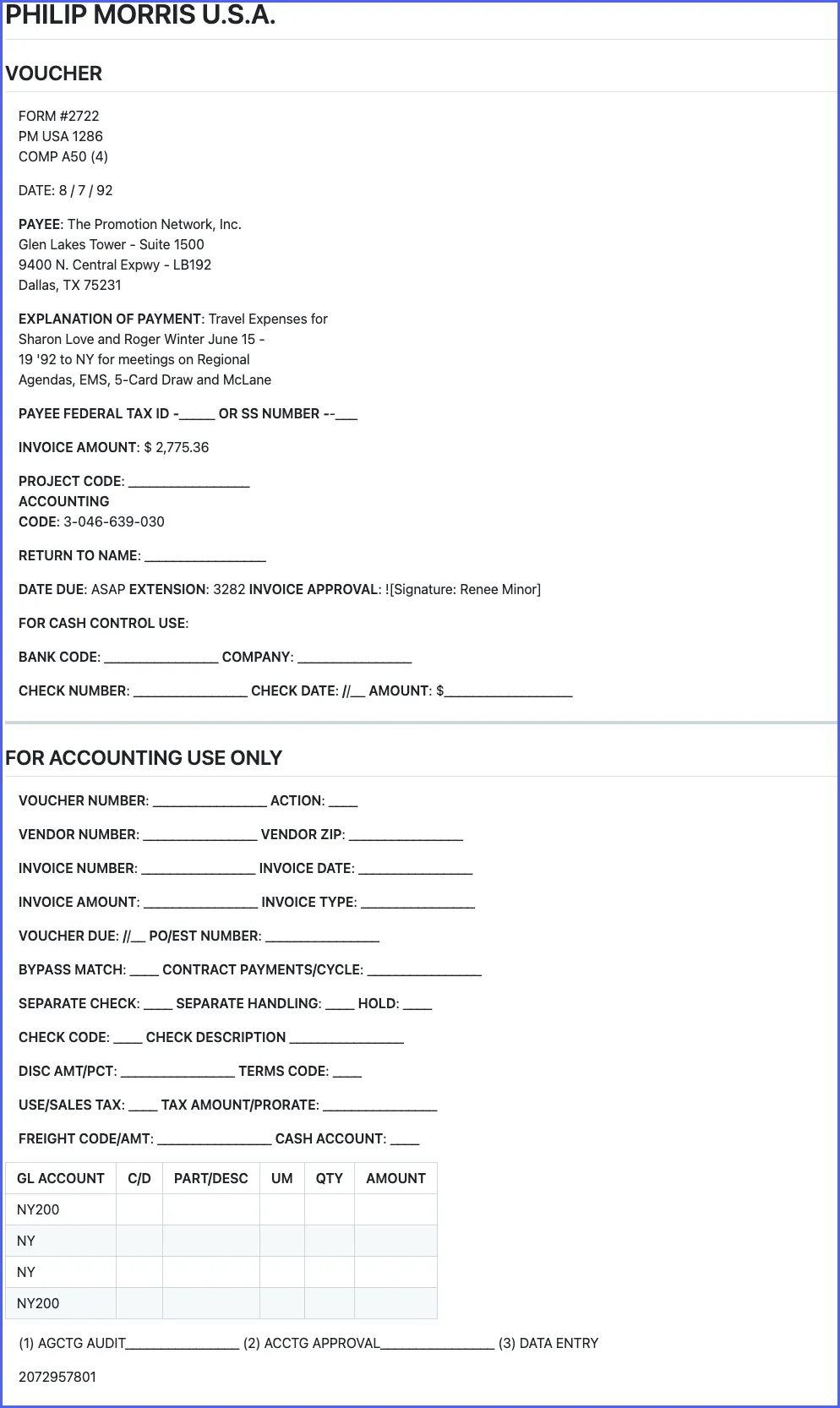
It also missed small print and stamps, and even on fairly clean pages it sometimes skipped whole blocks of data or misread the layout.
Where LandingAI fell short (2025 version)#
LandingAI did better than Mistral OCR, but four problems came up again and again.
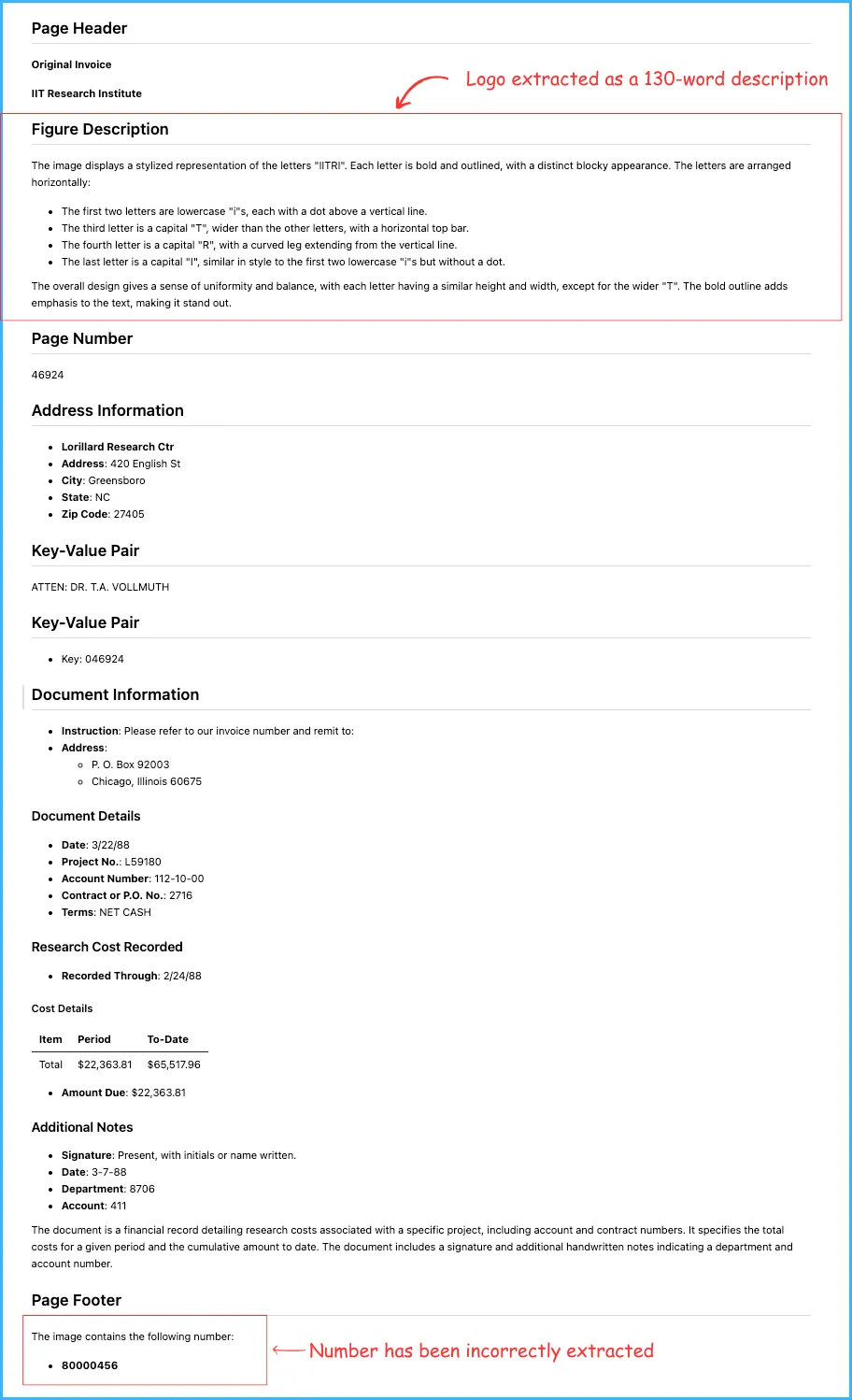
Descriptions instead of text. It paraphrased or described elements instead of copying them: the IITRI logo on this invoice became a 130-word description.
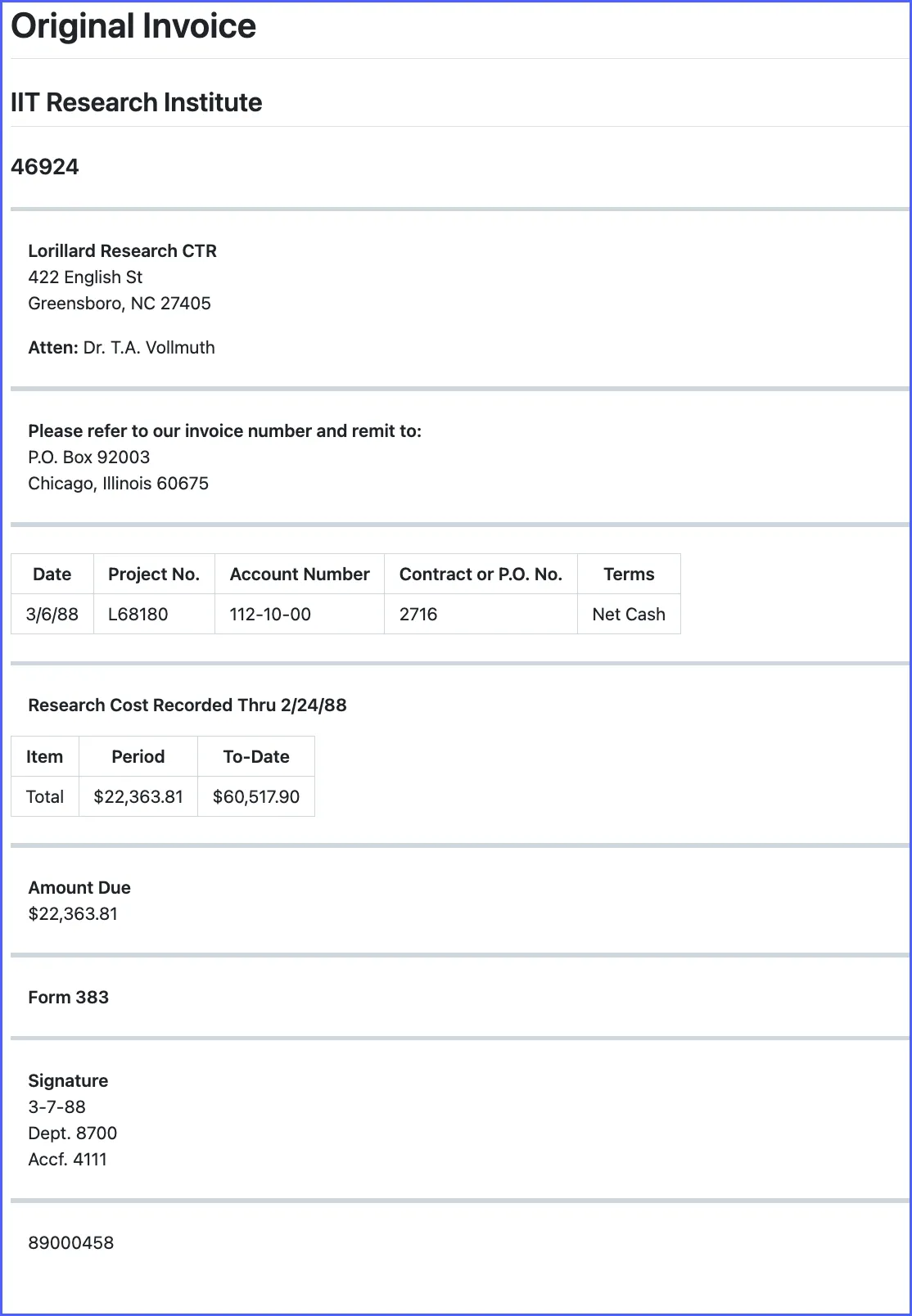
Vertical text misread. It struggled with numbers printed vertically: "89000458" along the edge of the same invoice came out as "80000456".
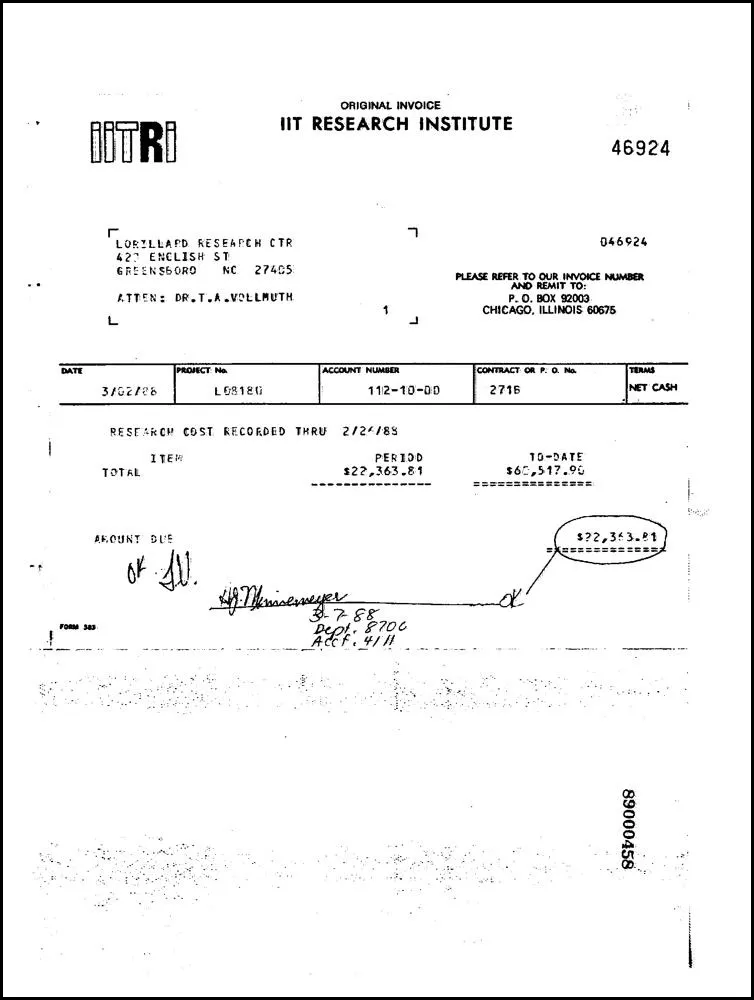
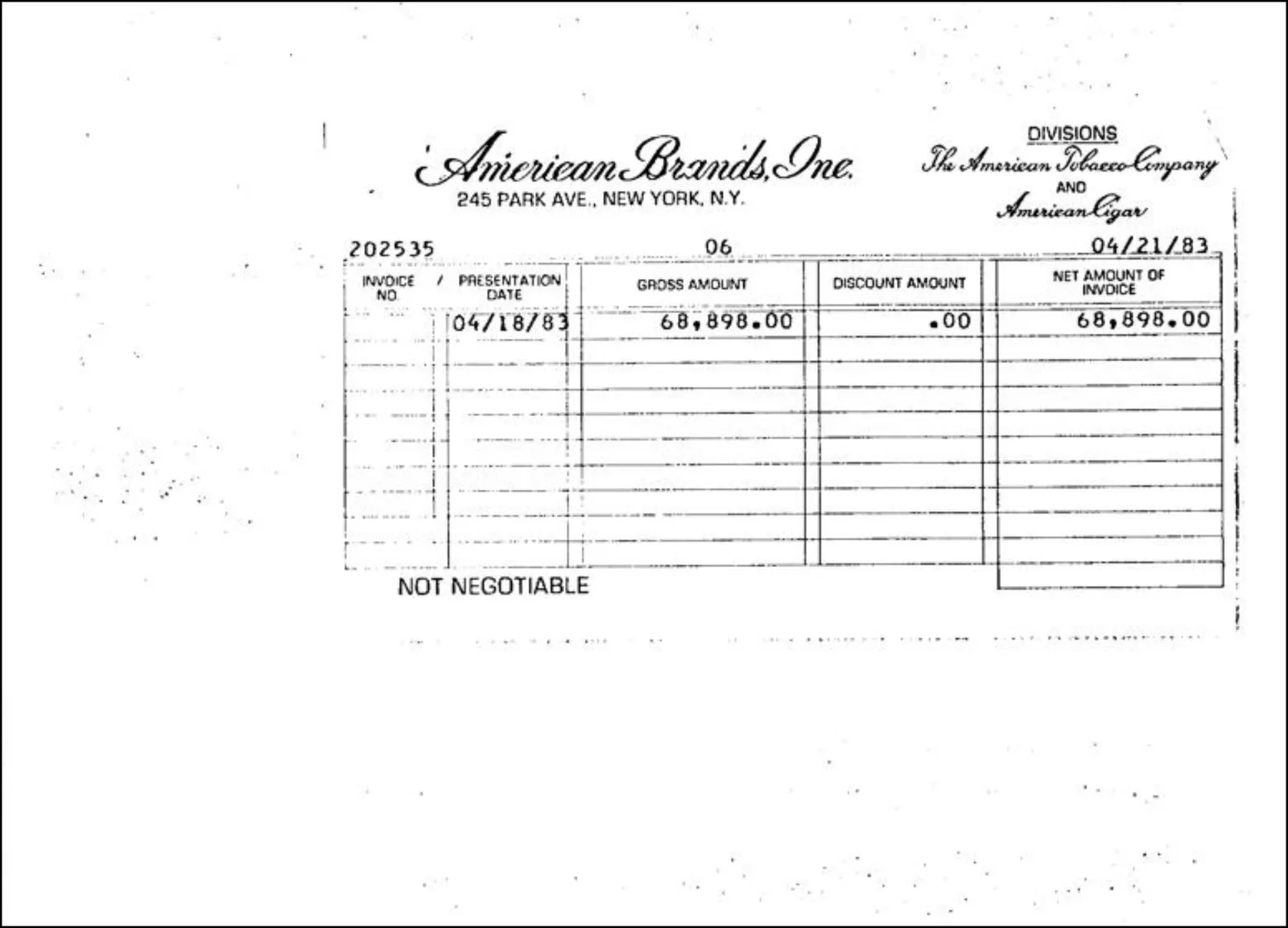
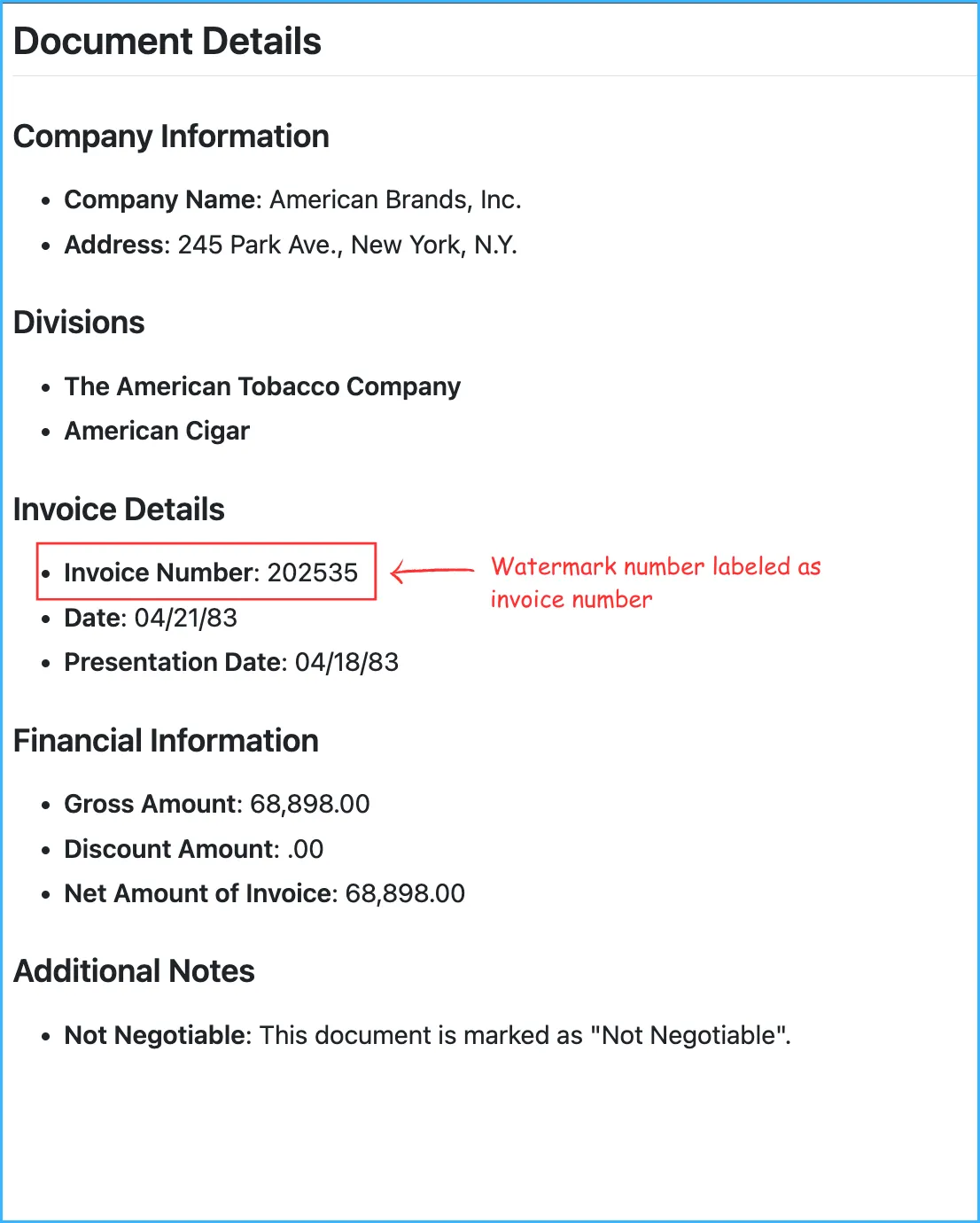
Wrong field labels. It labeled values even when the context didn't support it. On this invoice stub, a watermark number above the table was labeled as the invoice number, the kind of error that flows straight into downstream systems.
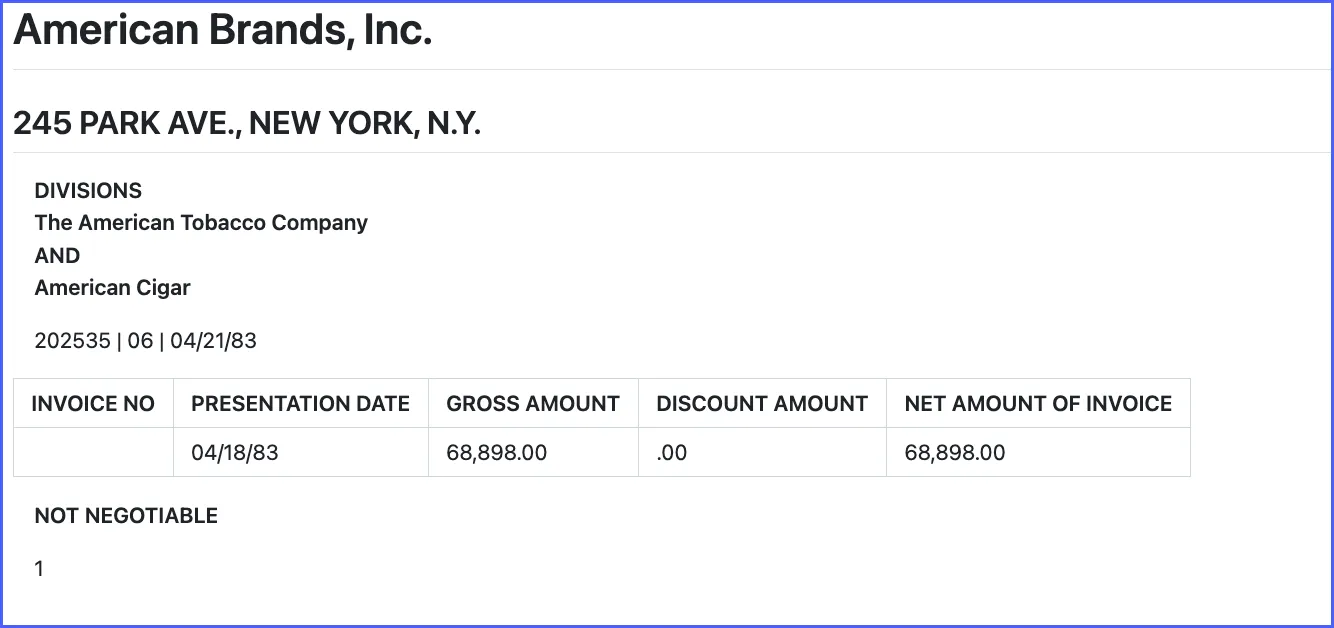
Small tables broken up. Tables with fewer than two rows weren't recognized as tables and came back as key-value pairs, which hurt invoices with few line items.
The bottom line#
In this April 2025 test, reviewers preferred Docsumo's text output on 116 of 120 documents, GPT-4o extracted fields from it most accurately, and it took under 10 seconds a page. The three systems differed most on old scans, stamps, vertical text and small tables, which are common in real back-office files. Treat the results as a snapshot of the 2025 versions, and test any tool you shortlist on your own hardest documents, scoring the fields you need rather than the text alone. For a wider comparison, see the best OCR software.
Book a demo and bring a few of your own documents, or start a free trial.
Frequently asked questions#
What documents were used in the OCR benchmark?
120 samples of invoices, forms, bank statements and passports, including old scanned vouchers and invoices like the examples in this post. Every output is public on Hugging Face.
How was OCR accuracy measured?
Two ways. Three reviewers independently compared each system's text output for layout, accuracy and completeness, and GPT-4o extracted key-value pairs from each output, which were scored against ground-truth values.
Are these OCR benchmark results still current?
They describe the versions available in April 2025. Mistral has since released OCR 4.1, with bounding boxes, block labels, confidence scores and self-hosting, and LandingAI released ADE Gen2 in September 2026, so both may perform differently today.
Is Docsumo just an OCR tool?
No. Docsumo is a document processing platform: it reads documents, extracts named fields, sends low-confidence fields to a person for review and delivers the data through an API and webhooks. See Docsumo's Document AI.
Sources
- Docsumo: OCR benchmark outputs on Hugging Face
- Mistral AI: Mistral OCR 4
- Mistral AI: OCR 4.1 model page
- LandingAI: Introducing Agentic Document Extraction Gen2
First published . Last updated .