Financial data extraction: how to extract data from financial statements and annual reports
For credit analysts, underwriters and finance teams who get borrower or portfolio financials as PDFs: what to capture, why statements are hard to read, and how to automate the work.

Key takeaways
- Financial data extraction turns financial statements and annual reports from PDFs, scans or spreadsheets into structured, line-by-line data.
- US public company numbers are already structured in the SEC's free EDGAR APIs. Private company statements, which arrive in every layout, are where extraction is needed.
- Capture every line item, period column and unit, not just the totals, so lines can be mapped and ratios recalculated.
- Check the statements' own math: assets equal liabilities plus equity, subtotals foot, and net income ties across the statements.
- Extraction feeds spreading: mapping each borrower's lines to a standard template for ratio and covenant analysis.
On this page
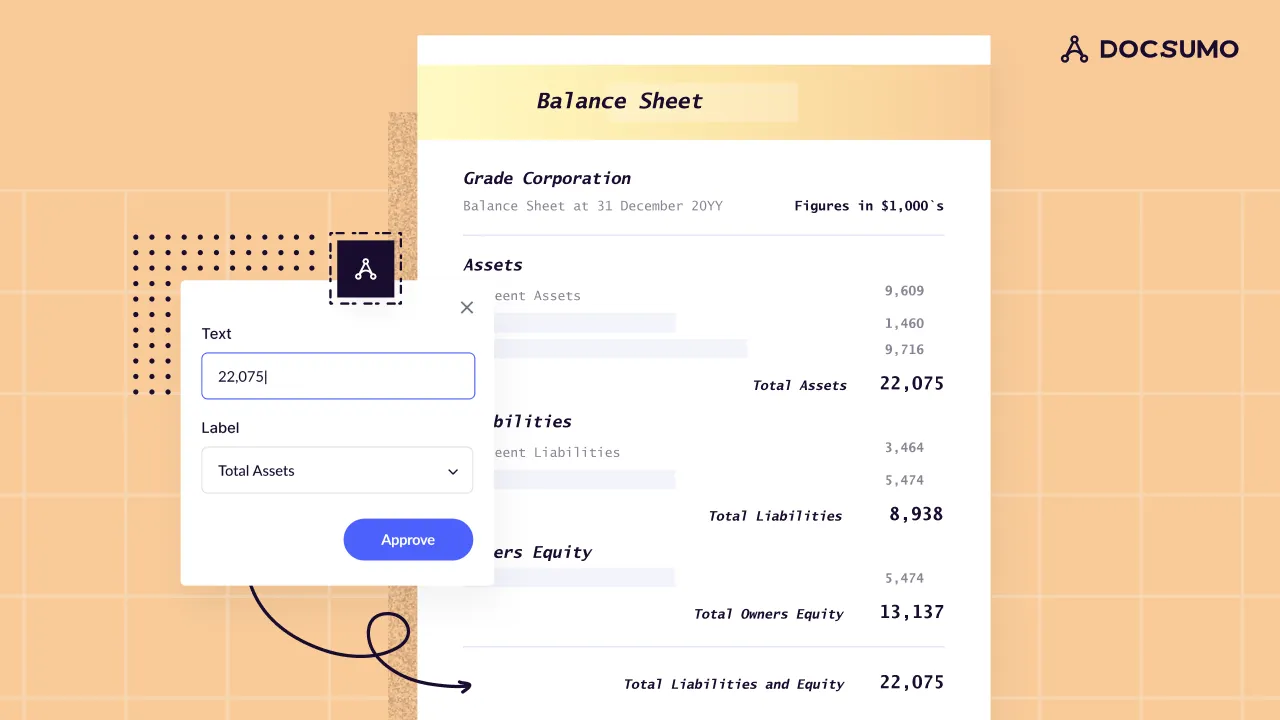
Financial data extraction turns balance sheets, income statements, cash flow statements and annual reports into structured data: every line item, period and total, ready for spreading and ratio analysis. US public company numbers are already tagged and free through the SEC's EDGAR APIs. Private company statements arrive as PDFs and scans in every layout, and that's where extraction does the work.
Where do your statements come from?
The financial statements and what to capture#
| Statement | Covers | Key lines to capture |
|---|---|---|
| Balance sheet | Position on one date | Cash, receivables, inventory, fixed assets, total assets, payables, debt, total liabilities, equity |
| Income statement (P&L) | Performance over a period | Revenue, cost of goods sold, gross profit, operating expenses, interest, taxes, net income |
| Cash flow statement | Cash in and out over a period | Net income, non-cash adjustments, working capital, cash from operations, investing and financing |
| Statement of changes in equity | Movements in equity | Share capital, retained earnings, dividends, reserves |
| Notes | Detail behind the numbers | Debt maturities, leases, related parties, contingencies |
Capture more than the totals:
- Every line item as labeled, so it can be mapped later.
- Every period column, prior years included.
- Units: "in thousands" in the header changes every number.
- Quality level: audited, reviewed, compiled or company-prepared.
How to extract data from an annual report (10-K)#
A Form 10-K is the annual report a US public company files with the SEC within 60 to 90 days of its fiscal year-end. Its financial statements are tagged in XBRL, so take the numbers from the EDGAR APIs rather than the document. When a 10-K arrives as a PDF in a credit package, split it by Item and extract each statement with its periods and units intact. MD&A commentary isn't tagged, so read it from the document either way.
| 10-K item | What it holds | Why an analyst reads it |
|---|---|---|
| Item 1: Business | Segments and customers | Context for the numbers |
| Item 1A: Risk factors | Material risks the company discloses | Credit and concentration risk |
| Item 7: MD&A | Management's view of results and liquidity | Why revenue, margins or cash moved |
| Item 7A: Market risk | Rate, currency and commodity exposure | How debt costs would move |
| Item 8: Financial statements | Statements, notes and auditor's report | The figures, plus debt maturities and covenants in the notes |
Why financial statement extraction is hard#
No standard layout
Every accountant's format differs, and so do line names: "Sales", "Revenue", "Net revenues".Several periods side by side
Prior years, budget and variance columns share one table.Hierarchy
Sub-lines, subtotals and totals have to keep their structure.Negative numbers
Parentheses, minus signs or red ink.Multi-page statements
Headers repeat on some pages and vanish on others.Scans and faxes
Common from smaller borrowers.Mixed packages
A cover letter, three statements, the notes and a tax return in one PDF.
Checks that catch extraction errors#
Financial statements check themselves: a failed check means a misread value or a missing line, so the statement goes to a reviewer.
- The balance sheet balancesTotal assets equal total liabilities plus equity.
- Subtotals footEach subtotal equals the sum of its lines.
- The income statement flowsRevenue minus cost of goods sold equals gross profit, and so on down to net income.
- The statements tieNet income matches the cash flow statement, and ending cash matches the balance sheet.
- Periods line upThe balance sheet date is the end of the P&L period.
- Units are consistentThousands and dollars aren't mixed.
How to automate financial statement extraction#
Automated financial statement processing runs one pipeline on every package, from a single P&L to a 10-K PDF.
- Financial statements
- 10-K PDFs
- Tax returns
- 01Classify and split
- 02Extract lines and periods
- 03Validate the math
- 04Map to your template
Reuse analysts' past mappings, so "Cost of sales" lands in the same row for every borrower. Analysts see only failed checks and low-confidence values, each on its source page, and the data reaches your spreading tool or credit system by API or webhook. Borrower financials are confidential, so ask for SOC 2 Type 2 compliance.
Docsumo does the reading for financial spreading: every line comes out with its statement, period and year, and fields it's unsure about go to your reviewer. The spread itself and the credit decision stay in your tools and with your analysts.
- 99%field-level accuracy on 250+ document types
- <5 minper document, down from 2+ hours
- 95%+of documents processed straight through, without manual review
The bottom line#
Pull public company data from EDGAR and extract private company statements: every line, period and unit, checked against the statements' own math and mapped to your template, so analysts review exceptions instead of retyping PDFs. For property loans, the equivalents are the T12 and rent roll.
Book a demo with a few of your own borrower statements, or start a free trial.
Frequently asked questions#
How do you extract data from financial statements?
A document AI tool classifies each statement, reads every line item and period column, and returns structured data. You then check the math, map the lines to your spreading template and export to Excel or your credit system.
How do you extract data from an annual report?
For a US public company, skip the PDF: the statements in its 10-K are tagged in XBRL and free as JSON through the SEC's EDGAR APIs. With only a PDF, split it by Item, extract the Item 8 statements with their periods and units, and read the notes and MD&A for the rest.
Can I extract financial statement data to Excel?
Yes. Most tools export to Excel or CSV, one row per line item and one column per period. For ongoing volume, send the data to your spreading or loan system by API.
What is the difference between extraction and financial spreading?
Extraction reads the numbers off the statement as they're labeled. Spreading maps those lines into a standard template, such as putting "Cost of sales" and "COGS" in the same row, so you can calculate ratios and compare borrowers. See spreading financial statements.
How accurate is automated financial statement extraction?
It depends on the tool and the documents, so measure it on your own borrower statements, scans included. Docsumo reports 99% field-level accuracy on 250+ document types.
Sources
First published . Last updated .