Bank statement verification APIs: how to choose and implement one
Bank statement verification APIs are software interfaces that facilitate the automated extraction and verification of data from bank statements. These APIs use OCR, AI and ML technologies to parse through bank statements and extract relevant information.

On this page
- Your first look at Bank Statement Verification
- What is a Bank Statement Verification API?
- Benefits of using Bank Statement Verification APIs
- Selecting the right Bank Statement Verification API
- 5 best bank statement verification APIs
- Best practices for implementing Bank Statement Verification APIs
- Choosing Bank Verification APIs
- Choosing the Best Bank Statement Verification API
- Frequently asked questions
Bank statements are readily available to the average consumer, these financial documents can and have been used to verify account ownership. Both in a traditional sense and even now, in digital banking. This is what we will attempt to unpack in this deep dive that explores bank statement verification APIs.
Apart from introducing this tool, what it does, and its practical benefits, we will list brands that offer such a product along with tips that can help you decide which bank statement verification API is right for your needs.
So, without further ado, let us begin this journey into learning more about bank statement verification APIs by reacquainting ourselves with the purpose of bank statements as well as why and how bank statement verification is carried out in the banking industry.
Your first look at Bank Statement Verification#
Bank statement is a record of the financial transactions that you've conducted with your bank account. Let's say you've made about 20 debit transactions and are the recipient of two credit transactions for said month; you should be able to obtain a list of these transactions chronologically using a bank statement.
Bank statements are convenient not just when it comes to seeing all the transactions you made during a specific period but also if you want to provide income proof, understand your spending patterns as well as get loan or mortgage loans approved by said bank.
But there are other reasons why we need bank statement verification. One of the most common reasons involves validating account and transaction information provided in the statement to prevent either human error or fraud. Not unless you're fine with rejected payments or charging customers who haven't provided you with consent to use their bank account information.
Yet until now, processing the data available on a bank statement has been manual. In other words, these efforts are painstakingly time-consuming. Of course, with digital banking on the rise, this has all changed, thanks to a slew of bank statement verification APIs that can complete a bank statement analysis in just a few seconds.
What is a Bank Statement Verification API?#
Before we define bank statement verification APIs, let's familiarize ourselves with an API. By definition, an API facilitates data flow - as a middleman does - between two components of an application or two completely different applications altogether.
For example, suppose you want to log in to a website using your Facebook or Google profile or even pay for some service or product on an e-commerce site using Paypal. In that case, there are APIs designed to integrate this functionality.
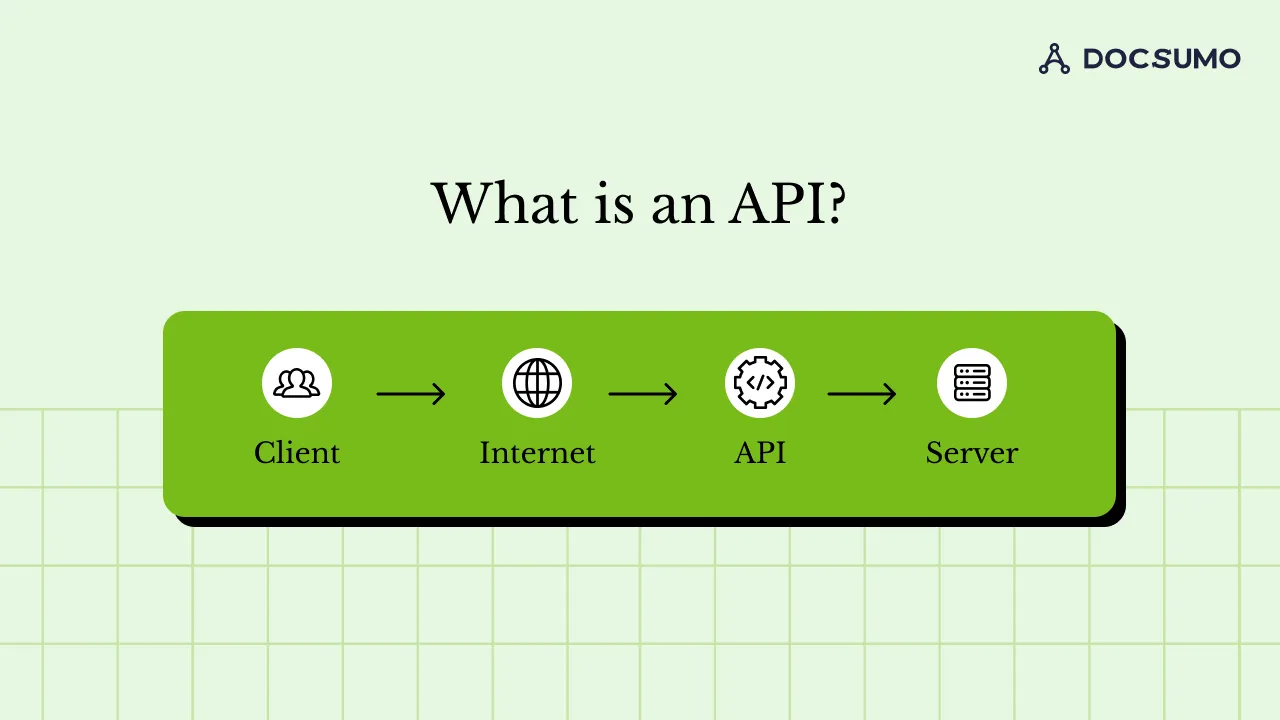
Similarly, bank statement verification APIs exist to serve one purpose: to verify the bank account and transaction information of the consumer. With OCR technology, text is collected from an image or PDF file and saved in a file format for easy processing. As simple as this function might appear, being able to automate such a task to produce accurate output has numerous use cases, not limited to the banking sector alone.
Apart from the numerous use cases, integrating a bank statement verification API with your business offering offers solid benefits to businesses compared to the legacy systems in use. This is what we will look at next.
Benefits of using Bank Statement Verification APIs#
This practice of using APIs to revitalize specific processes, such as bank statement verification, took some time to reach fruition. Blame it on this recent affinity for digital transformation that small, medium, and large companies have warmed up to. But until then, doing things the manual way was the norm. Only now, with the benefits that bank statement verification APIs offer for processes related to financial data analysis and processing, moving forward is the only way to go. ‘
Speaking of which, the role that these APIs play are an integral part to the banking industry on the whole. As discussed in a previous section, conducting a bank statement verification is necessary for several reasons, where validating proof of income and employment and determining creditworthiness for loans and mortgages are just a couple. As for use cases for such a process, almost every line of business in the banking, legal, and healthcare industries comes to mind.
Now, what if a human error occurred during the verification process? Worse still, what if fraud went undetected? This does not bode well for financial institutions as they might face legal scrutiny due to human error. This is why bank statement verification APIs can make all the difference.

Their benefits aren’t just limited to accuracy but also include the ability to carry out processing 24/7 while being highly efficient in performing such a task. The benefits of bank statement verification APIs can be such a game-changer that selecting the right API for your business almost seems like a no-brainer. Let’s address a few key factors next.
Selecting the right Bank Statement Verification API#
With many choices available in the market, selecting the correct bank statement verification API can be confusing for first-timers. No matter what you’re told, no one-size-fits-all solution will work for every business. So, if there’s anything you must first do when looking for a bank statement verification API, it is to understand your business needs and then work it backwards from there.
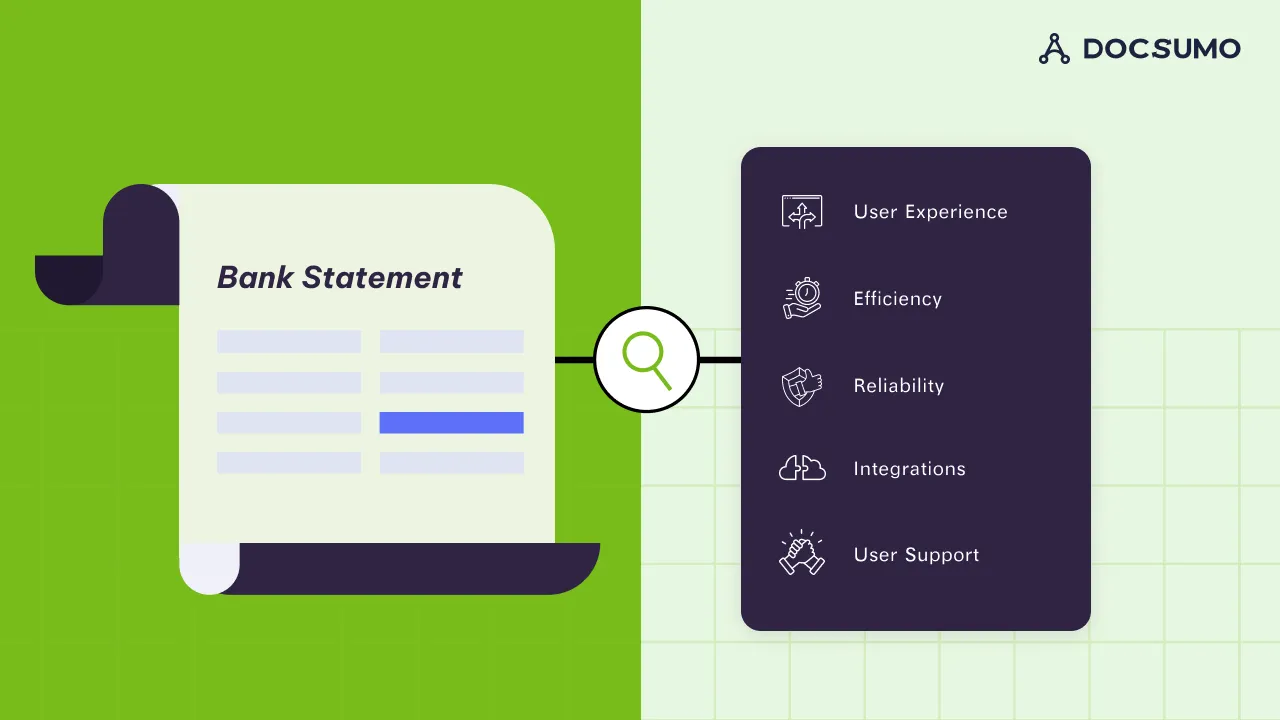
In any case, let’s look at some of the factors that you might need to consider:
1. User experience
Even if the API works as a bridge between two applications, the user should think of both applications and the API as one single entity. Seamless, as they say. In addition, the API should only request for the least amount of information to verify the account. In doing so, this ensures that the user experience remains positive.
2. Efficiency
The API in question should extend the functionality of the apps it connects and do it efficiently. In other words, verifying a bank account shouldn’t take too long after you’ve entered the necessary customer, account, and bank details. At the very least, the API should complete the verification much faster than conventional legacy methods used in the past.
3. Reliability
Without a doubt, the credibility of the account information returned to the user must be spot on. In other words, the more partner banks the API is associated with, the more accurate your information will be. You can do away with the legacy method of verifying bank accounts altogether if the API offers reliable information in real-time.
4. Security
Apart from having complete control over your data, the API you choose should also ensure that it is protected by end-to-end encryption. Moreover, you should be able to select where your data should be stored and for how long.
Most of all, the API functionality should be protected against outages, volume spikes, and the like, which means users should be able to use the API 99.99% of the time.
5. Ease of integration
Most businesses have an ecosystem of apps that their customers use. So, integrating the API with each of these ecosystems should still be simple to carry out better if no-code integration is possible, as this only makes said business life much easier. The sooner the bank statement verification API can be integrated with your business workflow, the faster you can move away from the tedious, time-consuming legacy methods of the past.
6. User support
Now, it’s unrealistic to assume that things will go smoothly upon integrating said bank statement verification API with your apps. It might not, which is why businesses need to rely on user support for that. Simply put, if the business you are purchasing the API offers 24/7 user support, this is an essential factor to consider, as this will determine how things get resolved when something goes wrong.
Let’s examine how some of the most popular bank statement verification APIs measure up to these selection criteria.
5 best bank statement verification APIs#
Even if what we have discussed so far seems to be solid selection criteria when choosing a bank statement verification API, examining its features is advisable.
1. Docsumo
Key Features/ Capabilities
- Minimal User Account Information Collection
- Two Levels of Accuracy Checks
- Document Classification & Splitting
- Use of AI/ML and OCR algorithms
- API and webhooks for integration
Pricing
See Docsumo pricing. A 14-day free trial covers up to 1,000 pages.
Average Customer Reviews
- G2: 4.7 out of 5
2. Attestr
Key Features/ Capabilities
- Minimal User Account Information Collection
- Access to a large number of Indian Public and Private Bank databases
- API Software Development Kit (SDK) for Integration
Pricing
Not disclosed
Average Customer Reviews
Not disclosed
3. IDFY
Key Features/ Capabilities
- Minimal User Account Information Collection
- Access to Key Indian Public and Private Bank databases
- API Software Development Kit (SDK) for Integration
Pricing
Not disclosed
Average Customer Reviews
Not disclosed
4. Signzy
Key Features/ Capabilities
- Minimal User Account Information Collection
- Access to Key Indian Public and Private Bank databases
- API Software Development Kit (SDK) for Integration
Pricing
Not disclosed
Average Customer Reviews
Not disclosed
5. Diro
Key Features/ Capabilities
- Minimal User Account Information Collection
- Access to Key Indian Public and Private Bank databases
- API Software Development Kit (SDK) for Integration
Pricing
Based on the number of verifications performed per month
Average Customer Reviews
Not disclosed
Best practices for implementing Bank Statement Verification APIs#
Selecting a bank statement verification API for your business is one thing and another matter if you want it to work flawlessly with your organization’s software.
If you recall, being able to integrate the API quickly and easily into your organization’s workflow was listed as one of the factors to take into consideration. But there’s more. For this purpose, let’s look at a checklist of questions that you must ask yourself to implement the best bank statement verification API for your business.
- What benefits will this bank statement verification API offer my business? What ‘pain points’ will this API address? How well will it address these pain points?
- In terms of technologies, will the selected API work well with the software ecosystem that serves as the backbone of my business?
- Will the selected bank statement verification API offer training for my staff members? Will there be training interventions every time there is a software feature addition or change?
- Does the selected API have a proven track record of seamless integration with other business workflows? Have there been any issues in the past? Or has the API worked without much hassle over time?
- Does the selected bank statement verification API offer regular updates? How will these updates affect the overall functioning of the bank statement verification task?
Apart from these 5 preliminary questions, it’s a good idea to have a tried-and-tested strategy when selecting a bank statement verification API. Here are a few steps to consider:
- Step 1: Understand the objectives of such an API Integration concerning the requirements it meets by connecting with project stakeholders.
- Step 2: Evaluate current organizational ecosystems in place.
- Step 3: Determine integration points between applications in the organization’s ecosystem.
- Step 4: Determine which integration capabilities must be built and implemented such as APIs and REST/SOAP services, Routing, Transformations, Protocol switching and parallel processing.
- Step 5: Determine whether your implementation requires edge, domain and utility APIs.
- Step 6: Commence implementation of the backend and frontend once the design for all three types of APIs is complete.
Choosing Bank Verification APIs#
While examining the features of an API can give us a fair idea of what they offer the customer, the benefits tell us what the customer stands to gain. Regarding these bank statement verification APIs, being easy to use, speed, and accuracy counts a lot. Still, other factors can make a difference if one has to make a selection between the lot that we looked at earlier.
There is very little public information to separate these APIs on the expected benefits of a bank statement verification API. However, there’s little information about each customer and how it can customize the solution to its needs. Apart from this, pricing information is withheld from the customer. This is no different from customer ratings and the general industry reputation.
Customers must have preliminary access to information about said API before purchasing it from said organization. While getting in touch with the Sales team can obtain the necessary information, there’s minimal traction and visibility when it comes to keeping customers satisfied. Or even having an industry reputation.
So, which bank statement verification API stands out? Let’s find this out in the next section with supporting reasons why.
Choosing the Best Bank Statement Verification API#
Accuracy, speed and ease of use are table stakes for these APIs. Here is how Docsumo's API approaches the rest.
How does the Docsumo API achieve this?
By being transparent about how it goes about offering a custom, intelligent solution to every customer, by harnessing the power of AI/ML algorithms to extract information and classify documents regardless of complexity. In other words, this solution isn’t limited to Asian businesses but can be implemented right out of the box particularly if your business operates largely in North America.
If that’s not enough, you have touchless processing at your fingertips, where human oversight using a review screen is merely optional. As for the extraction task, Docsumo reports 99% field-level accuracy, backed by tally checks that run after extraction is complete.
Still, if the extraction task is complex and requires far more attention to detail than the usual use cases, Docsumo also has a robust customer support team that can help with setup and assistance to queries even if using such a tool is simple enough for tech-savvy individuals.
You can gain first-hand information on how the extraction tool works by visiting the Docsumo website. Also, the pricing, which is based on the number of users, the type and volume of processing documents, and special features designed to capture unstructured information, has been stated explicitly.
Docsumo is rated 4.7 out of 5 on G2. Follow this link to get started with Docsumo’s Bank Statement Parser which comes with a 14-day free trial period.
Before we conclude this deep dive into bank statement verification APIs, let us address a couple of additional FAQs that give us a high-level overview of how they benefit small businesses in particular.
Frequently asked questions#
What are the key features of a good bank statement verification API?
While there are many desirable features that a good bank statement verification API must have, it boils down to four main features: easy-to-use user interface, industry-standard data encryption, access to the most number of partner bank databases for verification, no-code integration, and excellent user support. Any additional features are a bonus with affordable pricing being prime among them.
How do bank statement verification APIs enhance data security?
Since bank account information provided can be either faulty or fraudulent, it is necessary to check whether the accounts are credible. Before bank statement verification APIs, checking whether the bank account existed or not had to be done manually. Only now, it can be done instantly which is why fraudulent behavior can be detected in a matter of a few minutes.
Can small businesses benefit from bank statement verification APIs?
That is if you’re tired of carrying out bank statement verification the old-fashioned way. You can save costs on hiring by integrating this API with your custom software and allowing it to work its magic in verifying customer data in a quick, safe, and thorough manner. You can be sure that the results of your verification searches are up-to-date, reliable, and accurate.
First published . Last updated .