How to streamline document workflows and processing: an 8-step playbook
For operations teams drowning in invoices, forms, statements and applications: how to find where document work slows down, what to fix first, and how to choose and roll out a solution.

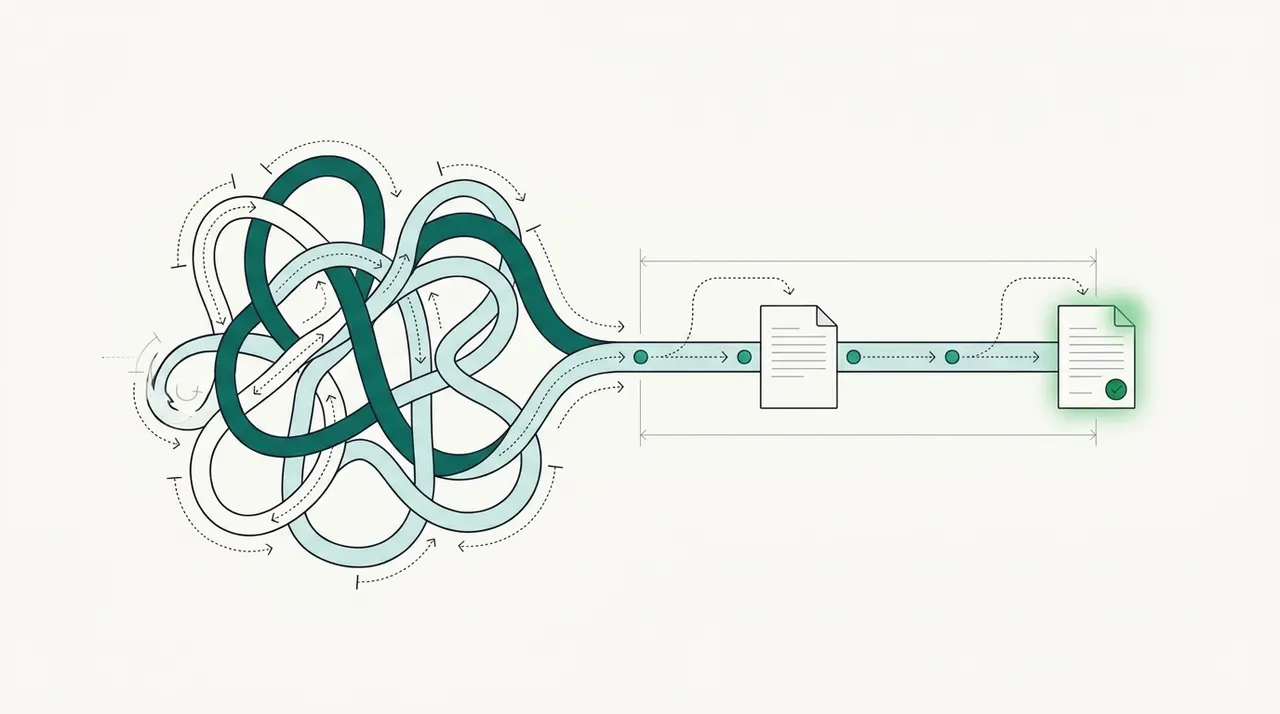
Key takeaways
- Streamlining document processing means removing the manual steps between a document arriving and its data being used: sorting, reading, typing, checking and chasing.
- Start with an audit of document types, volumes, sources and hand-offs; the biggest delays are usually intake and data entry, not approvals.
- The core of a streamlined flow is one intake queue, automatic classification, AI extraction, validation rules and an exception queue.
- When choosing a solution, weigh accuracy on your documents, template-free extraction, validation, review experience, integrations, security and total cost.
- Measure time per document, straight-through rate, error rate and cost per document before and after.
On this page
To streamline document workflows, bring every incoming document into one queue, let software classify it and extract its data, check that data automatically against rules and other documents, and send only the exceptions to people. Then connect the output directly to the systems that use it. Most of the time saved in document processing comes from removing manual intake and data entry, the steps where documents wait longest.
This playbook covers the eight steps, the common obstacles, how to choose a solution and how to roll it out.
Where document processing slows down
Invoices, applications, claims, statements and certificates all move through the same six stages, and each stage has a typical manual delay that a streamlined workflow removes.
Manual document processing
- Intake: documents arrive by email, portal, mail and fax, and sit in inboxes
- Sorting: someone opens each file to see what it is
- Data entry: values are typed into systems, with errors
- Checking: a second person reviews, or nobody does
- Follow-up: missing or wrong documents are chased by email
- Hand-off: data is exported to spreadsheets and re-imported
Streamlined document workflow
- Intake: one queue fed by every channel
- Sorting: automatic classification and splitting
- Data entry: AI extraction with confidence scores
- Checking: validation rules and cross-document checks
- Follow-up: exceptions routed with the reason and the source page
- Hand-off: direct delivery by API or webhook
8 steps to streamline document processing
Work through them in order: each step sets up the next.
- Audit your documentsList every document type, its volume, where it comes from, who touches it and which system it ends up in. Note which ones cause the most delay or rework.
- Set a baseline and a goalMeasure time per document, cost per document, error rate and backlog. Set a target, such as same-day processing or 80% of documents with no manual touch.
- Centralize intakeRoute shared inboxes, portal uploads, scans and API submissions into one queue. You can't streamline what you can't see.
- Classify and split automaticallyLet software identify each document and split multi-document files, so each goes to the right extraction model and team.
- Extract data with AIUse extraction that works across layouts rather than a template per format. Docsumo's document AI reaches 99% field-level accuracy on 250+ document types, including invoices, bank statements and ACORD forms.
- Validate before anyone looksApply rules: required fields, formats, totals that add up, matches to master data, and consistency across documents in a packet. Validation is what makes it safe to skip manual review for clean documents.
- Route exceptions, not everythingSend only low-confidence values and failed checks to a reviewer, with the reason and the source page. Everything else goes straight through; Docsumo reports 95%+ straight-through processing.
- Integrate and measureDeliver data to your ERP, loan origination, claims or CRM system through APIs and webhooks, and review your KPIs monthly. Adjust rules as exception patterns emerge.
Common obstacles
- Poor document quality: use image pre-processing and keep a review step for low-confidence fields.
- Systems that don't talk to each other: plan integrations early; use RPA only where there's no API.
- Resistance to change: involve the team and show them how the review queue works.
- Legacy systems: deliver data in formats they accept, or through middleware.
- Many document formats: avoid tools that need a template per layout.
- Data security: check certifications such as SOC 2 Type 2, HIPAA and GDPR, access controls and retention.
How to choose a document processing solution
| Criterion | What to look for |
|---|---|
| Accuracy | Field-level accuracy on your own documents, including scans |
| Coverage | Pre-trained models for your document types; option to add new ones |
| Validation | Custom rules, lookups and cross-document checks |
| Review | Fast correction with each value shown on the page |
| Integration | APIs, webhooks and connectors to your systems |
| Security | SOC 2 Type 2 and other certifications you need |
| Cost | Pricing that fits your volume; a trial on your documents |
Document management systems, template OCR, cloud extraction APIs and IDP platforms all play a part. For a comparison of approaches, see automated document processing methods compared.
Rolling it out
- Pilot one document type with real volume.
- Train reviewers on the exception queue.
- Integrate with the system of record, and retire manual exports.
- Monitor accuracy, straight-through rate and exception reasons.
- Expand to the next document type.
Most organizations are still moving from pilots to scale with AI; McKinsey's 2025 State of AI survey found 88% use it regularly in at least one function, but most haven't scaled it. Document processing is a good place to scale because results are easy to measure.
The bottom line
Streamlined document processing has one intake queue, automatic classification and extraction, validation before review, and exceptions as the only manual work. Audit first, fix the biggest bottleneck, measure the result and expand one document type at a time.
Frequently asked questions
What does it mean to streamline document processing?
It means cutting the manual work and waiting between when a document arrives and when its data is used, typically by centralizing intake, automating classification and extraction, validating data automatically and sending only exceptions to people.
What slows document processing down the most?
Usually intake and data entry. Documents arrive through many channels, sit in inboxes, and then have to be read and typed. Rework from typing errors adds more delay.
Do I need a document management system or document processing software?
They do different jobs. A document management system stores and organizes files. Document processing software reads them and turns them into data. Many teams use both.
How do I choose document processing software?
Test shortlisted tools on 50 to 200 of your real documents, and compare accuracy, review time, validation options, integrations and security. See Docsumo's platform for one example.
How long does it take to streamline a document process?
A single document type with a clear workflow can be live in weeks. Adding many document types and integrations takes longer; expand in stages.