What is unstructured data? Examples, storage and how to extract it
For operations, data and technology teams: what counts as unstructured data, how it compares with structured and semi-structured data, how it's stored, and the methods that turn it into usable fields.


Key takeaways
- Unstructured data is information without a predefined data model or schema: free text, documents, images, audio and video.
- Most business information is unstructured, including emails, contracts, scanned documents, call recordings and customer feedback.
- It's usually stored as files in object storage, data lakes and document management systems, often with metadata and search indexes on top.
- Extracting value takes OCR for scans, NLP and language models for text, and computer vision for images, followed by validation.
- For business documents, intelligent document processing turns unstructured and semi-structured files into validated fields your systems can use.
On this page
- Structured vs semi-structured vs unstructured data
- Examples of unstructured data
- Why unstructured data matters
- How unstructured data is stored
- How unstructured data is extracted and analyzed
- Challenges, and how to handle them
- Turning unstructured documents into data with Docsumo
- The bottom line
- Frequently asked questions
Unstructured data is information that doesn't follow a predefined data model or schema, so it can't be stored directly in the rows and columns of a database. Emails, contracts, scanned documents, images, audio recordings, chat transcripts and videos are all unstructured. Most of the information a business holds is in this form, and getting value from it means extracting the facts inside, such as names, dates, amounts and terms, into structured data.
This guide covers how unstructured data differs from structured and semi-structured data, common examples, how it's stored, and the methods used to extract and analyze it.
Structured vs semi-structured vs unstructured data#
| Compared on | Structured | Semi-structured | Unstructured |
|---|---|---|---|
| Format | Fixed schema, rows and columns | Tags or keys, flexible schema | No predefined format |
| Examples | Database tables, spreadsheets | JSON, XML, invoices, bank statements | Contracts, emails, images, audio, video |
| Stored in | Relational databases, warehouses | Document databases, JSON columns, files | Object storage, data lakes, document systems |
| How it's queried | SQL | Parsers, JSON queries, IDP | Search, NLP, OCR, computer vision |
For more detail, see semi-structured data and structured data.
Examples of unstructured data#
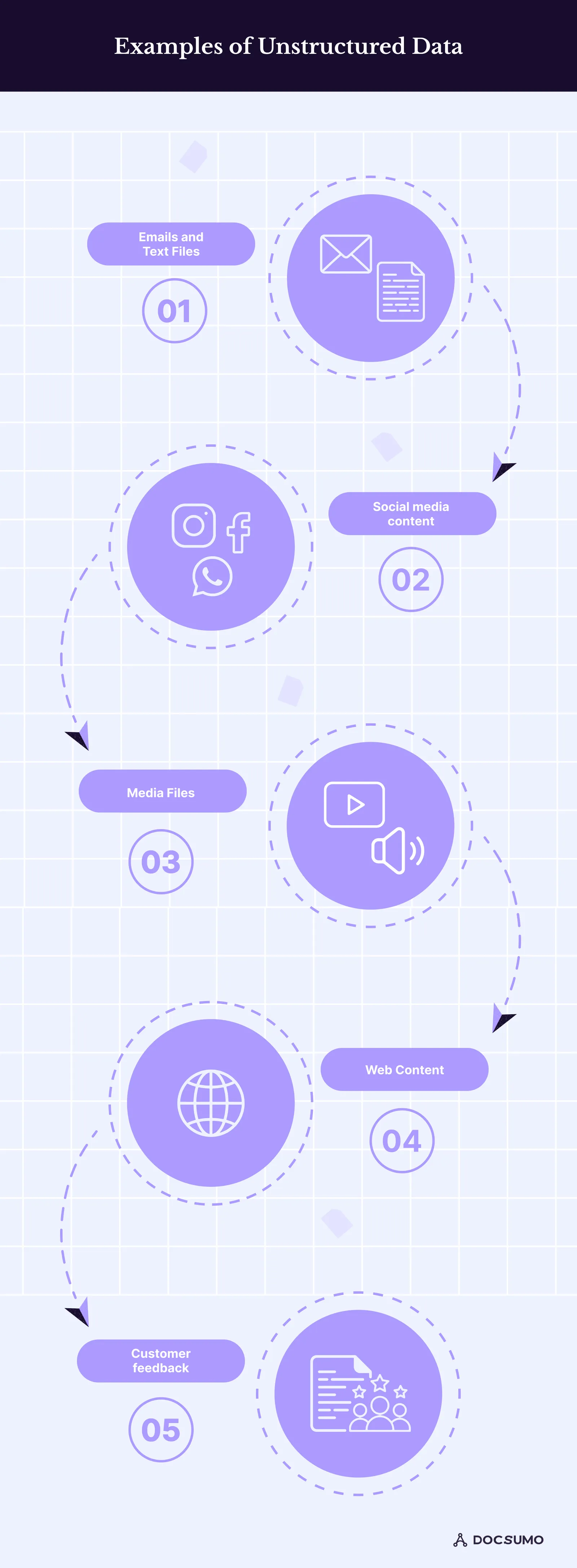
- Text: email bodies, letters, contracts, leases, policies, reports, notes.
- Scanned documents: paper forms, signed agreements, faxes and photos of documents.
- Images: product photos, damage photos for insurance claims, ID images.
- Audio and video: call recordings, meetings, training videos.
- Web and social content: pages, posts, reviews, comments.
- Messages: chat logs, support tickets, SMS.
Why unstructured data matters#
- It holds the details. The renewal clause in a lease, the cause of loss in a claim, the reason for a large deposit in a letter of explanation.
- It drives operations. Loans, claims, invoices and onboarding all run on documents.
- It feeds AI. Search, assistants and analytics are only as good as the content you can make usable.
- It carries risk. Personal and financial data hidden in files still needs to be found, protected and retained correctly. See PII detection.
How unstructured data is stored#
- Object storage (such as Amazon S3 or Azure Blob Storage) for files at scale.
- Data lakes that keep raw files alongside processed, structured versions.
- Document and content management systems with folders, permissions and version history.
- Search indexes and vector databases that make text searchable by keyword or meaning.
Storing unstructured data is easy; using it requires extracting what's inside.
How unstructured data is extracted and analyzed#
- Collect and classify. Gather files from email, uploads and storage, and identify what each one is. See document classification.
- Convert to text. Run OCR on scans and images; transcribe audio.
- Understand the content. Use NLP and language models to find entities, clauses and relationships; use layout models for forms and tables; use computer vision for images.
- Structure it. Map what was found to a schema: fields, tables and labels.
- Validate. Check formats, totals and consistency with other data, and route uncertain results to a person.
- Load and use. Send structured results to databases, business systems and analytics tools.
For text-heavy content, read intelligent text processing; for documents specifically, see extracting data from unstructured documents.
Challenges, and how to handle them#
- Variety. Every sender formats things differently. Use models trained on many layouts rather than templates.
- Quality. Poor scans and photos cause OCR errors. Preprocess images and set confidence thresholds.
- Volume. Manual review doesn't scale. Automate the routine and review only the exceptions.
- Accuracy. Language models can produce confident mistakes. Validate every extracted value and keep a human in the loop for critical fields.
- Security and privacy. Restrict access, encrypt data and choose vendors with certifications such as SOC 2 Type 2. See Docsumo's security page.
Turning unstructured documents into data with Docsumo#
Docsumo is an intelligent document processing platform for lending, insurance and financial services. It classifies incoming documents, extracts fields and tables from unstructured and semi-structured files such as bank statements, invoices and ACORD forms, validates the results and routes exceptions to reviewers, with 99% field-level accuracy on 250+ document types and 95%+ straight-through processing. See the platform.
The bottom line#
Unstructured data is where most business detail lives, but it's only useful once the facts inside are extracted. Combine OCR, language and layout models with validation and review to turn documents, emails and images into data your systems can act on.
Frequently asked questions#
What is unstructured data?
Data that doesn't follow a predefined format or schema, so it can't be stored directly in rows and columns. Examples include emails, PDFs, scanned documents, images, audio and video.
What are examples of unstructured data?
Email bodies, contracts and letters, scanned forms, photos, call recordings, chat transcripts, social media posts, videos and customer reviews.
What is the difference between structured and unstructured data?
Structured data fits a fixed schema, such as a database table, and can be queried with SQL. Unstructured data has no fixed schema and needs processing, such as OCR or NLP, before it can be queried. Semi-structured data, like JSON or invoices, sits in between.
How do you extract data from unstructured documents?
Convert images to text with OCR, then use NLP, layout-aware models or language models to find the fields you need, validate them against rules, and send uncertain values to a person for review.
Is a PDF structured or unstructured?
The file format doesn't decide it. A PDF of a contract is unstructured; a PDF invoice is usually called semi-structured, because the same fields appear in different layouts.
Sources
First published . Last updated .