Manual vs Automated Verification: Transforming Bank Statement Processes
Understand manual vs automated bank statement verification. Learn how automation improves accuracy and cuts the time and cost of manual checks.

On this page
- What is Bank Statement Verification?
- What is manual bank statement verification?
- Challenges in the manual bank statement verification process
- What is automated bank statement verification?
- Benefits of automated bank statement verification
- Manual vs Automated Bank Statements Verification: Key Differences
- How to Automate Bank Statement Verification?
- Automated Bank Statement Verification Eliminates the Grunt Work of Manual Data Processing
- Frequently asked questions
Around 83% of employees recreate missing documents, wasting time and effort. Businesses, banks, and financial institutions relying on manual verification consider it challenging because it is becoming expensive and time-intensive.
Moreover, manual verification of bank statements delays the decision-making process, which affects the business's productivity and efficiency.
But what if we tell you there is a quick, cost-effective method to verify bank statements?
Automation tools are changing the workflow of businesses in many ways. This automation can be used to verify bank statements too. Businesses can verify data from bank statements in minutes with automation tools. This saves time, reduces costs, and improves productivity.
This blog discusses manual and automated bank statement verification processes, their risks and benefits, and the best way to verify bank statements.
What is Bank Statement Verification?#
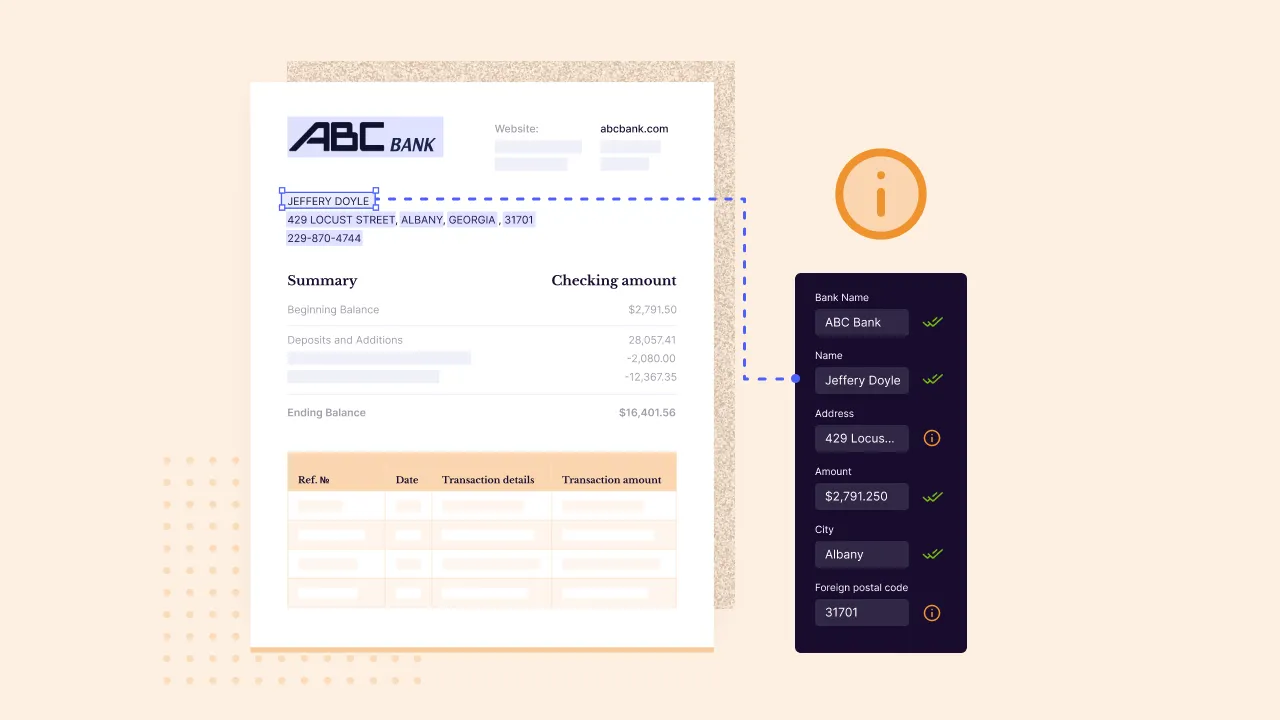
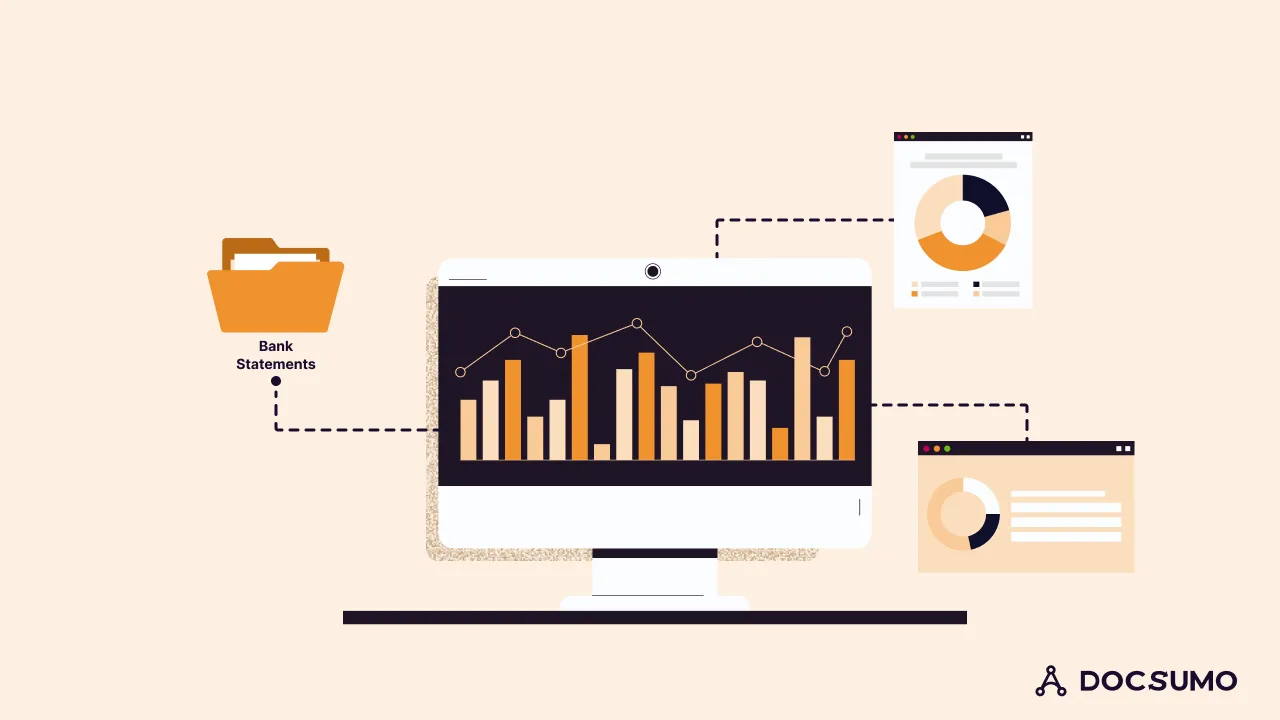
Bank statement verification involves verifying and extracting information from bank statements. Next, businesses enter this data into their accounting systems. Then, they validate this data to make necessary decisions. Lenders, banking businesses, financial institutions, and NBFCs frequently analyze bank statements. They do this for accounting, insurance, and loan approval.
What is manual bank statement verification?#
Employees use PDFs or physical copies of bank statements during the manual bank statement verification process. They use these to verify the authenticity of transactions and other details. This means scanning through the individual documents manually without any external support.
Let's see how verification works in two different cases:
a. Lending money to borrowers
A lending institution receives thousands of loan applications each month. The lender must verify borrowers' income to ensure they can repay the loan. The lenders would analyze borrowers' bank statements manually. They follow this process to learn about their income and credit value. Then, they would approve or reject loans based on that.
b. Accounting purposes
Businesses use bank statements to check the available balance at the start and end of the month. They also track credit and debit inflows. Employees scan each bank statement manually to track common transaction trends. They make decisions on reducing costs and saving money based on this verification.
Challenges in the manual bank statement verification process#
a. Time-consuming
Verifying documents manually demands a lot of time from the employees. They need to check the data thoroughly to avoid errors. In addition, finding lost paper bank statements and checking the information can be tiring for employees.
The manual verification process has many disadvantages. It is tedious, error-prone, and time-consuming. This affects the overall productivity of the business. Employees must refrain from concentrating on strategic tasks because they must always be glued to bank statements.
b. Security risks
When done manually, many employees handle bank statements. This risks customers’ sensitive information, such as bank account numbers. Sometimes, the simple carelessness of employees can cause data leakages. This can damage your entire business's reputation. It can also inconvenience your customers.
c. Data inaccuracy
The manual bank statement verification process is monotonous and repetitive. When boredom hits, employees lose concentration, which leads to inaccuracy and errors in reviewing and verifying bank statements.
Identifying and fixing errors is time-consuming. Employees must find the mistakes, get approval from multiple departments, and correct them.
d. Expensive in the long run
Relying on a manual process is more expensive in two ways.
First, employee wages can be expensive in the long run. Investing in an automation tool can be a more cost-effective option.
Second, human errors can be costly. A single error means transactions must be repeated or compensated to clients.
What is automated bank statement verification?#
Automated bank statement verification uses a tool to extract, verify, and validate data from bank statements. Humans are only involved in the loop. This removes the heavy lifting so employees can concentrate on productive tasks.
For example, OCR technology automates data extraction from bank statements. This technology extracts characters from documents and recognizes and processes them for electronic conversions.
OCR technology reads the characters and letters and stores them electronically in databases. Downstream systems process them. They also convert them to other file formats for easy sharing, access, and viewing.
OCR-based data extraction helps banks monitor client spending behavior. It also allows banks to analyze bank statements and evaluate individuals' creditworthiness. Accounts payable departments use automated bank statement verification, which speeds up the processes for customer onboarding and offboarding.
Using the above two cases, let's decode how automation helps in document verification.
a. Lending money
Lenders must ensure the creditworthiness of the borrowers before approving the loan. So, automation works by uploading the scanned or directly downloaded digital copies of bank statements.
Then, specify the information that needs to be derived from the statements. In this case, the borrower's salary will be credited at the beginning of the month. The automation tool for bank statements will read the documents and extract data from them within a few minutes.
b. Accounting
Businesses can also specify the data that needs to be extracted from their monthly transactions. For instance, let's assume administrative fees for the particular year should be verified. The automation platform would scan the transactions to pull the information. Then, it would present it in the preferred format.
Benefits of automated bank statement verification#
Various benefits of automated bank statement verification that you shouldn’t miss:
a. Reduce labor costs
The right automation platform for bank statement verification is like an investment every month. The cost remains relatively high with the increased number of documents.
According to McKinsey research, about 45% of employees’ work can be automated. It also shows that investing in automation can yield benefits worth three to ten times the cost. This saves money in the long term. Businesses don't have to spend extra on hiring and training staff. They can easily handle a sudden, unexpected number of bank statements with automation.
Banks can use data extraction software to extract data from any number of documents. They can also follow a human-in-the-loop approach, in which bank employees flag errors and direct them to the right department.
b. Improve accuracy
Automating bank statement verification reduces errors and inaccuracies. Manual verification, on the other hand, is prone to a high number of mistakes. Automated data extraction platforms like Docsumo report 99% field-level accuracy. They improve the efficiency of your business.
c. A single solution for different purposes
Get many purposes solved with a single solution when you invest in automation.
Advanced automation tools provide added benefits such as:
- Digitizing large volumes of documents that assist businesses to go paperless
- Deriving insights from extracted information helps businesses to make informed decisions
- Integrating with industry-specific CRMs, ERPs, accounting, and payroll software
d. Verify different formats
Advanced automation tools can handle different formats of bank statements. These include images, PDFs, PNGs, JPEGs, emails, and Excel sheets. The single tool verifies and extracts data from structured, unstructured, and semi-structured documents.
e. Process bank statements in minutes
An automation tool can verify bank statements in seconds or minutes. On the other hand, manual data extraction takes days or even weeks to verify bank statements at scale.
f. Improve customer satisfaction
Automated data extraction significantly reduces the time a bank or lender takes to process documents. This leads to quicker loan processing time, improving the customer experience and satisfaction.
Manual vs Automated Bank Statements Verification: Key Differences#
In the manual verification process, data is extracted manually. It is done by scanning through the physical copies of bank statements. Employees carry out this process. Then, they analyze the extracted data to finalize decisions.
With automation, bank statements are scanned and uploaded to the tool for verification. After specifying the information that needs to be verified or extracted, the tool scans the documents. Then, it pulls the data from them. It is then validated automatically to avoid errors and inaccuracies.
Now, let's check the overall differences between these two verification processes:
| Manual bank statement verification | Automated bank statement verification |
|---|---|
| Extracting data and entering it into accounting systems is time-consuming. Staff has to spend hours or days doing this work manually | With automation, extract and validate data from bank statements in just a few minutes |
| Depending on the high volumes of bank statements, businesses need to hire and train additional staff. This is expensive | High initial setup cost and a regular monthly/yearly subscription. Cost-effective when it comes to long-term ROI |
| High chances of errors and inaccuracy | Higher accuracy with automated verification |
| High chances of security breaches as documents are exposed to multiple touchpoints | Data encryption ensures the safe and secure storage of documents. It happens with cloud-based data storage |
| Corrections are necessary if manually entered data are wrong | Extracted data are then validated automatically so no worries about recorrections |
| Making decisions (transactions and approval of loans) can be delayed because of a slow verification process | Make decisions quickly as thousands of bank statements can be processed in minutes |
| Verification is limited to office hours, breaks, and fatigue of employees | Bank statements can be processed |
| No chance of storing bank statements in different formats | Convert bank statements to Excel, JSON, and a variety of other formats |
| The employees can process only a specific range of documents at a time due to their capacity | An unlimited number of documents can be processed |
How to Automate Bank Statement Verification?#
You need to choose the right automation tool to automate bank statement verification. It needs to fit your business use cases. Look for the best bank statement verification tools with the following features:
- Process different formats: A data extraction and automation tool should be able to process various formats, including PDFs and images.
- Speed: The tool's processing speed is crucial. It's one of the major reasons any business shifts to automation. The tool should be quick when scanning large volumes of documents.
- Accuracy: Speed is crucial, but it should maintain the accuracy of the extracted data. Look for tools that guarantee an accuracy rate of 99% or above.
- Cloud storage: Pick a cloud-based data automation tool. This will let employees access data regardless of the device and location.
- Security: The bank statement data extraction and verification platform should have enterprise-grade encryption. It should also have role-based access control.
Banks, lending institutions, and financial businesses use Docsumo’s bank statement parser to automate their bank statement verification process. Here’s how your business can use Docsumo.
- First, upload the bank statements (scanned images or PDFs) in Docsumo
- Select the bank statement API and review the details that need to be extracted
- Docsumo will use Optical Character Recognition (OCR) technology. It will extract the necessary data from the documents.
- This data will be validated automatically. Then, Docsumo's API sends it to the users for approval to avoid errors.
- Convert the document to the preferred format. Then, share it with your respective people.
Docsumo's intelligent algorithms help you extract data with 99% field-level accuracy. They're used for bank statement processing, analyzing credit profiles, and verifying tax reporting. They enable faster data extraction.
Automated Bank Statement Verification Eliminates the Grunt Work of Manual Data Processing#
Any financial and banking institution handles bank statements and documents at scale. Modern organizations rely on automation tools, such as bank statement parsers. These tools automate data extraction and verification within seconds, with over 99% accuracy. The result is a 65-70% reduction in operational costs. This also improves productivity, allowing your staff to focus on strategic tasks.
Sign up for afree trial of Docsumo to process bank statements in any format.
Frequently asked questions#
What is manual bank statement verification?
Humans verify specific data from bank statements manually, without any tools.
What is automated bank statement verification?
Automated bank statement verification uses OCR technology. It extracts and validates bank statement data, requiring minimal human intervention.
Is manual verification a better way to rely on?
Manual document verification has risks and challenges. These include inaccuracy, lengthy data extraction time, security issues, and labor costs.
What are the benefits of using automation tools for bank statement verification?
Some benefits are improved accuracy, reduced operational costs and processing time, and improved customer satisfaction.
How do you automate bank statement verification?
To automate bank statement verification, invest in an automation system like Docsumo. Start uploading the documents to verify and extract information.
First published . Last updated .