Financial statement data extraction: what to capture and how to automate it
For credit analysts, underwriters and finance teams who receive borrower or portfolio financials as PDFs: which figures to capture, why statements are hard to extract, and a workflow that produces clean, comparable data.

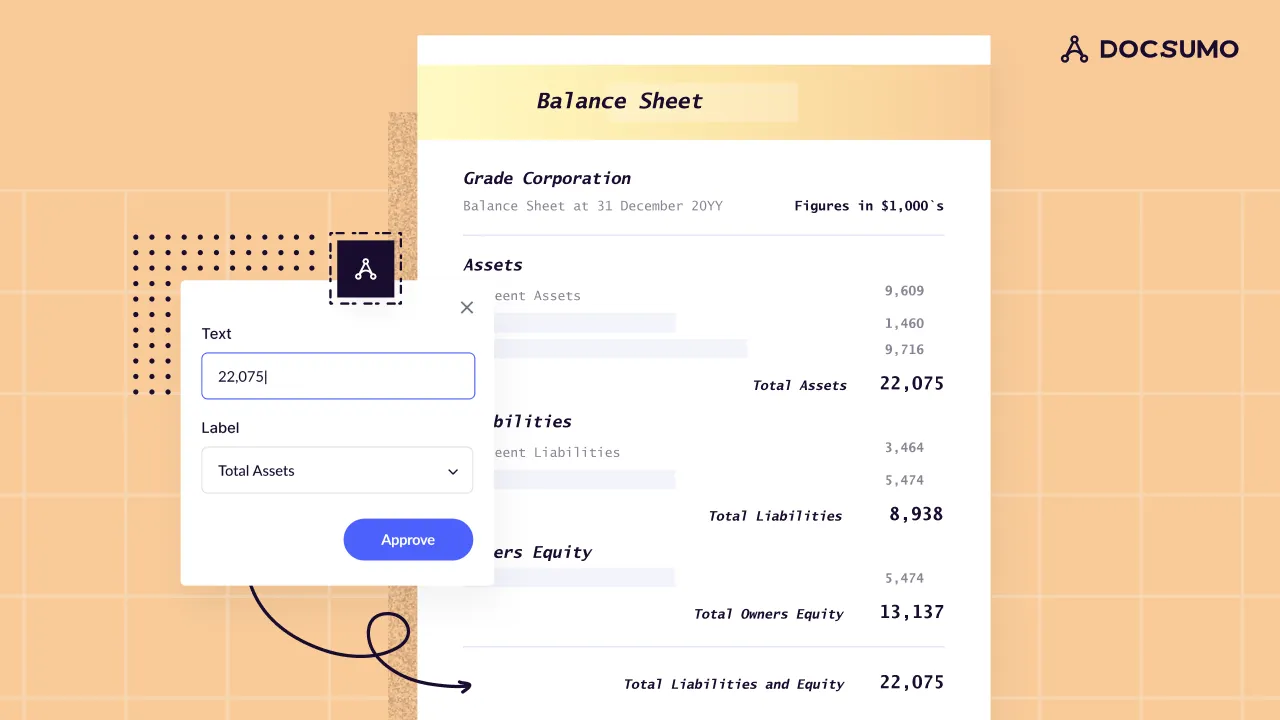
Key takeaways
- Financial statement data extraction turns balance sheets, income statements and cash flow statements from PDFs, scans or spreadsheets into structured, line-by-line data.
- Public company financials are already structured: the SEC's free EDGAR APIs serve XBRL data. The hard part is private company statements, which arrive as PDFs in every layout.
- Capture every line item, every period column, and the units (dollars or thousands), not just totals, so the data can be mapped and ratios recalculated.
- Validate with the statements' own math: assets equal liabilities plus equity, subtotals foot, and net income ties from the income statement to the cash flow statement.
- Extraction feeds spreading: mapping each borrower's line items to your standard template for ratio and covenant analysis.
On this page
Financial statement data extraction is the process of turning balance sheets, income statements and cash flow statements into structured data: every line item, every period and every total, ready for analysis. Lenders and analysts do it to spread borrower financials, calculate ratios and test covenants without retyping PDFs. Public company data is already available in structured form from the SEC; private company statements, which arrive as PDFs and scans in every layout, are where extraction does the work.
This guide covers what to capture from each statement, why extraction is harder than it looks, the checks that catch errors, and a workflow that automates it.
The three financial statements and what to capture#
| Statement | What it shows | Key lines to capture |
|---|---|---|
| Balance sheet | Financial position at a point in time | Cash, receivables, inventory, current assets, fixed assets, total assets, payables, current liabilities, long-term debt, total liabilities, equity |
| Income statement (P&L) | Performance over a period | Revenue, cost of goods sold, gross profit, operating expenses, depreciation and amortization, interest expense, taxes, net income |
| Cash flow statement | Cash moving in and out over a period | Net income, non-cash adjustments, working capital changes, cash from operations, capital expenditures, cash from investing and financing |
Capture more than the totals:
- Every line item as labeled, so it can be mapped to your template later.
- Every period column, including prior-year comparatives.
- Units and currency: "in thousands" in the header changes every number.
- Statement metadata: company name, period end date, audited, reviewed, compiled or company-prepared.
- Notes where they matter: debt maturities, leases, related-party transactions and contingencies.
Where the data comes from#
- Public companies file financial statements with the SEC in XBRL. The SEC's EDGAR APIs return that data in JSON, free and without an API key, so there's nothing to extract.
- Private companies send PDFs from their accountant, exports from QuickBooks or Xero, spreadsheets, or scans. Layouts, line names and levels of detail differ for every borrower. This is where extraction is needed.
- Tax returns often stand in for financial statements for small businesses: Form 1120, 1120-S, 1065 or Schedule C. See IRS tax form extraction.
Why financial statement extraction is hard#
- No standard layout. Every accountant formats statements differently, and line names vary ("Sales", "Revenue", "Net revenues").
- Multi-column tables. Several periods side by side, sometimes with variance columns, budget columns or percentages.
- Hierarchy. Indented sub-lines, subtotals and totals need to keep their structure.
- Negative numbers. Shown with parentheses, minus signs or in red.
- Multi-page statements with headers repeated or omitted on each page.
- Scans and faxes from smaller borrowers.
- Mixed packages. A single PDF with a cover letter, three statements, notes and a tax return.
Checks that catch extraction errors#
Financial statements check themselves, so use their own math:
- Balance sheet balances: total assets = total liabilities + equity.
- Subtotals foot: each subtotal equals the sum of its lines; current assets plus non-current assets equals total assets.
- Income statement flows: revenue − COGS = gross profit; down to net income.
- Statements tie together: net income on the P&L equals net income at the top of the cash flow statement; ending cash on the cash flow statement equals cash on the balance sheet.
- Periods line up: the balance sheet date matches the end of the P&L period.
- Units applied consistently: thousands vs dollars.
Any failed check points to a misread value or a missing line and should go to a reviewer.
How to automate financial statement extraction#
- Collect statements in one place, from email, a borrower portal or your loan origination system.
- Classify and split mixed packages into balance sheet, income statement, cash flow statement, notes and tax returns.
- Extract every line and period with a model trained on financial statements, keeping hierarchy, signs and units. Docsumo extracts financial statements with 99% field-level accuracy.
- Validate with the checks above.
- Map to your template. Assign each borrower line to your standard chart, reusing mappings analysts have already made.
- Review exceptions. Analysts see only failing checks and low-confidence values, each shown on the source page.
- Export or integrate. Send the spread to Excel, your credit memo, or your loan system through an API or webhook.
This is the core of financial spreading automation and commercial underwriting. Docsumo customers report under 5 minutes per document, down from more than 2 hours.
Managing extracted financial data#
- Keep the link to the source page for every value, for credit review and audit.
- Store periods consistently so trend analysis works across years and borrowers.
- Record the statement's quality level (audited, reviewed, compiled, company-prepared) with the data.
- Restrict access. Borrower financials are confidential. Use a vendor with SOC 2 Type 2 compliance and role-based access.
For commercial real estate, the equivalent documents are the T12 and the rent roll. See T12 in real estate.
The bottom line#
Pull public company data from the SEC; extract private company statements. Capture every line, period and unit, validate with the statements' own math, and map the results to your template. Then analysts review exceptions instead of retyping PDFs.
Frequently asked questions#
How do you extract data from financial statements?
Upload the statements to a document AI tool, which classifies each statement, reads each line item and period column, and returns structured data. Then validate the math, map line items to your chart of accounts or spreading template, and export to Excel or your credit system.
Can I extract financial statement data to Excel?
Yes. Most tools export extracted statements to Excel or CSV, one row per line item and one column per period. For ongoing volume, send the data to your spreading or loan system through an API instead.
What is the difference between extraction and financial spreading?
Extraction reads the numbers off the statement as they're labeled. Spreading maps those lines into a standard template, such as putting "Cost of sales" and "COGS" in the same row, so you can calculate ratios and compare borrowers. See spreading financial statements.
Where can I get public company financial data without extraction?
The SEC's EDGAR APIs provide XBRL financial data from company filings in JSON, free and without an API key. Private companies don't file with the SEC, so their statements need to be extracted from documents.
How accurate is automated financial statement extraction?
It depends on the tool and document quality. Measure on your own borrower statements, including scans. Docsumo reports 99% field-level accuracy across 250+ document types.